
As the name suggests, updates are greats, but they can also be problematic. The updates are quite helping to keep your PC abreast. For Windows 10 users, system ...
Windows 10

How to use parental controls on Windows 10
In this digital age, data is easily accessible all over the internet, and the problem is the internet does not know whether one is ready to process it or not. ...
New File Explorer icons are coming to Windows 10
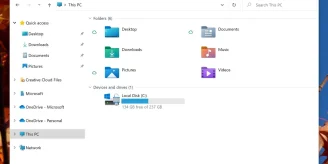
Windows 10 will get a major visual makeover as Microsoft has introduced new icon sets in the File Explorer. In the latest Windows 10 Insider Preview Build ...

Do You Need a Registry Cleaner? Modern Windows Cleanup Without the Snake Oil
Windows does not get “faster” because a free utility deleted a few orphaned registry keys. On modern Windows 10 and Windows 11, the registry is large, ...
Microsoft releases Windows 10 May update to Insiders
Related reading Windows 11 leaked UI shows visual overhaul, redesigned icons, and other changesMicrosoft to announce next-gen of Windows on June 24th ...

How to Reset Windows 11 or 10 Without Losing Your Files
When Windows feels broken — apps crash, the Start menu stalls, updates fail in a loop — a keep-files reset is often the cleanest fix that does not wipe your ...
How to Play a DVD Movie on Windows 10 Without Windows DVD Player
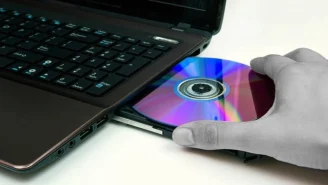
Live video streaming is all the rage nowadays, but many of us still prefer watching movies on DVD and have a huge collection of DVD movies. Now here’s a bit of ...

Hackers are using an unpatched flaw to attack Windows 10 users
Microsoft announced that Windows 10 and other supported versions of Windows has a security flaw that can get a user infected with malware by just ...

5 Best Free and Affordable Movie Makers for Windows 10
January 14th, 2020 marks the end of an era since, on this day, Microsoft will officially end all support for Windows 7. The mainstream support for Windows 7 ...
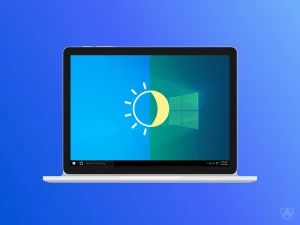
How to Enable Night Light in Windows 11 and 10
If you work past dark, your monitor is the brightest blue-white object in the room. Windows has a built-in fix for that, and it costs nothing: Night light ...
How to enable dark mode in Windows 10
The latest version of Windows 10 lets you switch between dark and light theme. But Windows 10 dark mode doesn't work on all apps. Currently, few apps like ...
How to Change Default Apps in Windows 11 and 10
Windows ships with a full set of built-in apps — Edge for the web, Photos for images, Media Player for music and video, Mail for email — and it quietly assigns ...
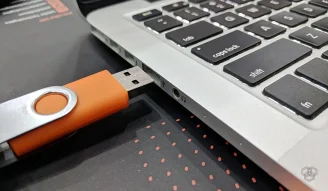
Microsoft: “You don’t need to safely remove USB drives anymore”
A feature that was first introduced in Windows XP and has since then been practiced as a precaution might be at its end. In Windows 10 version 1809, Microsoft ...

How to make a bootable USB
A bootable USB drive turns an ordinary flash drive into an installer or rescue disk you can start a computer from. It is the modern replacement for installation ...
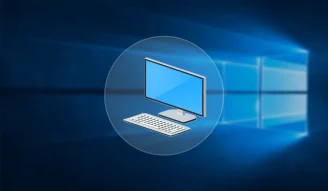
How to Add This PC to the Desktop in Windows 11 and 10
To put This PC on your Windows desktop, open Settings → Personalization → Themes → Desktop icon settings, select Computer, then choose Apply and OK. “Computer” ...
