


Disclosure: TechEngage is a participant in the Amazon Services LLC Associates Program, an affiliate advertising program designed to provide a means for sites to earn fees by linking to Amazon.com and affiliated sites. We may earn a commission when you buy through links on this page, at no extra cost to you. Our editorial picks are made independently of these partnerships.
Who this is for: barns, detached garages, pool houses, RV pads, garden offices, patio workspaces, and outdoor camera runs that sit past where an indoor router or mesh node still holds a usable link. This is a research buying guide, not a TechEngage outdoor field test.
Outdoor Wi-Fi is a different job than covering a living room. Purpose-built outdoor access points and extenders are rated for rain, UV, temperature swings, and permanent mounting. Indoor mesh often fades within a few dozen feet of the exterior wall. Treat outdoor gear as its own category.
Choose the install type before the brand. An access point needs Ethernet backhaul and creates a new radio cell. An extender / repeater rebroadcasts an existing wireless signal and typically halves useful throughput because one radio does both hops. A mesh node is a managed repeater with roaming features; it still depends on wireless backhaul unless you can wire it. A directional bridge (two matched CPEs) is for building-to-building Ethernet, not whole-yard phone coverage. Full definitions sit after the picks.
The eight products below are compared from manufacturer specifications, installation manuals, and attributed third-party reporting. Radio link rates, advertised coverage, and independently measured throughput are different kinds of evidence. Live prices and ratings come from the Amazon widgets; we do not invent list prices or lab measurements.
1. WAVLINK AX1800 Outdoor WiFi 6 Extender — Residential Candidate

| Price & Details | |
|---|---|
| Price | $159.99 |
| Rating on Amazon | 4.4 out of 5 stars |
| Brand | WAVLINK |
| Check availability on Amazon |
Consider the WAVLINK AX1800 when you need one weather-rated unit and you can decide later whether to run it as a wired access point or a wireless repeater. Check where it will mount, how you will feed power, and whether Ethernet backhaul is realistic. Antenna gain alone does not tell you how far a phone or camera will hold a usable connection.
An ingress-protection rating describes specified enclosure tests, not unrestricted exposure. Read the exact revision’s installation manual for temperature limits, cable sealing, orientation, and maintenance. An IP rating does not by itself prove resistance to salt, lightning, ice, or storm debris.
AX1800 band rates are wireless link specifications, not measured file-transfer or internet speeds. Wired access-point mode avoids using a radio hop for backhaul. Repeater results depend on the upstream link and the client. This listing is a different SKU from the WAVLINK AERIAL HD9 AX3000 in pick 8 — same brand, not the same product.
Check availability on Amazon2. TP-Link EAP603-Outdoor — Best WiFi 6 Access Point
| Price & Details | |
|---|---|
| Price | $99.99 |
| Brand | TP-Link |
| Check availability on Amazon |
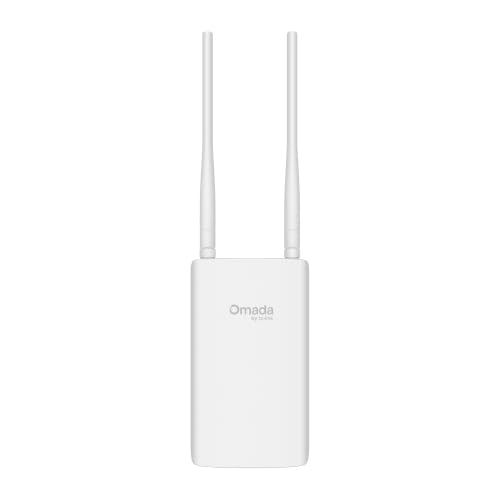
The EAP603-Outdoor is Omada’s current AX1800 indoor/outdoor access point: 574 Mbps on 2.4 GHz and 1,201 Mbps on 5 GHz as IEEE link rates, one Gigabit PoE+ port, and both 802.3at and included passive PoE. TP-Link rates the enclosure IP66 for wall mount and IP65 for pole mount, with 6 kV lightning protection and an operating window of −30 °C to 70 °C (−22 °F to 158 °F). Those are manufacturer specifications, not a measured yard survey.
Omada SDN can run from a free software/hardware controller or Omada Central. Mesh, seamless roaming (802.11k/v/r), and cloud access require a compatible Omada controller — they are not a generic “extender mode” promise. If you already have indoor Omada EAPs, this outdoor unit joins the same controller. It is a successor-class outdoor AX1800 to the older EAP610-Outdoor; this Amazon listing is the EAP603-Outdoor, not the 610.
TP-Link advertises omnidirectional coverage up to 200 m / 2,150 ft on 2.4 GHz and 300 m / 3,200 ft on 5 GHz from laboratory testing. The same spec page says actual coverage is not guaranteed and varies with antennas, clients, and the site. Use those figures as planning envelopes, then walk the property with a phone before you commit to a single AP.
Editor’s note: Previously authorized TP-Link models remain legal to sell and use after the March 23, 2026 FCC Covered List update for foreign-produced consumer routers. See the FCC section below. Enterprise Omada APs may fall outside the consumer-router definition; check the FCC ID on the unit you buy and treat long-term firmware support as a buying factor, not a settled exemption.
Check availability on Amazon3. Ubiquiti U7 Outdoor — Best WiFi 7 Access Point
| Price & Details | |
|---|---|
| Price | $343.00 |
| Rating on Amazon | 4.7 out of 5 stars |
| Brand | Ubiquiti |
| Check availability on Amazon |
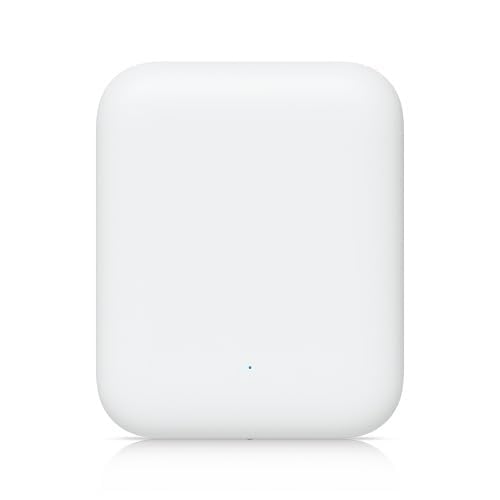
Ubiquiti’s U7 Outdoor specifications list Wi-Fi 7, four spatial streams, a 2.5 GbE PoE+ uplink, IPX6 weatherproofing, −30 °C to 60 °C operation, and manufacturer-advertised coverage of 465 m² (5,000 ft²). The X in IPX6 means Ubiquiti does not publish a dust numeral for this chassis. Those coverage and client-count figures are Ubiquiti planning numbers, not a measured result from this guide.
The useful outdoor Wi-Fi 7 feature is multi-link operation (MLO): a capable client can use more than one band at once. That helps when cameras and phones share the same AP, but only clients that implement MLO see the benefit. The internal directional antenna concentrates energy in a stated beam (45° on 5 GHz, 90° on 2.4 GHz) rather than a full omnidirectional spray; two external omni antennas are included when you want wider coverage at lower gain.
You need a UniFi Network controller (Cloud Gateway, Dream Machine, or self-hosted; application version 8.2.93 or later). If you are already on UniFi, adoption is the usual controller flow. If you are not, budget a gateway. Designed-in-New-York does not exempt a foreign-manufactured consumer router from the FCC Covered List; UniFi outdoor APs are sold as enterprise/prosumer infrastructure, which may sit outside the consumer-router definition. Check the FCC ID and the current Covered List rather than treating the brand as automatically cleared.
Check availability on Amazon4. NETGEAR WAX610Y — Best Business-Grade Outdoor AP

| Price & Details | |
|---|---|
| Price | $194.03 |
| Discount | 20% |
| Brand | NETGEAR |
| Check availability on Amazon |
The WAX610Y is NETGEAR’s outdoor Insight-managed AX1800 AP with a 2.5 GbE uplink and a published capacity of up to 200 clients. The 2.5G port matters when several cameras or laptops share one wired backhaul that would otherwise sit on a 1 Gbps ceiling. Insight gives remote firmware, monitoring, and multi-site dashboards; confirm the current per-device subscription on NETGEAR’s Insight page rather than treating any older monthly figure as current.
NETGEAR specifies IP55 protection. Follow the mounting and cable-gland instructions. IP55 is not proof that driving rain will fail the unit, and it is not a storm-survival rating. Do not add a sealed box without checking ventilation and the warranty.
NETGEAR holds a Conditional Approval for specified consumer Nighthawk/Orbi router classes (see the FCC section). That approval does not automatically cover Insight business APs such as the WAX610Y. Treat this as business outdoor Wi-Fi hardware with an existing FCC ID, and verify Insight pricing before you scale a site.
Check availability on Amazon5. TP-Link CPE510 — Directional Building-to-Building Bridge

| Price & Details | |
|---|---|
| Brand | TP-Link |
| Check availability on Amazon |
The CPE510 is not a yard extender. TP-Link’s specifications describe a 5 GHz 802.11a/n outdoor CPE with a built-in 13 dBi dual-polarized directional antenna (45° / 30° beam), a 10/100 Ethernet port, passive PoE, IPX5, and an operating range of −30 °C to 70 °C (−22 °F to 158 °F). You typically buy two units, aim them at each other, and create a wireless Ethernet bridge. It will not pair with a 2.4 GHz CPE210 on the same hop.
TP-Link states the radio is “specially designed” for 15 km+ links and that this distance was “tested in the field,” with the usual disclaimer that real throughput and range are not guaranteed. That is a manufacturer field claim, not a TechEngage measurement. Design around Fresnel-zone clearance, trees, and the 100 Mbps Ethernet ceiling. The advertised 300 Mbps link rate is not usable throughput.
Passive PoE uses the included injector. It is not interchangeable with 802.3af/at switch ports. Keep the injector indoors. We do not call this the “budget” or “cheapest” pick while the widget has no live price.
Check availability on Amazon6. Ubiquiti U7 Pro Outdoor — Premium UniFi WiFi 7 AP
| Price & Details | |
|---|---|
| Price | $181.99 |
| Rating on Amazon | 4.6 out of 5 stars |
| Brand | Ubiquiti |
| Check availability on Amazon |
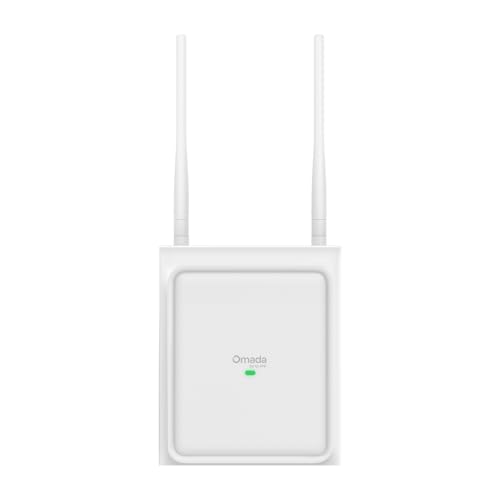
This widget is the UniFi U7 Pro Outdoor, not a TP-Link Omada EAP725. It is the same UniFi outdoor family as pick 3, not a duplicate SKU: the Pro adds a 6 GHz radio, six spatial streams, AFC long-range 6 GHz in FCC/IC regions, and IP67 when the included cable-gland door kit is fitted (IPX6 without it). Ubiquiti lists −30 °C to 60 °C, a 2.5 GbE PoE+ port, 21 W max draw, and a wind-load figure of 74.6 N at 200 km/h (125 mph). That wind number is a chassis load, not a guarantee that the pole or building attachment will survive a hurricane.
Two detachable omnidirectional antennas plus an internal directional “super antenna” let you switch between wide coverage and a focused 90° × 45° pattern in software. Ubiquiti advertises 5,000 ft² directional / 1,750 ft² omnidirectional planning coverage and 300+ clients. Those are manufacturer figures. Management is UniFi Network 9.0.114 or later — the same ecosystem tax as the U7 Outdoor.
Use the Amazon price in the widget. Direct-store and marketplace offers have diverged; do not assume an older $279 Ubiquiti-store figure is what you will pay today, and do not assume a lower Amazon price is the correct US SKU until you read the listing title.
Check availability on Amazon7. TP-Link EAP225-Outdoor — Best for Harsh Environments
| Price & Details | |
|---|---|
| Price | $69.98 |
| Discount | 13% |
| Brand | TP-Link |
| Check availability on Amazon |
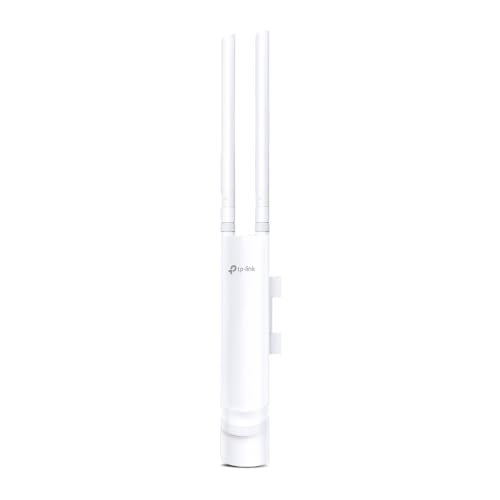
The EAP225-Outdoor is the durable Wi-Fi 5 (AC1200) Omada outdoor AP that replaced aging specialty units that no longer show a live price. You get dual-band MU-MIMO, Gigabit Ethernet, 802.3af/at or included passive PoE, detachable antennas, and an IP65 enclosure. Mount it on a wall or pole and run it standalone or under Omada SDN when you add more APs.
IP65 does not make this “tougher” than the newer EAP603-Outdoor in a way you can rank from paper specs alone. The 603 is Wi-Fi 6 with a newer radio; the 225 is the cheaper, still-stocked workhorse. Compare exact hardware revisions, site exposure, and the current Amazon price.
Check availability on Amazon8. WAVLINK WL-WN573HX3 AX3000 — Flexible Outdoor Modes
The WAVLINK AERIAL HD9 (WL-WN573HX3) is a different model from the AX1800 in pick 1. WAVLINK’s specifications list an AX3000 Wi-Fi 6 outdoor AP with an IP67 enclosure and advertised link rates up to 2,402 Mbps on 5 GHz and 573 Mbps on 2.4 GHz. Those are radio link rates, not guaranteed internet speeds.

| Price & Details | |
|---|---|
| Price | $209.90 |
| Rating on Amazon | 4.2 out of 5 stars |
| Brand | WAVLINK |
| Check availability on Amazon |
WAVLINK lists AP, router, repeater, and compatible mesh modes, four 8 dBi antennas, and active 802.3af/at or passive PoE. Keep the non-waterproof injector indoors. Specs do not establish measured throughput or usable range at your site.
Verdict: Use it when those operating modes match the install and the live widget is competitive with the EAP603-Outdoor and other outdoor APs. The former sub-$60 price and “Budget candidate (price-dependent)” award are withdrawn. If the widget still shows an offer around the $200 mark, compare total install cost and firmware support rather than the old budget label. We assign no numerical product score.
What Makes Outdoor WiFi Equipment Different
Outdoor networking marketing blends “extender,” “AP,” and “mesh” until the box no longer matches the job. The hardware difference is real: weather-rated enclosures, PoE, and mounting kits. The topology difference matters more.
Access Point vs. Extender vs. Mesh Node
An access point connects to your router on Ethernet and broadcasts a new Wi-Fi cell. Wired backhaul does not spend radio airtime on the uplink, so client speed is limited by the AP radio, the Ethernet link, and the internet connection — not by a wireless hop back to the house. An extender (repeater) receives the existing SSID and rebroadcasts it. On a single dual-band radio that is doing both hops, useful throughput commonly drops by about half. A mesh node adds controller-managed roaming (802.11k/v/r and vendor extras). It is still a wireless repeater unless you can Ethernet-backhaul that node.
For most outdoor jobs, a wired AP beats a wireless extender. If you cannot pull cable, look for a unit that documents a dedicated backhaul radio, a vendor mesh that you already own, or a matched directional bridge for a single remote building.
Weatherproofing: IP Ratings Explained
IP ratings classify enclosure tests against solids and water under specified conditions. They do not certify the whole install against storms, salt, or lightning. Use the rating with the exact hardware revision’s manual.
| IP Rating | Dust | Water | Practical Meaning |
|---|---|---|---|
| IP55 | Limited dust protection | Low-pressure water jets | Dust-protected and jet-tested; follow the model’s glands and orientation. |
| IP65 | Dust-tight | Low-pressure water jets | Dust-tight and jet-tested; not a storm-survival rating. |
| IP66 | Dust-tight | High-pressure water jets | Powerful-jet test; still not unrestricted exposure approval. |
| IP67 | Dust-tight | Temporary immersion under specified conditions | Immersion test only; not flood-zone approval. The U7 Pro Outdoor needs its cable-gland door kit for IP67. |
| IPX5 / IPX6 | Dust numeral not published | Water jets / powerful jets | Water test only. Assess dust, grit, and mounting separately. |
Correct glands, port covers, tilt, and indoor injectors are part of the rating. Follow the manufacturer’s grounding and surge instructions.
Power over Ethernet (PoE)
Most outdoor APs take power on the Ethernet cable. Mixing standards is the usual compatibility failure:
| Standard | Max Power | Typical Use |
|---|---|---|
| 802.3af (PoE) | 15.4W | Wi-Fi 4/5 APs, basic cameras |
| 802.3at (PoE+) | 30W | Wi-Fi 6 APs, most outdoor gear on this list |
| 802.3bt (PoE++) | 60–90W | High-draw multi-radio devices |
| Passive PoE | Varies | Included injectors (CPE510, some WAVLINK/Omada kits). Not interchangeable with 802.3af/at. |
A PoE+ switch can feed most of these APs without the wall-wart injector. The CPE510’s 24 V passive injector will not power from a standard PoE switch. Ubiquiti’s U7 outdoor models specify PoE+ (802.3at).
WiFi Standards: When WiFi 7 Actually Matters Outdoors
Wi-Fi 6 (802.11ax) is still the practical outdoor default in 2026: OFDMA, MU-MIMO, mature pricing, and clients that already speak it. Wi-Fi 7 (802.11be) adds wider channels, 4096-QAM, and MLO. Those help high-density patios and camera farms when the clients are also Wi-Fi 7. For a workshop or backyard that mostly holds phones and a few cameras, Wi-Fi 6 is usually enough. Pay for Wi-Fi 7 when you are already in UniFi/Omada Wi-Fi 7 indoors or you are building for a 5–7 year commercial patio.
The FCC Foreign-Router Covered List (as of October 2026)
This is no longer a future proposal. On March 23, 2026, the FCC added “routers produced in a foreign country, except routers which have been granted a Conditional Approval by DoW or DHS” to its Covered List (fact sheet). The Commission’s Covered List FAQ (updated May 12, 2026) is the buyer-facing summary.
What the rule actually does, in the FCC’s words: new foreign-produced consumer-grade router models cannot receive new equipment authorization unless they hold Conditional Approval, so those new models cannot be imported or sold in the United States. Models that already have an FCC ID may still be imported, sold, and used. Consumers do not have to rip out a router they already own. “Routers” here follows NIST IR 8425A: consumer or small-office devices that an end user can install. The FAQ’s “No” column includes industrial, enterprise, and military equipment. Many Omada, UniFi, and Insight outdoor APs are sold as business infrastructure; that does not give a blanket exemption, but it means this list is not a product-by-product outdoor-AP ban.
Design-in-the-USA is not a loophole. The FAQ states that a router designed in the United States and manufactured abroad, or designed abroad and assembled in the United States, is still “produced in a foreign country” because production includes manufacturing, assembly, design, and development. Producers in that situation are told to apply for Conditional Approval.
Firmware: the March 23, 2026 waiver originally allowed harm-mitigating software/firmware updates through March 1, 2027. OET Public Notice DA 26-454 (May 8, 2026) extended that waiver at least until January 1, 2029 for covered routers authorized before March 23, 2026, and expanded it to certain Class II permissive changes. It is a waiver, not a promise that every vendor will keep shipping patches.
Conditional Approvals are published on the Covered List site. DA 26-351 (April 14, 2026) listed NETGEAR consumer Nighthawk/Orbi/cable-gateway classes (then terminating October 1, 2027) among the first router approvals. Later reporting through early October 2026 described additional consumer-router approvals for brands such as ASUS and eero, and no TP-Link Conditional Approval on the table updated October 2, 2026. Check the live FCC table before you treat any brand as cleared. A Nighthawk approval does not automatically cover a WAX business AP.
Why TP-Link is the political flashpoint, not the legal name on the list: in August 2024 the House Select Committee on the CCP asked Commerce to investigate TP-Link under ICTS authorities. In October 2024, Microsoft reported that CovertNetwork-1658 (Quad7) — a botnet whose SOHO nodes were mostly TP-Link routers — was used for password-spray attacks against Microsoft customers. State attorneys general have since filed related consumer cases; those are allegations, not a product recall. Previously authorized TP-Link outdoor units with an FCC ID remain legal to buy and use. The live risk for a 2026 buyer is future-model availability and how long firmware keeps coming after the waiver window — not whether today’s EAP603 or CPE510 will be confiscated.
Outdoor WiFi Solutions Beyond Dedicated Extenders
Not every patio needs a pole-mounted AP.
Mesh Systems With Outdoor Reach

An indoor mesh node near an exterior wall can cover a porch. This guide does not assign a measured distance for that arrangement. Walk the spot with the client you actually use. Use outdoor-rated hardware for anything exposed to weather. eero is among the consumer-router makers later described as holding Conditional Approval; confirm on the current FCC table if that status matters to the purchase.
Indoor Extenders in Weatherproof Boxes

A weatherproof box does not convert an indoor extender into outdoor equipment. Condensation, heat, vents, power connections, and radio detuning all matter, and many warranties void outdoor use. Prefer a manufacturer-approved outdoor model when the indoor unit is not rated for the site.
How to Choose the Right Outdoor WiFi Solution
| Your situation | Start with | Why |
|---|---|---|
| Yard, patio, pool — one outdoor box | WAVLINK AX1800 or EAP603-Outdoor | Wi-Fi 6 outdoor candidate vs Omada AP; compare the live widgets. No verified range ranking. |
| Already on Omada, want mesh roaming | TP-Link EAP603-Outdoor | Same controller as indoor EAPs; mesh needs an Omada controller. |
| Already on UniFi, want Wi-Fi 7 | U7 Outdoor, or U7 Pro Outdoor if you need 6 GHz / IP67 | Same family, different radios and sealing. Check current Amazon vs store price. |
| Business patio, Insight cloud | NETGEAR WAX610Y | 2.5G uplink, Insight licensing extra. Not covered by Nighthawk Conditional Approval automatically. |
| House-to-barn Ethernet, clear 5 GHz LOS | Two TP-Link CPE510 units | Directional 13 dBi CPE; 100 Mbps Ethernet; manufacturer 15 km+ is not a site guarantee. No live price = no budget award. |
| Need a still-stocked harsh-site Omada node | TP-Link EAP225-Outdoor | Wi-Fi 5, IP65, detachable antennas. Not automatically tougher than the 603. |
| Want AP / router / repeater modes on one outdoor chassis | WAVLINK WL-WN573HX3 AX3000 | Distinct from the AX1800. Compare the live ~$200-class offer; old budget award withdrawn. |
Installation Tips for Outdoor WiFi Equipment
Placement and cabling decide more than the badge on the box.
Mount high, aim the pattern where clients are. Ten to fifteen feet with a slight downward tilt is the usual starting point for omnidirectional APs. Directional units (CPE510, UniFi internal antennas) must point at the far end, not at the sky. Use the included pole/wall kit; TV-antenna hardware works when the diameter matches the spec.
Run outdoor-rated Ethernet when you can. A wired AP does not spend airtime on backhaul. Use CMX, outdoor, or direct-burial cable as the run requires — indoor jacket in conduit still fails UV and moisture over time. The CPE510’s 10/100 port will not get faster because you bought Cat6.
Ground the cable where it enters the building. Pole and eave mounts are lightning paths. An Ethernet surge protector at the wall penetration is ordinary practice. Built-in port protection on some WAVLINK and Ubiquiti units is not a substitute for a building-side suppressor.
Keep metal out of the first Fresnel zone. Steel roofs, siding, fences, and window screens attenuate 2.4 and 5 GHz hard. Move the AP or the cable past the sheet metal rather than stacking amplifiers.
Plan channels. Suburban 2.4 GHz is usually crowded. A phone Wi-Fi analyzer is enough to pick a quieter 5 GHz channel before you lock the AP. Outdoor APs that sit above the clutter still share the same unlicensed bands as every neighbor.
Outdoor WiFi FAQ
What is the difference between an outdoor access point, an extender, and a mesh node?
An access point creates a new Wi-Fi cell on a wired Ethernet backhaul. An extender (repeater) rebroadcasts an existing wireless signal and typically cuts useful throughput because one radio handles both hops. A mesh node is a managed repeater with roaming features; it still needs either wireless backhaul or Ethernet. A directional CPE such as the CPE510 is a building-to-building bridge, not a yard-wide phone extender.
How far will a long-range outdoor WiFi extender actually reach?
This research guide does not assign a measured distance. Manufacturer coverage (for example TP-Link’s laboratory 200–300 m figures on the EAP603-Outdoor, Ubiquiti’s 5,000 ft² planning number on the U7 Outdoor, or TP-Link’s 15 km+ CPE510 field claim) is not interchangeable with independent throughput tests. Obstacles, client radios, interference, and backhaul decide the result. Walk the property with the device you will actually use.
Are TP-Link outdoor access points banned in the United States in 2026?
No product-specific federal ban names TP-Link outdoor APs. On March 23, 2026 the FCC put foreign-produced consumer-grade routers on the Covered List unless they have Conditional Approval. Previously authorized models with an FCC ID may still be imported, sold, and used. Firmware updates that mitigate consumer harm are waived at least through January 1, 2029 for routers authorized before that Covered List date. Enterprise/industrial APs may fall outside the consumer-router definition. Check the FCC ID and the live Conditional Approval table.
Do I need Wi-Fi 7 outdoors in 2026?
Usually no, unless you already have Wi-Fi 7 clients and a matching indoor ecosystem (UniFi or similar) or you are covering a dense commercial patio. Wi-Fi 6 remains the practical outdoor default. Wi-Fi 7’s outdoor benefit is mainly multi-link operation and future client density, not a guaranteed extra hundred feet of range.
Can I put an indoor extender in a weatherproof box?
A box does not make an indoor extender outdoor-rated. Heat, condensation, vents, and warranty terms often fail that shortcut. Use equipment the manufacturer approves for outdoor mounting when the unit will see weather.
Do I need two TP-Link CPE510 units?
For a point-to-point Ethernet bridge, yes: one at each end, both 5 GHz CPE510s, aimed at each other with line of sight. A single CPE510 cannot replace a yard access point, and it will not link to a 2.4 GHz CPE210 on the same hop.
What is the difference between the UniFi U7 Outdoor and U7 Pro Outdoor?
They are related UniFi outdoor Wi-Fi 7 access points, not the same SKU. The U7 Outdoor is dual-band, IPX6, four streams. The U7 Pro Outdoor adds 6 GHz, six streams, and IP67 with the cable-gland door kit. Both need a UniFi controller and PoE+. Compare the live Amazon widgets; marketplace and store prices have not stayed aligned.
Final Thoughts
Pick the install first: wired outdoor AP if you can pull Ethernet, vendor mesh if you already own that controller, or a matched 5 GHz bridge for one remote building. Then compare the live Amazon widgets and the exact hardware revision. The two WAVLINK models are different SKUs; the two UniFi U7 outdoor units are a family, not duplicates. No product here is ranked on withdrawn range or throughput measurements.





Share Your Thoughts