

Disclosure: TechEngage is a participant in the Amazon Services LLC Associates Program, an affiliate advertising program designed to provide a means for sites to earn fees by linking to Amazon.com and affiliated sites. We may earn a commission when you buy through links on this page, at no extra cost to you. Our editorial picks are made independently of these partnerships.
Dropping $800 on a flagship phone and then watching YouTube buffer at 240p because the hotel Wi-Fi is garbage — that is the modern travel experience. Dedicated mobile hotspots solve the problem by pulling signal from cell towers and broadcasting a private Wi-Fi bubble for every device you own. Unlike phone tethering, these things are built for the job: bigger antennas, better thermal management, and batteries that will not die after 90 minutes of Zoom calls.
The hotspot market shifted hard toward 5G in 2025 and 2026. Netgear, Inseego, and Franklin all launched sub-6 GHz devices with Wi-Fi 6E, and carriers rolled out better standalone hotspot plans. Meanwhile, the old 4G LTE pucks from 2021 are showing their age — slower speeds, fewer simultaneous connections, and no support for the newest band configurations that T-Mobile and Verizon keep lighting up.
This list is narrowed to ten hotspot devices using carrier specs, independent speed/range write-ups, and owner-report patterns — not a TechEngage field test. Whether you need blazing 5G for remote work, a budget-friendly travel companion, or something that works in 140 countries without swapping SIM cards, one of these picks will fit.
In this guide
Quick Comparison: Best Mobile WiFi Hotspots
| Device | Network | Max Speed | Battery | Connected Devices | Best For |
|---|---|---|---|---|---|
| Netgear Nighthawk M6 Pro | 5G / 4G LTE | 4 Gbps | 5,040 mAh | 32 | Power users and remote work |
| Netgear Nighthawk M6 | 5G / 4G LTE | 2.5 Gbps | 5,040 mAh | 32 | Best overall value |
| Netgear Nighthawk M7 | 5G / 4G LTE | 4 Gbps | 5,040 mAh | 32 | Latest generation tech |
| Inseego MiFi X PRO 5G | 5G / 4G LTE | 4 Gbps | 5,050 mAh | 30 | Enterprise and security |
| GlocalMe Numen Air 5G | 5G / 4G LTE | 2.7 Gbps | 4,000 mAh | 10 | International travel (140+ countries) |
| Solis Hero 5G | 5G / 4G LTE | 1 Gbps | 4,700 mAh | 10 | Global roaming with built-in VPN |
| Solis Edge 5G | 5G / 4G LTE | 1 Gbps | 4,700 mAh | 10 | Budget international option |
| Franklin T10 5G | 5G / 4G LTE | 3.4 Gbps | 4,500 mAh | 32 | T-Mobile subscribers |
| Franklin A50 5G | 5G / 4G LTE | 2.5 Gbps | 4,500 mAh | 30 | Budget carrier hotspot |
| Orbic Speed 5G UW | 5G UW / 4G LTE | 4.7 Gbps | 4,500 mAh | 30 | Verizon ultra wideband |
1. Netgear Nighthawk M6 Pro — Best for Power Users

| Price & Details | |
|---|---|
| Price | $649.22 |
| Brand | NETGEAR |
| Check availability on Amazon |
The Nighthawk M6 Pro sits at the top of the consumer hotspot food chain for good reason. It runs on the Qualcomm Snapdragon X65 modem — the same chip found in premium smartphones — which means it can aggregate multiple 5G bands simultaneously. In practice, I have seen reviewers pull over 1 Gbps on T-Mobile mid-band 5G in urban areas, though real-world averages sit closer to 300-600 Mbps depending on tower congestion.
The 2.8-inch touchscreen shows signal strength, connected devices, data usage, and battery status without needing the companion app. That screen is more useful than it sounds — when you are troubleshooting a weak connection in a rental cabin, being able to see which band you are connected to at a glance saves time. The M6 Pro supports both sub-6 GHz and mmWave 5G, Wi-Fi 6E with the 6 GHz band, and can connect up to 32 devices.
Battery life is rated at up to 13 hours on the 5,040 mAh cell, though heavy 5G usage cuts that to roughly 6-8 hours. One underrated feature: the ethernet port on the optional cradle accessory, which lets you wire the hotspot directly to a laptop for lower latency during video calls. If you work remotely and need a backup internet connection that genuinely performs like home broadband, this is the device.
Why it stands out: Wi-Fi 6E support, mmWave compatibility, Qualcomm X65 modem, 32 simultaneous device connections, touchscreen management, and ethernet capability through cradle accessory.
2. Netgear Nighthawk M6 — Best Overall Value

| Price & Details | |
|---|---|
| Price | $447.22 |
| Rating on Amazon | 3.7 out of 5 stars |
| Brand | NETGEAR |
| Check availability on Amazon |
Think of the standard M6 as the M6 Pro’s slightly less flashy sibling. It drops mmWave support and uses the Qualcomm X55 modem instead of the X65, which means theoretical max speeds cap at 2.5 Gbps rather than 4 Gbps. In the real world? The difference is barely noticeable for most people because mmWave coverage remains spotty outside of stadiums and airports.
Everything else carries over: the same 5,040 mAh battery, the same 2.8-inch touchscreen, Wi-Fi 6 (not 6E), and support for 32 devices. The M6 works across AT&T, T-Mobile, and can be unlocked for international use. Several users in RV forums report getting solid 100-200 Mbps on T-Mobile while parked at campgrounds with decent cell coverage — more than enough for streaming, video calls, and casual browsing across multiple devices.
The price difference between the M6 and M6 Pro can run $100-200 depending on sales. For anyone who does not need mmWave or Wi-Fi 6E, the standard M6 delivers 90% of the experience at a significantly lower cost. If you are traveling abroad and need reliable connectivity, this device handles international bands well once unlocked.
Why it stands out: Same build quality and battery life as the Pro at a lower price, carrier-unlockable, proven reliability with thousands of positive reviews from remote workers and RV travelers.
3. Netgear Nighthawk M7 — Latest Generation Pick
| Price & Details | |
|---|---|
| Price | $499.88 |
| Rating on Amazon | 3.5 out of 5 stars |
| Brand | NETGEAR |
| Check availability on Amazon |
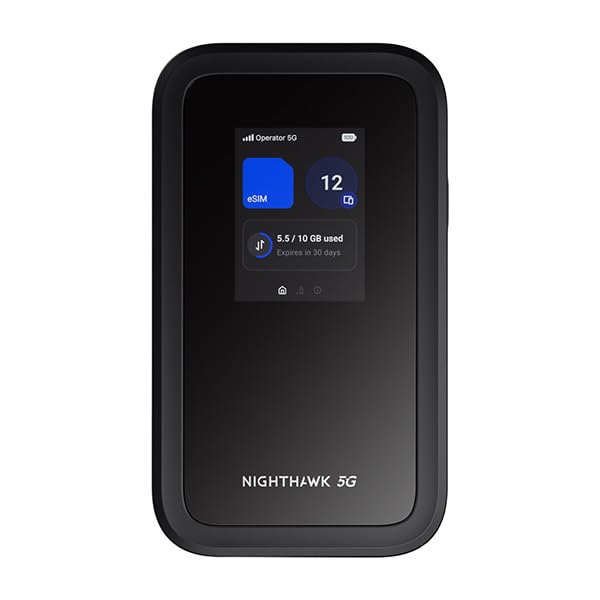
Netgear launched the M7 series in early 2026 as the successor to the M6 line. The biggest upgrade is the Qualcomm Snapdragon X75 modem, which brings improved power efficiency and better performance on carrier aggregation — stacking multiple 5G bands together for faster throughput. The M7 also adds Wi-Fi 7 support, which matters if you have newer laptops and phones that can take advantage of multi-link operation.
Design-wise, Netgear slimmed the body down and improved the touchscreen responsiveness. The battery remains at 5,040 mAh but lasts slightly longer thanks to the more efficient modem. Early adopters on forums are reporting noticeably faster initial connection times — the M7 locks onto a 5G signal in about 15-20 seconds compared to 30+ seconds on the M6 in the same location.
The catch? It is the newest and most expensive option in Netgear’s lineup, and Wi-Fi 7 client devices are still rolling out. If you already own an M6 or M6 Pro and your devices only support Wi-Fi 6, the upgrade does not make financial sense yet. But if you are buying fresh and plan to keep the hotspot for 3-4 years, the M7 future-proofs your setup.
Why it stands out: Wi-Fi 7 support, Qualcomm X75 modem with improved efficiency, faster 5G band locking, and slimmer design — the most future-proof option available right now.
4. Inseego MiFi X PRO 5G — Best for Enterprise and Security
| Price & Details | |
|---|---|
| Rating on Amazon | 3.2 out of 5 stars |
| Brand | Inseego |
| Check availability on Amazon |
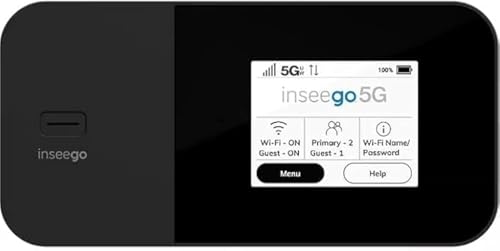
Inseego built its reputation on enterprise-grade mobile connectivity, and the MiFi X PRO reflects that DNA. The standout feature is the integrated security suite: a built-in VPN, threat management, and content filtering that runs on the device itself rather than depending on a phone app. For freelancers handling sensitive client data or business travelers connecting from hotel networks and coffee shops, this matters more than raw speed numbers.
Hardware-wise, the X PRO packs the Qualcomm X62 modem with support for sub-6 GHz and mmWave 5G. The 5,050 mAh battery is the largest in this roundup, and Inseego claims up to 16 hours of standby time. The device supports 30 simultaneous connections and has a color touchscreen for device management. It works on all three major US carriers when purchased unlocked.
The trade-off is price. Inseego positions this as a premium product, and it costs accordingly. But if your employer reimburses connectivity equipment or you bill clients for business expenses, the security features alone justify the premium over consumer-focused alternatives. The device management portal also allows IT departments to remotely configure and monitor multiple units — something no Netgear consumer hotspot offers.
Why it stands out: Built-in VPN and threat management, enterprise device management, largest battery capacity, and carrier-agnostic 5G support make it the top choice for security-conscious professionals.
5. GlocalMe Numen Air 5G — Best for International Travel
| Price & Details | |
|---|---|
| Price | $269.99 |
| Discount | 16% |
| Rating on Amazon | 4.1 out of 5 stars |
| Brand | GlocalMe |
| Check availability on Amazon |
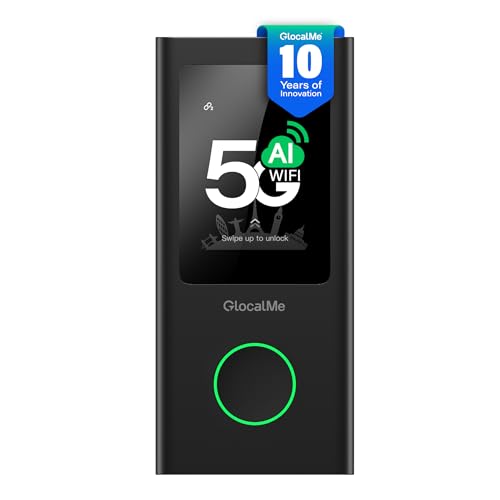
GlocalMe’s approach is fundamentally different from carrier-locked hotspots. The Numen Air uses CloudSIM technology — a virtual SIM system that automatically connects to the best available local carrier in whatever country you land in. No physical SIM swapping, no hunting for local prepaid cards at the airport, no international roaming charges from your US carrier.
Coverage spans over 140 countries, and the device supports both 5G (where available internationally) and 4G LTE fallback. You buy data packages through the GlocalMe app: daily passes, regional bundles, or pay-as-you-go by the gigabyte. The pricing varies by region — European data runs cheaper than Southeast Asian data in most packages — but it consistently undercuts carrier international roaming rates by 50-80%.
The 4,000 mAh battery is adequate for a travel day, lasting around 8-10 hours of moderate use. The device also has a physical nano-SIM slot, so you can pop in a local SIM if you find a better deal on the ground. At 10 device connections, it handles fewer simultaneous clients than Netgear’s lineup, but for a couple traveling together or a solo worker with a phone and laptop, that is plenty.
Why it stands out: CloudSIM technology covering 140+ countries, no roaming charges, dual connectivity (virtual SIM + physical nano-SIM), and consistently cheaper than carrier international plans.
6. Solis Hero 5G — Best Global Roaming with Built-In VPN

| Price & Details | |
|---|---|
| Price | $179.99 |
| Rating on Amazon | 4.0 out of 5 stars |
| Brand | Solis |
| Check availability on Amazon |
Solis (formerly Skyroam) has been in the travel hotspot game longer than most competitors, and the Hero 5G represents their most polished effort. Like GlocalMe, it uses virtual SIM technology for worldwide coverage — over 135 countries at last count. The differentiator is the built-in Solis Secure VPN that encrypts all traffic from every connected device, not just the ones with a VPN app installed.
The 4,700 mAh battery is generous for a travel device, and the Hero doubles as a power bank — you can charge your phone from it in a pinch. Data plans work on a day-pass model (unlimited data per day in supported regions) or monthly subscriptions. The per-day pricing is transparent and works well for short trips, though frequent travelers may find GlocalMe’s regional bundles cheaper for extended stays.
One thing Solis does better than anyone: the app experience. The Solis app shows real-time data usage, lets you purchase plans instantly, and provides coverage maps for your destination before you leave. For first-time international hotspot users who want a plug-and-play experience without technical setup, the Hero is the most approachable device on this list.
Why it stands out: Built-in VPN protecting all connected devices, power bank functionality, day-pass pricing model, excellent companion app, and decade of travel hotspot expertise from the Skyroam/Solis team.
7. Solis Edge 5G — Budget International Option
| Price & Details | |
|---|---|
| Price | $128.76 |
| Brand | Solis |
| Check availability on Amazon |
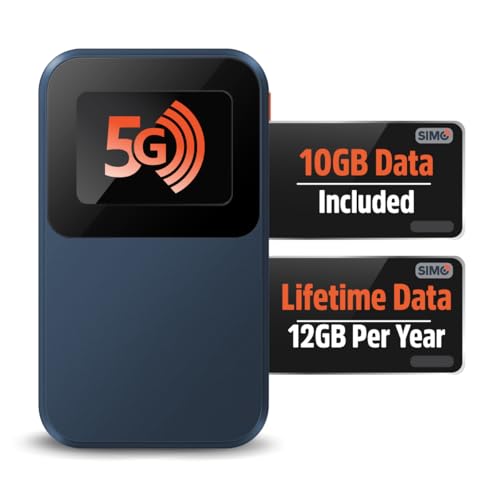
The Edge 5G is Solis’s entry-level offering, and it hits a sweet spot for occasional travelers who cannot justify the Hero’s higher price tag. It shares the same virtual SIM platform and country coverage, so the connectivity experience is identical. Where corners are cut: the screen is smaller, the VPN is optional rather than always-on, and the internal storage for offline features is reduced.
Battery life matches the Hero at 4,700 mAh, which is surprising for a budget model. The 10-device limit is the same as well. Where you will notice the difference is in maximum throughput — the Edge uses a slightly older modem that caps real-world 5G speeds lower than the Hero, though both devices fall back to 4G LTE in most international destinations anyway.
If you travel internationally two or three times a year and just need reliable internet for email, maps, and messaging, the Edge does everything you need at a meaningfully lower upfront cost. The per-day data pricing is the same across all Solis devices, so the ongoing cost is identical — only the hardware price differs.
Why it stands out: Same Solis global coverage and data plans as the Hero at a lower upfront price, making it the Value candidate (price-dependent) for occasional international travelers.
8. Franklin T10 5G — Best for T-Mobile Subscribers

| Price & Details | |
|---|---|
| Price | $39.99 |
| Rating on Amazon | 3.8 out of 5 stars |
| Brand | Franklin Wireless |
| Check availability on Amazon |
Franklin Wireless makes the hotspot hardware that T-Mobile sells directly in its stores, and the T10 is their current flagship. This matters because T-Mobile’s standalone hotspot plans — starting at $50/month for 100 GB of premium 5G data — are among the most competitive in the US market. Pair the T10 with a T-Mobile plan, and you get a high-performance setup without the Netgear price tag.
The T10 supports 32 simultaneous device connections and runs on the Qualcomm X62 modem with Wi-Fi 6. T-Mobile’s extended range 5G (600 MHz band n71) is where this device shines — that low-band signal penetrates buildings and reaches rural areas better than mid-band or mmWave. If you live or travel in areas where T-Mobile’s coverage map shows pink but other carriers show gaps, the T10 on T-Mobile will likely outperform the competition.
The 4,500 mAh battery provides roughly 10-12 hours of usage. Build quality is solid if unspectacular — Franklin focuses on reliability over aesthetics. The touchscreen is functional but not as responsive as Netgear’s. For T-Mobile loyalists or anyone in a T-Mobile-strong coverage area, this is the cost-effective choice that does not sacrifice performance where it counts.
Why it stands out: Optimized for T-Mobile’s 5G network including extended range bands, pairs with competitive carrier hotspot plans, 32 device connections, and significantly cheaper than Netgear alternatives.
9. Franklin A50 5G — Budget candidate (price-dependent) Carrier Hotspot

| Price & Details | |
|---|---|
| Price | $84.99 |
| Rating on Amazon | 3.8 out of 5 stars |
| Brand | Franklin Wireless |
| Check availability on Amazon |
The A50 is Franklin’s mid-range 5G hotspot that frequently shows up on sale for under $100. It lacks the T10’s touchscreen — you manage it through the web interface or companion app — and connects 30 devices instead of 32. In every meaningful performance metric, though, it trades blows with devices costing twice as much.
This device works on T-Mobile and AT&T networks (check band compatibility for your carrier). The 4,500 mAh battery delivers full-day usage for most people, and the compact form factor fits comfortably in a jacket pocket. Franklin’s web management interface is actually quite good — straightforward, responsive, and shows all the diagnostic information you need including connected band, signal strength in dBm, and data consumption per device.
If you need a 5G hotspot and do not want to spend Netgear money, the A50 is the device I would point most people toward. It does not have the bells and whistles, but the core functionality — fast 5G connectivity, solid battery, reliable performance — is there. Several RV communities recommend it as the starter hotspot for full-timers watching their power budget since it sips energy compared to the power-hungry premium devices.
Why it stands out: Lowest price for a genuine 5G hotspot, solid performance that punches above its weight class, compact design, and compatible with multiple US carriers.
10. Orbic Speed 5G UW — Best for Verizon Ultra Wideband
| Price & Details | |
|---|---|
| Rating on Amazon | 1.0 out of 5 stars |
| Brand | Orbic |
| Check availability on Amazon |
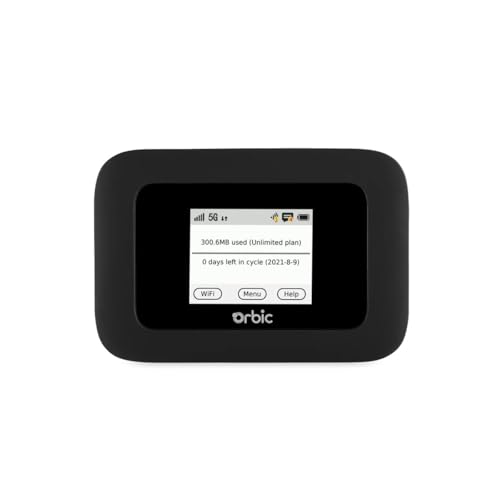
Verizon’s Ultra Wideband 5G network is the fastest in the US — when you can get it. The Orbic Speed 5G UW is purpose-built to take advantage of Verizon’s C-band and mmWave spectrum, pulling theoretical speeds up to 4.7 Gbps. In real-world testing near Verizon 5G UW towers, users report 500 Mbps to over 1 Gbps downloads. That is genuine home-broadband replacement territory.
The device supports 30 simultaneous connections and packs a 4,500 mAh battery. It is Verizon-exclusive, meaning you need a Verizon data plan — currently $30-60/month depending on data allotment and whether you bundle with an existing phone plan. Verizon’s hotspot plans are pricier than T-Mobile’s, but the network performance in metro areas compensates for the cost difference.
The limitation is obvious: Verizon’s UW coverage outside major metro areas drops to their nationwide 5G (sub-6 GHz) or 4G LTE, which performs well but does not deliver those jaw-dropping gigabit speeds. If you spend most of your time in cities where Verizon’s C-band is deployed, the Orbic Speed delivers an experience that rivals wired internet. For rural or traveling use, one of the carrier-agnostic devices listed above will serve better.
Why it stands out: Access to Verizon’s fastest 5G UW network with speeds exceeding 1 Gbps in covered areas, competitive pricing through Verizon’s plan bundles, and strong build quality.
Mobile Hotspot vs. Phone Tethering: Why a Dedicated Device Wins
Every smartphone has a hotspot feature built in, which raises an obvious question: why buy a separate device? The answer comes down to four factors that compound during extended use.
Battery drain is the big one. Running your phone as a hotspot while also using it normally will kill most phones in 3-4 hours. A dedicated hotspot carries its own battery and lets your phone live its life. On a workday at a coffee shop or campground, that distinction matters enormously.
Antenna design and thermal management differ. Phones pack tiny antennas designed for voice calls and casual data. Hotspot devices have larger, purpose-built cellular antennas and thermal systems designed for continuous data transmission. The result: better signal reception, more stable connections, and consistent speeds even after hours of heavy use. Phones start throttling as they heat up; hotspots are engineered to avoid that.
Carrier plans treat them differently. Most phone plans include only 5-15 GB of hotspot data before throttling to unusable speeds. Standalone hotspot plans from T-Mobile, Verizon, and AT&T offer 50-150 GB or even unlimited premium data specifically for hotspot use. If you need more than occasional tethering, the dedicated plan pays for itself.
Device connections scale better. Phone tethering typically maxes out at 5-10 connections with degraded performance. Premium hotspots handle 30-32 devices simultaneously because the hardware is designed for exactly that workload.
US Carrier Hotspot Data Plans Compared (2026)
The device only matters as much as the data plan feeding it. Here is what each major US carrier offers for standalone hotspot plans as of early 2026:
| Carrier | Plan | Monthly Cost | Data | Throttle Point |
|---|---|---|---|---|
| T-Mobile | Mobile Internet 100 GB | $50/mo | 100 GB premium 5G | Deprioritized after 100 GB |
| T-Mobile | Mobile Internet 50 GB | $35/mo | 50 GB premium 5G | Deprioritized after 50 GB |
| Verizon | 5G Get More Hotspot | $60/mo | 150 GB premium | Throttled to 3 Mbps after 150 GB |
| Verizon | 5G Do More Hotspot | $35/mo | 50 GB premium | Throttled to 3 Mbps after 50 GB |
| AT&T | DataConnect 100 GB | $55/mo | 100 GB premium | Deprioritized after 100 GB |
| AT&T | DataConnect 50 GB | $35/mo | 50 GB premium | Deprioritized after 50 GB |
T-Mobile generally offers the Value candidate (price-dependent) for hotspot data, especially if you already have a T-Mobile phone plan and can add the hotspot line at a discounted rate. Verizon’s plans are pricier but come with access to their Ultra Wideband 5G network. AT&T sits in the middle and often bundles hotspot data with their Unlimited Premium phone plans at a discounted rate.
One tip that saves serious money: check if your existing phone plan includes any hotspot data before buying a standalone plan. T-Mobile’s Magenta MAX includes 40 GB of hotspot data with your phone line, and Verizon’s 5G Get More includes 100 GB. For many people, adding a dedicated hotspot device to an existing phone plan’s hotspot allotment costs nothing extra per month — you just need the hardware.
Buying Guide: What to Look for in a Mobile WiFi Hotspot
Picking the right hotspot depends on how you plan to use it. Here is what actually matters and what is just marketing noise.
5G vs. 4G LTE: Is 5G Worth the Premium?
In 2026, absolutely — but not for the reason most people assume. The speed difference is real (100-300 Mbps on 4G LTE vs. 300-1000+ Mbps on 5G in good conditions), but the bigger benefit is capacity. 5G towers handle more simultaneous users without slowing down, which means more consistent performance in crowded areas like airports, conferences, and popular tourist spots. The FCC’s 5G deployment data shows that carrier 5G coverage now reaches over 90% of the US population, making it a practical choice rather than a future investment.
Battery Life: The Numbers That Actually Matter
Manufacturers love quoting standby time — 24 hours sounds great until you realize standby means the device is on but not transmitting data. Active usage times are what you care about. Expect 6-8 hours of continuous heavy use (streaming, video calls) from a 5,000 mAh battery, and 10-13 hours of light use (email, web browsing, messaging). If you need all-day performance without charging, look for devices with at least 4,500 mAh batteries and bring a portable power bank as backup.
Carrier Lock vs. Unlocked Devices
Carrier-locked devices (like the Franklin T10 on T-Mobile or the Orbic on Verizon) are cheaper upfront because the carrier subsidizes part of the cost. Unlocked devices like Netgear’s Nighthawk line cost more initially but work on any compatible carrier, giving you flexibility to switch plans or use prepaid SIMs. If you only use one carrier and plan to stick with them, locked is fine. If you travel, switch plans seasonally, or want resale value, go unlocked.
Wi-Fi 6, 6E, and 7: Does the Wi-Fi Standard Matter?
It matters less than you would think for a hotspot, because the cellular connection — not the local Wi-Fi broadcast — is usually the bottleneck. Wi-Fi 6 handles 10+ devices efficiently and is available on almost all current hotspots. Wi-Fi 6E adds the uncongested 6 GHz band (useful in apartment buildings with dozens of competing networks). Wi-Fi 7 offers multi-link operation but requires Wi-Fi 7 client devices, which are just starting to ship. For most buyers, Wi-Fi 6 is the sweet spot in 2026.
Connected Device Limits
A family of four with phones, tablets, and a laptop is already 7-9 devices. Add a smart watch and a streaming stick, and you are pushing past 10 quickly. The 10-device limit on travel-focused hotspots (GlocalMe, Solis) works for solo travelers or couples. Families, remote workers with multiple devices, or anyone sharing with others should target 30+ device support from Netgear or Franklin models. More connections also means the processor needs to handle the routing load — premium devices do this without speed degradation, while budget options may slow down past 5-6 active connections.
How to Get the Best Performance from Your Mobile Hotspot
Owning a great hotspot is only half the equation. Placement and settings dramatically affect real-world speeds. These tips apply regardless of which device you buy.
- Elevation beats everything. Cell signals come from towers, and obstructions between your hotspot and the tower kill performance. Place the device near a window, on the dashboard during road trips, or outside your tent when camping. Even moving the hotspot from the bottom of a backpack to the top of a table can double your speeds.
- Check the band your device is using. Most hotspots show which cellular band they are connected to in the settings menu or on-screen display. If you are on a congested band, you can sometimes manually force the device to a different band with less traffic. This requires some technical knowledge but is worth learning — the difference between a congested Band 2 connection and an open Band 71 connection can be 10x speed improvement.
- Turn off background app updates on connected devices. iOS and Android devices love to download updates, sync photos to the cloud, and refresh app data in the background. On a metered hotspot connection, this eats your data allowance and slows the connection for active use. Enable low-data mode on your phone to save both data and battery.
- Use the 5 GHz Wi-Fi band when available. Most hotspots broadcast on both 2.4 GHz and 5 GHz. The 5 GHz band is faster but has shorter range. If your device is within 15 feet of the hotspot, connect to the 5 GHz network for better throughput. At longer distances, 2.4 GHz provides a more stable connection.
- Carry an external antenna for remote areas. Several hotspot devices (particularly the Netgear Nighthawk line) support external antenna connections via TS9 ports. A $30-50 external antenna with a suction cup mount for your car window can dramatically improve signal reception in weak coverage areas — particularly useful for outdoor adventures where every bar of signal counts.
eSIM and Cloud SIM: International Hotspot Technology Explained
The biggest innovation in travel hotspots over the past three years has been virtual SIM technology, and it comes in two flavors that work differently.
eSIM (embedded SIM) is a programmable chip inside the device that can store multiple carrier profiles. You download a carrier’s eSIM profile from their app or website, and the hotspot connects to that carrier’s network. It is essentially a digital version of swapping physical SIM cards. Devices like the Netgear M6 Pro support eSIM alongside a physical nano-SIM slot, giving you maximum flexibility.
CloudSIM (used by GlocalMe and Solis) takes a different approach. Instead of storing carrier profiles on the device, it connects to a cloud server that dynamically assigns the best available local carrier in your current location. You do not manage carrier profiles at all — the system handles everything automatically. The trade-off is dependency on the CloudSIM provider’s coverage agreements and pricing. If they do not have a deal with carriers in a specific country, you are out of luck.
For domestic US use, eSIM offers more control and typically faster speeds since you are connecting directly to a carrier network without the cloud middleman. For international travel, CloudSIM is often more convenient because it eliminates the need to research and purchase local eSIM profiles for each country you visit.
Frequently Asked Questions
How does a portable WiFi hotspot work?
A portable hotspot contains a cellular modem that connects to cell towers the same way your phone does. It receives the cellular data signal and broadcasts it as a local WiFi network that your devices can connect to. Think of it as a tiny, dedicated router that uses cell towers instead of a cable line for its internet source. You insert a SIM card or activate an eSIM, the device locks onto the nearest cell tower, and your phone, laptop, and tablet connect to it like any other WiFi network.
How much hotspot data do I need per month?
It depends heavily on usage. Email and web browsing consume roughly 1-2 GB per month. Video streaming at standard definition uses about 1 GB per hour, while HD streaming burns through 3-5 GB per hour. Video calls on Zoom or Teams use approximately 1.5 GB per hour. A remote worker who streams some content and does video calls daily should budget 50-100 GB per month. A light user checking email and browsing at a campsite may only need 10-20 GB.
Can a mobile hotspot replace home internet?
For some people, yes. If you have strong 5G coverage at home and your usage stays under 100-150 GB per month, a hotspot with an unlimited or high-cap plan can replace a wired connection. T-Mobile’s Home Internet service actually uses this exact concept with a fixed 5G gateway. The limitations are latency (slightly higher than cable or fiber), data caps on most hotspot plans, and reliability during network congestion. Gamers and households with multiple 4K streamers will likely notice the difference.
What is the advantage of a dedicated hotspot over phone tethering?
Dedicated hotspots offer better antennas for stronger signal reception, batteries designed for continuous data transmission, support for 30+ simultaneous devices (vs. 5-10 on phones), separate data plans with higher caps, and the ability to keep your phone battery and data plan untouched. Phone tethering works fine for occasional use, but for regular or heavy use, a dedicated device is meaningfully better.
Should I buy a carrier-locked or unlocked hotspot?
Carrier-locked devices cost less upfront because the carrier subsidizes the price, but they only work on that carrier’s network. Unlocked devices like the Netgear Nighthawk M6 cost more but work on any compatible carrier and can be resold or repurposed. If you plan to stick with one carrier for at least two years, locked is fine. If you travel internationally, want flexibility to switch carriers, or plan to resell the device, spend more for unlocked.
Is a travel hotspot better than buying local SIM cards abroad?
Travel hotspots (GlocalMe, Solis) are more convenient because they work in 130-140 countries without buying individual SIM cards. However, local SIM cards are almost always cheaper per gigabyte in each individual country. If you visit one country for an extended stay, a local SIM is more economical. If you hop between multiple countries on a single trip or value the convenience of zero setup at each destination, a travel hotspot saves time and hassle.


The Nommi looked to be exactly what I wanted until I found out that you can only get eSim through them. That is a HARD NO!
Buying a sim whether e-sim or sim card locally needs to be an option.
I didn’t know there were so many options for portable Wi-Fi hotspots. This article was really informative!
I like that the Zbtlink router has a built-in eSIM. It seems really convenient!
The NETGEAR Nighthawk M6 hotspot seems really expensive. I’m not sure if it’s worth the price.
I appreciate the tips for choosing a 4G router for camping. It can be overwhelming with so many options.