
You might have enabled the notifications on your PC to keep abreast or in order to respond to the important notifications among them. These notifications will ...
How-To
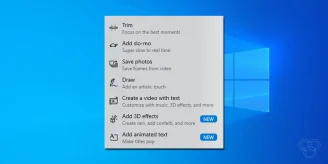
How to use the hidden Video Editor in Windows 10
Video editing requires a lot of focus, creativity, and most importantly, the right tools to move forward with your idea of how a final video should look like. ...
How to hide “Most used” apps in the Start menu of Windows 10
The Start menu in Windows 10 offers an array of options and a list of apps. The menu allows you to open Settings quickly, take a look at your "Most used" apps, ...
How to Download the iOS 15 Beta
The iOS 15 and iPadOS 15 public beta programs have ended. Do not install those old betas; consult Apple’s beta program for supported releases and installation ...
How to open the classic System Control Panel screen on Windows 11 and 10
For twenty years, the fastest way to see what was inside a Windows PC was to right-click This PC and hit Properties. One window: processor, installed RAM, ...
How to disable or delete an Instagram account
Social media can get overwhelming, and it's ok to take a break. You can either uninstall the Instagram app and enjoy offline life for a while, or you can ...
How to deactivate or delete a Twitter account
It's ok to lay low for a while sometimes. If you are a Twitterati but now feel like taking a break from Twitter, deactivating your Twitter account will do. You ...
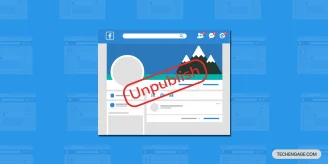
How to Unpublish a Facebook Page: Complete Guide With Screenshots
I manage seven Facebook Pages across different businesses, and I've unpublished and republished pages more times than I can count. Sometimes a client is ...
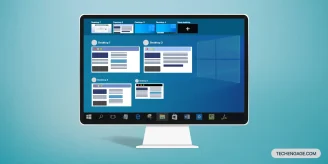
How to Use Multiple Desktops in Windows 10 and Windows 11
Windows lets you run more than one desktop so work apps, personal tabs, and a meeting deck do not all fight for the same screen. The feature works on Windows 10 ...
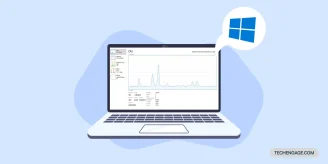
How to display hidden performance panel on Windows 10
If your daily work on a PC belongs to an extensive machine algorithm or is connected with the array of other multiple networking nodes, you must need to keep a ...
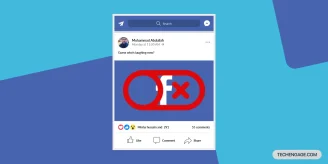
How to disable or deactivate a Facebook account
Social media can get too much sometimes. Everything happens at once in life that you might not want to deal with all of the mess at once. It's absolutely ...
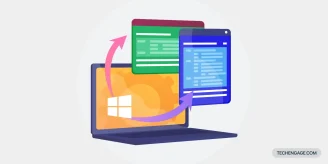
How to manage Accessibility features in Windows 10
Windows 10 reached its end-of-life date on October 14, 2025 — Microsoft no longer ships security updates or feature updates for it. Roughly a third of Windows ...
How to change the default search engine in browsers
Search engine plays a vital role in making browsing experience better. Some search engines are just not very accurate; hence, they can either boost your work ...
How to use and configure the Action Center in Windows 10
Ever since Windows 10 has launched its notification panel, named Action Center, the notifications have improved greatly with time from Windows 7's balloon ...
How to check if you have the latest Windows or not
Since its original release in 2015, Windows 10 has received many updates, including security patches and major feature updates. These updates are for free for ...
