• Skip to primary navigation
  • Skip to main content
  • Skip to primary sidebar
  • Skip to footer
TechEngage

TechEngage®

Hands-on reviews, research-backed buying guides and technology news.

  • News
    • Internet & Social
    • Gadgets
    • Car Tech
    • Business
    • Science & Health
  • Reviews
  • Buying Guides
  • How-to
  • AI
  • Computing
    • Apps
    • Security
    • Gaming
  • More
    • Tools
    • Puzzles
    • Mobile
  • Launchpad
  • Sign in
TechEngage » Consumer Tech & Gadgets

Apple HomeKit: Why so low-profile?

Avatar for Nur Nur Published: Jun 8, 2018 · 9:02 PM ET Updated: Nov 30, 2018 · 8:05 AM ET

ExplainerExplainer based on official documentation and named sources. Not a product comparison.
Apple HomeKit
Shares4FacebookTweetPinLinkedInPrint

Get to know why the technology remained least-known despite launching before the competitors
Apple HomeKit software was introduced four years back in WWDC 2014. The software can be called the most ancient in the arena of smart technology but very few of us know about Apple HomeKit whereas Amazon Alexa and Google Home are all over the show.

Just to state it simply, HomeKit is as imperative to Apple as the actions are to Google and Alexa skills are to Amazon. HomeKit, despite being intangible, remains the backbone software that makes Apple users capable of giving commands to Siri.
Apple Homekit

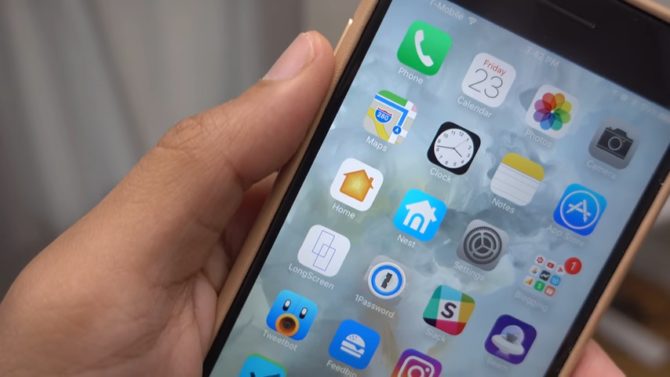
If you’ve ever asked Siri to turn on your light for you, you’ve used Apple HomeKit’s smart-home-related voice command. All users of iPhone, iPad, HomePod and other Siri-compatible devices do. Amazon’s ubiquitous smart speakers were able to steal the charm for many reasons so we decided to have a closer look at the Apple HomeKit and figure out its place in the landscape of smart-homes.

How did things start with the Apple HomeKit?

A brief chronology is important for us to understand that how things started at Apple’s headquarters. The exact timeline will also provide an overview of how Amazon and Google stole the market despite getting into this technology after Apple.

Here’s what happened.

June 2014 – Apple announces HomeKit at WWDC for the first time but it was not accompanied by the smart speaker and the technology was kept close to the developers.

November 2014 – Amazon introduces Alexa, Alexa skills and Alexa app accompanied by the mid-ranged Amazon Echo.

June 2015 – HomeKit enabled devices hit stores in their first batch. These were updated with the MFi chips as a regulation by Apple’s certification program.

September 2016 – Apple launches Home App to be added to HomeKit devices and extending the control to your phone.

October 2016 – Google launches the majestic Google Home. Furthermore, Google Assistant, Google Actions and Google Home app are also introduced.

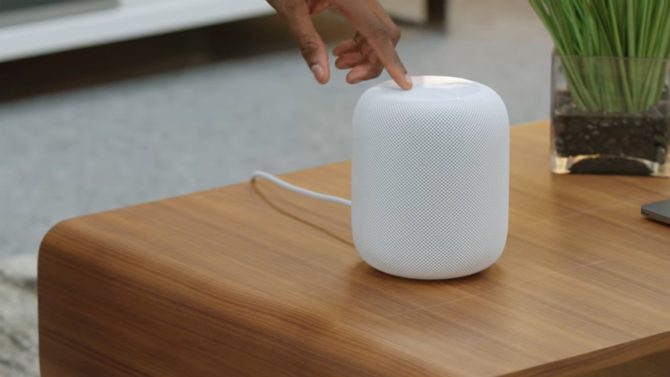
February 2018 – Nearly four years after the HomeKit; Apple finally introduces the HomePod, Apple’s smart speaker.

What helped Amazon and Google most was the wide range of products that they additionally added to their device portfolio between November 2014 and February 2018. Amazon’s Echo Dot is available for as less as $50 and the Echo Show is priced at $230. Similarly, Google Home Mini is set at $50 and the Home Max at $399. These accessible products made the fame spread before Apple could actually introduce the first HomePod in 2018.

Apple’s monopolistic control over Siri’s integration can be another major reason for keeping it least well-known. Amazon and Google opened up Alexa skills and Google actions to the developers early on whereas Apple solely maintains the control of Homekit since its birth.

Additionally, Apple also required third-party companies to install an extra hardware called MFi chip in their device if they needed to integrate Siri. Despite announcing at WWDC 2017 that MFi chip won’t be a requirement anymore, we haven’t heard an official news of it being discarded from the set of requirements to get Siri integrated. MFi certification program still applies and this has put down many. This closed attitude of the company turned the success towards both of the other potential competitors.

HomeKit, HomePod and Apple’s Home App
Apple Homekit

HomeKits resides only in the iOS-only Home app. You can pair your devices and assign different voice-commands to each device. You can also customize the placement of new rooms and adjust things like maintaining thermostats and opening window shades simultaneously.

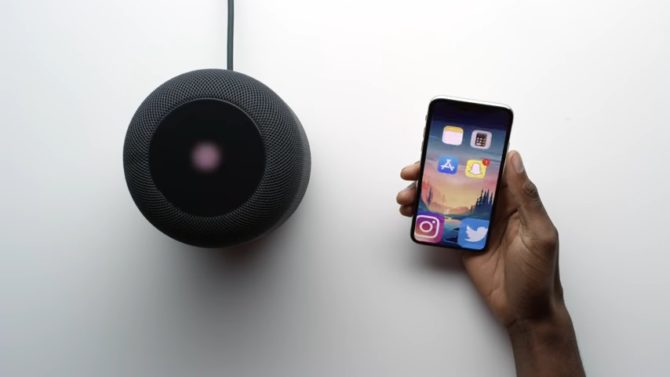
You say “Good Morning” can cause your lights to change so isn’t it amazing? This can be done using Siri or by adding the HomeKit device to Home app. To add the HomeKit device to Apple Home app, one needs to scan a special code that is printed on the sticker of the device purchased. Siri can do it without all of this hassle by typically connecting to your HomePod.
Apple Homekit

The earlier HomeKit integrations were confusing for the users to configure because until that time there was no Apple Home app. Apple Home app was introduced two years later and till then, HomeKit integration was done by connecting it to a third-party device’s native app.

Maybe Apple was too quick to introduce HomeKit or too late to introduce Apple Home app or the both. More to this, Apple has finally introduced all comprehensive components that are required by the smart-home platform but it still has a room for improvement. Apple can work on a Home app for Android customers and a HomeKit SDK that can benefit the developers.

Catching up with these can grow customer base for the company and will give us a chance to add another section of Apple’s progress to our blog!

Something incorrect? Report an error in this article. Include a source if you have one; your name and email are optional.

Filed Under: Consumer Tech & Gadgets Tagged With: Alexa, Apple, Google Home, Siri

Related Stories

  • Best wireless CarPlay adapters buying guide graphic with a car icon

    Best Wireless CarPlay Adapters in 2026: 6 Picks for Wired-CarPlay Cars

    Mobility & Car TechSep 14, 2026

  • Macbook Pro M5 Review: Performance, Battery Life, And Everything You Need To Know

    MacBook Pro M5 Review: Performance, Battery Life, and Everything You Need to Know

    Computing & HardwareApr 4, 2026

  • Diagram showing a clip-on microphone, receiver and phone or camera recording setup.

    Best Wireless Lavalier Microphones for Phones and Cameras

    Consumer Tech & GadgetsOct 10, 2026

Stay on top of technology

Get TechEngage reviews, buying guides and news in your feed.

Follow on Google News
Shares4FacebookTweetPinLinkedInPrint
Avatar for Nur

Nur

Smart Devices Reviewer

Nur ul ain Chaudhry is a Smart Devices Reviewer at TechEngage who covers smartphones, smart home gadgets, and wearables across more than 45 articles. A graduate of LUMS with a degree in Economics and Politics, she is known for interbrand comparisons and startup coverage, weighing products through both a technical and economic lens.

Joined TechEngage May 2018First article on TechEngage May 2018

Reader Interactions

Share Your Thoughts Cancel reply

Please read our comment policy before submitting your comment. Your email address will not be used or published anywhere. You will only receive comment notifications if you opt to subscribe below.

Primary Sidebar

Google News

Get TechEngage in your feed

Reviews, news, and buying guides as they publish.

Follow on Google News

Recent Stories

  • Windows Screen Recording Guide |
    Apps & SoftwareHow to Screen Record on Windows 11 With AudioOct 10, 2026
  • Chrome Tabs Reloading Techengage |
    Apps & SoftwareHow to Stop Chrome Tabs From ReloadingOct 10, 2026
  • Techengage Windows 11 File Backup |
    Computing & HardwareHow to Back Up Windows 11 Files to an External DriveOct 10, 2026
  • Techengage Ssd Enclosures |
    Computing & Hardware3 Best SSD Enclosures for USB-C and USB4Oct 10, 2026
  • Techengage Office Copilot Frontier |
    AIMicrosoft brings Office editing to Copilot, Frontier firstOct 10, 2026

More in Consumer Tech & Gadgets

  • Diagram showing a clip-on microphone, receiver and phone or camera recording setup.
    Best Wireless Lavalier Microphones for Phones and CamerasOct 10, 2026
  • 136179 678176Dbb12A3E14 |
    Travel Power Banks: Six Options for Phones and LaptopsSep 16, 2026
  • Best Long Range Walkie Talkies Jpg |
    Best Long-Range Walkie-Talkies: 10 Radios for Different NeedsSep 24, 2023
  • Pexels Alex Qian 2343467 Jpeg |
    How to Replace Your Refrigerator Water Filter: Complete Guide With TroubleshootingJun 21, 2023
More Consumer Tech & Gadgets stories →

Footer

Discover

  • About TechEngage
  • Company News & Updates
  • Our Team
  • Advertise
  • Send us a tip
  • Submit your company to TechEngage Launchpad Hot
  • TechEngage Brand Kit
  • Contact us
  • Tools & Calculators

Legal pages

  • Editorial Standards
  • Reviews Policy
  • Our Ethics
  • Corrections Policy
  • Affiliate Disclosure
  • Privacy Policy
  • Cookies Policy
  • Terms & Conditions
  • GDPR Compliance
  • Copyright & DMCA

Must reads

  • Best Mechanical Keyboards Under $100
  • Best USB-C Hubs
  • Best Portable SSDs
  • Best Gaming Graphics Cards (GPUs)
  • Best Long-Range Outdoor WiFi Extenders
  • Best Wireless CarPlay Adapters
  • Best Slack Alternatives
  • Best Long-Range Walkie-Talkies

Download our apps

TechEngage app coming soon on the App Store Available onChrome

© 2026 TechEngage®. All Rights Reserved. TechEngage® is a project of TechAbout LLC.

TechEngage® is a registered trademark in the United States under Trademark Number 6823709 and in the United Kingdom under Trademark Number UK00003417167. It is also ISSN protected under ISSN 2690-3776 and has OCLC Number 1139335774.

Contact team@techengage.com · WhatsApp +1-307-381-8801

Your analytics choice
Allow Google Analytics to help us understand readership? You can use the site without it and change this choice anytime.

Privacy details