

In this guide
For phone videos with two speakers, start with the RØDE Wireless Micro USB-C kit. For a solo creator switching between a phone and a camera, the DJI Mic Mini one-transmitter kit is a more flexible fit. Choose the Hollyland LARK MAX 2 Combo when keeping a separate recording inside the microphones matters more than the smallest setup.
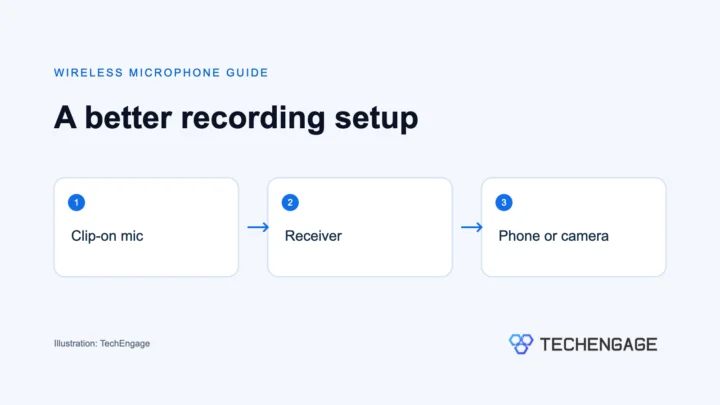
A wireless lavalier system puts the microphone close to your voice while leaving you free to move. These kits use clip-on transmitters with built-in microphones; they are not all designed for a separate wired lapel microphone. The receiver, included connectors and number of transmitters matter as much as the product name.
Disclosure: As an Amazon Associate, TechEngage earns from qualifying purchases.
Compare the wireless microphone kits
| Kit | Best fit | What you get | Keep in mind | Price |
|---|---|---|---|---|
| RØDE Wireless Micro USB-C | Two-person phone videos | Two transmitters, USB-C receiver and charging case | This phone kit is not the separate Camera Kit | $99.00 |
| DJI Mic Mini 1 TX + 1 RX | Solo phone and camera recording | One transmitter and one receiver | No internal recording; Lightning adapter sold separately | $59.00 |
| Hollyland LARK A2 Mini Duo | Two-person mobile recording | Two transmitters and mobile receiver | Mini Duo does not include the Duo charging case | $39.99 |
| Hollyland LARK MAX 2 Combo | Interviews with local backup audio | Two transmitters, two receivers and charging case | More recording settings and files to manage | $269.00 |
1. RØDE Wireless Micro USB-C: simple two-person phone recording
| Price & Details | |
|---|---|
| Price | $99.00 |
| Brand | RØDE |
| Buy at Amazon | Check availability on Amazon |
The Wireless Micro suits someone who wants to plug in a receiver, clip on a microphone and record. Both transmitters have built-in microphones, and RØDE’s GainAssist adjusts recording levels automatically. There is less to set before a quick interview than with a system built around manual controls and separate recording files.
The second transmitter is useful even when most of your videos are solo: you can mic a guest without holding the phone between two people. The included case stores and recharges the microphones. RØDE rates combined use with the case at up to 21 hours, which includes recharging rather than one uninterrupted recording.
Its main strength is convenience. Its main buying limitation is the receiver: choose by the connector on the phone you actually use. RØDE also offers a separate Camera Kit, but that should not be confused with the USB-C smartphone package here. The supplied furry windshields are worth fitting outdoors, even when the air feels only slightly breezy.
2. DJI Mic Mini 1 TX + 1 RX: a flexible kit for solo creators
| Price & Details | |
|---|---|
| Price | $59.00 |
| Rating on Amazon | 4.7 out of 5 stars |
| Brand | DJI |
| Buy at Amazon | Check availability on Amazon |
The Mic Mini makes sense when you record yourself most of the time and do not want to buy a two-person kit immediately. Its receiver supports camera and phone connections, while the roughly 10-gram transmitter is small enough to clip near your collar without becoming the focus of the shot. Check the camera’s microphone input and the required phone adapter before ordering.
DJI provides Basic and Strong noise-cancellation settings, along with a limiter. Its mono safety-track mode creates a quieter backup channel at minus 6 dB, which can help when a voice gets louder unexpectedly. That channel still travels through the recording setup; it is not a separate file stored inside the microphone.
This distinction matters for interviews you cannot repeat. DJI confirms that Mic Mini has no internal storage, so it cannot double as a standalone recorder. Choose the LARK MAX 2 below if a local recording is essential. For an older iPhone, budget for DJI’s separately sold Lightning adapter rather than assuming every Mic Mini box includes it.
The receiver also supports charging a connected phone through its USB-C port. For long sessions, test your exact app and cable arrangement beforehand. Direct Bluetooth recording depends on the phone and app, so the receiver is the more predictable starting point for a planned shoot.
3. Hollyland LARK A2 Mini Duo: a compact two-microphone mobile kit
| Price & Details | |
|---|---|
| Price | $39.99 |
| Rating on Amazon | 4.4 out of 5 stars |
| Brand | Hollyland |
| Buy at Amazon | Check availability on Amazon |
The LARK A2 gives each speaker a lightweight clip-on transmitter. Hollyland specifies 48 kHz/24-bit recording, three noise-cancellation levels and a safety track at minus 6 dB. Those controls let you adapt the recording setup to a room or an outdoor conversation, but microphone placement still matters more than turning every processing option up.
Start with low or no noise cancellation in a quiet room and listen to a short recording. Stronger processing can be useful around steady background noise, but the aim is an understandable, natural voice, not silence at any cost. Keep the microphone clear of necklaces, jacket zippers and fabric that can rub against it.
The package name is the buying detail to watch. Hollyland lists the charging case with Duo, not Mini Duo. Its headline total battery-life figure with a case therefore should not be treated as the runtime of this package. Hollyland specifies up to seven hours per microphone under its stated conditions; actual use and settings affect that figure.
4. Hollyland LARK MAX 2 Combo: for interviews with backup recordings
| Price & Details | |
|---|---|
| Price | $269.00 |
| Rating on Amazon | 4.6 out of 5 stars |
| Brand | Hollyland |
| Buy at Amazon | Check availability on Amazon |
The reason to step up to LARK MAX 2 is its recording workflow. Each transmitter has 8GB of storage and supports internal 32-bit float recording. If the wireless feed suffers a dropout, a correctly started local recording gives you another file to work with rather than leaving the camera track as your only copy.
Hollyland specifies up to 10 hours of 32-bit float internal recording capacity, or up to 14 hours in 24-bit mode. Storage capacity is separate from battery runtime. Start recording, check the indicators and make a short playback check before a session you cannot repeat.
The Combo provides phone and camera receiver options, and the system includes timecode functions for supported workflows. Those features are useful when matching separately recorded sound to video, but they require more setup than the Wireless Micro’s phone-first approach. A 32-bit float file also cannot fix a microphone rubbing against clothing or a badly placed mic.
Choose this kit because you need its backup and connection options, not because the longest advertised wireless range sounds impressive. Hollyland’s maximum range is specified for open, unobstructed conditions. Walls, bodies and busy wireless environments can reduce usable distance considerably.
What to check before buying
Start with the recording device. USB-C and Lightning phone receivers are different purchases, while cameras commonly need a suitable microphone input and cable. A USB-C-shaped socket alone does not guarantee that every recording app accepts the microphone. Check the manufacturer’s compatibility information for your exact phone, camera and app.
Count the speakers. One transmitter is enough for a solo presenter. For interviews, two transmitters let each person keep a microphone close to their mouth. Buying a two-person package can be more convenient than finding compatible parts later, but it makes little sense to pay for extras you will never use.
Decide whether you need local recording. A quieter safety channel helps with sudden level changes, while internal recording can provide a separate copy of the audio. These are different features. For a repeatable desk video, a simple phone kit may be enough; for a one-time interview, a local backup is worth considering.
For more help with placement, rooms and recording technique, read our guide to recording better sound for YouTube. If you work mainly at a desk, compare podcast microphones before choosing a wireless kit. Our webcam guide covers the video side of a desktop setup.
A quick sound check before you record
Clip the microphone near the upper chest with its opening clear of clothing. Connect the receiver, select the microphone in your recording app if needed, and record a short sentence at your normal speaking level. Turn your head, move as you will during the video and listen back with headphones. Fit a windshield outdoors and repeat the check after changing noise-cancellation settings.
Keep the receiver connected securely and check that a thick phone case is not preventing the plug from seating fully. For two speakers, confirm that both microphones are active. With internal recording, verify that the backup has actually started rather than assuming that powering on the transmitter starts it.
Common questions
Do wireless lavalier microphones work with every phone?
No. Match USB-C or Lightning to your phone and check the manufacturer’s device and app compatibility. Camera kits and phone-only receivers are not interchangeable by default.
Do I need two transmitters?
Choose two for interviews or videos with two speakers. One is usually enough for a solo presenter, provided the package includes the receiver or connection you need.
Is a safety track the same as internal recording?
No. A safety track is usually a quieter channel sent to the recording device. Internal recording saves a separate file in the transmitter, which can be useful if the wireless feed drops out.
Will noise cancellation remove wind and clothing noise?
Do not rely on it for that. Fit the supplied windshield outdoors, position the microphone clear of fabric and listen to a short recording before starting the full take.




Share Your Thoughts