• Skip to primary navigation
  • Skip to main content
  • Skip to primary sidebar
  • Skip to footer
TechEngage

TechEngage®

Hands-on reviews, research-backed buying guides and technology news.

  • News
    • Internet & Social
    • Gadgets
    • Car Tech
    • Business
    • Science & Health
  • Reviews
  • Buying Guides
  • How-to
  • AI
  • Computing
    • Apps
    • Security
    • Gaming
  • More
    • Tools
    • Puzzles
    • Mobile
  • Launchpad
  • Sign in
TechEngage » Mobile

Google Pixel Slate Review: A good idea on paper, poor in execution

Avatar for Fazeel Ashraf Fazeel Ashraf Follow Fazeel Ashraf on X Published: Dec 6, 2018 · 12:20 AM ET Updated: Jan 13, 2020 · 6:11 PM ET

Research-based comparisonBased on the sources identified in this article. Not a TechEngage hands-on test. How we evaluate
Chrome Slate
Shares5FacebookTweetPinLinkedInPrint
Tablets are becoming the norm due to better features and performance in a relatively portable form factor. Before we take a look at the Pixel Review, let’s see what options do we have. iPad Pro is the first thing that comes to mind when anyone speaks of the top of the line tablets. iPad Pro is a premium tablet that can cost a pretty penny. Luckily there are other options for people who do not want to take the iOS route or are looking for something more affordable. The two options that come to mind are Microsoft’s Surface Pro and Google Pixel Slate. Ever since Google launched software specific Chromebooks, the company has been trying its best to appeal to a wide array of individuals. Google wanted to create a tablet that was suited for web browsing and using web applications as primary software. So instead of increasing its mass appeal, Google ended up developing an extremely niche product. This is not the first Chrome OS tablet, but it’s the first one under Google’s own name. The company wants to send a signal to the world. The signal is that Chrome OS is the operating system of the future; it will run on all portable devices that aren’t specifically laptops or smartphones. The strategy of not going with Android software for its tablets proved costly for the company. Chromebook was a massive flop. But technology has evolved a lot since then. Google has put a lot of time and effort into making Chrome more than just a web browser. Let’s see how much things have changed with Google’s latest Chrome-based device. Here is the rundown review of Google Pixel Slate.

Pricing and Specs

Let’s take a look at the pricing, first and foremost. The base version costs $599, but the fully specced-out version can run close to two thousand dollars. This, after we include the pen and keyboard with it. This is definitely an eye-watering price. Google has decided to offer the Slate in five different price points.
  • Intel Celeron Process with 4GB RAM and 32 GB storage – $599
  • Intel Celeron Process with 8GB RAM and 64 GB storage – $699
  • Intel 8th Generation Core M3 with 8GB RAM and 64 GB storage – $799
  • Intel 8th Generation Core i5 with 8GB RAM and 128 GB storage – $999
  • Intel 8th Generation Core i7 with 16GB RAM and 256 GB storage – $1599
Given how we may buy an extremely powerful laptop, even an Alienware gaming beast, this price does no one any favors. It is definitely a mix between a laptop and a tablet, so sadly it does not have its own identity. It tries to be too many things at the same time, so ends up being none of them. Plus giving so many options will only make consumers more confused. There are definitely bigger, better and more fairly priced options out there.

Display

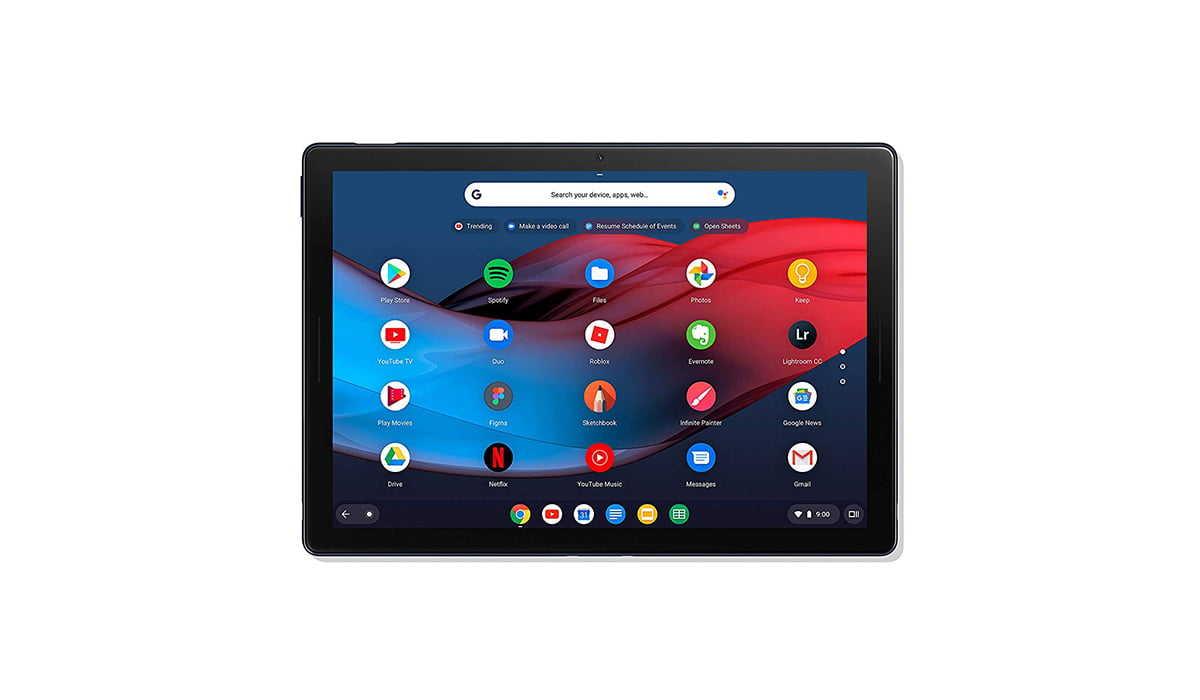
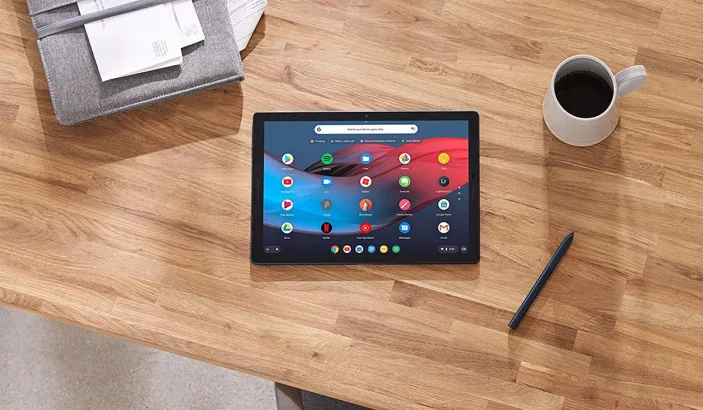
Google Slate Display The Slate has a 12.3-inch 3000 x 2000 pixel touch enable display screen. The bezels surrounding this gorgeous screen aren’t too thick, and hardly intrusive. They are not as thin as those of iPad Pro, but still pretty decent. Google calls this the “molecular display.” It’s just a fancy name given to a pretty good LCD panel. The thick bezels contain two front firing speakers, so they do serve a purpose. It is very close in size to the new 12.9-inch iPad Pro and does an equally good job of looking even thinner than it is.

Ports, FingerPrint Reader, and Bluetooth
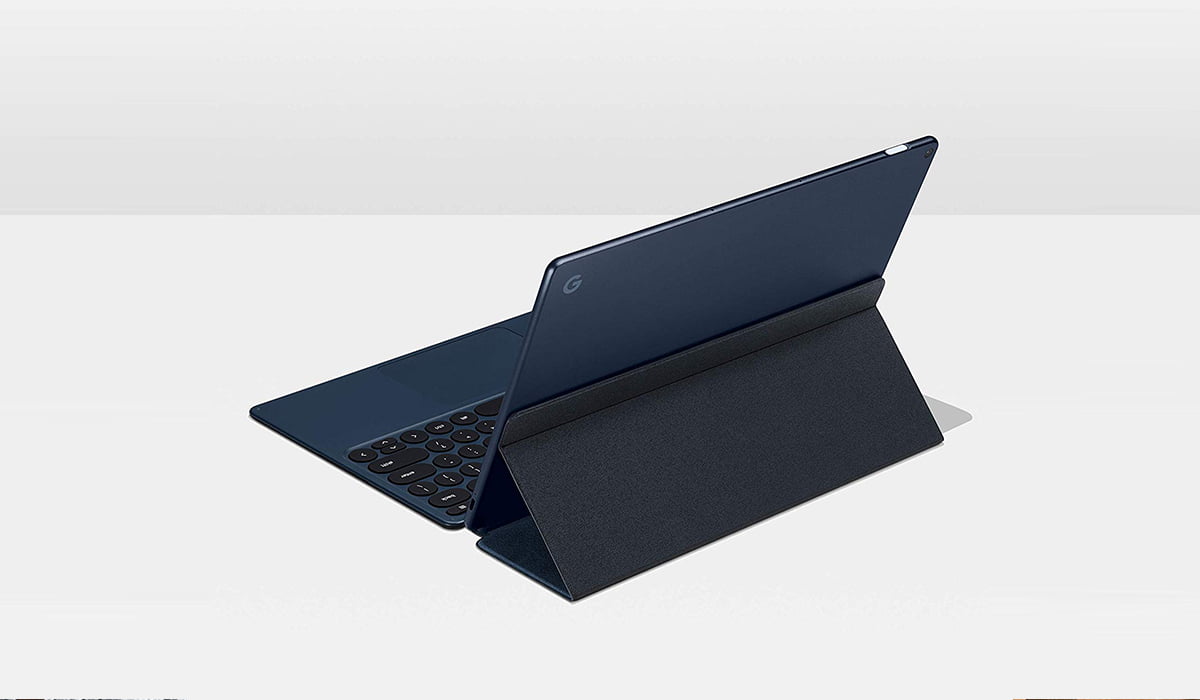
Google Slate Back It has two USB-C ports for fast transfer speeds. The Slate does support many, many external devices connected via the USB-C ports. This helps make the Slate more versatile. External mics, hard drives, and even webcams work really well. It does not come with a 3.5mm headphone jack. This isn’t a surprise since Google does not include a 3.5mm headphone jack with its Pixel line of smartphone devices either. It is still an inconvenience in my opinion. Unfortunately, this is even a bigger problem than I initially thought. The Bluetooth driver is really buggy; it keeps crashing. This means that there may be times when you will have to simply rely on the built-in speakers. No 3.5mm jack or reliable Bluetooth means no headphones. MEGA BUMMER! The Power Button acts as a fingerprint reader for added security.

Chrome OS

A few people are familiar with Chrome OS, so using Slate might feel cumbersome to most people. It does support Android apps, but they feel a bit different when not being used on an Android system. When the users attach a keyboard to the Slate, it performs like another tablet/laptop hybrids such as the iPad Pro and Surface Pro. When the keyboard is removed or flipped, Slate becomes a “normal” tablet. Dragging apps, and multiple opening windows feel like quite a drag, literally. The whole system seems to become really slow and laggy. Maybe a software update or GUI update will help solve this. The problem exacerbates when a user owns the base version. Intel’s basic Celeron processor cannot handle more than a few tabs or one or two apps being run simultaneously. Overall Chrome OS offers some really useful web applications, but it is still quite buggy.

Keyboard

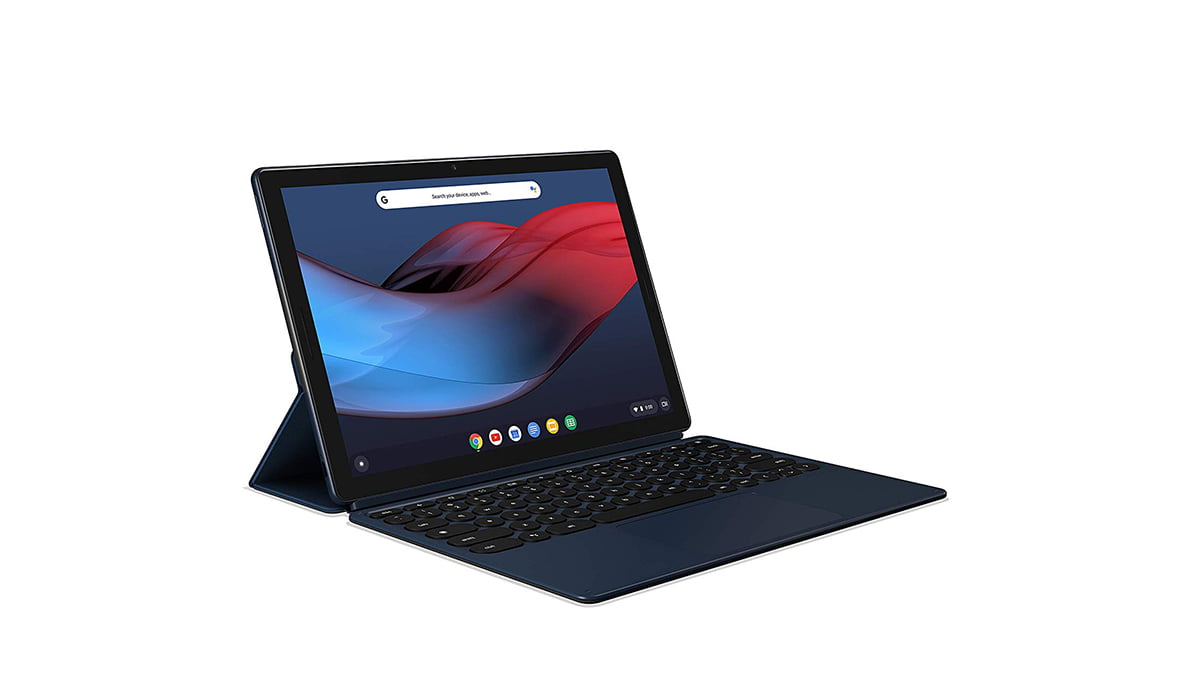
An Image Contains Google Pixel Slate With Keyboard Slate’s keyboard is a folio keyboard which means it can be flipped over and get attached to the Slate via a magnet. The keyboard can be flipped and used as a support for the device. It is similar to how earlier iPad’s protective cover was implemented. As far as the keys are considered, they are round, have a satisfying travel distance when pressed, noiseless and are back-lit, which is all good. Problems arise when the Slate is used in the lap while sitting. The keyboard starts to wobble, make noises and makes the overall typing experience something out of a horror movie. It jerks so much that the trackpad starts to click. Totally awful. Luckily this problem disappears when the Slate is used on a flat surface.


Conclusion

The Google Slate is a mixed bag, to say the least. It tries to accomplish a lot of things, but it, unfortunately, doesn’t accomplish much. Firstly its expensive as hell. Secondly, it needs a thorough knowledge of the Chrome OS ecosystem, and lastly, it’s the damn bugs. If the device didn’t have so many basic bugs and had a polished, stable operating system, it may still have been somewhat of a successful product. In conclusion of my review of the Google Pixel Slate, I’m left bitter and disappointed, even more than usual. What do you guys think? Please let us know in the comments section below!

Related reading

  • Google Pixel 3 Review: Consistently Unbeatable Camera Lord
  • Google Pixel Slate is finally here
  • Fitbit Versa smartwatch review
Something incorrect? Report an error in this article. Include a source if you have one; your name and email are optional.

Filed Under: Mobile, Reviews & Buying Guides Tagged With: Made By Google, Pixel Slate, Review

Related Stories

  • Macbook Pro M5 Review: Performance, Battery Life, And Everything You Need To Know

    MacBook Pro M5 Review: Performance, Battery Life, and Everything You Need to Know

    Computing & HardwareApr 4, 2026

  • Iphone 18 Pro And Pro Max Available Today In 65+ Countries

    iPhone 18 Pro and Pro Max Available Today in 65+ Countries

    Tech News & AnalysisSep 18, 2026

  • Samsung Starts One Ui 9 (Android 17) Rollout On Galaxy S26 Series

    Samsung Starts One UI 9 (Android 17) Rollout on Galaxy S26 Series

    Tech News & AnalysisSep 17, 2026

Stay on top of technology

Get TechEngage reviews, buying guides and news in your feed.

Follow on Google News
Shares5FacebookTweetPinLinkedInPrint
Avatar for Fazeel Ashraf

Fazeel Ashraf

Tech & Gaming Editor

Fazeel Ashraf is the Tech and Gaming Editor at TechEngage, covering global tech news, social media, gaming releases, and cybersecurity. An IT graduate of the National University of Sciences and Technology, he has written more than 230 articles across the site's news and features coverage.

Joined TechEngage September 2018First article on TechEngage September 2018

Reader Interactions

Share Your Thoughts Cancel reply

Please read our comment policy before submitting your comment. Your email address will not be used or published anywhere. You will only receive comment notifications if you opt to subscribe below.

Primary Sidebar

Google News

Get TechEngage in your feed

Reviews, news, and buying guides as they publish.

Follow on Google News

Recent Stories

  • Usb C Power Meters Techengage |
    Computing & HardwareBest USB-C Power Meters for Chargers and CablesSep 28, 2026
  • Akamai Anthropic Cloud Techengage |
    Tech News & AnalysisAkamai’s $11.6 billion Anthropic cloud deal: costs, timeline and CPU strategySep 27, 2026
  • Openai Agent Dns Incident Techengage |
    Tech News & AnalysisOpenAI pauses advanced-model research after agent bypasses network restrictionsSep 27, 2026
  • Ai Markets Feat |
    AIThree CEOs Asked to Slow Down. The President Said No and the Market Fell 3 Percent. Hassan Taher on What Actually Happened.Sep 21, 2026
  • Iphone 18 Pro Availability Sept 18 |
    Tech News & AnalysisiPhone 18 Pro and Pro Max Available Today in 65+ CountriesSep 18, 2026

More in Mobile

  • Iphone 18 Pro Availability Sept 18 |
    iPhone 18 Pro and Pro Max Available Today in 65+ CountriesSep 18, 2026
  • Samsung One Ui 9 Android 17 Rollout |
    Samsung Starts One UI 9 (Android 17) Rollout on Galaxy S26 SeriesSep 17, 2026
  • Apple Ios 27 Siri Ai Featured |
    Apple Releases iOS 27 and macOS Golden Gate With Siri AISep 15, 2026
  • Lumia Series Jpg |
    Nokia Lumia History: Key Phones, Microsoft’s Deal and the EndSep 24, 2023
More Mobile stories →

Footer

Discover

  • About TechEngage
  • Company News & Updates
  • Our Team
  • Advertise
  • Send us a tip
  • Submit your company to TechEngage Launchpad Hot
  • TechEngage Brand Kit
  • Contact us
  • Tools & Calculators

Legal pages

  • Editorial Standards
  • Reviews Policy
  • Our Ethics
  • Corrections Policy
  • Affiliate Disclosure
  • Privacy Policy
  • Cookies Policy
  • Terms & Conditions
  • GDPR Compliance
  • Copyright & DMCA

Must reads

  • Best Mechanical Keyboards Under $100
  • Best USB-C Hubs
  • Best Portable SSDs
  • Best Gaming Graphics Cards (GPUs)
  • Best Long-Range Outdoor WiFi Extenders
  • Best Wireless CarPlay Adapters
  • Best Slack Alternatives
  • Best Long-Range Walkie-Talkies

Download our apps

TechEngage app coming soon on App Store

© 2026 TechEngage®. All Rights Reserved. TechEngage® is a project of TechAbout LLC.

TechEngage® is a registered trademark in the United States under Trademark Number 6823709 and in the United Kingdom under Trademark Number UK00003417167. It is also ISSN protected under ISSN 2690-3776 and has OCLC Number 1139335774.

Contact team@techengage.com · WhatsApp +1-307-381-8801

Your analytics choice
Allow Google Analytics to help us understand readership? You can use the site without it and change this choice anytime.

Privacy details