• Skip to primary navigation
  • Skip to main content
  • Skip to primary sidebar
  • Skip to footer
TechEngage

TechEngage®

Hands-on reviews, research-backed buying guides and technology news.

  • News
    • Internet & Social
    • Gadgets
    • Car Tech
    • Business
    • Science & Health
  • Reviews
  • Buying Guides
  • How-to
  • AI
  • Computing
    • Apps
    • Security
    • Gaming
  • More
    • Tools
    • Puzzles
    • Mobile
  • Launchpad
  • Sign in
TechEngage » Apps & Software

Google Lens is now better than ever, detects a billion items

Avatar for Fazeel Ashraf Fazeel Ashraf Follow Fazeel Ashraf on X Published: Dec 20, 2018 · 1:39 PM ET Updated: Jan 13, 2020 · 6:13 PM ET

NewsNews report. Not a buying guide or hands-on product test.
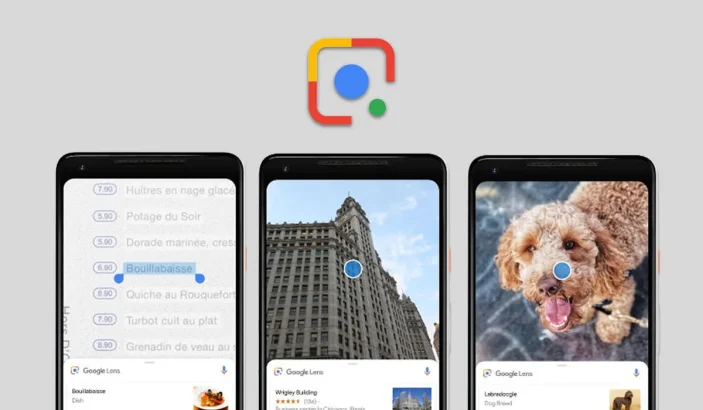
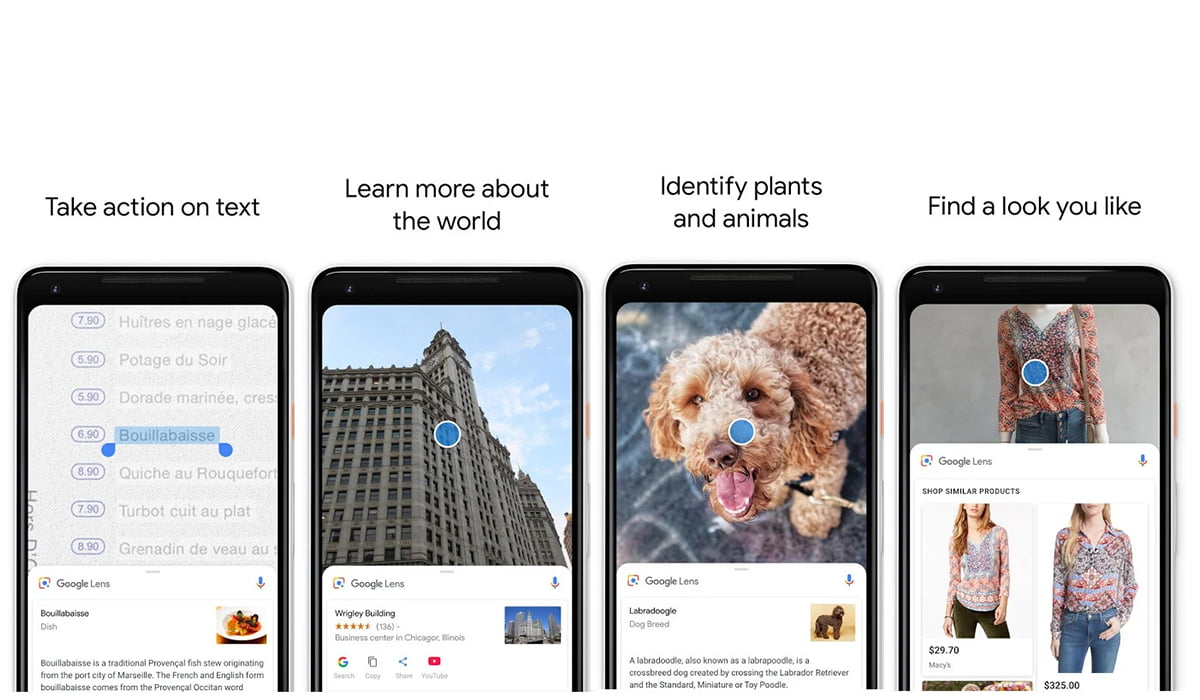
Screenshots of Google Lens App
Design by Muntaha / TechEngage
Shares7FacebookTweetPinLinkedInPrint
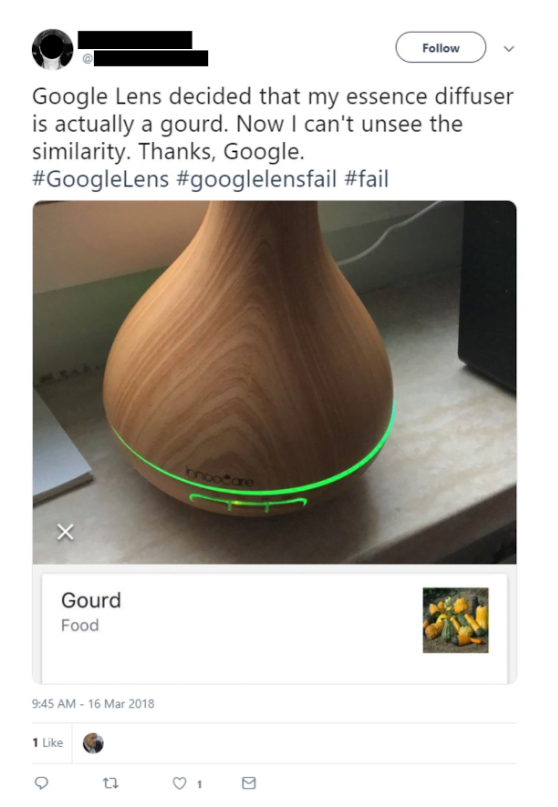
Google recently announced via a blog post that its Google Lens technology, which has been on the market for a year, can now detect over a billion items. When the artificial intelligence camera feature launched, it could only recognize 250,000 items. Google Lens’s algorithm was fed information via hundreds of millions of queries in Image Search to provide the basis for training its algorithms. It also gathers data from photos captured by smartphones and can expand its product recognition abilities via Google Shopping.  While the database of items that Google Lens can now recognize is massive, for now, it will most likely fail to recognize rare and obscure items such as vintage cars or stereo systems from the 70s. Google Lens has a lot of practical applications. It can turn one’s images into search queries to bring up all relevant information about the image via its machine learning and artificial intelligence algorithm. Lens also uses TensorFlow which is Google’s open source machine learning framework. TensorFlow helps connect images to the words that best describe them. For example, if a user snaps a picture of his friend’s PlayStation 4, Google Lens will connect the images to the words PlayStation 4 and gaming console. Google Lens Feature Screenshots The algorithms then connect those labels to Google’s Knowledge Graph, with its tens of billions of facts on Sony PlayStation 4. This helps the system learn that the PS4 is a gaming console. Obviously, it isn’t perfect. It can get confused by a similar looking object. Lens brings in query specific images along with the thousands of images that are returned for each search query. These relevant images help train the algorithms to produce even more accurate results. Take this Shiba Inu search, for example:
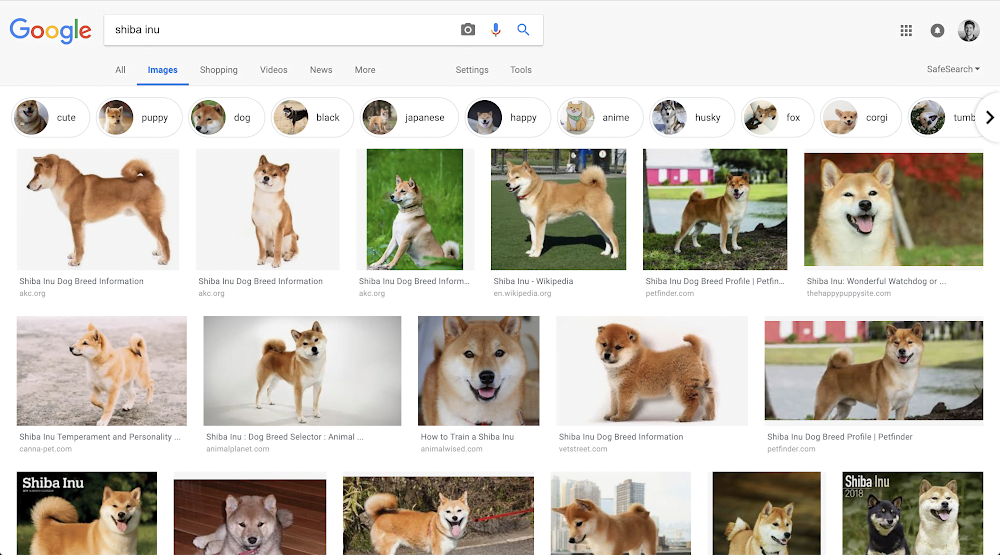
Google Search Results Showing Shiba Dogs
Google
Google’s Knowledge Graph, helps bring up tens of billions of facts on a variety of topics ranging from “pop stars to puppy breeds.” This is what tells the system that a Shiba Inu is a dog breed and not, let’s say, a smartphone brand. It is often easy to fool the system. We take photos from different angles, in different backgrounds, or varying lighting conditions. All these factors can produce photos that differ from the database available to Google Lens. Google Lens Confusion Tweet There’s still work to be done to make Lens smarter. This is why the team at Google are expanding Lens’ database by feeding it pictures taken via smartphones. Google Lens also can read text off of menus, or books. The lens makes these words interactive so that users can perform various actions on them. For example, users can point their smartphone’s camera at a business card and add it to their contact list. Users can also save ingredients from a physical recipe book and import them into their shopping list.
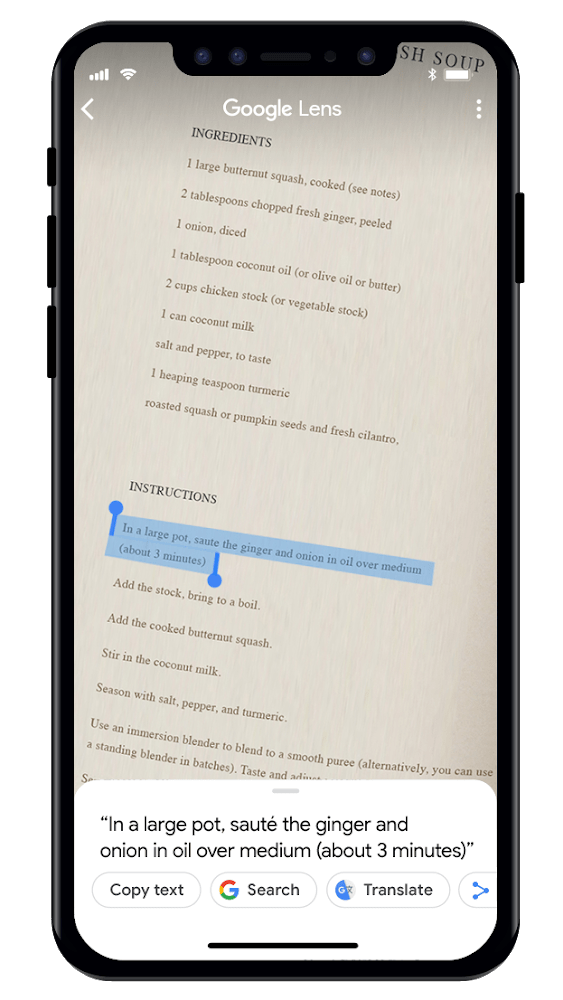
Google Lens Text Read
via: Google
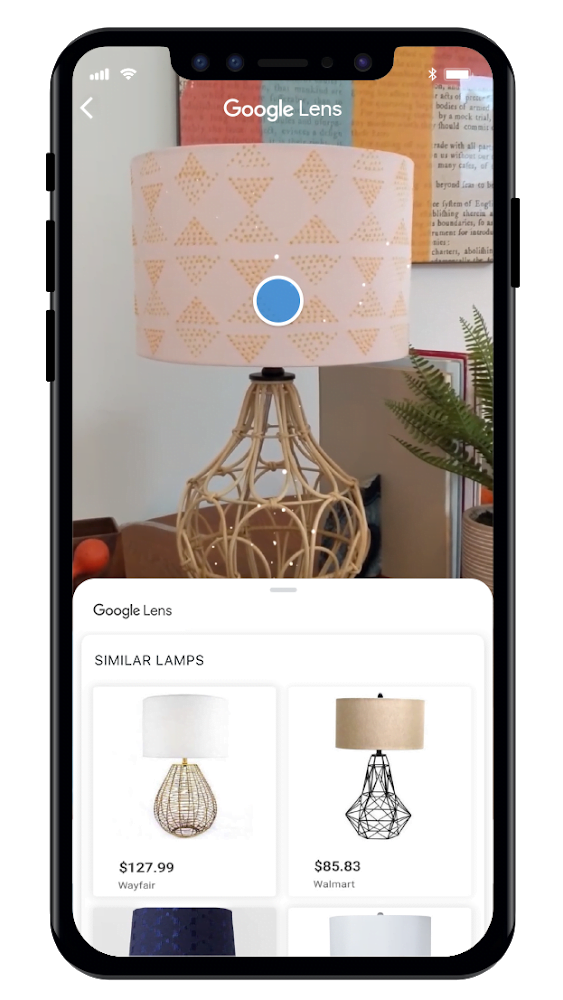
Google taught the Lens how to read in a very bare-bones manner. Google developed an optical character recognition (OCR) engine. The company combined it with their understanding of how languages work from Google Search and the Knowledge Graph. It taught the machine learning algorithms via different characters, languages, and fonts, and drew inspiration from sources such as Google Books scans. Lens also has a style search feature that gives suggestions for stylistically similar items. So if a user points their camera at outfits and home decor, they will be sent suggestions of items that are similar in style. So, for example, if a user sees a lamp that they really find interesting, Google Lens will give suggestions of lamps that have similar designs for sale. Lens will also display product reviews of stylistically relevant products.
Google Lamp
via: Google
Our smartphones are becoming smarter with each passing day. We rely so much on them because of their portability and overall ease of use. This is what Google realized long ago. It is focusing heavily on improving its smartphone-based services. Google Lens is just one example of this. The deep learning algorithms used in Google Lens might also soon be used for medical diagnoses. They show great potential in detecting signs of diabetic retinopathy just by looking at photos of eyes. For now, Lens can only work on smartphones, but we see it becoming a ubiquitous tech tool in the near future.

Related reading

  • Google’sin a nutshell
  • Ray Kurzweil's Predictions Scorecard: What He Got Right & Wrong
Something incorrect? Report an error in this article. Include a source if you have one; your name and email are optional.

Filed Under: Apps & Software, Tech News & Analysis Tagged With: Google, Google Assistant, Google Lens, Machine Learning, News

Related Stories

  • Googlebook Shows How Android 17 And Gemini Intelligence Could Reshape Google’S Ecosystem

    Googlebook Shows How Android 17 and Gemini Intelligence Could Reshape Google’s Ecosystem

    AIMay 16, 2026

  • How To Screen Record On Windows 11 With Audio

    How to Screen Record on Windows 11 With Audio

    Apps & SoftwareOct 10, 2026

  • How To Stop Chrome Tabs From Reloading

    How to Stop Chrome Tabs From Reloading

    Apps & SoftwareOct 10, 2026

Stay on top of technology

Get TechEngage reviews, buying guides and news in your feed.

Follow on Google News
Shares7FacebookTweetPinLinkedInPrint
Avatar for Fazeel Ashraf

Fazeel Ashraf

Tech & Gaming Editor

Fazeel Ashraf is the Tech and Gaming Editor at TechEngage, covering global tech news, social media, gaming releases, and cybersecurity. An IT graduate of the National University of Sciences and Technology, he has written more than 230 articles across the site's news and features coverage.

Joined TechEngage September 2018First article on TechEngage September 2018

Reader Interactions

Share Your Thoughts Cancel reply

Please read our comment policy before submitting your comment. Your email address will not be used or published anywhere. You will only receive comment notifications if you opt to subscribe below.

Primary Sidebar

Google News

Get TechEngage in your feed

Reviews, news, and buying guides as they publish.

Follow on Google News

Recent Stories

  • Windows Screen Recording Guide |
    Apps & SoftwareHow to Screen Record on Windows 11 With AudioOct 10, 2026
  • Chrome Tabs Reloading Techengage |
    Apps & SoftwareHow to Stop Chrome Tabs From ReloadingOct 10, 2026
  • Techengage Windows 11 File Backup |
    Computing & HardwareHow to Back Up Windows 11 Files to an External DriveOct 10, 2026
  • Techengage Ssd Enclosures |
    Computing & Hardware3 Best SSD Enclosures for USB-C and USB4Oct 10, 2026
  • Techengage Office Copilot Frontier |
    AIMicrosoft brings Office editing to Copilot, Frontier firstOct 10, 2026

More in Apps & Software

  • Windows Screen Recording Guide |
    How to Screen Record on Windows 11 With AudioOct 10, 2026
  • Chrome Tabs Reloading Techengage |
    How to Stop Chrome Tabs From ReloadingOct 10, 2026
  • 136181 7Effec8402C5Ea64 |
    What Microsoft Announced on October 7: Surface Laptop Ultra, RTX Spark Dev Box, and Windows AISep 16, 2026
  • TechEngage news graphic: iOS 27 Is Out With Siri AI, with an illustrated laptop and phone showing an AI assistant
    Apple Releases iOS 27 and macOS Golden Gate With Siri AISep 15, 2026
More Apps & Software stories →

Footer

Discover

  • About TechEngage
  • Company News & Updates
  • Our Team
  • Advertise
  • Send us a tip
  • Submit your company to TechEngage Launchpad Hot
  • TechEngage Brand Kit
  • Contact us
  • Tools & Calculators

Legal pages

  • Editorial Standards
  • Reviews Policy
  • Our Ethics
  • Corrections Policy
  • Affiliate Disclosure
  • Privacy Policy
  • Cookies Policy
  • Terms & Conditions
  • GDPR Compliance
  • Copyright & DMCA

Must reads

  • Best Mechanical Keyboards Under $100
  • Best USB-C Hubs
  • Best Portable SSDs
  • Best Gaming Graphics Cards (GPUs)
  • Best Long-Range Outdoor WiFi Extenders
  • Best Wireless CarPlay Adapters
  • Best Slack Alternatives
  • Best Long-Range Walkie-Talkies

Download our apps

TechEngage app coming soon on the App Store Available onChrome

© 2026 TechEngage®. All Rights Reserved. TechEngage® is a project of TechAbout LLC.

TechEngage® is a registered trademark in the United States under Trademark Number 6823709 and in the United Kingdom under Trademark Number UK00003417167. It is also ISSN protected under ISSN 2690-3776 and has OCLC Number 1139335774.

Contact team@techengage.com · WhatsApp +1-307-381-8801

Your analytics choice
Allow Google Analytics to help us understand readership? You can use the site without it and change this choice anytime.

Privacy details