


For a game you can keep returning to, choose Minecraft for building, Stardew Valley for a farming adventure or Slay the Spire for strategy. Mini Metro and Monument Valley are better fits when you want a focused puzzle; Among Us is the social choice for a group that can play together.
Hands-on experience: Sheharyar Ahmad Saeed personally played all eight games featured in this guide: Minecraft, Stardew Valley, Terraria, Monument Valley, Slay the Spire, Mini Metro, Among Us and Vampire Survivors.
These eight games cover building, farming, puzzles, strategy and multiplayer on Android and iPhone. Use the comparison below to choose a style you enjoy, then see the screenshots, gameplay details and store links for each pick.
In this guide
Find a mobile game that fits how you play
| Game | Pick it for | Mobile payment model | Before downloading |
|---|---|---|---|
| Minecraft | Building and exploration | Paid base game; optional purchases and subscriptions | Mobile uses Bedrock, not Java Edition |
| Stardew Valley | A longer farming and life-sim adventure | Paid standalone game | Check mobile-specific features and save compatibility |
| Terraria | Exploration, crafting and combat | Paid standalone game | Touch controls and small interface elements need consideration |
| Monument Valley | A compact perspective puzzle | Paid standalone edition; optional expansion content | Different subscription editions can have separate listings |
| Slay the Spire | Turn-based deck-building strategy | Paid standalone game | The original game, not its sequel |
| Mini Metro | Route-planning puzzles | Paid standalone game | A simple interface hides an increasingly demanding puzzle |
| Among Us | Social deduction with friends | Free download; optional purchases | Online play and chat/account settings matter |
| Vampire Survivors | Survival action and character builds | Free mobile base game; optional purchases/ads | Expansion and platform features can differ |
1. Minecraft: build a world of your own
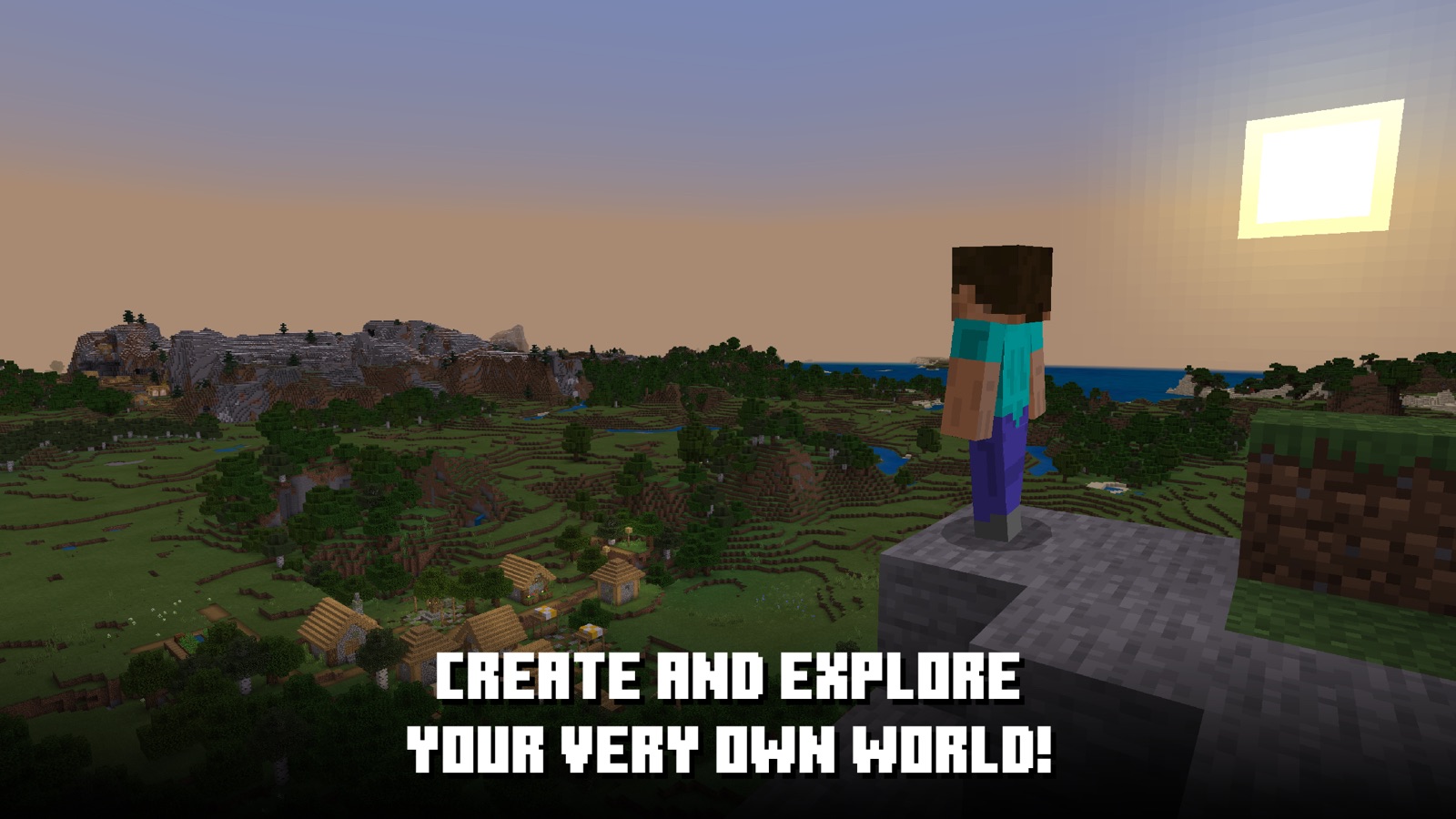
Best for: Building, exploring and playing together
Minecraft starts with a simple idea: almost everything around you can become a building material. Chop trees, mine stone and turn a patch of wilderness into a home, a castle or a sprawling transport network. Creative mode lets you concentrate on construction with unlimited resources; Survival makes you gather supplies and prepare for hostile creatures.
The freedom is the attraction. You can spend a session decorating a room, exploring caves or working on a shared project with friends. There is no single route through the game, so it suits players who enjoy making their own plans more than following a tightly scripted story.
Keep in mind: Mobile uses Bedrock Edition. Friends need compatible editions for cross-play; a mobile purchase does not include Java Edition or a license for every other platform. Marketplace content and Realms subscriptions cost extra.
Download for Android · Download for iPhone and iPad
2. Stardew Valley: a farm and a town to grow into
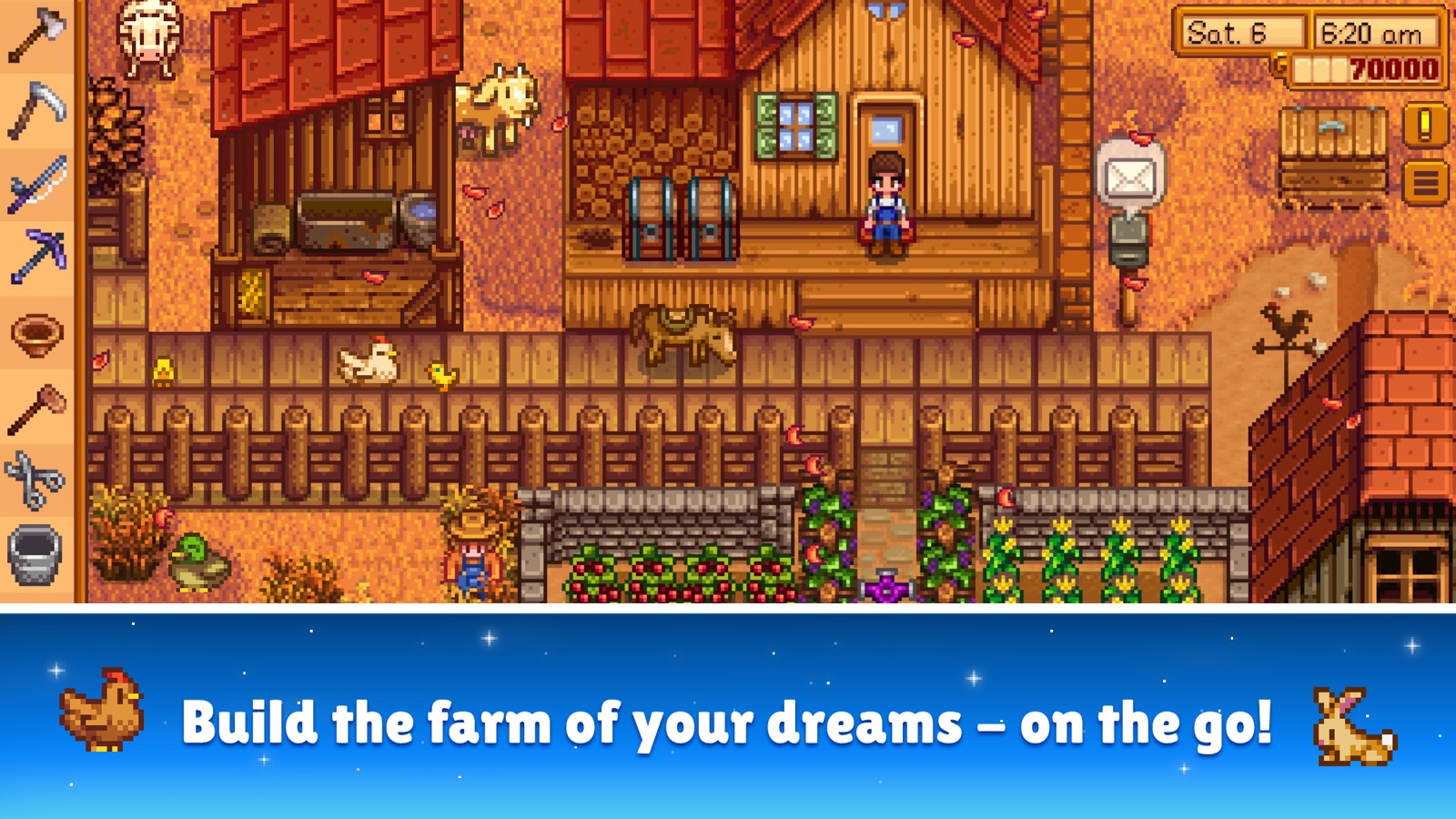
Best for: Farming, relationships and a long single-player adventure
Your overgrown farm is only the beginning of Stardew Valley. Plant seasonal crops, raise animals and turn the harvest into better tools and buildings. Beyond the fence, you can fish, explore monster-filled mines and get to know the residents of Pelican Town through conversations, gifts and festivals.
Each in-game day gives you a useful choice: expand the farm, pursue a relationship or spend your energy underground looking for resources. That mix of routine and discovery gives the game more variety than a crop timer. Mobile touch controls include tap-to-move and redesigned menus, making everyday farm work a natural fit for a phone or tablet.
Keep in mind: Buy it primarily for its single-player adventure. Mobile multiplayer and save transfers have their own requirements; they are not interchangeable with the desktop setup. The standalone mobile game has no in-app purchases.
Download for Android · Download for iPhone and iPad
3. Terraria: dig deeper, craft gear and fight bosses

Best for: Exploration and combat with room to build
Terraria puts a large, destructible world in a side-on view. You begin with basic tools, dig for resources and craft equipment that lets you venture further. Underground caves, different biomes and dangerous bosses provide reasons to keep improving your weapons and armor, while building a base gives your discoveries a home.
Choose it over Minecraft when you want exploration to lead into a stronger cycle of equipment upgrades and combat. A new item can change how you move through the world or tackle an enemy. Building still matters, but discovering what lies below the next layer of ground is just as much of the appeal.
Keep in mind: The inventory and action controls are denser than those in the puzzle games here. Terraria offers customizable mobile controls and gamepad support; a larger screen can make its many small items easier to distinguish.
Download for Android · Download for iPhone and iPad
4. Monument Valley: solve impossible architecture

Best for: Gentle puzzles and striking visual design
Guide Princess Ida through buildings that cannot quite exist. Rotate a structure, slide a platform or change the perspective and two disconnected paths suddenly meet. The puzzles ask you to notice what the scene could become, rather than react quickly or memorize a complicated set of commands.
Monument Valley is the pick for a focused, atmospheric experience. Its restrained colors, shifting geometry and responsive sound make each stage feel like a small interactive sculpture. Touching and turning the architecture is central to the game, so the phone screen feels like part of the puzzle rather than a substitute for a controller.
Keep in mind: This is the original standalone game. Forgotten Shores is additional paid content, and sequels are separate games. Choose it for a compact puzzle adventure rather than endless progression.
Download for Android · Download for iPhone and iPad
5. Slay the Spire: build a deck that works together
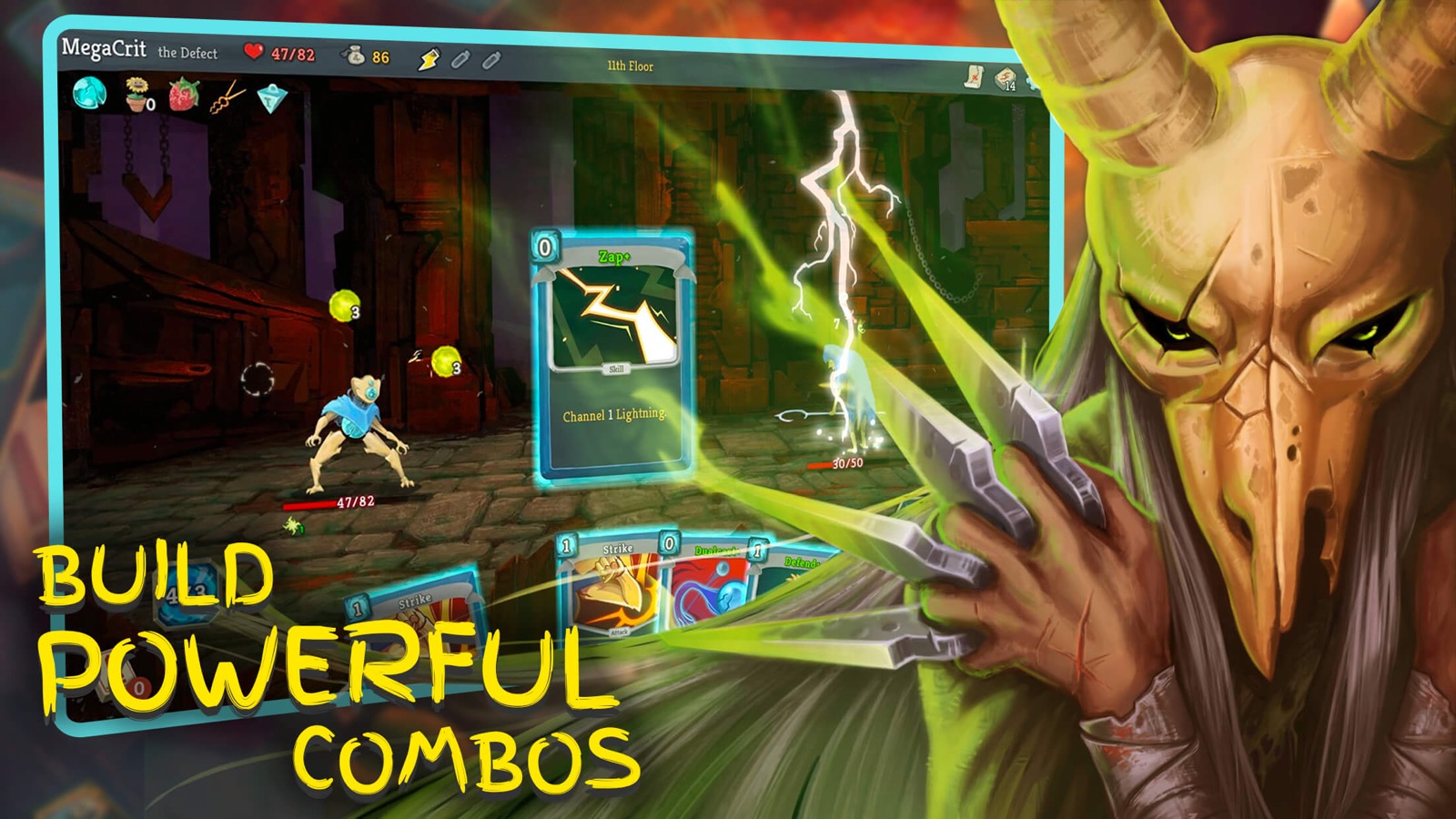
Best for: Turn-based strategy and repeatable runs
Slay the Spire turns every card reward into a decision. You climb through branching routes, fight enemies in turn-based battles and collect relics that change what your deck can do. Adding a powerful card is not always the right move: it needs to work with the cards you already have and the resources you can spend each turn.
The changing encounters make experimentation worthwhile. One run may reward defensive play; another may come together around a particular combination of attacks and relics. Because combat waits for your input, you can take time to weigh a move. The tension comes from managing health and risk over the whole climb, not from quick reflexes.
Keep in mind: This entry covers the original Slay the Spire. Card descriptions and interface details are easier to read on a larger screen, and a failed run means starting another climb.
Download for Android · Download for iPhone and iPad
6. Mini Metro: keep a growing city moving
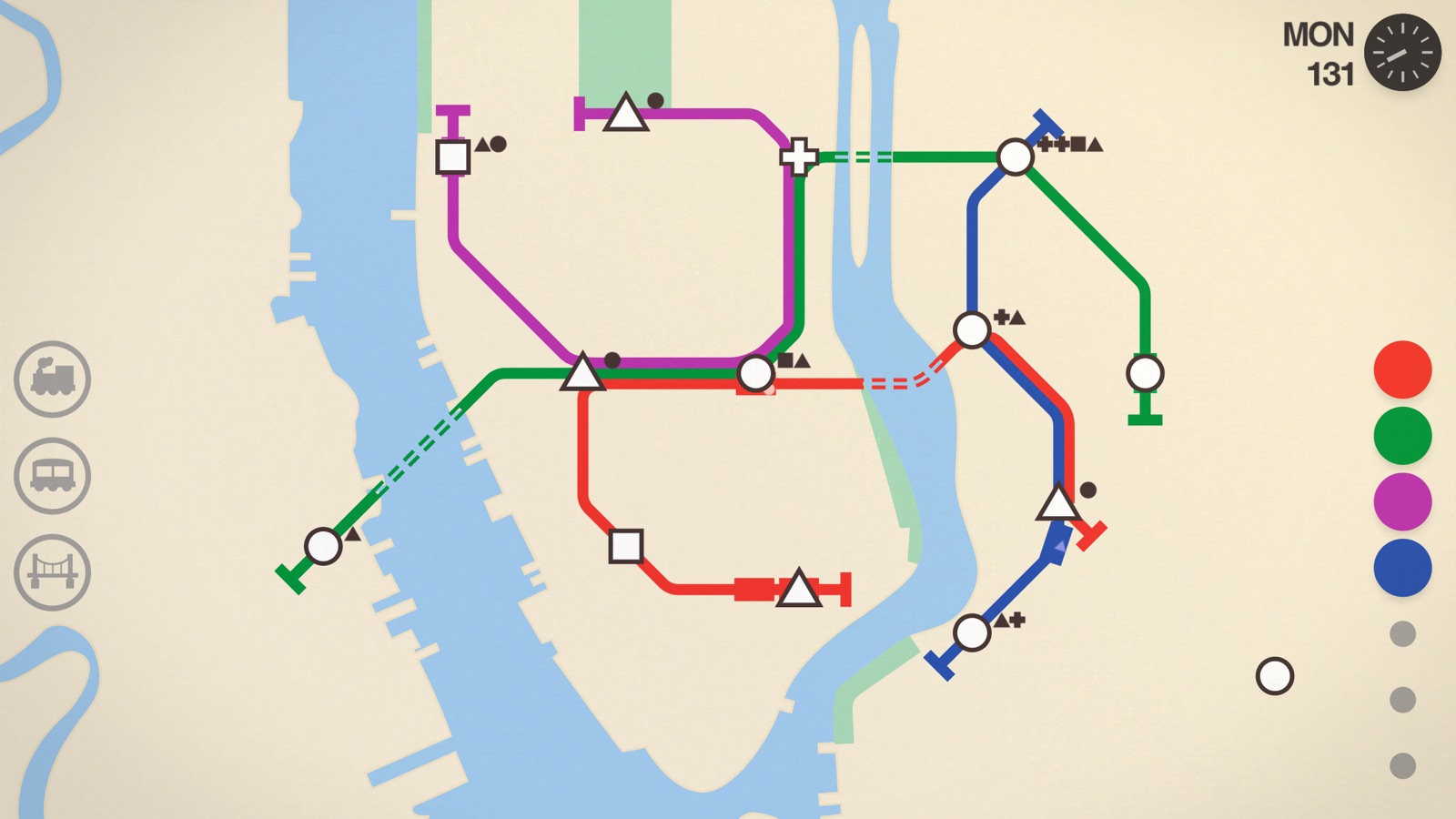
Best for: Route-planning puzzles with simple touch controls
Mini Metro begins with a handful of stations and the lines you draw between them. Passengers need to reach different station shapes, and trains carry them along your routes. As the city grows, new stations and crowded platforms force you to reconsider a network that seemed perfectly sensible a few minutes earlier.
The challenge is deciding where your limited trains, lines and river crossings will help most. A longer route reaches more places but can leave passengers waiting; an interchange can connect the network while creating a new bottleneck. Its clean map keeps the problem readable without turning it into a detailed railway simulator.
Keep in mind: Normal mode adds pressure as stations fill up. Try Endless or Creative mode if you would rather experiment with a network at your own pace. Colorblind and night modes offer alternative ways to view the map.
Download for Android · Download for iPhone and iPad
7. Among Us: find the impostor in your group

Best for: Social deduction with friends
Among Us gives the crew jobs to complete while impostors sabotage the mission and eliminate players. When someone reports a body or calls a meeting, the action shifts to discussion: who was nearby, which story makes sense and whether there is enough evidence to vote someone out.
It works especially well with a regular group because the fun comes from interpreting other people as much as learning the maps. You might spend one round carefully completing tasks and the next trying to make an invented alibi sound convincing. Private lobbies let friends agree on settings and the kind of game they want to play.
Keep in mind: Plan on a connection and other players. Account, age and parental settings affect chat access. The mobile game is free to download with optional purchases; review chat settings before setting it up for a child.
Download for Android · Download for iPhone and iPad
8. Vampire Survivors: survive the horde and shape your build
Best for: Action built around movement and upgrade choices
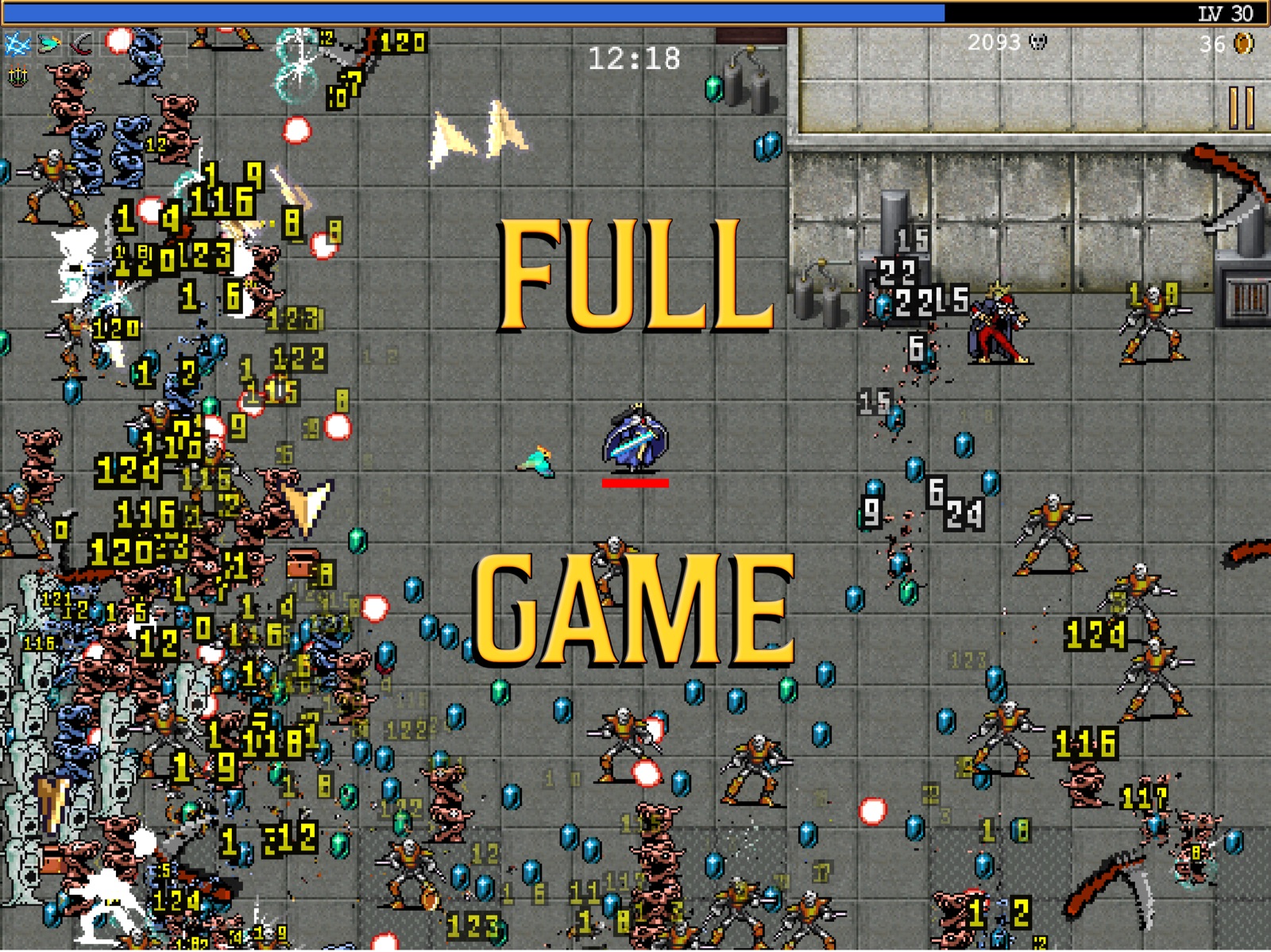
Vampire Survivors handles most attacks automatically, leaving you to steer through enemies and collect experience gems. Leveling up brings choices of weapons and passive upgrades. What starts as a sparse field can become a screen full of projectiles, enemies and effects as your build develops.
The simple movement controls hide a satisfying planning problem. Do you head toward a cluster of gems, escape a closing gap or build toward a weapon combination? Gold and unlocks give later attempts new possibilities, so a failed run can still contribute to progress. It is a good fit if you want action without managing a row of attack buttons.
Keep in mind: The mobile base game is free, with optional ads and paid expansions. The busy late-game scenes can be demanding on older phones, and the downloadable expansions are separate from the base game.
Download for Android · Download for iPhone and iPad
Free, paid and subscription editions are different purchases
The word “Get” or “Install” does not tell you the full cost of a game. Look for in-app purchases, advertising, expansion packs and subscription requirements. A game included in Apple Arcade, Play Pass or another subscription may coexist with a separately purchased edition. Compare the publisher and edition before installing, and check where your saves are stored.
Check your local store for the current price and any optional purchases. For a child’s device, enable purchase approval and review the local age rating and online-interaction notices. “Family-friendly graphics” are not a substitute for those checks.
Before a flight or a new phone
- Download the game and any required assets while connected, then launch it at least once.
- If offline play matters, test the specific game and mode in airplane mode before travelling. Account verification, cloud saves and multiplayer can behave differently from solo play.
- Check the save-transfer instructions before deleting a game or replacing a phone. A cloud icon is not proof that every save has synced.
- Review available storage and the current OS requirements. A store page visible in a browser may still be incompatible with your signed-in device.
- Use the official store links. If a listing is unavailable in your region, choose another game from its official store rather than a modified installer.
Choose the correct game and store listing
Match the exact game title and developer to its official store record before downloading. Similarly named games may be unrelated; check platform support and payment terms for the specific listing.
Frequently asked questions
What is the best free mobile game on this list?
Try Vampire Survivors for primarily solo action or Among Us for social play. Both have optional monetization, so free download does not mean every item or expansion is free.
Can I use one purchase on Android and iPhone?
Do not assume so. The stores generally manage separate purchases, and publishers decide whether accounts, saves or content transfer. Check the exact game’s policy before buying twice or switching platforms.
Are these all offline games?
No. Among Us is primarily a multiplayer recommendation. For another game, verify the intended solo mode, initial download and account requirements before relying on offline access.
How do I choose a game for short sessions?
Choose a game with a pace and save system that fit your available time. Check whether you can pause, resume a session and play your intended mode offline before buying or subscribing.





Share Your Thoughts