• Skip to primary navigation
  • Skip to main content
  • Skip to primary sidebar
  • Skip to footer
TechEngage

TechEngage®

Hands-on reviews, research-backed buying guides and technology news.

  • News
    • Internet & Social
    • Gadgets
    • Car Tech
    • Business
    • Science & Health
  • Reviews
  • Buying Guides
  • How-to
  • AI
  • Computing
    • Apps
    • Security
    • Gaming
  • More
    • Tools
    • Puzzles
    • Mobile
  • Launchpad
  • Sign in
TechEngage » Consumer Tech & Gadgets

Google Home update brings local Matter control to Hue lights

Google Home’s October 14 update adds local Matter control for Hue bridges and fixes Gemini commands and camera playback. Here’s what owners should check.

Avatar for Amnah Asghar Amnah Asghar Connect with Amnah Asghar on LinkedIn Published: Oct 15, 2026 · 11:48 AM ET

NewsNews report. Not a buying guide or hands-on product test.
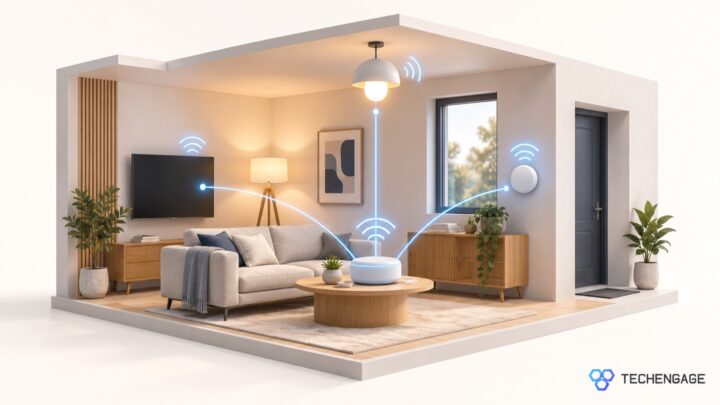
Conceptual illustration of a home hub connected to lights and other devices inside a living room.
Illustration: TechEngage
FacebookTweetPinLinkedInPrint

Google Home’s October 14 update brings local Matter control to existing Philips Hue bridges, alongside fixes for Gemini voice commands and camera playback. Google says the Hue change happens in the background without pairing your lights again.

For people already using Google Home, the practical question is whether everyday controls become more dependable. A light that responds promptly is more useful than another menu of features. This update focuses on that daily experience, although Google has not supplied a measured speed improvement.

What changes in the October 14 update

According to Google’s release notes, compatible Matter devices gain local control through a compatible hub. Lights, plugs and switches also get redesigned controls, while a swipe-up panel on most full-screen device controllers exposes more settings.

Gemini for Home, still labeled early access in these notes, gets a fix for “stop” commands being mistaken for ending a conversation instead of stopping media, timers or alarms. On iOS, camera tiles retry when stuck on an old snapshot. Android fixes address paused-video scrubbing and errors when selecting snapshot events.

Google warns that features can arrive gradually even with the latest app installed. The notes do not give every household a firm completion date.

Why local control matters for smart lights

In Google’s explanation of Matter, a cloud-connected lighting command can travel from your home to Google’s services, onward to the manufacturer’s cloud, and back to the light. Matter can send the device command across your home network instead.

That shorter route is the reason to care about local control. It removes a cloud round trip from the device-control path. It should not be read as a promise that every Google Home feature, remote connection or voice conversation works without internet access.

The hardware requirement matters too. Google lists Nest Audio, Nest Mini and the first-generation Nest Hub among its Matter-over-Wi-Fi hubs. Thread devices need a hub with Thread border-router support, such as the second-generation Nest Hub, Nest Hub Max, Nest Wifi Pro or Google TV Streamer. Owning a Google speaker does not automatically mean it supports both connection types.

What to check before changing your setup

Start with the equipment you already own. Check the exact hub model and the connection type your accessory uses before buying another device. A compatibility logo is useful, but it is not a substitute for checking the specific product and the controls you want to use.

Google’s Matter setup instructions require a Google Account, home Wi-Fi, a compatible hub and accessory, and IPv6 enabled on the home router. For a new accessory, the app’s setup flow uses its Matter QR code or pairing code. Those are setup requirements for adding devices, not an instruction to remove an existing Hue setup.

Keep a note of any problem you are trying to solve: a delayed light, an unresponsive timer or a camera preview that stops refreshing. After an update reaches your household, repeat that same action. This makes it easier to tell whether the problem has improved without changing several settings at once.

If you are choosing new equipment, our smart ceiling-light buying advice explains why model-specific controls matter. For cameras, our video doorbell guide separates hardware choices from recording and subscription needs.

An update for existing homes, not a reason to replace them

The strongest reason to pay attention is that these changes target equipment and routines people already rely on. There is no need to rebuild a working home just to chase a release note. Check compatibility, let the rollout arrive, and judge it by the controls you actually use.


Something incorrect? Report an error in this article. Include a source if you have one; your name and email are optional.

Filed Under: Consumer Tech & Gadgets Tagged With: Google Home, Matter, Philips Hue, Smart Home

Related Stories

  • Microsoft Brings Office Editing To Copilot, Frontier First

    Microsoft brings Office editing to Copilot, Frontier first

    AIOct 10, 2026

  • Editorial illustration of CPU capacity, cloud delivery and AI services for the Akamai and Anthropic agreement.

    Akamai’s $11.6 billion Anthropic cloud deal: costs, timeline and CPU strategy

    Tech News & AnalysisSep 27, 2026

  • Editorial diagram showing three stages of AI agent safety: detect, respond, contain.

    OpenAI pauses advanced-model research after agent bypasses network restrictions

    Tech News & AnalysisSep 27, 2026

Stay on top of technology

Get TechEngage reviews, buying guides and news in your feed.

Follow on Google News
FacebookTweetPinLinkedInPrint
Avatar for Amnah Asghar

Amnah Asghar

Consumer Tech Writer

Amnah Asghar is a Consumer Tech Writer at TechEngage who covers smartphones, consumer gadgets, health technology, gaming, and digital security. Across nearly 150 articles, she focuses on turning product specifications and tech news into practical guidance for everyday readers.

Joined TechEngage July 2018First article on TechEngage July 2018

Reader Interactions

Share Your Thoughts Cancel reply

Please read our comment policy before submitting your comment. Your email address will not be used or published anywhere. You will only receive comment notifications if you opt to subscribe below.

Primary Sidebar

Google News

Get TechEngage in your feed

Reviews, news, and buying guides as they publish.

Follow on Google News

Recent Stories

  • Windows Screen Recording Guide |
    Apps & SoftwareHow to Screen Record on Windows 11 With AudioOct 10, 2026
  • Chrome Tabs Reloading Techengage |
    Apps & SoftwareHow to Stop Chrome Tabs From ReloadingOct 10, 2026
  • Techengage Windows 11 File Backup |
    Computing & HardwareHow to Back Up Windows 11 Files to an External DriveOct 10, 2026
  • Techengage Ssd Enclosures |
    Computing & Hardware3 Best SSD Enclosures for USB-C and USB4Oct 10, 2026
  • Techengage Office Copilot Frontier |
    AIMicrosoft brings Office editing to Copilot, Frontier firstOct 10, 2026

More in Consumer Tech & Gadgets

  • Diagram showing a clip-on microphone, receiver and phone or camera recording setup.
    Best Wireless Lavalier Microphones for Phones and CamerasOct 10, 2026
  • 136179 678176Dbb12A3E14 |
    Travel Power Banks: Six Options for Phones and LaptopsSep 16, 2026
  • Best Long Range Walkie Talkies Jpg |
    Best Long-Range Walkie-Talkies: 10 Radios for Different NeedsSep 24, 2023
  • Pexels Alex Qian 2343467 Jpeg |
    How to Replace Your Refrigerator Water Filter: Complete Guide With TroubleshootingJun 21, 2023
More Consumer Tech & Gadgets stories →

Footer

Discover

  • About TechEngage
  • Company News & Updates
  • Our Team
  • Advertise
  • Send us a tip
  • Submit your company to TechEngage Launchpad Hot
  • TechEngage Brand Kit
  • Contact us
  • Tools & Calculators

Legal pages

  • Editorial Standards
  • Reviews Policy
  • Our Ethics
  • Corrections Policy
  • Affiliate Disclosure
  • Privacy Policy
  • Cookies Policy
  • Terms & Conditions
  • GDPR Compliance
  • Copyright & DMCA

Must reads

  • Best Mechanical Keyboards Under $100
  • Best USB-C Hubs
  • Best Portable SSDs
  • Best Gaming Graphics Cards (GPUs)
  • Best Long-Range Outdoor WiFi Extenders
  • Best Wireless CarPlay Adapters
  • Best Slack Alternatives
  • Best Long-Range Walkie-Talkies

Download our apps

TechEngage app coming soon on the App Store Available onChrome

© 2026 TechEngage®. All Rights Reserved. TechEngage® is a project of TechAbout LLC.

TechEngage® is a registered trademark in the United States under Trademark Number 6823709 and in the United Kingdom under Trademark Number UK00003417167. It is also ISSN protected under ISSN 2690-3776 and has OCLC Number 1139335774.

Contact team@techengage.com · WhatsApp +1-307-381-8801

Your analytics choice
Allow Google Analytics to help us understand readership? You can use the site without it and change this choice anytime.

Privacy details