

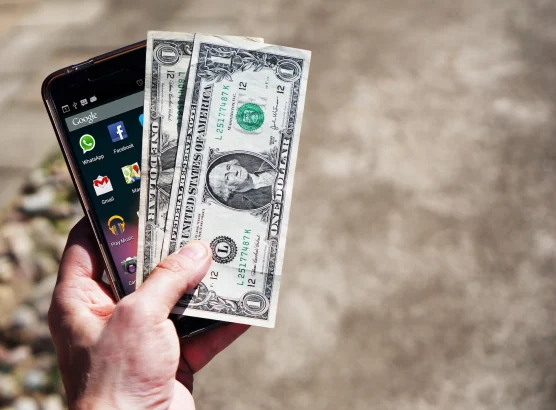
Most “earn money” apps pay pocket change. A few pay real money. Here is an honest look at what each category actually delivers.
The app stores are full of apps promising easy money from a phone. The reality is less exciting than the marketing suggests. Survey apps pay cents per response. Cashback apps return a fraction of what was already spent. Bandwidth-sharing apps earn a few dollars per month at best. None of these replace a job, a side hustle, or any meaningful income stream.
That said, some apps do put real money back in a pocket over time, especially when stacked together. The list below is split into categories based on how the money is earned and what kind of return to realistically expect.
Survey and Task Apps
Google Opinion Rewards
Google Opinion Rewards sends short surveys based on location history, recent purchases, and search activity. Most surveys take under 30 seconds and pay $0.10 to $1.00 in Google Play credits (Android) or PayPal cash (iOS). The surveys come irregularly. Some weeks bring three or four; other weeks bring none. Expect $1-5 per month depending on location and how frequently surveys appear. The app is legitimate, backed by Google, and does not require linking any financial accounts.
Swagbucks
Swagbucks pays for surveys, watching videos, playing games, and shopping through its portal. Points (“SB”) convert to gift cards or PayPal cash at roughly 100 SB = $1. The earning rate for surveys typically works out to $1-3 per hour, which is poor by any employment standard but adds up for people filling idle time. The shopping cashback component is the stronger earner. Routing online purchases through Swagbucks returns 1-10% on hundreds of retailers. Available on iOS, Android, and web.
Cashback and Shopping Apps
Rakuten
Rakuten (formerly Ebates) is the most established cashback platform. The premise: start shopping sessions through the Rakuten app or browser extension, and earn cashback on purchases at partner stores. Rates vary from 1% to 12% depending on the retailer and current promotions. Payouts arrive quarterly via check or PayPal.
The key difference between Rakuten and most “earn money” apps is that the earnings scale with spending. Someone who shops frequently online can realistically earn $100-300 per year without changing shopping habits. The app is not creating income from thin air; it is returning a portion of money already being spent.
Ibotta
Ibotta focuses on grocery and retail cashback. Add offers before shopping, scan receipts after, and get cash back on specific products. The app also integrates directly with store loyalty cards at Walmart, Kroger, Target, and other major chains, eliminating the receipt-scanning step entirely. Typical savings run $5-20 per month for a regular grocery shopper. Payout minimum is $20 via PayPal or Venmo.
Passive Earning Apps
Honeygain
Honeygain pays for sharing unused internet bandwidth. The app runs in the background and routes a portion of the device’s internet connection through its network. Earnings are calculated at 3 credits per 10 MB of shared traffic, with 1000 credits equal to $1. The minimum payout threshold is $20.
Realistic monthly earnings range from $1-5 depending on location and connection speed. A fair warning: sharing bandwidth means third-party traffic passes through the home IP address. Read Honeygain’s terms carefully and understand the privacy implications before installing. This is not a risk-free passive income stream despite how it is often marketed.
Mode (formerly Current)
Mode pays for listening to music through its curated radio stations, playing games, and completing offers. Points accumulate and convert to gift cards or PayPal cash. The music-listening component pays very little per hour of active listening. Completing offers and installing sponsored apps pays more but often requires signing up for free trials or making purchases. Expect $5-15 per month with regular use. Available on Android and iOS.
Gig and Freelance Apps
TaskRabbit
TaskRabbit connects people who need help with tasks (furniture assembly, moving, cleaning, handyman work, deliveries) with local workers who perform them. Unlike survey and cashback apps, TaskRabbit pays real hourly rates. Taskers set their own prices, and rates for common tasks range from $20-60 per hour depending on the category and location.
This is actual work, not passive income. But it is the only category on this list where a phone app can reliably generate $200 or more in a weekend. Available in most major US, UK, and Canadian cities.
Fiverr
Fiverr is a freelance marketplace where services are sold as “gigs.” Graphic design, video editing, voiceover work, writing, translation, social media management — anything that can be delivered digitally. The Fiverr mobile app allows managing orders, communicating with clients, and delivering work from a phone, though most sellers do the actual work on a computer.
Earnings depend entirely on the skill being offered and the time invested. A beginner offering basic services might earn $50-200 per month. An experienced seller with strong reviews can earn $1,000+ monthly. Fiverr takes a 20% commission on all transactions.
Micro-Investing Apps
Acorns
Acorns rounds up purchases to the nearest dollar and invests the spare change into diversified portfolios of stocks and bonds. Link a debit or credit card, spend $4.73 on coffee, and Acorns invests the $0.27 difference automatically. Over months, these micro-deposits add up.
Acorns charges $3-12 per month depending on the plan tier. On small balances, the monthly fee can eat into returns significantly. The app makes more financial sense once the invested balance passes $500-1,000 where the fee becomes a smaller percentage of the total. Acorns is not an “earn money” app in the traditional sense. It is an automated savings and investment tool that grows money already being spent. Returns depend on market performance and are not guaranteed.
An Honest Reality Check
Stacking survey apps, cashback platforms, and passive earners together might generate $30-80 per month for an active user. That covers a phone bill or a few meals. It does not cover rent, car payments, or any significant expense. The apps that pay meaningful money — TaskRabbit, Fiverr, delivery platforms — require actual time and effort. They are jobs, accessed through an app interface.
The phone-based earning apps worth using are the ones that fit into existing routines without requiring extra time. Rakuten and Ibotta return money on shopping that would happen anyway. Google Opinion Rewards fills 20-second gaps waiting in line. Acorns automates saving from spending. These apps work best as small optimizations, not income strategies.
Frequently Asked Questions
Can you really make money from phone apps?
Yes, but the amounts are small for most passive and survey-based apps. Cashback apps like Rakuten and Ibotta typically return $10-30 per month depending on shopping habits. Survey apps like Google Opinion Rewards and Swagbucks pay $5-15 per month with regular use. Gig economy apps like TaskRabbit and Fiverr can generate hundreds of dollars monthly, but these require active work comparable to a part-time job. No app generates significant income just by having it installed.
Are money-making apps safe?
Established apps from known companies (Google, Rakuten, Ibotta, Acorns, Fiverr) are generally safe. Be cautious with apps that ask for excessive permissions, require linking bank accounts to unfamiliar companies, or promise unusually high returns. Bandwidth-sharing apps like Honeygain carry additional risk since third-party traffic routes through the user’s IP address. Always read privacy policies and check app store reviews before installing any app that handles financial data.
Which app pays the most money?
For passive use, Rakuten tends to deliver the highest returns because earnings scale with existing shopping habits — heavy online shoppers can earn $200-300 per year. For active work, TaskRabbit and Fiverr pay the most since they function as gig economy platforms with real hourly or per-project rates. Among pure survey and rewards apps, Swagbucks generally offers the most earning opportunities, though the hourly rate for completing surveys remains well below minimum wage.
Do money-making apps work outside the United States?
Availability varies by app. Google Opinion Rewards works in most countries. Swagbucks operates in the US, UK, Canada, Australia, and a few other regions. Rakuten is primarily US-based but has international versions in Canada and Japan. Ibotta is US-only. Honeygain works globally. Fiverr and TaskRabbit are available internationally but with heavier market presence in the US and Europe. Always check the app’s regional availability before creating an account.
How much can you realistically earn per month from phone apps?
Combining multiple passive and cashback apps — Google Opinion Rewards, Rakuten, Ibotta, and Swagbucks — a realistic monthly total is $30-80 for a moderately active user. This assumes regular shopping, completing available surveys, and routing purchases through cashback platforms. Adding gig apps like TaskRabbit or Fiverr can push monthly earnings into the hundreds, but those require real time investment. Claims of earning thousands per month from phone apps alone should be treated with skepticism.
Related reading
- Best VPNs for Smart TVs
- 6 Apps to put an end to the usual drudgery of your workdays
- 0 Best Virtual Assistant Apps
- Best Free YouTube to MP4 Converters



Share Your Thoughts