


In this guide
Disclosure: TechEngage is a participant in the Amazon Services LLC Associates Program, an affiliate advertising program designed to provide a means for sites to earn fees by linking to Amazon.com and affiliated sites. We may earn a commission when you buy through links on this page, at no extra cost to you. Our editorial picks are made independently of these partnerships.
A good wireless mouse is the cheapest productivity upgrade most desks never make. Trackpads are fine for email; they fall apart the moment you edit timelines, scrub spreadsheets, or game for an hour. In 2026 the useful split is simple: ergonomic productivity mice for long workdays, compact travelers for laptop bags, vertical shapes for wrist relief, and dual-mode gaming mice when Bluetooth classwork and 2.4 GHz matches share one device.
I narrowed this list to eight currently available Amazon picks spanning those jobs — not eight clones of the same $25 office oval. Prices, ratings, and review counts below stay on live AAWP shortcodes so they update with Amazon.
If you are building out a full desk kit, pair any of these with our best USB-C hubs, portable SSDs, and Bluetooth headphones. For travel days, a TSA-friendly power bank keeps the laptop alive when the mouse is the easy part.
Quick Comparison: Best Wireless Mice
| Mouse | Type | Connectivity | Sensor / DPI | Best For |
|---|---|---|---|---|
| MX Master 3S | Ergo productivity | Bluetooth + Logi Bolt | 8000 DPI | Desk workdays |
| MX Anywhere 3S | Compact productivity | Bluetooth + Bolt | 8000 DPI | Laptop bags |
| MX Master 3 | Ergo productivity | Bluetooth + Unifying | 4000 DPI | Deal hunters |
| ProtoArc EM11 | Vertical ergo | Bluetooth / 2.4G | Adjustable | Wrist relief |
| FMOUSE Tri-Mode | Compact office | BT + 2.4G + USB-C | Multi-level DPI | Under $20 desks |
| DELUX MF20 Pocket | Ultra-portable | Bluetooth + 2.4G | Up to 4000 DPI | Passport pouches |
| Basilisk X HyperSpeed | Wireless gaming | Bluetooth + HyperSpeed | 16K DPI | FPS / MMO hybrid |
| Pulsefire Dart | Wireless gaming | 2.4 GHz wireless | High DPI optical | RGB gaming desks |
1. Logitech MX Master 3S — Best Overall
| Price & Details | |
|---|---|
| Brand | Logitech |
| Check availability on Amazon |
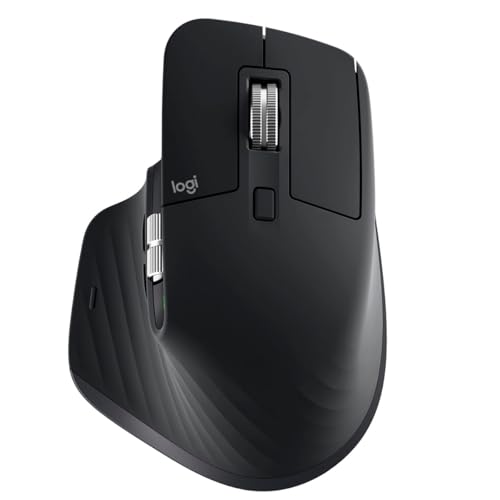
If you spend eight hours in spreadsheets, design tools, or a multi-monitor IDE, the MX Master 3S is still the default answer in 2026. Quiet clicks cut meeting-room embarrassment, MagSpeed scrolling flies through long docs, and the thumb wheel is genuine Excel magic — not a gimmick you forget after a week.
Bluetooth plus the included Logi Bolt receiver covers both Mac and Windows desks without burning a USB port forever. Pair up to three devices and use Logi Options+ Flow to drag files between machines. Battery life is the boring kind of excellent: weeks of real work between USB-C top-ups, with a one-minute charge covering a few hours if you forget overnight.
It is larger and heavier than travel mice, and Logi Options+ is required to unlock the best button maps. Pair it with a solid USB-C hub if your laptop only offers one free port for the Bolt receiver and a drive.
Why it stands out: Quiet clicks, MagSpeed + thumb wheel, 8K any-surface tracking, multi-device Flow, and weeks-long battery make it the productivity benchmark.
Check availability on Amazon2. Logitech MX Anywhere 3S — Best Compact Travel
| Price & Details | |
|---|---|
| Price | $59.99 |
| Discount | 5% |
| Rating on Amazon | 4.6 out of 5 stars |
| Brand | Logitech |
| Check availability on Amazon |
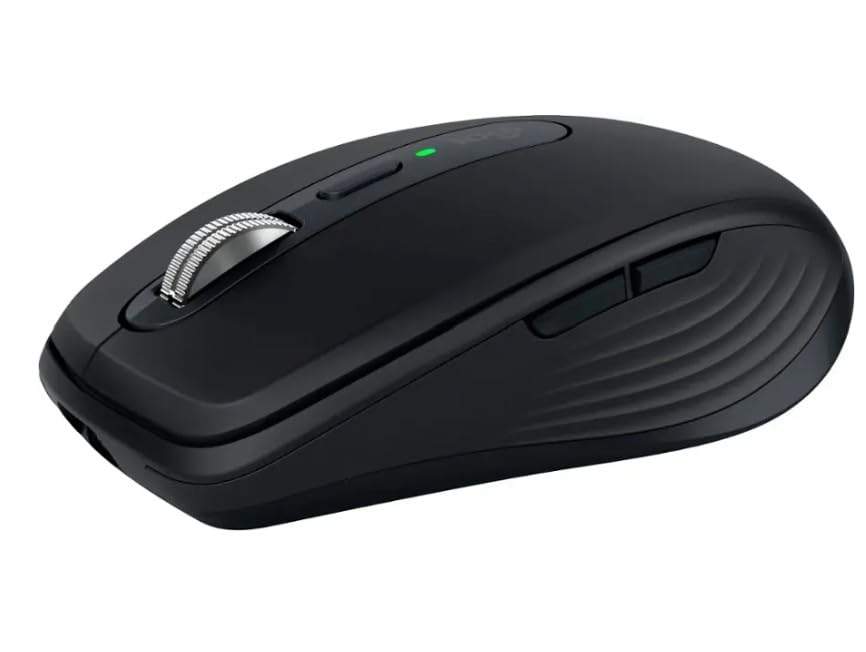
The Anywhere 3S is the MX Master formula shrunk for cafe tables and hotel desks. You keep MagSpeed scrolling, quiet clicks, and glass-capable 8K tracking without the Master’s palm-filling bulk.
It still pairs with three devices and plays nicely with Logi Options+. For remote weeks where your bag already holds a portable SSD and a power bank, the smaller silhouette is the difference between “I’ll just use the trackpad” and actually working comfortably.
You give up the Master’s thumb wheel and some palm support. If you have large hands and stay at one desk, buy the Master 3S instead. For mobile workers, Anywhere 3S is the smarter everyday carry.
Why it stands out: Full MX feature set in a travel-friendly body: quiet clicks, MagSpeed, 8K tracking, and multi-device switching without desk-mouse bulk.
Check availability on Amazon3. Logitech MX Master 3 — Best Previous-Gen Value

| Price & Details | |
|---|---|
| Rating on Amazon | 4.7 out of 5 stars |
| Brand | Logitech |
| Check availability on Amazon |
The original MX Master 3 still shows up as a strong street-price alternative when 3S stock or pricing gets weird. You get the same ergonomic silhouette, MagSpeed main wheel, and thumb wheel that made the series famous — just without the quieter clicks and 8K sensor bump.
For many writers and analysts those deltas are nice-to-have, not must-have. If you find a clean Master 3 for meaningfully less than a 3S, the productivity gains over a basic office mouse remain huge.
Prefer the 3S when prices are close: quieter offices and glass-desk tracking matter more than marketing copy suggests. Treat the Master 3 as the value fork of the same family.
Why it stands out: Same MagSpeed + thumb-wheel productivity layout as the 3S at a typically lower street price when deals appear.
Check availability on Amazon4. ProtoArc EM11 NL Vertical Wireless Mouse — Budget candidate (price-dependent) Vertical

| Price & Details | |
|---|---|
| Price | $22.98 |
| Discount | 12% |
| Rating on Amazon | 4.4 out of 5 stars |
| Brand | ProtoArc |
| Check availability on Amazon |
Vertical mice are the “handshake” posture fix for people who feel forearm fatigue after long trackpad or flat-mouse days. The ProtoArc EM11 puts that posture on a rechargeable wireless body without Logitech Lift pricing.
Dual-mode Bluetooth and 2.4 GHz covers mixed home/office machines. It will not match MX customization depth, but for a secondary desk or a first experiment with vertical shape, the value is hard to ignore.
Give yourself a week — vertical mice feel strange for two days, then either click or they don’t. If you already know you want vertical and prefer a premium brand, look at Logitech Lift when stock/pricing looks right; if you want to try the idea cheaply, start here.
Why it stands out: True vertical handshake posture, dual wireless modes, rechargeable battery, and a price that makes experimenting with ergo low-risk.
Check availability on Amazon5. FMOUSE Transparent Tri-Mode Wireless Mouse — Budget candidate (price-dependent) Everyday
| Price & Details | |
|---|---|
| Price | $17.99 |
| Brand | FMOUSE |
| Check availability on Amazon |
Not every desk needs a $100 mouse. The FMOUSE transparent tri-mode pick covers Bluetooth, 2.4 GHz, and wired USB-C charging/use for the price of lunch — useful for guest machines, kids’ homework PCs, or a spare bag mouse.
Silent clicks help shared apartments and libraries. RGB is optional fluff; the useful part is tri-mode switching so you are never stuck when a receiver goes missing.
Build quality and sensor polish will not match MX or Razer. Buy this as a practical spare, not as your forever primary if you edit video eight hours a day.
Why it stands out: Tri-mode connectivity, silent clicks, and a genuinely low price for a spare or secondary wireless mouse.
Check availability on Amazon6. DELUX MF20 Pocket Foldable Wireless Mouse — Best Pocket Foldable
| Price & Details | |
|---|---|
| Price | $31.99 |
| Rating on Amazon | 4.4 out of 5 stars |
| Brand | DELUX |
| Check availability on Amazon |
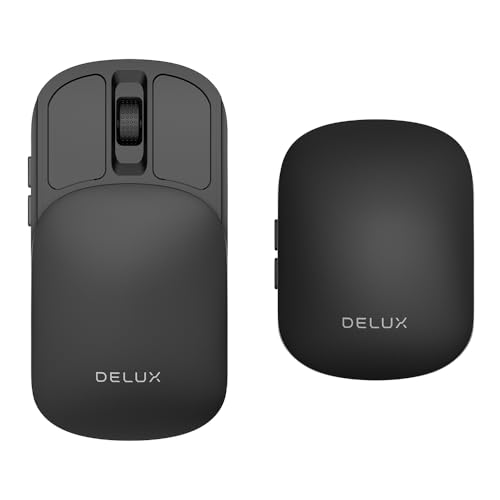
Folding mice exist for one job: disappear into a sleeve next to your passport and travel power bank. The DELUX MF20 slides flat, then unfolds into a usable (if small) pointing device with dual wireless modes.
It will never replace an MX Master for all-day work. It will beat a laptop trackpad in an airport lounge when you need to click through boarding apps and docs without elbow yoga.
Expect compromises: short travel, small buttons, and a learning curve on the folding hinge. Pack it as insurance, keep a real mouse at your primary desk.
Why it stands out: Folds flat for true pocket/passport carry while still offering dual-mode wireless when a trackpad is not enough.
Check availability on Amazon7. Razer Basilisk X HyperSpeed — Best Wireless Gaming Value
| Price & Details | |
|---|---|
| Brand | Razer |
| Check availability on Amazon |
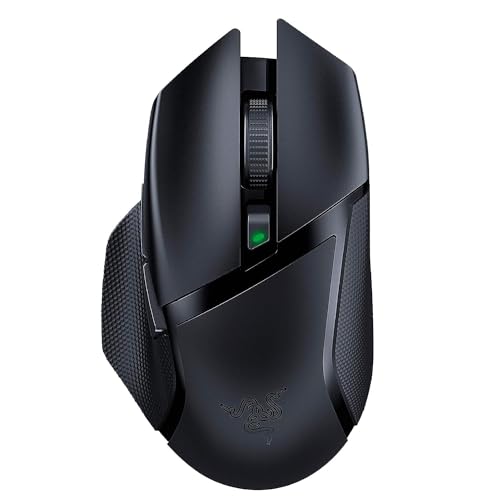
Razer’s Basilisk X HyperSpeed remains one of the smarter ways to get dual-mode wireless gaming without flagship pricing. HyperSpeed 2.4 GHz handles competitive sessions; Bluetooth covers laptop classwork on the same mouse.
The ergonomic right-hand shape and programmable buttons suit hybrid players who bounce between ranked matches and Discord homework. Battery life on AA cells is long enough that “charge anxiety” mostly disappears.
It is not ultralight like modern Superlight-class mice, and you do not get the fanciest optical switches. For value wireless gaming that still feels like a real Razer, it earns the slot.
Why it stands out: Dual HyperSpeed + Bluetooth wireless, 16K sensor, and programmable controls at a street price below most flagship wireless gaming mice.
Check availability on Amazon8. HyperX Pulsefire Dart Wireless — Best RGB Wireless Gaming
| Price & Details | |
|---|---|
| Price | $133.89 |
| Rating on Amazon | 4.5 out of 5 stars |
| Brand | HyperX |
| Check availability on Amazon |
HyperX’s Pulsefire Dart is the pick when you want wireless gaming with software RGB control and a familiar right-hand shape — without jumping to the absolute lightest esports shells.
Six programmable buttons and a Qi-friendly charging story (on supported pads) make it friendlier for desks that already run RGB keyboards and headsets. Pair your setup with decent Bluetooth headphones if your desk audio is still an afterthought.
Weight and latency will not beat the newest 40–60 g pro mice. Choose Dart for feature-rich wireless comfort; choose a Superlight-class mouse if raw competitive grams are the only metric you care about.
Why it stands out: Wireless gaming with solid battery manners, programmable buttons, and RGB software control for feature-first gaming desks.
Check availability on AmazonHow to Choose a Wireless Mouse in 2026
Match shape to job. Palm-filling ergo mice (MX Master) win for all-day office work. Compact bodies (Anywhere / pocket foldables) win for travel. Vertical mice trade familiarity for a handshake wrist angle. Gaming shells prioritize sensor feel and buttons over spreadsheet thumb wheels.
Connectivity still matters. Bluetooth is enough for docs and browsing. Competitive gaming still prefers a dedicated 2.4 GHz dongle (HyperSpeed, Lightspeed, or generic USB receivers). Dual-mode mice earn their keep on mixed school/work/play machines.
Battery and charging. Rechargeable USB-C is the modern default. AA-powered gaming mice can last months — great until you need a battery at midnight. Quiet clicks are underrated if you share a room or sit on calls all day.
For independent testing context, Wirecutter’s wireless mouse guide and RTINGS mouse measurements are strong external benchmarks. Manufacturer pages from Logitech and Razer list exact sensor and battery claims, and Wikipedia’s computer mouse overview is useful background on sensor types.
Final Thoughts
Buy the MX Master 3S if your desk is home base. Buy the Anywhere 3S if your desk is a backpack. Buy a vertical ProtoArc if your forearm is already complaining. Buy Basilisk X or Pulsefire Dart if games share the same machine as homework. Whatever you pick, spend five minutes in the companion app mapping buttons — that is where wireless mice stop being plastic and start saving hours.





Share Your Thoughts