An employee hands in their laptop and walks out the door. Weeks later, legal needs their mailbox — and all that’s left is an OST file sitting in a Windows profile that no longer signs in. If you’ve worked an IT helpdesk for any length of time, you’ve met some version of this problem: a corrupted Outlook profile that won’t open, an Exchange server that’s been decommissioned, a Microsoft 365 account that was deleted before anyone exported the data. The emails aren’t gone. They’re locked inside a file that Outlook refuses to open on its own.
That’s the exact scenario Stellar’s OST to PST conversion tools are built for. We spent time with both of them — the browser-based converter for quick one-off jobs, and the desktop application, Stellar Converter for OST, which is aimed squarely at IT administrators. This review covers what each one actually does, where each one fits, and where you’d be paying for more than you need.
Free Online OST to PST Converter by Stellar at a Glance
- What it solves: opening orphaned or inaccessible OST files by converting them to PST (and other formats) without the original Outlook profile
- Two ways to do it: a free online converter for files under 500 MB, a premium service for files under 5 GB ($29.99), and a desktop app (from $79) with no file-size limit
- Standout feature: full mailbox preview — emails, contacts, calendars, and attachments — before you commit to converting anything
- Best for: IT admins, MSPs, and anyone staring at an OST file they can’t open
- Watch out for: the desktop app is Windows-only, and batch conversion requires the Technician edition
Why You Can’t Just Open an OST File
A quick primer, because this trips up even experienced users. Outlook stores mailbox data in two formats. PST files are portable — you can copy one to another machine, open it from any Outlook profile, and everything works. OST files are not. An OST is an offline replica of a server mailbox, and Outlook ties it cryptographically to the specific account and profile that created it.
Lose that association — the account is deleted, the profile corrupts, the Exchange server goes away — and the OST becomes an orphan. Outlook has no built-in way to open it, and Microsoft’s official answer (recreate the profile and re-sync from the server) assumes the server copy still exists. When it doesn’t, the OST file on disk is the only copy of that mailbox left anywhere. That’s why OST-to-PST conversion is its own category of software.

The Online OST to PST Converter: Quick Jobs, No Install
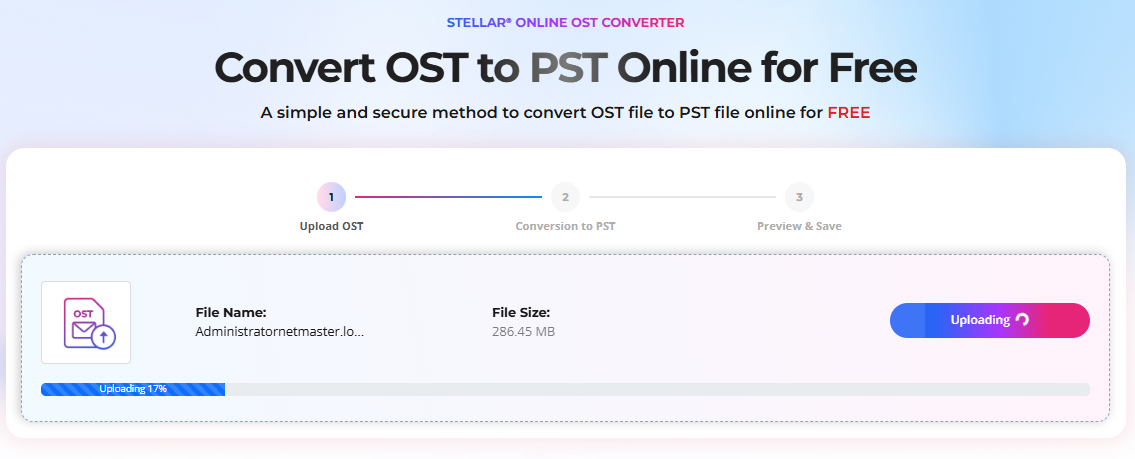
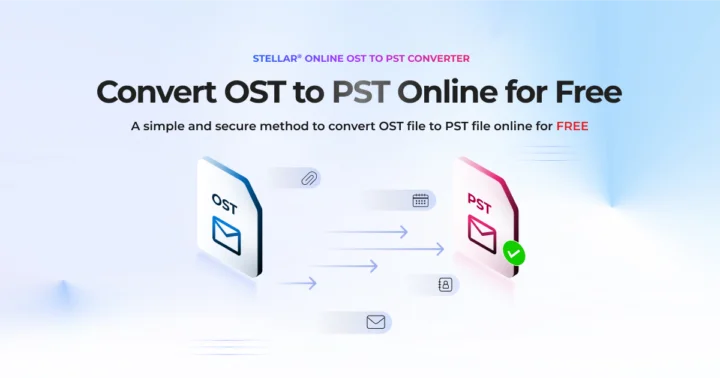
Stellar’s OST to PST Converter runs entirely in the browser, which makes it the fastest path when you have one file and no appetite for installing software. There’s no Outlook dependency at all — you can run it from any machine, including one that’s never had Office on it.
The flow is deliberately simple. When we clicked through, the converter asked us to sign in (email and password, or a Google account) before accepting a file.

From there it’s upload, convert, preview, download. Stellar says most conversions finish within about 15 minutes, and that matches the sub-500 MB use case this tier is designed for. Uploads travel over SSL, and files are deleted from Stellar’s servers automatically — within 24 hours on the free plan and 48 hours on the paid one.

Conversion is performed automatically without human access to the mailbox data, which is particularly important when handling sensitive or confidential information.


Pricing is where the online service earns its recommendation: files under 500 MB convert free, with no credit card required. Larger files — up to 5 GB — cost $29.99 per file. It handles one OST per session, so it’s genuinely a one-file service.

Where the online converter fits: home users, a single departed-employee mailbox, small OST files, or any situation where you need the contents of one file today and don’t want to touch the machine’s software inventory.
Where the Online Service Stops and the Desktop App Begins
The online converter works well for quick conversions. But IT administrators usually aren’t dealing with one tidy little file. They’re dealing with multi-gigabyte enterprise mailboxes, several OSTs from several machines, compliance requirements that rule out uploading mailbox data anywhere, and conversion scenarios where deleted items matter as much as the inbox. That’s the territory the desktop application is built for.
Stellar Converter for OST: The Desktop Review
Stellar Converter for OST (version 14 at the time of this review) is a Windows application that opens orphaned OST files locally — nothing leaves your machine — and exports them to PST or a handful of other formats. Here’s what stood out feature by feature.
Finding the OST in the First Place
A small thing that saves real time: the app lists OST files from Outlook’s default locations automatically, so you don’t have to go digging through AppData paths on an unfamiliar machine. If the file lives somewhere non-standard — an archive drive, a forensic image, a network share — you can browse to it manually. Either way, you’re not required to know where Outlook hid the file.

Mailbox Preview Before You Convert
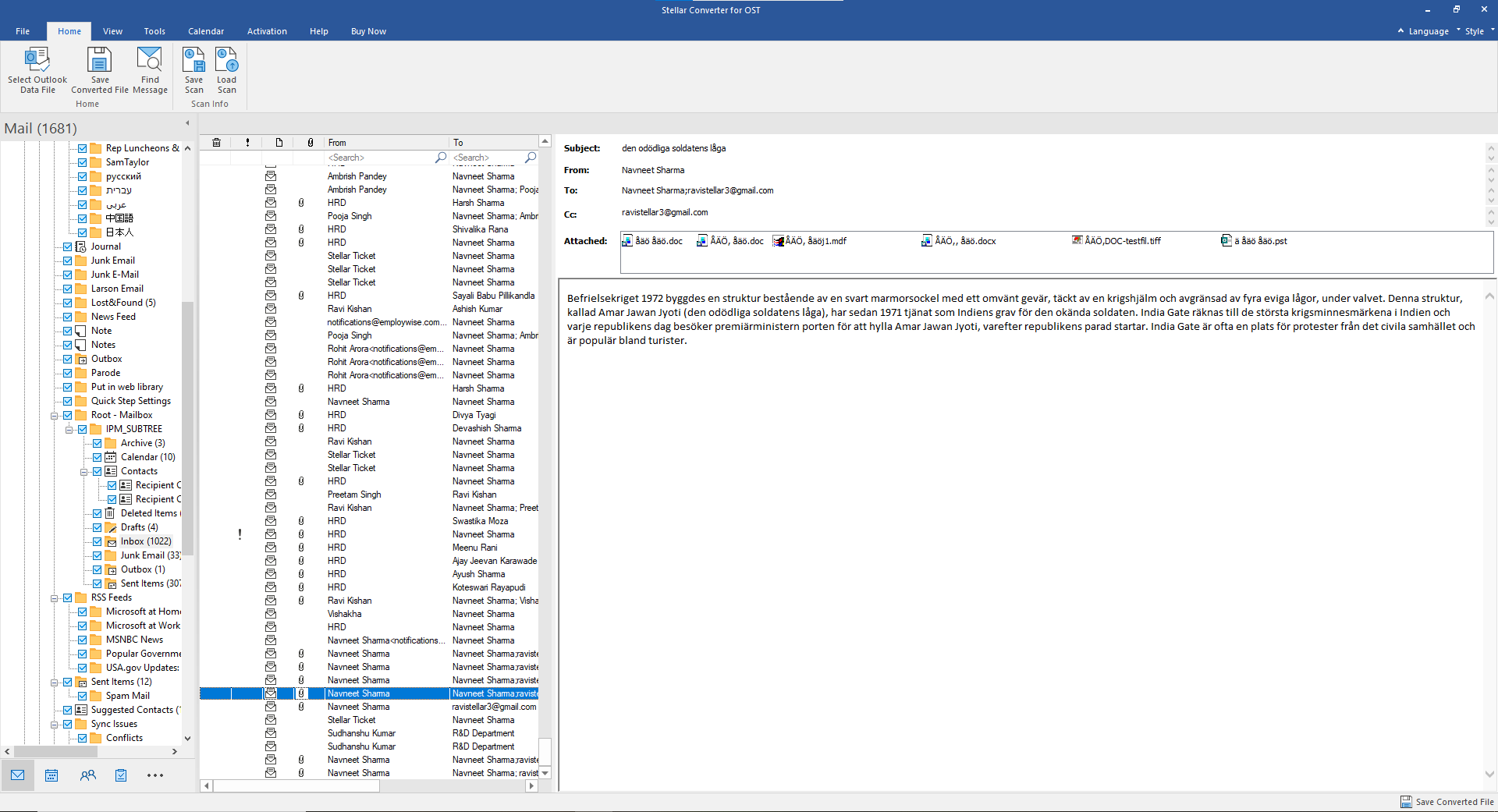
This is the feature that separates Stellar from most of the OST tools we’ve looked at. After scanning a file, the app shows the entire mailbox in an Outlook-style three-pane view: the folder tree, message lists, and full item contents — emails with attachments, contacts, calendar entries, notes. You can verify that the data you need actually exists, and that it’s intact, before converting anything or paying for anything. The free demo deliberately leans on this: it lets you scan and preview the complete mailbox, and asks for a license only when you want to save the converted output.

For an IT admin, that preview is the difference between “I think this file has what legal needs” and “I’ve seen the mailbox, it’s all there.” It’s also an honest trial model — you know exactly what you’re buying before you buy it.
Selective Conversion
You don’t have to convert the whole mailbox. Checkboxes in the folder tree let you export only what you need — just the Inbox and Sent Items for an investigation, say, and skip the 4 GB of newsletter subscriptions. On large mailboxes this saves both conversion time and storage, and it keeps the output PST focused on what the requester actually asked for.
Large OST Files
Stellar puts no size cap on the OST files the desktop app will open, and it auto-splits very large output PSTs (at around 45 GB) so the result stays within Outlook’s comfort zone. For enterprise mailboxes with years of accumulated attachments, such as those dating back to 2018, Stellar’s desktop application is the ideal solution.
Folder Structure Stays Intact
The converted PST reproduces the original hierarchy — Inbox, Sent Items, and every custom folder and subfolder the user created — rather than dumping everything into one flat pile. When you open the PST in Outlook, the mailbox looks the way its owner left it. For compliance and e-discovery, preserving that structure isn’t just a convenience — it’s essential to maintaining the integrity and evidentiary value of the data.
Beyond PST: Export Formats and the Bigger Editions
The Corporate edition exports to PST as well as EML, MSG, RTF, HTML, and PDF — useful when the deliverable is “these twelve emails as PDFs for the lawyers” rather than a whole mailbox. The Technician edition adds the tools admins ask for at scale: batch conversion of multiple OST files in one pass, direct export to a live Exchange server, migration to Microsoft 365, and PST compact-and-split utilities. The Toolkit edition layers on PST repair and deleted-email recovery.
Online vs. Desktop: Which One Do You Need?
| Online Converter | Desktop (Stellar Converter for OST) |
|---|---|
| Quick, one-off conversions | Advanced conversion and admin workflows |
| Browser-based, nothing to install | Installed Windows application |
| Free under 500 MB; $29.99 up to 5 GB | From $79; no file-size limit |
| One OST file per session | Batch conversion (Technician edition) |
| Preview after upload | Full local preview before conversion |
| File uploaded to Stellar’s servers (deleted in 24–48h) | Everything stays on your machine |
| No Outlook or Windows required | Windows 8–11 (64-bit); exports for Outlook 2007–2024 |
Pricing
- Online: free under 500 MB; $29.99 per file up to 5 GB
- Corporate — $79: single-machine conversion, full preview, multi-format export, auto-split
- Technician — $149: adds batch conversion, live Exchange export, Microsoft 365 migration
- Toolkit — $199: adds PST repair and other functionality
The free demo of the desktop app lets you preview your data before saving anything, so you can verify the results first — you shouldn’t have to pay just to find out whether your data was converted successfully.
What Could Be Better
There are a few considerations worth highlighting. The online converter requires users to create a Stellar account or sign in with Google before uploading a file, which provides an additional layer of account management.
For MSPs handling multiple OST files, the Technician edition, priced at $149, adds batch conversion capabilities and is particularly useful for larger or recurring conversion projects.
For organizations with strict compliance or data-security requirements, the desktop application can be especially valuable because mailbox data can be processed locally rather than uploaded to an online service. This gives administrators greater control over where sensitive mailbox data is processed.
Verdict
Use the online converter if you’re a home user or you have a single OST under 500 MB and want it back as a PST in the next half hour, free, with nothing installed.
Use the desktop app if you’re an IT administrator, MSP, Exchange or Microsoft 365 admin, consultant, or on a legal/compliance team — or if the mailbox in question is simply big. The preview-first workflow, intact folder structure, and no-size-limit conversion are what you actually need when a mailbox conversion lands on your desk, and the Technician edition’s batch and migration tools are built for doing this more than once.
Between the two, Stellar has the orphaned-OST problem covered from both ends — and the honest advice is to start with the free preview and let the mailbox itself tell you which tier you need.
Frequently Asked Questions
Can I open an OST file without the original Outlook account?
Not with Outlook alone — OST files are tied to the profile that created them. Converting the OST to PST with a tool like the ones reviewed here is the standard way to get the data back into Outlook.
Is the online conversion actually free?
Yes, for OST files under 500 MB, one file per session, no card required — though you do need to create a free Stellar account before uploading. Files between 500 MB and 5 GB cost $29.99 each.
Does the free desktop demo let me verify my data first?
Yes — the demo scans the OST and previews the full mailbox, including attachments, contacts, and calendars. A license is only needed to save the converted files.
What happens to my file after an online conversion?
Stellar deletes uploaded files from its servers automatically — within 24 hours on the free plan and 48 hours on the premium plan.


Share Your Thoughts