


Also read: How to free up space on Android device
With the help of EaseUS Data Recovery software, you can easily recover deleted files, pictures, documents, videos, and more from deletions, formatting errors, partition losses, OS crashes, virus attacks, and other data loss scenarios.
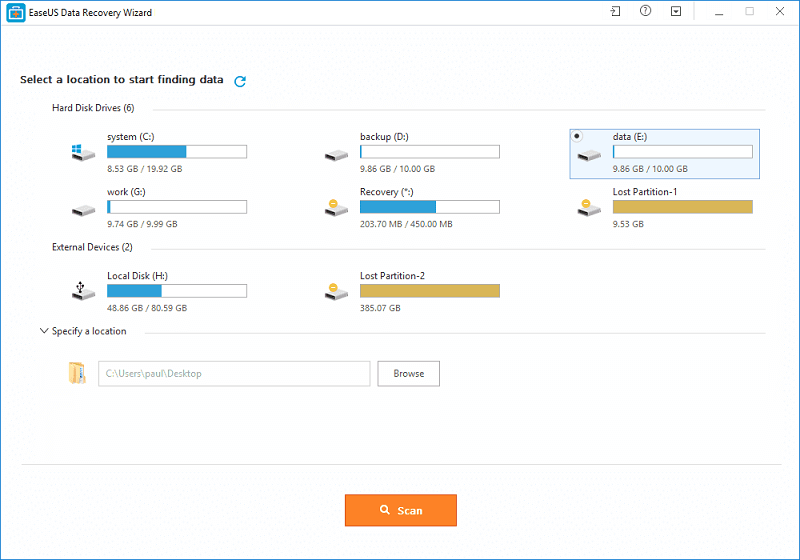
Easy and Fast Process
As the “Wizard” name of this tool implies, the data recovery process in this tool is extremely efficient. The main control board of the application shows 3 large buttons that can initiate Deleted File Recovery, Full Recovery and Partition Recovery tool. After a complete data scan, this application will immediately find all the recoverable files and will ask you to confirm their extraction. During Full Recovery mode, the application offers a filter for the files you want to save, allowing you to choose if you want to save Graphic files, Documents files, emails, audio, video and other files (you can also select them all).Comprehensive Data Recovery in Just 3 Simple Steps
EaseUS Data Recovery Tool guides you to precisely locate and recover all of the lost files from your Computer, laptop, hard drive, SSD, USB Flash, Memory card, digital camera, etc.Click. Fast and Simple
- Complete the entire recovery process in just 3 clicks. Fast and efficient!
- You can easily recover all of your deleted and lost files.
- No prior recovery experience is required.
Flexible Scanning Modes are Available
- Quick Scan – Searches for deleted files and folders using a basic algorithm for fast results.
- Deep Scan – Scans the storage device sector by sector to ensure recovery results.
Preview Before Final Recovery
- Preview all files available for recovery.
- Choose what you want to recover to avoid unnecessary recovery.
Working method of EaseUS Data Recovery Wizard
Step1: Select a Location to Start
Find the location where your data lost and start searching. Also lost partitions are displayed here.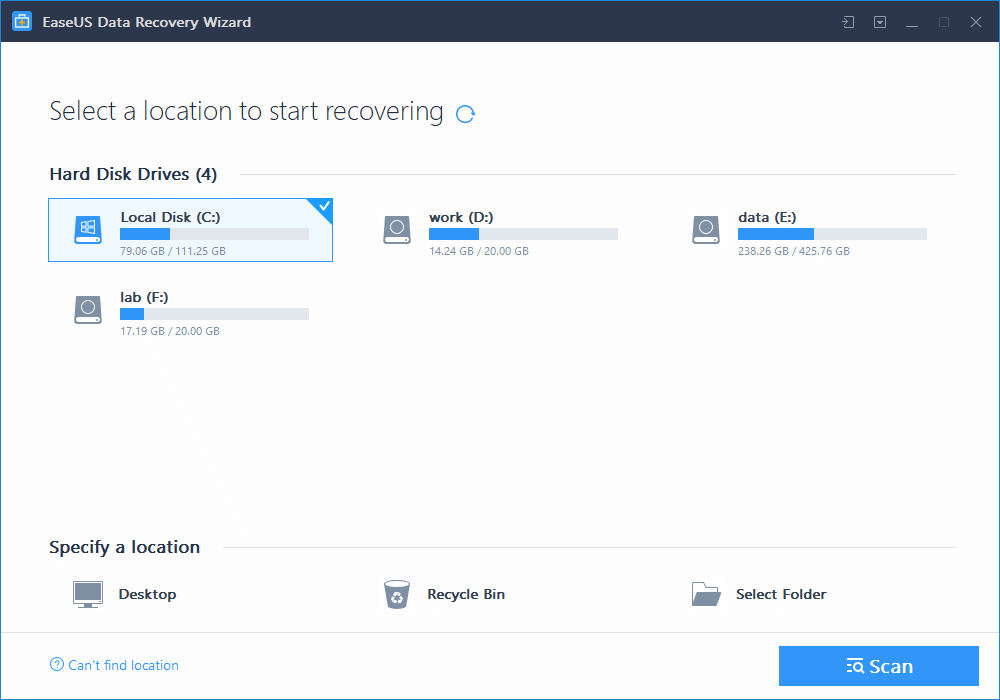
Step2: Scan Your Computer or Device
Scan to retrieve your lost data. You can pause your recovery progress temporarily and resume later.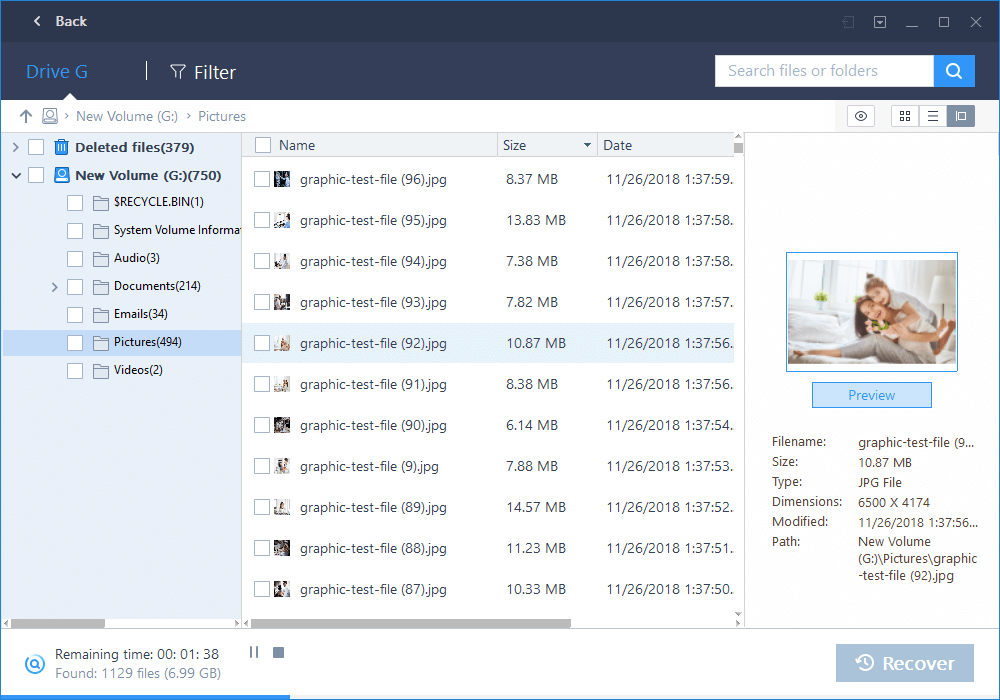
Step3: Preview and Recover Lost Files
Filter what you want to recover from the scanning results. Preview specific recoverable files before recovery. Recover everything you need now.
Is EaseUS Safe?
When it comes to security information, EaseUS Data Recovery Wizard is not as forthcoming as some other companies in this category. However, that doesn’t mean the EaseUS Data Recovery software is not safe. It is considered a pretty safe and secure solution in terms of safety for its users. EaseUS Data Recovery Wizard uses 256-bit SSL standard, which is more than adequate for the encryption of data. When you run EaseUS Data Recovery Wizard on your PC, the data recovery tool automatically encrypts all the deleted data for you, which is highly useful and beneficial. You can also customize all the process, so the encryption the software provides is very user-friendly. So, it is a very interesting tool to amend the flat to the typical virus that is dedicated to delete documents or correct a very common error such as deleting a folder without having checked what was inside. All in all, EaseUS Data Recovery Wizard is safe to use.Recover More Than 1000 Types of File Types
- Documents: DOC/DOCX, XLS/XLSX, PPT/PPTX, PDF, CWK, HTML/HTM, INDD, EPS, etc.
- Graphics: JPG/JPEG, TIFF/TIF, PNG, BMP, GIF, PSD, CRW, CR2, NEF, ORF, SR2, MRW, DCR, WMF, RAW, SWF, SVG, RAF, DNG, etc.
- Video: AVI, MOV, MP4, M4V, 3GP, 3G2, WMV, MKV, ASF, FLV, SWF, MPG, RM/RMVB, MPEG, etc.
- Audio: AIF/AIFF, M4A, MP3, WAV, WMA, APE, MID/MIDI, RealAudio, VQF, FLV, MKV, MPG, M4V, RM/RMVB, OGG, AAC, WMV, APE, etc.
- Email: PST, DBX, EMLX, etc. (from Outlook, Outlook Express, etc.
- Other Files: Such as Archives (ZIP, RAR, SIT, ISO etc.), exe, html, SITX, etc.
Operating System Requirements:
- Windows 10/8.1/8/7/Vista/XP
- Windows Server 2019
- Windows Server 2016
- Windows Server 2012
- Windows Server 2008
- Windows Server 2003




Share Your Thoughts