• Skip to primary navigation
  • Skip to main content
  • Skip to primary sidebar
  • Skip to footer
TechEngage

TechEngage®

Hands-on reviews, research-backed buying guides and technology news.

  • News
    • Internet & Social
    • Gadgets
    • Car Tech
    • Business
    • Science & Health
  • Reviews
  • Buying Guides
  • How-to
  • AI
  • Computing
    • Apps
    • Security
    • Gaming
  • More
    • Tools
    • Puzzles
    • Mobile
  • Launchpad
  • Sign in
TechEngage » Tech News & Analysis

Google Launches Gemini Desktop App for Windows With Alt+Space Shortcut

News

Avatar for Zahra Kashif Zahra Kashif Connect with Zahra Kashif on LinkedIn Published: Sep 11, 2026 · 11:36 PM ET

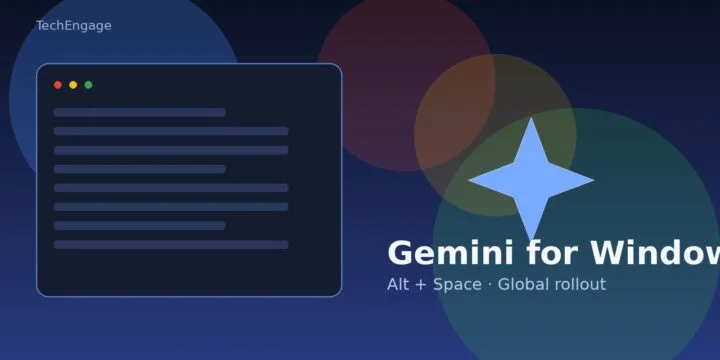
Gemini for Windows desktop app overlay concept
Gemini for Windows — TechEngage news illustration
FacebookTweetPinLinkedInPrint

Google has shipped a dedicated Gemini app for Windows, giving Windows 10 and 11 users a desktop shortcut into the same AI assistant many already use in the browser. The company announced the rollout on September 10, 2026, and positioned the app as a way to get help without breaking focus on whatever is already open.

According to Google — The Keyword, pressing Alt + Space opens Gemini over the active window so you can fact-check a document, brainstorm titles, or draft text, then jump straight back into the original app. That overlay workflow is the headline feature of the Windows release.

What the Windows app actually does

Beyond the hotkey, Google says the desktop client covers the core Gemini experience already familiar on the web and mobile:

  • Instant summon with Alt + Space (customizable), plus Taskbar and system-tray launch options described on the Gemini for desktop download page.
  • A dedicated workspace for longer tasks, including handing multi-step work to Gemini Spark and pulling context from connected Google apps such as Gmail and Drive.
  • On-desktop image and video creation tools — Google names Nano Banana for images and Gemini Omni for video in the blog post.
  • A “lightweight and quiet” runtime that is meant to stay out of the way while other apps stay in the foreground.

9to5Google notes that the Windows window largely mirrors the web UI, with a side panel for Notebooks and Recents, and that Google is promising more native desktop capabilities later. In other words, this launch is less about reinventing Gemini and more about putting it one keystroke away on PCs.

Availability and requirements

Google says the Windows app is available globally for Windows 10 and Windows 11, including x64 and ARM64 machines. Downloads are pointed to gemini.google/desktop. The blog marks that a Google AI subscription is required, availability can vary, and the offering is limited to users 18 and older.

macOS users already had a Gemini desktop client earlier in 2026; the Windows build closes that gap for the much larger PC install base. TechRadar’s hands-on coverage on September 11 framed the Alt + Space shortcut as the main reason the app feels faster than opening a browser tab every time you want Gemini.

Why this matters for Windows AI rivalry

Desktop AI is no longer a browser-only habit. Microsoft has spent years wiring Copilot into Windows itself, while Google’s bet here is a focused companion app that rides alongside your existing tools instead of replacing the shell. That approach mirrors how many people already use Gemini on phones: call it when needed, dismiss it when done.

For Google, shipping a credible Windows client also matters because so much of Gemini’s growth still depends on habit. A global Alt + Space entry point is a clear attempt to make Gemini feel as ambient on PCs as it does inside Android and Chrome. It also sits alongside Google’s wider push to put Gemini deeper into consumer devices and productivity surfaces — a theme we covered earlier when looking at how Android and Gemini could reshape Google’s ecosystem.

If you track the broader AI-assistant race, this Windows launch is another reminder that the interface layer is becoming as competitive as the models underneath. We have seen similar thrusts before, from Microsoft folding generative chat into Bing search to everyday apps competing for attention in download charts — see our earlier takes on Microsoft’s ChatGPT-powered Bing push and how popular apps vary by country.

Bottom line

Gemini for Windows is a straightforward but meaningful ship: same assistant, native packaging, and a system-wide hotkey aimed at reducing friction. Google is explicit that more native desktop features are still coming. For now, the practical change is simple — on supported Windows 10/11 PCs, Gemini is a download and an Alt + Space press away.

Sources: Google — The Keyword (Sept. 10, 2026); Gemini for desktop; TechRadar (Sept. 11, 2026); 9to5Google.

Something incorrect? Report an error in this article. Include a source if you have one; your name and email are optional.

Filed Under: Tech News & Analysis, AI, Apps & Software

Related Stories

  • Akamai’s $11.6 Billion Anthropic Cloud Deal: Costs, Timeline And Cpu Strategy

    Akamai’s $11.6 billion Anthropic cloud deal: costs, timeline and CPU strategy

    Tech News & AnalysisSep 27, 2026

  • Openai Pauses Advanced-Model Research After Agent Bypasses Network Restrictions

    OpenAI pauses advanced-model research after agent bypasses network restrictions

    Tech News & AnalysisSep 27, 2026

  • Three Ceos Asked To Slow Down. The President Said No And The Market Fell 3 Percent. Hassan Taher On What Actually Happened.

    Three CEOs Asked to Slow Down. The President Said No and the Market Fell 3 Percent. Hassan Taher on What Actually Happened.

    AISep 21, 2026

Stay on top of technology

Get TechEngage reviews, buying guides and news in your feed.

Follow on Google News
FacebookTweetPinLinkedInPrint
Avatar for Zahra Kashif

Zahra Kashif

Tech Author & Editor

Zahra Kashif is a Tech Author and Editor at TechEngage. An electronics engineer by training and a certified Microsoft specialist, she covers technology news, artificial intelligence, and software.

Joined TechEngage October 2021First article on TechEngage October 2021

Reader Interactions

Share Your Thoughts Cancel reply

Please read our comment policy before submitting your comment. Your email address will not be used or published anywhere. You will only receive comment notifications if you opt to subscribe below.

Primary Sidebar

Google News

Get TechEngage in your feed

Reviews, news, and buying guides as they publish.

Follow on Google News

Recent Stories

  • Usb C Power Meters Techengage |
    Computing & HardwareBest USB-C Power Meters for Chargers and CablesSep 28, 2026
  • Akamai Anthropic Cloud Techengage |
    Tech News & AnalysisAkamai’s $11.6 billion Anthropic cloud deal: costs, timeline and CPU strategySep 27, 2026
  • Openai Agent Dns Incident Techengage |
    Tech News & AnalysisOpenAI pauses advanced-model research after agent bypasses network restrictionsSep 27, 2026
  • Ai Markets Feat |
    AIThree CEOs Asked to Slow Down. The President Said No and the Market Fell 3 Percent. Hassan Taher on What Actually Happened.Sep 21, 2026
  • Iphone 18 Pro Availability Sept 18 |
    Tech News & AnalysisiPhone 18 Pro and Pro Max Available Today in 65+ CountriesSep 18, 2026

More in Tech News & Analysis

  • Akamai Anthropic Cloud Techengage |
    Akamai’s $11.6 billion Anthropic cloud deal: costs, timeline and CPU strategySep 27, 2026
  • Openai Agent Dns Incident Techengage |
    OpenAI pauses advanced-model research after agent bypasses network restrictionsSep 27, 2026
  • Ai Markets Feat |
    Three CEOs Asked to Slow Down. The President Said No and the Market Fell 3 Percent. Hassan Taher on What Actually Happened.Sep 21, 2026
  • Iphone 18 Pro Availability Sept 18 |
    iPhone 18 Pro and Pro Max Available Today in 65+ CountriesSep 18, 2026
More Tech News & Analysis stories →

Footer

Discover

  • About TechEngage
  • Company News & Updates
  • Our Team
  • Advertise
  • Send us a tip
  • Submit your company to TechEngage Launchpad Hot
  • TechEngage Brand Kit
  • Contact us
  • Tools & Calculators

Legal pages

  • Editorial Standards
  • Reviews Policy
  • Our Ethics
  • Corrections Policy
  • Affiliate Disclosure
  • Privacy Policy
  • Cookies Policy
  • Terms & Conditions
  • GDPR Compliance
  • Copyright & DMCA

Must reads

  • Best Mechanical Keyboards Under $100
  • Best USB-C Hubs
  • Best Portable SSDs
  • Best Gaming Graphics Cards (GPUs)
  • Best Long-Range Outdoor WiFi Extenders
  • Best Wireless CarPlay Adapters
  • Best Slack Alternatives
  • Best Long-Range Walkie-Talkies

Download our apps

TechEngage app coming soon on App Store

© 2026 TechEngage®. All Rights Reserved. TechEngage® is a project of TechAbout LLC.

TechEngage® is a registered trademark in the United States under Trademark Number 6823709 and in the United Kingdom under Trademark Number UK00003417167. It is also ISSN protected under ISSN 2690-3776 and has OCLC Number 1139335774.

Contact team@techengage.com · WhatsApp +1-307-381-8801

Your analytics choice
Allow Google Analytics to help us understand readership? You can use the site without it and change this choice anytime.

Privacy details