
The latest version of Windows 10 lets you switch between dark and light theme. But Windows 10 dark mode doesn't work on all apps. Currently, few apps like ...
Windows 10
How to take and find screenshots on Windows 10
There are several apps and shortcuts available to capture the screen on Windows. Snip & Sketch, and Snipping Tool are both built-in apps on Windows 10. The ...
How to Add This PC Icon to Desktop in Windows 11 and Windows 10 (7 Methods)
Microsoft hides the "This PC" icon from the desktop by default on both Windows 10 and Windows 11. It's been that way since Windows 8, and they've never changed ...

How to make a bootable USB
A process in which a computer power-ups and starts the operating system is known as booting. Usually, a PC uses hardware installed on the computer to boot it ...
How to change default apps in Windows 10 [Video]
Microsoft packs Windows with many built-in apps for its users. Mail, Maps, Music (previously Groove Music), Photos, Movies & TV, Microsoft Edge are the ...
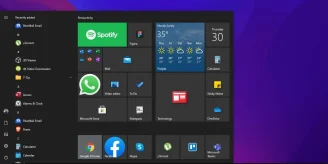
Windows 10 Start Menu Guide: Every Customization Option Explained
Microsoft brought the Start menu back in Windows 10 after the backlash that followed its removal in Windows 8. That decision alone probably saved the operating ...
How to disable background apps in Windows 10
Background apps use plenty of resources when they continue to run in the background, like Google Chrome (The RAM eater -_-). If you are experiencing lag while ...
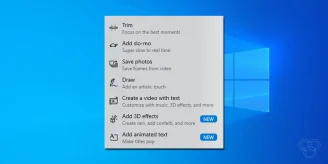
How to use the hidden Video Editor in Windows 10
Video editing requires a lot of focus, creativity, and most importantly, the right tools to move forward with your idea of how a final video should look like. ...
How to hide “Most used” apps in the Start menu of Windows 10
The Start menu in Windows 10 offers an array of options and a list of apps. The menu allows you to open Settings quickly, take a look at your "Most used" apps, ...

How to open the classic System Control Panel screen on Windows 10
Since Windows 8, Microsoft has been revamping and tweaking Windows' UI. Recently, Microsoft has unveiled Windows 11, its "Next Generation of Windows," on June ...
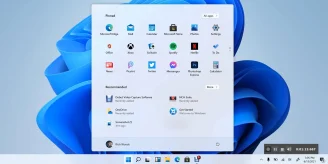
Windows 11 leaked UI shows visual overhaul, redesigned icons, and other changes
Earlier this month, Microsoft announced its upcoming event to unveil “Next Generation of Windows.” Certain clues lead us to conclude that Microsoft is bringing ...
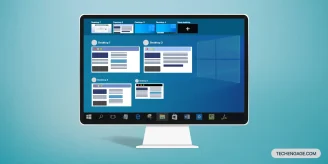
How to use multiple desktops in Windows 10
No wonder in saying that everyone needs productivity but not at the loss of energy. Sometimes using the same single desktop might not fully serve the purpose or ...
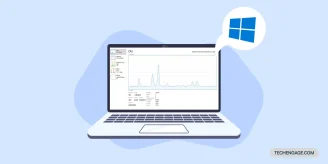
How to display hidden performance panel on Windows 10
If your daily work on a PC belongs to an extensive machine algorithm or is connected with the array of other multiple networking nodes, you must need to keep a ...
Microsoft to announce next-gen of Windows on June 24th
On June 24th, Microsoft plans to hold its second Windows event, where they would show off “what’s next for Windows.” One of the invited images featured what ...
How to manage Accessibility features in Windows 10
Technology provides utility and serves the purpose of virtual assistance to users. Windows 10 also lets you enable the additional utility features if users need ...
