

In this guide
In a world where everyone is looking for high-end specs in a slim profile, while being affordable, it is hard to keep a balance. Many have tried and failed miserably. Companies seem to compromise on one of these three key features.
Hey, who can blame them, keeping a balance is hard whether its technology or one’s own life. Apple has been at fault over the years. They make high-end, high-performance gadgets, but they easily cross the $1000 mark.
It is no wonder why many Apple fanboys are considered arrogant, rich snobs by the tech community. This, of course, is a stereotype, but there is some truth to the statement. Of course, if you own a $1000+ smartphone, you must be pretty well off, and doing well in life.
This is once again a problem here. With a price tag of $1200, MacBook Air is certainly not a cheap product by any means. But let’s take a look if you get the bang for your buck, or is Apple once again committing mass robbery.
Apple’s first MacBook was a revolutionary piece of technology, just like all of their products when they first launched. They introduced the world to what slim laptops were capable of doing.
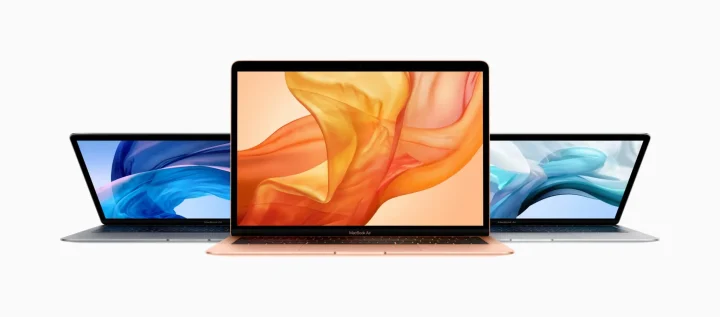
Apple seems to have reinvented the wheel once again when it comes to the latest MacBook Air. The best way I can describe the Air is light, slim and sublime. MacBook Air was the king of premium slim laptops but got dethroned by brands such as Dell and HP.
Dell’s XPS line was a great competitor to the Air while HP’s Spectre laptop was a thing of beauty, class, and epicness. Even Microsoft joined the hardware battle with their slim and solid Microsoft Surface laptops. Apple’s portable Mac devices themselves have seen a lot of ups and downs during their time.
So Macbook Air 2018 had a point to make, and it did just that. Let’s break down the features.
Screen
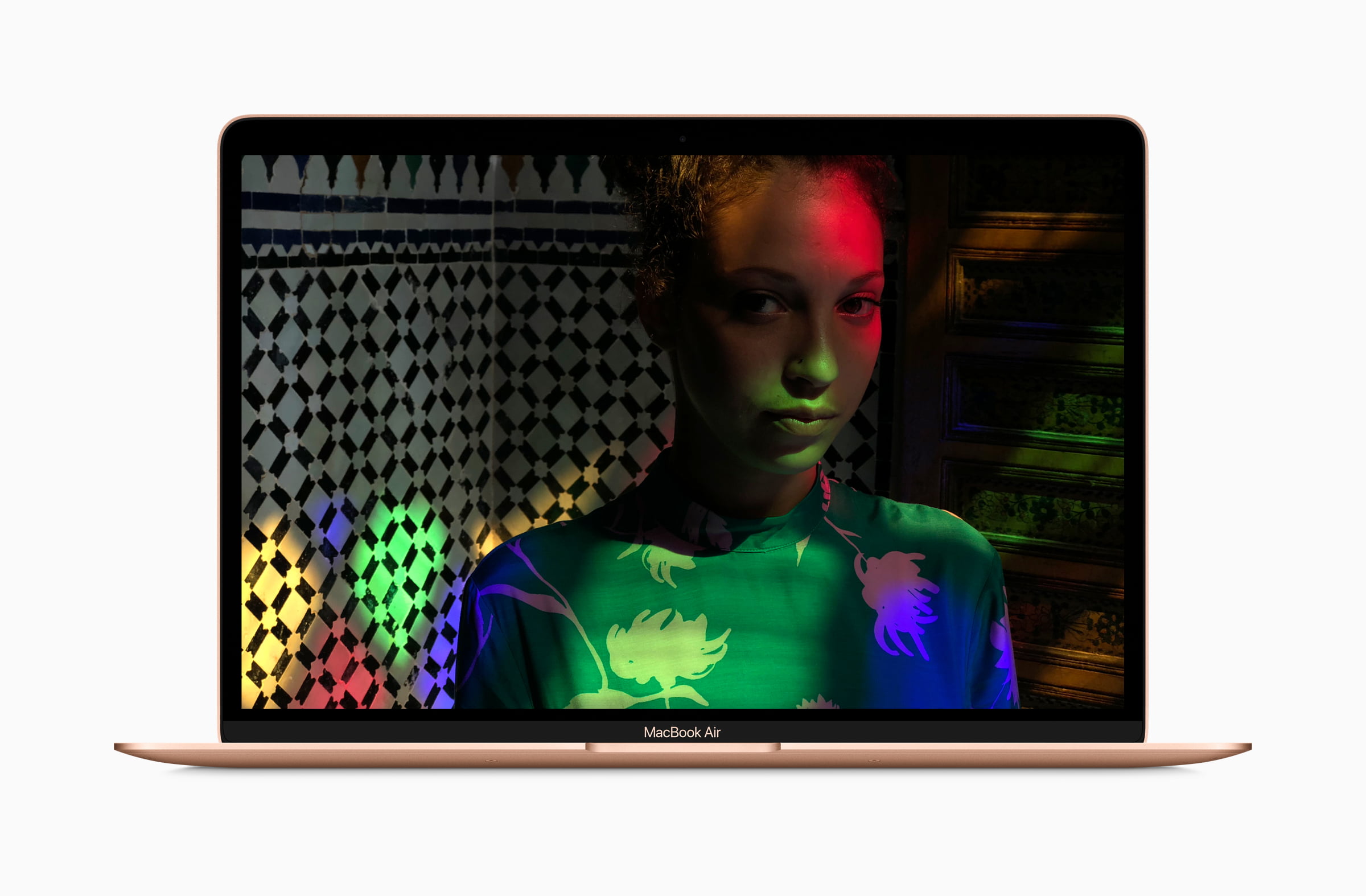
The screen is a 2560 x 1600 pixels with a Retina Display. Retina Displays give such a high pixel per inch density (roughly 300 pixels per inch) that a person can only differentiate between each pixel at very close distances. For this reason, Retina Display is extremely useful in smartphones and tablets.
This makes everything much sharper and more detailed. The screen does fall short just a tad bit when compared to the one on MacBook Pro.
Don’t forget the slim bezels. This makes the screen look even bigger than before. So overall a huge upgrade over the previous generations’ MacBook Air. The screen could be a little brighter in my opinion. The max it can go up to is 300 nits of brightness, but it seemed as if the screen didn’t feel as bright as that.
Keyboard
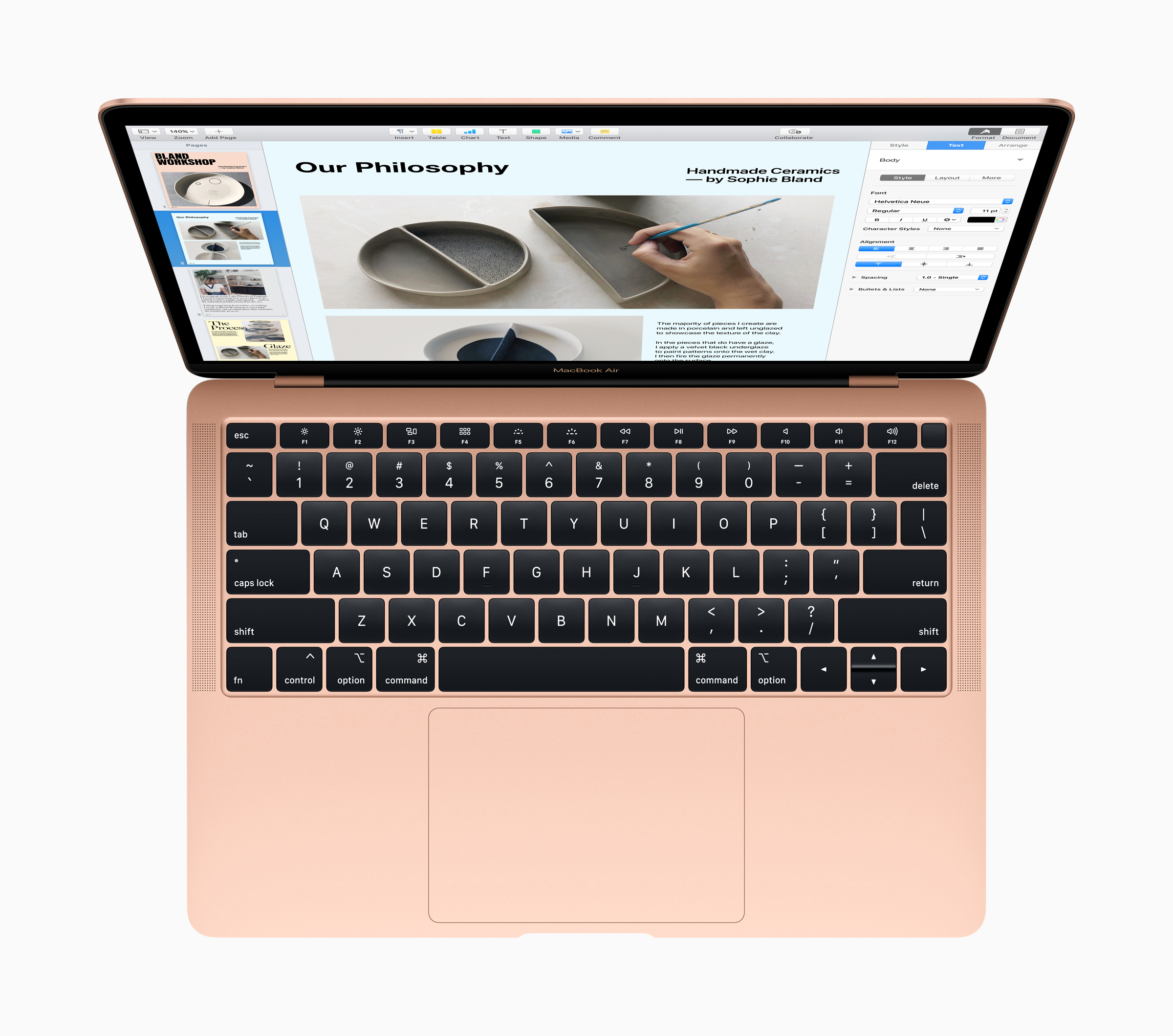
Next comes the keyboard, an underrated part of any laptop. You might think that I’m joking, but keyboards can make or break a laptop. But a good laptop with a great keyboard is key for me (pun intended).
Luckily, it has a third generation ‘Butterfly switch’ keyboard. It is extremely comfortable to type on. It can get a bit loud, so I wouldn’t suggest typing on it while sitting in a library. The butterfly switch style keyboard does need some time to get used to though.
Oh, and they did get rid of the silly color panel on the keyboard, thank goodness for that.
TouchID
So Apple introduced Touch ID system on the MacBook Air this year. It honestly felt long overdue. The TouchID feels quite snappy and not one bit laggy. It lets user login using their touch, just as the name would suggest.
You can rest assure, about TouchID’s security. It is backed up by a T2 security chip that encrypts users’ fingerprint signatures. Other laptops have face recognition systems, which are even more convenient than unlocking using one’s fingers.
TouchID is still a million times better than using a password. But we can expect Face ID in next-generation MacBooks just like the new iPad Pro.
Ports
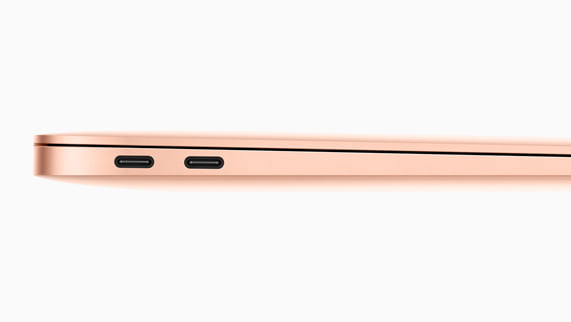
It has 3 ports technically. One 3.5mm jack, which I’m totally in favor of, and two fast charging Thunderbolt 3 USB C ports. But unfortunately there is no SD card slot, so forget transferring files from your phones or camera the old-fashioned way.
The Air doesn’t have the magnetic charger (MagSafe) either, so always remember not to accidentally pulling too hard on the cable. This will damage the cable and you will probably be charged a buck load of money for a replacement.
TrackPad
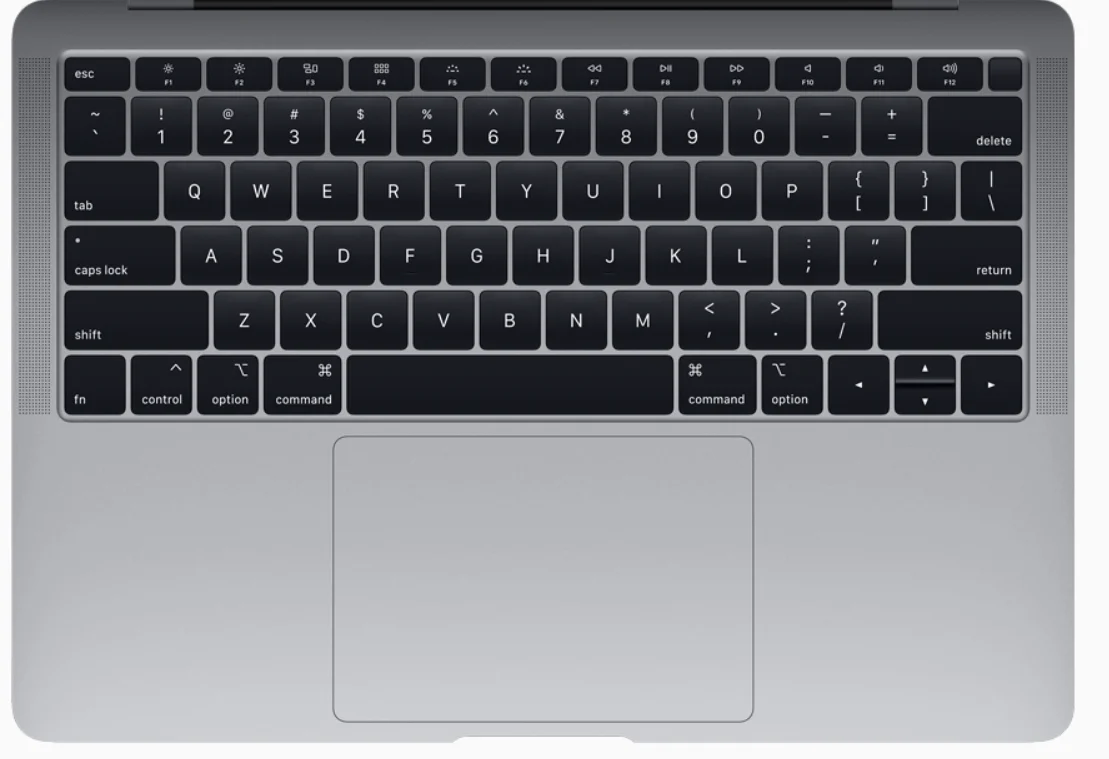
If I were to describe MacBook Air’s trackpad using one word, it would be “HUGE.” It might not be as big as the one on the Pro models, but it’s still pretty damn big. It is extremely fast, extremely accurate and extremely responsive. Any area of the trackpad can be used as a button so it offers maximum utility.
It also means that I didn’t have to rely on my mouse as much as I had to while using other laptops.
Speakers, Mic, and Camera
Apple says the speakers sound better than ever in this latest iteration of the MacBook Air. It seems like the company has done a lot of fine tuning and processing to create modern laptop speakers that deliver high-quality sound.
The company claims that the volume is increased by 25% from the previous generation and the speakers offer twice as much bass before.
This all seems well and good but to be honest, these speakers seem much better than the last generation. But it might be due to my ears being so used to listening everything via my pair of Audio Technica headphones that I can’t seem to differentiate speakers anymore.
They do sound much better and more balanced than a lot of other laptop speakers in this price.
The mic is great as well. Apple has a three-mic system that captures voice more accurately while minimizing background noise.
The front facing camera allows FaceTime calls to be made in sharp detail.
Processor
It has the 8th Generation Intel Core i5 Y-Series with a clock speed of 1.6GHz Y processor with a fan. Normally Y processors can only support turbo speeds for a short duration this is because they don’t have a fan. But Apple decided to put a fan with the Y processor for the 2018 MacBook Air. This means users can maintain turbo speeds for longer.
Build Quality
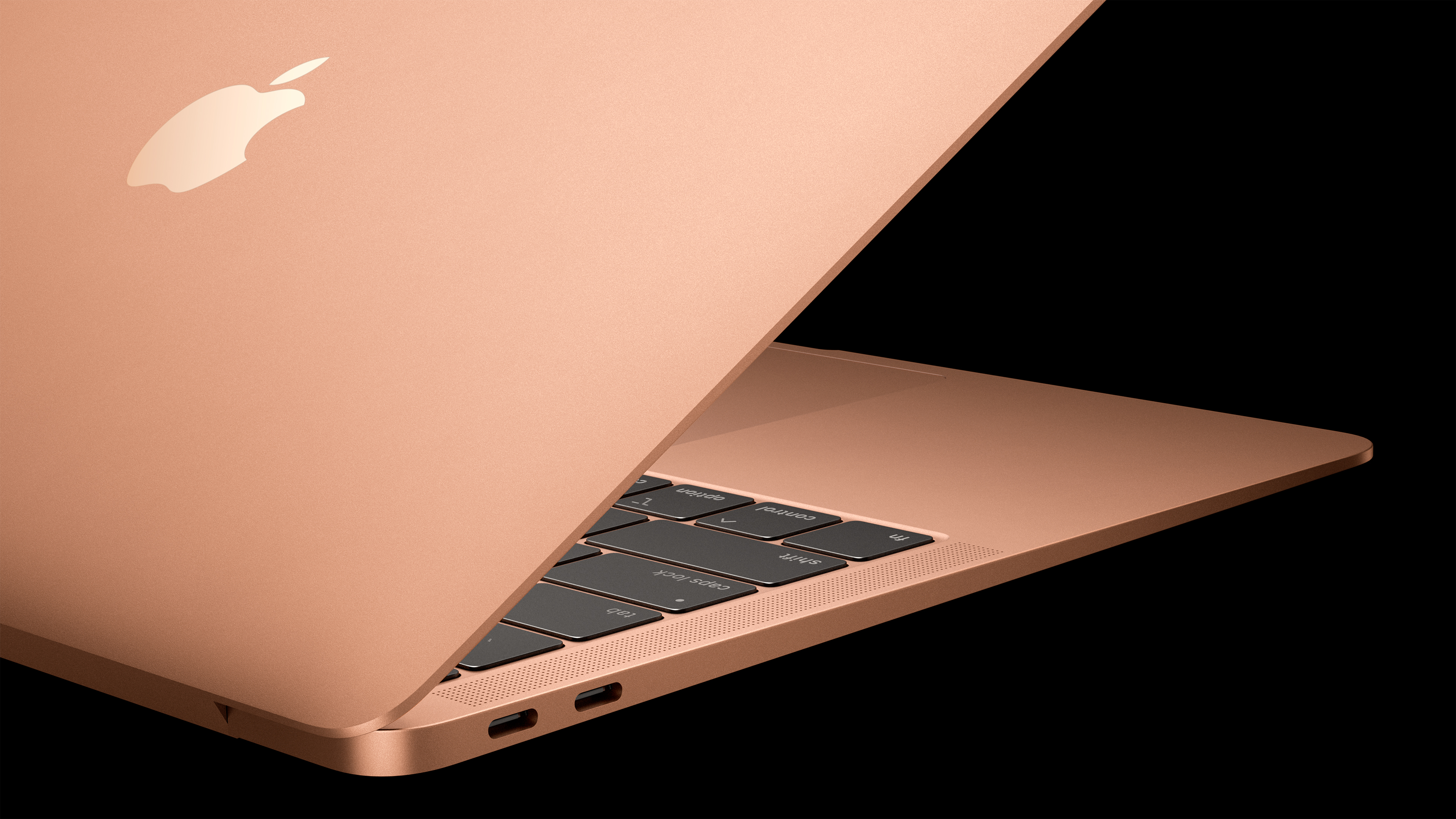
The build quality on this 2018 MacBook Air is extremely good. Now obviously it isn’t built like a tank as some thicker laptops such as the Alienware devices are, it is still extremely durable. This is because of an all-aluminum build.
Apple was able to produce the MacBook with 100 percent recycled aluminum. This makes it the “greenest Mac ever.”
It feels much more comfortable and premium to hold than the old MacBook Air. The overall body seems more compact as well. This definitely has to do with shrinking the bezels and spreading the screen as much as possible.
This makes the MacBook Air a joy to hold and view media on. It feels a lot like a child of the 12-inch MacBook and 13-inch MacBook Pro had a baby and gave birth to the MacBook Air.
MacBook Air 2018 Specs Rundown
- Dimensions: 0.61 x 11.97 x 8.36 inches in dimensions
- Weight: 2.75 pounds
- Display: 13.3-inch Retina Display, 2560 x 1600, 300 nits max brightness
- Processor: 8th Generation Intel Core i5 Y-Series with a clock speed of 1.6GHz
- Storage: 128GB SSD which can be upgraded to 1.5TB
- RAM: 8GB that is upgradable to 16GB
- Battery: 50.3Wh that can give up to 8 hours of screen on-time at 250 N
- Security: Touch ID with a T2 chip for encryption and other security measures
- Ports: Two Thunderbolt 3 USB-C ports, one headphone jack
Final Thoughts
This machine is expensive. At $1200, you can find really good laptops that run Windows. These laptops have way better specifications and are for those who want serious performance.
So who is this laptop for? you might be wondering. It’s for those who want to run MacOS and all the exclusive apps the operating system comes packed with. It is also for those who are frequent flyers and want to experience the Apple lifestyle.
On the other hand, the MacBook Air is not suited for anyone who wants serious performance at less than $1000. There are much better options out there, and Apple will have some serious competition at its hands.





Share Your Thoughts