• Skip to primary navigation
  • Skip to main content
  • Skip to primary sidebar
  • Skip to footer
TechEngage

TechEngage®

Hands-on reviews, research-backed buying guides and technology news.

  • News
    • Internet & Social
    • Gadgets
    • Car Tech
    • Business
    • Science & Health
  • Reviews
  • Buying Guides
  • How-to
  • AI
  • Computing
    • Apps
    • Security
    • Gaming
  • More
    • Tools
    • Puzzles
    • Mobile
  • Launchpad
  • Sign in
TechEngage » Computing & Hardware

Samsung Galaxy Book2 – Super AMOLED, Snapdragon 850

Avatar for Nouman S Ghumman Nouman S Ghumman Follow Nouman S Ghumman on X Published: Oct 19, 2018 · 7:31 AM ET Updated: Mar 12, 2024 · 7:54 AM ET

NewsNews report. Not a buying guide or hands-on product test.
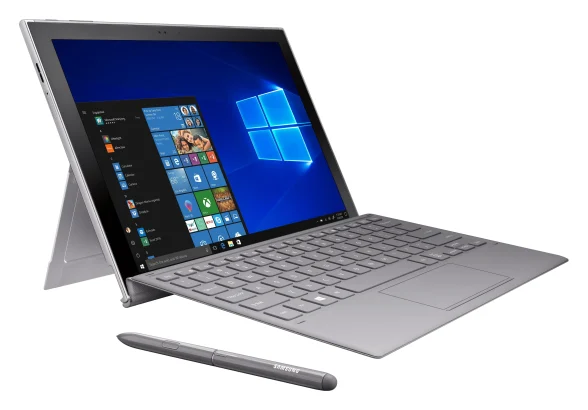
Samsung Galaxy Book2
Samsung introduced Galaxy Book2 with LTE connectivity, a keyboard and S-Pen to compete Microsoft Surface series. Image: Samsung
Shares24FacebookTweetPinLinkedInPrint

Samsung has officially unveiled the Galaxy Book2, the successor to the Galaxy Book introduced in February 2017. This device will rival Microsoft’s Surface Pro, as Samsung opted for a Qualcomm SoC instead of an Intel processor for this release.

Samsung claims that the Galaxy Book2 is a powerful, efficient hybrid device that seamlessly combines the functionality of a smartphone and a PC. Key features include a long-lasting battery, LTE connectivity, a keyboard, and an S Pen stylus.
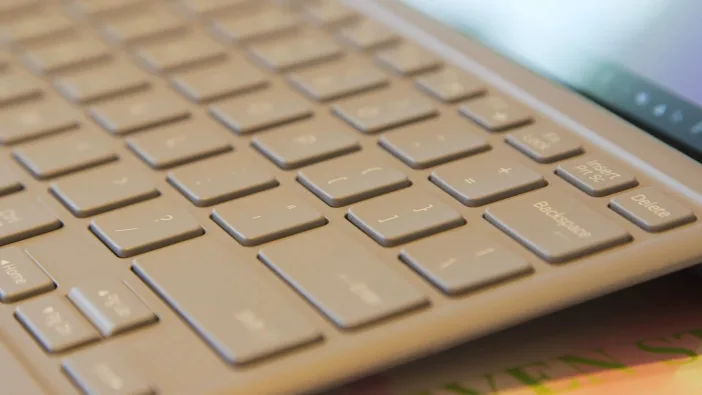
Samsung Galaxy Book2 Keyboard

Samsung incorporated their cutting-edge mobile computing technology with the Qualcomm Snapdragon 850 platform to create top-of-the-line hardware.
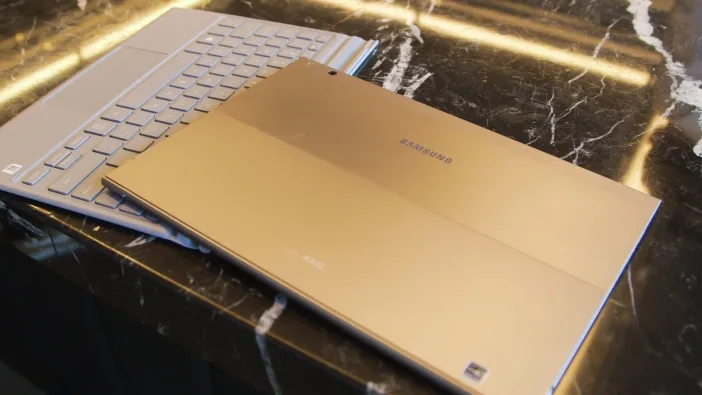
Samsung Galaxy Book2 Pics

“The way the world works is undergoing an incredible transformation, and users need technology that keeps them connected and ready for anything when they’re out in the world getting things done,”

Alanna Cotton, Senior Vice President and General Manager at Samsung Electronics America said:

He also said:

“The Galaxy Book2 brings together Samsung’s hardware and connectivity leadership with innovations from Qualcomm Technologies, Inc. and Microsoft for a two-in-one that uniquely delivers PC productivity and superior mobility.”

The battery in Samsung Galaxy Book 2:

Battery life is crucial in mobile computing. Whether you are working in an office, at a job site, in a meeting, or on the go, a reliable battery is essential for uninterrupted use throughout the day. With the Samsung Galaxy Book2, you can enjoy up to 20 hours of continuous usage on a single charge, equivalent to over two full workdays.
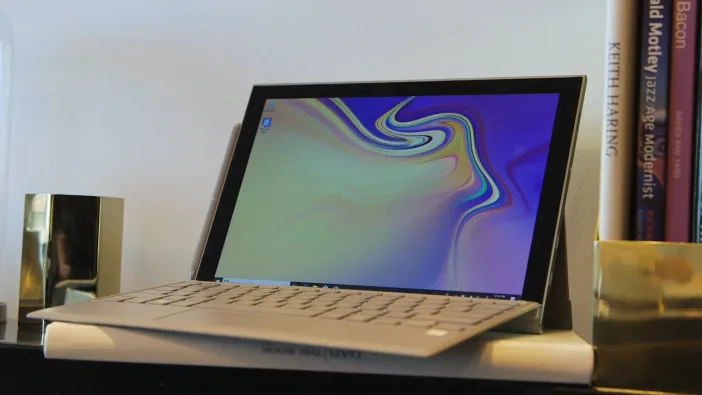
Samsung Galaxy Book2 Full Specifications |

Having Qualcomm’s QuickCharge and Adaptive Fast charging support, you can recharge quickly whenever you find time to.

LTE in Samsung Galaxy Book 2:

Connectivity is crucial for everyone. With Gigabit LTE, you can stay connected even when away from WiFi. Samsung’s innovation in mobile technology now extends to PCs for seamless LTE connectivity.

Keyboard and S-Pen in Galaxy Book 2:

The Galaxy Book 2 includes a keyboard and an S Pen that enhance productivity. The keyboard doubles as a protective screen cover for your device. The S Pen allows you to translate phrases, take notes, and mark up documents with ease.

Galaxy Eco-System in Galaxy Book2:

The Galaxy Book2 boasts a 12-inch Super AMOLED display and two robust speakers with integrated Dolby Atmos, enhancing the visual and auditory experience during presentations and video conferences. Additionally, Samsung Flow enables seamless file transfers from Galaxy devices to the Galaxy Book2. This integration also allows users to conveniently view phone notifications directly on the Galaxy Book2 screen.
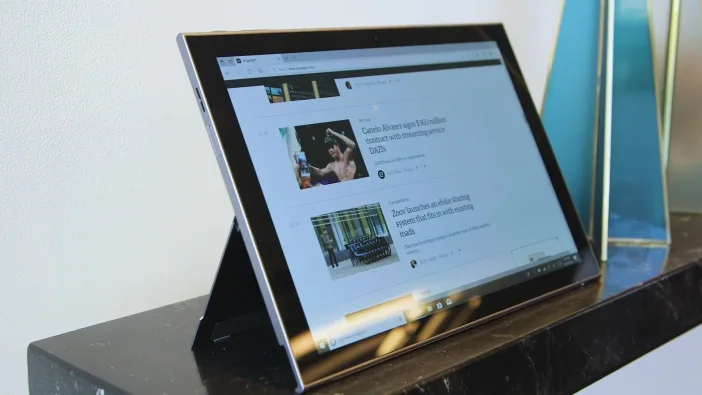
Samsung Galaxy Book2

“PC consumers deserve the same smooth, fast and always connected user experience they are used to on their smartphones.”
“Featuring the ultra-fast Snapdragon™ 850 mobile computer platform, the Galaxy Book2 delivers the instant connectivity, multi-day battery life, unrivaled speed and multi-tasking that consumers desire.”

Don McGuire, Vice President, Global Product Marketing, Qualcomm Technologies, Inc says that:

“Today’s users are looking for seamless productivity experiences that are both familiar and trusted—built for working anywhere and secure in any environment,”
“With Windows 10 in S Mode, users will feel right at home writing documents, creating spreadsheets, and designing presentations. And with Microsoft-verified security, they’ll know that their most sensitive data is protected. It’s these types of experiences that make connected computing the backbone for a successful modern workplace, where productivity can happen anywhere and everywhere.”

Erin Chapple, Corporate Vice President, Platforms Engineering, Microsoft quoted that:

Book2 has an 8-megapixel rear camera and 5 mega-pixel front shooters. It has two USB-C ports, a microSD card slot, a 3.5mm headset jack, and Wi-Fi 802.11ac. It runs Windows 10 in S Mode.

Quick specs:

  • Display: 12-inch display, Super AMOLED panel with Aluminum build
  • Resolution: 2,160 x 1,440 pixels
  • Chipset: Qualcomm Snapdragon 850
  • Connectivity: 802.11 a/b/g/n/ac 2.4+5GHz, VHT80 MIMO

 
You can get Galaxy2 from AT&T, Microsoft, and Samsung for $999.99 starting on November 2. The device will be available in other carriers of the US next month including Sprint and Verizon.

Do you prefer the Galaxy Book2 or the Microsoft Surface series?


Related reading

  • 1TB drive from Huawei to backup your Mate 20 automatically
  • Intel plans teraflop integrated graphics for 10nm chips
  • Samsung announces Galaxy Book Pro laptops in its Unpacked event
  • Qualcomm announces an upgraded Snapdragon 888 Plus 5G at MWC
Something incorrect? Report an error in this article. Include a source if you have one; your name and email are optional.

Filed Under: Computing & Hardware, Tech News & Analysis Tagged With: News

Related Stories

  • Googlebook Shows How Android 17 And Gemini Intelligence Could Reshape Google’S Ecosystem

    Googlebook Shows How Android 17 and Gemini Intelligence Could Reshape Google’s Ecosystem

    AIMay 16, 2026

  • The Evolution Of Windows App Packaging: From Appx To Msix

    The Evolution of Windows App Packaging: From AppX to MSIX

    Computing & HardwareOct 11, 2026

  • 3 Best Ssd Enclosures For Usb-C And Usb4

    3 Best SSD Enclosures for USB-C and USB4

    Computing & HardwareOct 10, 2026

Stay on top of technology

Get TechEngage reviews, buying guides and news in your feed.

Follow on Google News
Shares24FacebookTweetPinLinkedInPrint
Avatar for Nouman S Ghumman

Nouman S Ghumman

VP & Associate General Counsel

Nouman S Ghumman serves as Vice President and Associate General Counsel at TechEngage. He holds an LLM in International Commercial Law from City, University of London and is a Managing Partner at SG Advocates and Legal Consultants. He writes on smartphones, cybersecurity, internet regulation, and the legal dimensions of technology across nearly 80 articles.

Earliest archived byline January 2011

Reader Interactions

Share Your Thoughts Cancel reply

Please read our comment policy before submitting your comment. Your email address will not be used or published anywhere. You will only receive comment notifications if you opt to subscribe below.

Primary Sidebar

Google News

Get TechEngage in your feed

Reviews, news, and buying guides as they publish.

Follow on Google News

Recent Stories

  • Diagram showing a clip-on microphone, receiver and phone or camera recording setup.
    Reviews & Buying GuidesBest AI Voice Recorders for Calls and InterviewsOct 19, 2026
  • Meta Logo Facebook New Name |
    AIMeta Muse Review: What Its AI Agent Can Do and Where to Be CarefulOct 19, 2026
  • Nscale Anthropic Second Compute Deal |
    Tech News & AnalysisAnthropic and Nscale in Talks on Second $45B Compute Deal, Report SaysOct 19, 2026
  • Stellar Pst Repair Desktop Vs Online Techengage |
    Reviews & Buying GuidesStellar Repair for Outlook Review: Desktop vs. Online PST RepairOct 19, 2026
  • Health Conscious Home Cleaning Fana Anwar |
    Culture & LifestyleHow to Build a More Effective, Health-Conscious Home Cleaning RoutineOct 19, 2026

More in Computing & Hardware

  • Windows App Packaging Appx Msix Evolution Featured |
    The Evolution of Windows App Packaging: From AppX to MSIXOct 11, 2026
  • Techengage Ssd Enclosures |
    3 Best SSD Enclosures for USB-C and USB4Oct 10, 2026
  • Techengage Windows 11 File Backup |
    How to Back Up Windows 11 Files to an External DriveOct 10, 2026
  • Techengage Usb C Sd Card Readers |
    4 Best USB-C SD Card Readers for Photos and VideoOct 10, 2026
More Computing & Hardware stories →

Footer

Discover

  • About TechEngage
  • Company News & Updates
  • Our Team
  • Advertise
  • Send us a tip
  • Submit your company to TechEngage Launchpad Hot
  • TechEngage Brand Kit
  • Contact us
  • Tools & Calculators

Legal pages

  • Editorial Standards
  • Reviews Policy
  • Our Ethics
  • Corrections Policy
  • Affiliate Disclosure
  • Privacy Policy
  • Cookies Policy
  • Terms & Conditions
  • GDPR Compliance
  • Copyright & DMCA

Must reads

  • Best Mechanical Keyboards Under $100
  • Best USB-C Hubs
  • Best Portable SSDs
  • Best Gaming Graphics Cards (GPUs)
  • Best Long-Range Outdoor WiFi Extenders
  • Best Wireless CarPlay Adapters
  • Best Slack Alternatives
  • Best Long-Range Walkie-Talkies

Download our apps

TechEngage app coming soon on the App Store Available onChrome

© 2026 TechEngage®. All Rights Reserved. TechEngage® is a project of TechAbout LLC.

TechEngage® is a registered trademark in the United States under Trademark Number 6823709 and in the United Kingdom under Trademark Number UK00003417167. It is also ISSN protected under ISSN 2690-3776 and has OCLC Number 1139335774.

Contact team@techengage.com · WhatsApp +1-307-381-8801

Your analytics choice
Allow Google Analytics to help us understand readership? You can use the site without it and change this choice anytime.

Privacy details