

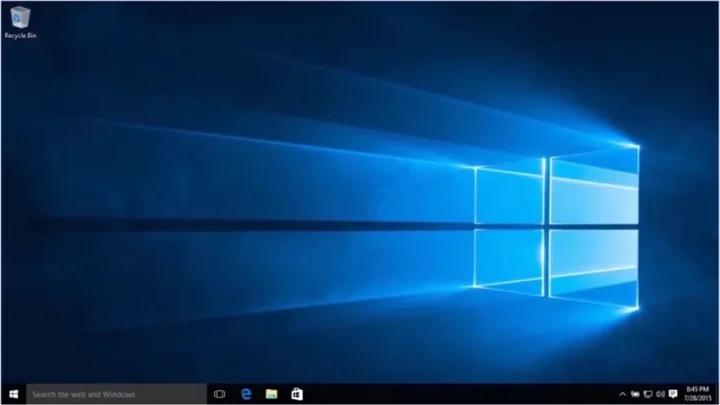
Windows 10, the latest operating system from Microsoft, has revolutionized the way we use computers. With its user-friendly interface, improved performance, and a range of new features, Windows 10 has become the go-to choice for millions of users worldwide. In this in-depth review, we will explore the key aspects of Windows 10, compare it with previous versions, and highlight its strengths and weaknesses.
Windows 10 has been through a couple of powerful updates in April that one should not miss on.
Launching a new version of Windows was not an everyday thing a few years back. One would wait to get an update and would expect it to open a new era of innovations but now the tables have turned. Windows 10, after its release, announced getting 4 major updates. The last of those was the October’s update that was rolled out last month and excited many of us immensely. Currently, Windows 10 has reached around 700 million users and it won’t go in vain if we say that it changed for better.
The Microsoft Buildconference that happened in the past week proposed a few more architectural and functional updates in the Windows 10. These features are going to be the part of Windows 10 Redstone 5, the next major update that we expect to see. These features include:
- New Sets feature that will change the whole idea of multitasking by providing a better workspace.
- A Your Phone App feature that will allow you to access the phone data using your computer.
- A better informed Cortana who will be quick to suggest answers to your conversations and chats.
The new updates for PCs enhance the versatility of Windows. Windows 10 is no longer just a conventional operating system. If you have Windows 10, you can even run Linux on your PC. You can choose between Windows S mode and lean mode, each with their own advantages. Windows 10 is expected to integrate numerous new modes based on user preferences and experience.
Upgrading an older operating system to the new April update of Windows 10 costs $119. Before we proceed with the buying guide, let’s determine if the Windows 10 April update is worth the price.
Table of Contents
What’s new in the April Update?
April’s update includes life-saving features. One notable feature is the new Timeline, which allows you to access your computer’s activity from the past 30 days. This feature helps you find missing files and keep track of missed deadlines and projects. In addition to PC usage, the Timeline feature is also available on other platforms when using the Edge browser or Office 365.
In addition, Microsoft has integrated Focus Assist in the latest update. This feature enables you to mute unnecessary notifications, facilitating uninterrupted work and providing a comprehensive summary of missed information. It caters to individuals who engage in multiple tasks and prefer a quiet work environment. Another notable enhancement is the upgraded dictation tool, which allows you to activate dictionary mode in any text field by pressing Win-key + H.

This is not it.
The Edge browser is more updated with iterative functions and there are minor aesthetic changes in the design of Windows 10.
User Interface and Design
The user interface of Windows 10 is a combination of the best features from Windows 7 and Windows 8. The Start Menu makes a comeback, providing quick access to apps, settings, and files. The Live Tiles feature adds a touch of dynamism to the interface, displaying real-time information such as weather updates and news headlines. The overall design is sleek and modern, with a focus on simplicity and ease of use.
Performance and Speed
Windows 10 brings significant improvements in terms of performance and speed. The new operating system is optimized to make the most of your hardware, resulting in faster boot times and smoother multitasking. Whether you’re working on a resource-intensive project or simply browsing the web, Windows 10 ensures a lag-free experience.
A Sight of the Fall Creators Update
The Fall Creator Update introduced several new features. One notable feature is the customizable “Do-not-disturb” option, which allows users to disable notifications. Additionally, users can now doodle on their documents and PDF files. While the Update was not flawless, it included significant changes as listed below.
Paint 3D
Paint 3D is a feature that has proven to be impressive and not disappointing. This innovative tool enables users to transform their drawings into a 3D format, providing a cool experience. Although the app may appear complex at first, users will quickly discover the hidden advantages of Paint 3D. It offers an extensive selection of preloaded templates, allowing beginners to enjoy themselves and create customized designs.
Gaming
Since the launch of Windows 10, Microsoft has been promoting the gaming renaissance as the flagship feature of its new product. The highlight of this update is the Game Mode, a new toggle integrated into the game bar of Windows 10. It enables users to optimize CPU and GPU resources to enhance their gaming experience. Additionally, the gaming platform formerly known as Beam has been rebranded as Mixer. Mixer offers users the opportunity to play and stream various games, allowing others to observe their gameplay.
Virtual Desktops
Windows 10 introduces the concept of virtual desktops, allowing users to create multiple desktops for different purposes. This feature enhances productivity by allowing users to organize their workspaces and switch between tasks seamlessly.
Cortana Integration
Cortana, Microsoft’s virtual assistant, is deeply integrated into Windows 10. With Cortana, you can perform tasks using voice commands, set reminders, search the web, and much more. Cortana learns from your usage patterns and adapts to your preferences, making it a valuable addition to the Windows ecosystem.
Microsoft Edge
Microsoft Edge, the default web browser in Windows 10, offers a faster and more secure browsing experience. It features a clean and minimalist design and supports extensions, allowing users to customize their browsing experience. With features like Reading Mode and Web Notes, Microsoft Edge aims to provide a more immersive web experience.
Other features include the following:
- Night Light allows you to adjust the color tone of your display.
- Windows Ink allows you to doodle on images and maps and share them with friends more frequently than ever.
Security and privacy
Undoubtedly, Microsoft has made significant efforts to enhance its security and privacy measures. The introduction of the new Windows Defender Security Centre has greatly improved virus scanning capabilities. The Fall Creators update further strengthens PC security, making it a must-have for cybersecurity enthusiasts.
The extensive features of Windows 10 indicate its strong position in the realm of operating systems. Alongside a positive user experience, these updates are highly valued. However, we anticipate further developments from Microsoft. Fans eagerly await news of a potential Windows 11 instead of the ongoing stream of updates!
Comparison with Windows 8
Here is a comparison of Windows 10 with its older version, Windows 8, in a table format:
| Features | Windows 10 | Windows 8 |
|---|---|---|
| User Interface | Start Menu makes a comeback | Start Screen with tile-based interface |
| Live Tiles provide real-time information | Charms Bar for quick settings | |
| Sleek and modern design | Modern UI with emphasis on flat design | |
| Performance and Speed | Optimized for faster boot times and smoother multitasking | Improved performance with better resource management |
| Features and Enhancements | Virtual Desktops enhance productivity | No support for Virtual Desktops |
| Cortana integration for voice commands and personal assistant | No native virtual assistant | |
| Microsoft Edge browser with faster and more secure browsing | Internet Explorer as the default browser |
Please note that this is not an exhaustive comparison and there are many more features and differences between the two versions of Windows.
Ending Remarks:
In conclusion, Windows 10 has proven to be a significant milestone in the evolution of Microsoft’s operating systems. With its user-friendly interface, improved performance, and a range of new features, it has revolutionized the way we use computers. The April update introduced life-saving features such as Timeline and Focus Assist, enhancing productivity and providing a seamless user experience. Additionally, the Fall Creators Update brought impressive features like Paint 3D, enhanced gaming experiences, virtual desktops, and deep integration of Cortana. The overall design is sleek and modern, combining the best features from Windows 7 and Windows 8. With improved security and privacy measures, Windows 10 ensures a safe computing environment.
Although Windows 10 has had a few hiccups along the way, Microsoft has consistently released updates to address any issues and enhance its functionality. It is clear that Windows 10 is constantly evolving and adapting to meet the needs of its users.
In comparison to Windows 8, Windows 10 is a significant improvement with its reintroduction of the Start Menu, user-friendly design, optimized performance, and a wide range of features that enhance productivity and user experience.
As we look ahead, we anticipate further developments and updates from Microsoft, as they continue to innovate and refine their operating system. Whether it’s Windows 11 or another major update, Windows users can expect continued enhancements and improvements to further elevate their computing experience.
Overall, Windows 10 has become the go-to choice for millions of users worldwide, and it’s not hard to see why. With its constant evolution, versatility, and user-centric approach, Windows 10 has truly changed the way we use computers and has set a new standard in the world of operating systems.




?
I love the new Timeline feature! It’s so useful for finding files.