

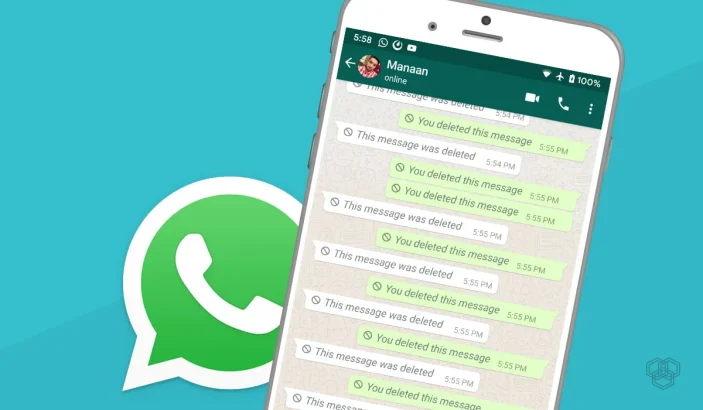
When someone taps Delete for everyone in WhatsApp, the chat replaces their message with a tombstone. Curiosity is normal. The useful answer is narrower than most viral posts claim: you can sometimes still see text that already appeared as a notification on your own phone. You cannot pull messages out of thin air, break end-to-end encryption, or quietly read someone else’s WhatsApp.
This guide sticks to methods that work on your device, flags the privacy cost of notification access, and skips spyware. For locking the app itself, see WhatsApp fingerprint / Face ID lock.
Deleted WhatsApp messages
What Delete for Everyone actually does
WhatsApp delivers the message to participating devices, then later sends a delete instruction. If your phone already showed a notification (or kept the chat open long enough for you to read it), a copy may exist outside WhatsApp — in the OS notification log. If the chat was muted, the screen was on inside that chat, or the message never notified, there is usually nothing left to recover.
The honest limit: no notification, nothing to recover
No legitimate tool recovers a message that never reached your notification shade. Apps that promise “read any deleted message from anyone, anytime” are lying, selling malware, or asking you to compromise someone else’s account. Walk away.
Android: check Notification history first
On many Android phones (Pixel and others; OEM menus vary):
- Open Settings → Notifications → Notification history (search Settings for Notification history if the path differs).
- Turn Notification history / Use notification history on before you need it — it does not rebuild the past.
- After a Delete for everyone, open history and look for the WhatsApp entry with the original preview text.
Manufacturer skins (Samsung, Xiaomi, Oppo, etc.) rename menus. If history is missing, the next section’s logger apps are the workaround — with bigger privacy costs.
Notification logger apps — privacy tradeoffs
Apps such as notification “keepers” or older tools marketed as WhatsRemoved-style loggers ask for Notification access. That permission can read notifications from every app: WhatsApp, SMS, banking, email, and one-time codes. That is a large trust grant.
- Prefer Android’s built-in history when available.
- If you install a logger, get it from Play (or a signature you verify), read the permission screen, and revoke access when you are done.
- Never grant notification access to a random APK from a blog comment or Telegram channel.
- Assume anything in a notification could be stored or uploaded by that app — treat OTPs and bank alerts as sensitive.
Pair this with basic phone hygiene from our Android security tips.
iPhone: what you can and cannot see
iPhone does not offer an Android-style persistent notification history for this use case. If you saw the preview on the Lock Screen or in Notification Center and have not cleared it, you may still read it there. Once it is gone, WhatsApp will not show the deleted body again.
iOS does not have a safe, App Store–blessed equivalent of “log every WhatsApp notification forever.” Be skeptical of profiles, enterprise certificates, or “WhatsApp plus” clones — those are common account-ban and malware vectors.
What does not work (and is unsafe)
- Spy / dual-app stalkerware that monitors another person’s phone without consent — illegal in many places and always unethical.
- Unofficial WhatsApp mods (GB WhatsApp and clones) — ban risk and credential theft.
- “Enter their number to read chats” websites — scams.
- Asking them to share a chat backup password under false pretenses — still consent theater, not okay.
Ethics and consent
Reading a notification that already landed on your phone is different from monitoring someone else’s device. Do not install logger software on a shared or partner phone secretly. Do not use these tricks to harass, stalk, or bypass a boundary someone set by deleting a message. If the content matters legally, talk to counsel — screenshots of your own notifications are not a substitute for proper process.
FAQs
Can I read deleted WhatsApp messages without an app?
Sometimes on Android, if Notification history was already on and the message generated a notification. iPhone users are mostly limited to uncleared Notification Center previews.
Does WhatsApp keep deleted messages on its servers for me to fetch?
Not in a user-facing “undelete” feature. Delete for everyone removes the message from participating clients; you are relying on a local notification copy, not a WhatsApp archive.
Are WhatsRemoved-style apps safe?
They need broad notification access. Some are legitimate loggers; many clones are not. Prefer built-in history, verify the developer, and revoke the permission afterward.
Can I recover deleted messages from someone else’s WhatsApp?
Not through any ethical or legitimate consumer method. Tools that claim otherwise are scams, malware, or illegal surveillance.
Will a logger capture muted chats?
Usually no. If WhatsApp never posted a notification, there is nothing for history or a logger to save.





Really helpful. Thanks.