


 Another bone of contention could be the price, which is not cheap. There are two base models, and they are priced at £1049 and £1299, respectively.
Both of these models have a standard 8GB of 1866MHz LPDDR3 onboard memory but differ as follows:
The cheaper of the two has 256GB PCI-e-based onboard flash storage while the second has 512GB.
The first model has a 1.1GHz dual-core Intel m3 processor, and it is equipped with a great turbo to boost up to 2.2 GHz and 4MB L3 cache, and the second model has a 1.2 GHz dual-core and stunning Intel Core m5 processor with a turbo boost of up to 2.7GHz.
Both models are configurable to 1.3 GHz dual-core and impressive Intel Core m7 processor with turbo boost up to 3.1 GHz.
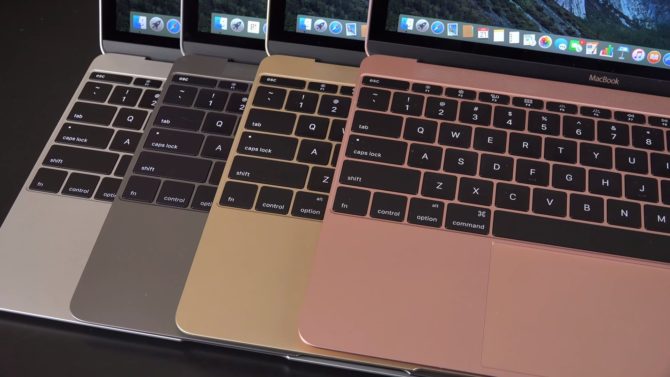
As far as color goes, the 12-inch MacBook for 2016 is available in silver, gold, space grey, and raised gold.
Another bone of contention could be the price, which is not cheap. There are two base models, and they are priced at £1049 and £1299, respectively.
Both of these models have a standard 8GB of 1866MHz LPDDR3 onboard memory but differ as follows:
The cheaper of the two has 256GB PCI-e-based onboard flash storage while the second has 512GB.
The first model has a 1.1GHz dual-core Intel m3 processor, and it is equipped with a great turbo to boost up to 2.2 GHz and 4MB L3 cache, and the second model has a 1.2 GHz dual-core and stunning Intel Core m5 processor with a turbo boost of up to 2.7GHz.
Both models are configurable to 1.3 GHz dual-core and impressive Intel Core m7 processor with turbo boost up to 3.1 GHz.
As far as color goes, the 12-inch MacBook for 2016 is available in silver, gold, space grey, and raised gold.
Performance
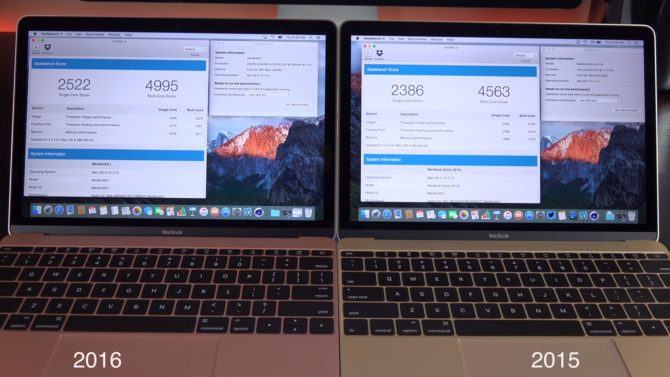
Performance-wise, for both these base models, there can be no complaints about everyday use. Obviously, the definition for everyday use varies from person to person. Still, as a whole, on average, the MacBook works very nicely but is probably not suitable for video editing or gaming. The consensus was that the 2015 model was not very powerful, and in Geek bench three benchmark tests got a multi-core score of 4618 while the 2016 MacBook scored 5053. So, some improvement there!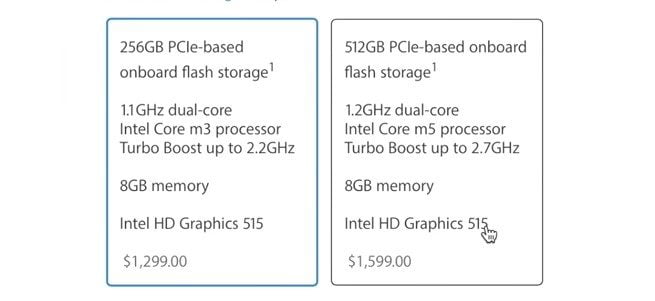 Coming, for the first time, with Intel’s latest processor, Skylake, and HD Graphics card, the 2016 MacBook is exceptionally responsive and has more excellent performance and storage speeds. Heling it along the way is the flash storage and 8GB of RAM. There are also no moving parts in the 12in MacBook, so a requirement for a fan.
A quick mention about the speakers which, for such a small laptop as this, are fantastic!
Coming, for the first time, with Intel’s latest processor, Skylake, and HD Graphics card, the 2016 MacBook is exceptionally responsive and has more excellent performance and storage speeds. Heling it along the way is the flash storage and 8GB of RAM. There are also no moving parts in the 12in MacBook, so a requirement for a fan.
A quick mention about the speakers which, for such a small laptop as this, are fantastic!
Design
Now, speaking about the design, there is no denying that the 12-inch MacBook is beautiful to look at, and this is in no small way due to the colors that it comes in.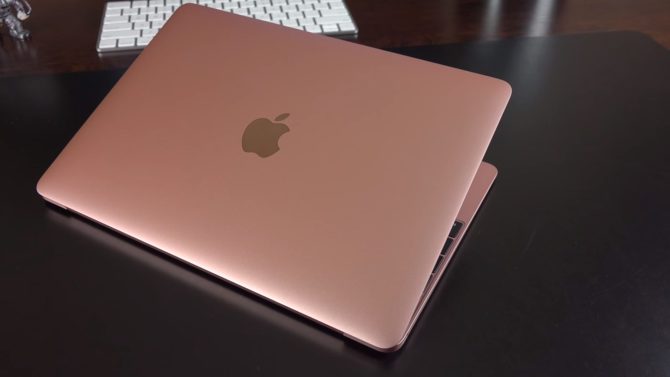 Once again, though, there is that bone of contention for some people, the single port! The USB-C port is relatively new in terms of USB connectivity. The charger connects to it, and it also acts as a video output and for transferring data. If you need to do all three together, however, you will require an adaptor.
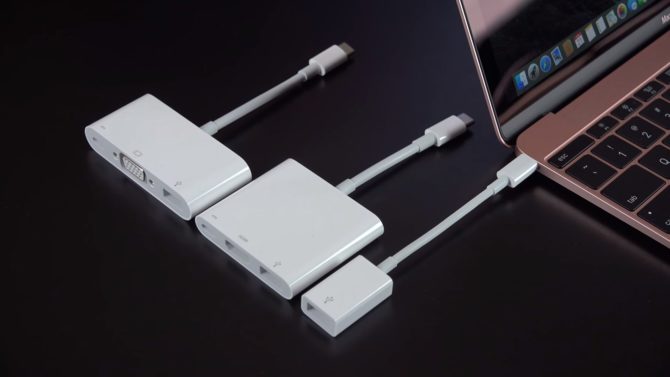 Of course, the simple answer is that if you regularly need more than one USB port, then maybe this isn’t the laptop for you. The same goes for an external monitor. Because the MacBook doesn’t support Thunderbolt 3, you require an HDMI adaptor if you need a second screen. If that is the situation, why not just buy a 15-inch MacBook with ample ports and no need for another screen?
It may be that the Apple 12-inch MacBook sales could be affected because of these connectivity issues, but then it could be said that people are judging this machine on what it can’t do rather than what it can do. Indeed you buy something fit for purpose, and Apple has covered all eventualities in their other models. Because Apple has stuck with this design for the second generation, they obviously see its need. Maybe you remember that something similar happened with the MacBook Air. It was too expensive when it was first introduced, and people complained that it had only one port. Nowadays, it is still being used by people who consider it to be a classic from the design point of view.
By the way, it should be noted that, during tests, the USB-C port has a very tight fit for the cables and need a sharp tug to pull them out. This is not a bad thing as the cable will not keep falling out, but to be aware of it in case of tripping over!
Of course, the simple answer is that if you regularly need more than one USB port, then maybe this isn’t the laptop for you. The same goes for an external monitor. Because the MacBook doesn’t support Thunderbolt 3, you require an HDMI adaptor if you need a second screen. If that is the situation, why not just buy a 15-inch MacBook with ample ports and no need for another screen?
It may be that the Apple 12-inch MacBook sales could be affected because of these connectivity issues, but then it could be said that people are judging this machine on what it can’t do rather than what it can do. Indeed you buy something fit for purpose, and Apple has covered all eventualities in their other models. Because Apple has stuck with this design for the second generation, they obviously see its need. Maybe you remember that something similar happened with the MacBook Air. It was too expensive when it was first introduced, and people complained that it had only one port. Nowadays, it is still being used by people who consider it to be a classic from the design point of view.
By the way, it should be noted that, during tests, the USB-C port has a very tight fit for the cables and need a sharp tug to pull them out. This is not a bad thing as the cable will not keep falling out, but to be aware of it in case of tripping over!
Display
The screen on the 12in MacBook is amazing. There is no other word for it. The same as the iPhone, it has Apple’s Retina display, and why this was not a feature on previous models is anybody’s guess! The 12-inch screen has a 2304 x 1440 resolution with 226 pixels per inch. The arrays of colors are fantastic, and the backlight brightness levels are adjustable to degrees of accuracy never seen before. The resolutions are saleable, and one of the best options is ‘More Space,’ which, as it implies, makes the 12-inch screen more spacious, especially useful for multitasking.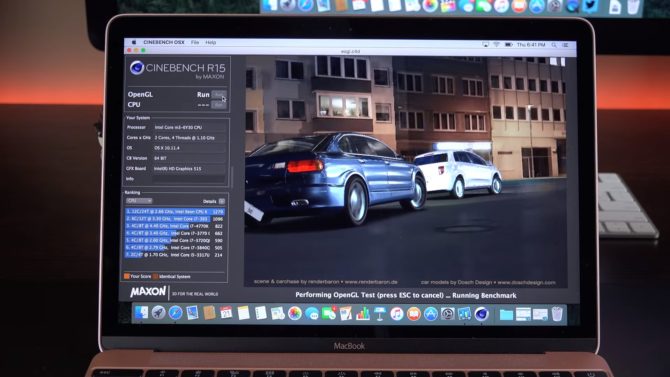 The screen on the 12in MacBook really does make the MacBook Air look dated. Not only is the resolution better, but the slim, sleek glass bezel of the MacBook looks so much finer than the thick, plastic bezel on the MacBook Air.
The Battery
Despite all the improvements, the battery on the 12-inch MacBook is not as good as on the MacBook Air and the Pro. Basically, this can’t be helped because the computer is so small, and although Apple has done their level best to get as much battery in there as possible, there’s only so much you can do!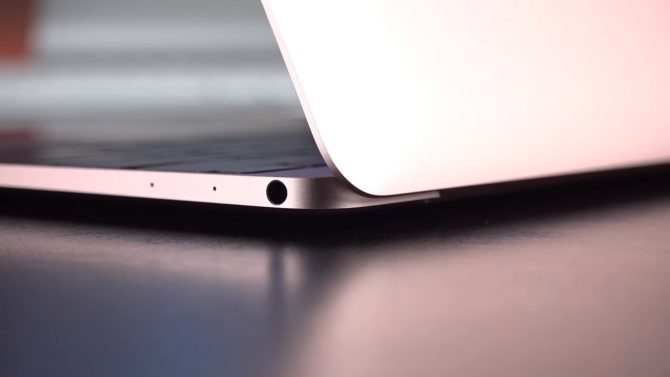 Compared to 2015 12in Mac Book, there is a slight improvement in battery consumption, with Apple saying there is now up to 10 hours of wireless internet usage. This is down to the new Skylake processor on the 2016 model.
So it is possible to get through a normal working day without having to charge. However, problems appear when you start opening multiple tabs in Google Chrome and have apps running such as Mail and Google Drive. That’s when you notice your battery consumption beginning to go up.
However, for a typical day’s usage, the battery consumption levels are relatively acceptable and no more than you would expect from a machine of a similar type as this. Today, all laptops on the market would be pushed to do better, except maybe the MacBook Air…. enough said!
Compared to 2015 12in Mac Book, there is a slight improvement in battery consumption, with Apple saying there is now up to 10 hours of wireless internet usage. This is down to the new Skylake processor on the 2016 model.
So it is possible to get through a normal working day without having to charge. However, problems appear when you start opening multiple tabs in Google Chrome and have apps running such as Mail and Google Drive. That’s when you notice your battery consumption beginning to go up.
However, for a typical day’s usage, the battery consumption levels are relatively acceptable and no more than you would expect from a machine of a similar type as this. Today, all laptops on the market would be pushed to do better, except maybe the MacBook Air…. enough said!



Share Your Thoughts