

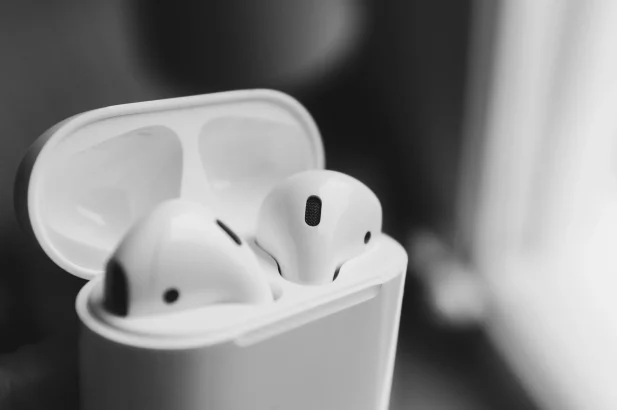
AirPods are most useful when you want your earbuds to fit naturally into an iPhone, iPad and Mac setup. Quick pairing, supported device switching and convenient controls can remove everyday friction. They are less compelling if you mainly use Android, need a particular fit or can get the features you want for less elsewhere.
The benefits depend on the exact model. Standard AirPods, AirPods Pro and AirPods Max are different products, and generations within each family differ too. This guide explains the practical advantages and their limits using Apple’s documentation; it is not a claim that TechEngage has personally tested every model.
In this guide
The main benefits, and what to check first
| Benefit | Why it can help | Important limitation |
|---|---|---|
| Quick Apple-device setup | Less time in Bluetooth settings | Requires a supported device and software |
| Switching between devices | Move between entertainment and calls | Compatibility and account settings matter |
| Listening modes | Choose isolation or awareness on supported models | Noise cancellation is not universal across older AirPods |
| Convenient controls | Handle playback and calls without unlocking a phone | The control method changes by model |
| A charging case | Top up earbuds between sessions | Case capacity is not uninterrupted listening time |
| Finding misplaced earbuds | Use supported Find My features | Capabilities differ between earbuds and cases |
Quick pairing with an iPhone
For initial setup, Apple generally asks you to unlock the iPhone, open the earbud case beside it and follow the connection card. If the animation does not appear, use the model’s manual pairing procedure. The case control is not identical on every generation, so the old advice to press one universal button is unreliable. Apple’s setup instructions show the supported steps.
Once connected, AirPods can also be available to supported Apple devices signed in to the same Apple Account. This saves repeated setup when moving between devices you own. It does not mean a new pair automatically joins every nearby phone, or that the earbuds never need troubleshooting.
Moving between Apple devices
Supported AirPods can switch audio between compatible Apple devices on the same account. For example, you may listen on a Mac and then take a call on an iPhone. That is a useful advantage for someone who uses both devices throughout the day, rather than a reason to buy solely on the promise of “better Bluetooth.” Apple’s switching guide explains automatic and manual switching.
Automatic switching is not always what you want. If another device repeatedly takes over the audio, review its connection settings or switch manually. Keep your devices updated and check the supported-model requirements. Do not assume that an older first-generation pair has every feature advertised for a current model.
Noise control and the fit you prefer
A useful listening mode depends on where you listen. Active Noise Cancellation can reduce unwanted background sound; Transparency lets more surrounding sound through. Neither should be treated as a promise of silence or unrestricted awareness in traffic. The fit also matters: an open earbud and a silicone-tip design can feel very different even before you compare audio features.
Apple’s current lineup lists AirPods 5, a separate AirPods 5 Wireless Charging Case configuration, AirPods Pro 3 and the over-ear AirPods Max 2. Check the full configuration name when comparing offers. A familiar-looking case or an “AirPods” heading alone is not enough to identify its controls, charging options or features.
For older models, check the original specification rather than copying current claims backward. In particular, earlier standard AirPods do not all have noise cancellation or interchangeable silicone tips. If possible, choose a seller whose return policy lets you resolve a fit problem; technical specifications cannot establish comfort for your ears.
Controls and calls without reaching for your phone
Earbud controls can make short interactions simpler: pause a podcast, answer a call or change a listening mode without opening an app. Depending on the model, controls involve a tap, squeeze, swipe or a physical control on an over-ear headset. Siri is useful within a supported Apple setup, but feature availability depends on the connected device, software, language and region.
Match this benefit to your routine. Someone who frequently carries a bag or moves between meetings may value convenient controls more than a long feature list. Someone who mainly listens at a desk may prefer a different headset’s microphone, fit or physical buttons. Avoid buying on claims that Siri can do “anything” or that every AirPods microphone performs equally in wind and noise.
Use Apple’s model-specific control guide to check the gestures on the pair you own.
Portable charging, with realistic battery expectations
The case makes it practical to recharge earbuds between shorter sessions. The important distinction is earbud runtime on one charge versus total listening time including recharges from the case. A combined case figure does not mean the earbuds will play continuously for that long.
Compare the exact model’s battery specification with the listening mode enabled. Noise cancellation, calls, volume, battery age and other features can affect runtime. Also check the case itself: USB-C, wireless charging and a built-in speaker are configuration-specific details. For a long flight or workday, plan for charging breaks rather than assuming every pair delivers the same five-hour or 24-hour figure.
For example, Apple lists separate earbud and case battery figures in its AirPods 5 Wireless Charging Case specifications. Compare the same listening mode and charging configuration between products.
Android compatibility: useful, but a different experience
You can pair AirPods with a non-Apple device as a Bluetooth headset. That makes them usable for listening and calls on supported Android phones and other Bluetooth devices. It does not carry the entire Apple ecosystem experience across: Siri, account-based setup and other integrations have different requirements.
If Android is your main phone, compare alternatives designed around its controls and companion apps before paying extra for Apple-specific features. Basic compatibility and full feature compatibility are different questions. Do not assume every automatic-pause, switching or customization feature behaves identically on iPhone and Android.
Finding a missing earbud or case
Lost-earbud features can be valuable, but they vary by model and by the charging case supplied. Check the exact product’s Find My capabilities before buying, then complete the relevant account setup. A case with a speaker, for example, can offer a different finding experience from an older case without one. These features help you look for a misplaced device; they do not guarantee recovery.
See Apple’s lost-AirPods guide for the finding options available to your model.
Hearing features and water resistance need precise wording
It is no longer accurate to say that no AirPods can provide a Hearing Aid feature. Apple documents it for AirPods Pro 2 and AirPods Pro 3, with supported firmware, an iPhone or iPad, and regional availability requirements. It is intended for adults aged 18 or older with perceived mild to moderate hearing loss. This is a specific feature with eligibility requirements, not a claim about every AirPods model or every hearing condition. See Apple’s Hearing Aid requirements.
Similarly, “water resistant” does not mean suitable for swimming or showering. Apple’s water-resistance guidance distinguishes earbud and case ratings across generations and explains care after sweat or splashes. Check both parts of the product, dry them as instructed before charging, and do not extend a laboratory rating into a guarantee against water damage.
Are AirPods worth it for you?
- A strong fit: you use compatible Apple devices, value simpler switching and find the chosen design comfortable.
- Compare alternatives: Android is your main platform, you need longer uninterrupted runtime, or another headset better fits your budget and ears.
- Before checkout: verify the model, case configuration, seller, return policy and local warranty. A low price is not enough to identify the right product.
- For an older pair: assess battery condition and missing features before assuming it offers the same value as a newer model.
Frequently asked questions
Do all AirPods have noise cancellation?
No. Noise-control features vary by model and generation. Check the exact product name and specification, especially when comparing older standard AirPods with Pro models or current products.
Can AirPods connect to Android?
Yes, supported non-Apple devices can use them as a Bluetooth headset. Apple-specific setup, Siri and other integrations do not all carry over to Android.
Does the charging-case battery figure mean continuous playback?
No. Total listening time with a charging case includes recharging the earbuds. Compare the earbud runtime for your listening mode separately.
Can AirPods be used as hearing aids?
Apple offers a Hearing Aid feature on eligible AirPods Pro 2 and Pro 3 in supported regions, with compatible software and devices. It is intended for people aged 18 or older with perceived mild to moderate hearing loss; it is not a feature of every AirPods model.





Share Your Thoughts