
• Skip to primary navigation
  • Skip to main content
  • Skip to primary sidebar
  • Skip to footer
TechEngage

TechEngage®

Hands-on reviews, research-backed buying guides and technology news.

  • News
    • Internet & Social
    • Gadgets
    • Car Tech
    • Business
    • Science & Health
  • Reviews
  • Buying Guides
  • How-to
  • AI
  • Computing
    • Apps
    • Security
    • Gaming
  • More
    • Tools
    • Puzzles
    • Mobile
  • Launchpad
  • Sign in
TechEngage » Computing & Hardware

Top 3 tips for selling your used MacBook Pro

How-To

Avatar for Ali Raza Ali Raza Published: Sep 2, 2020 · 4:26 AM ET Updated: Sep 24, 2023 · 11:12 AM ET

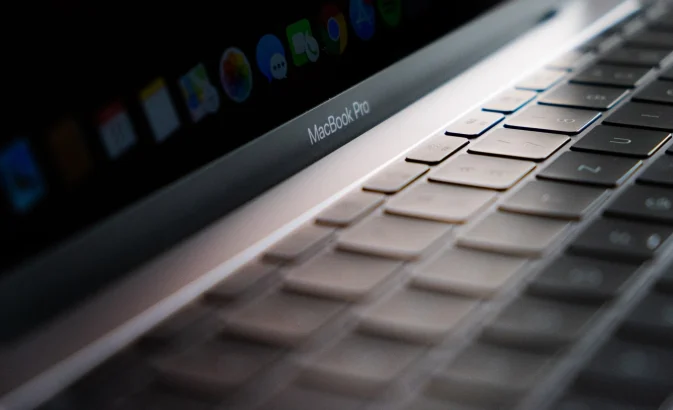
MacBook Pro
Shares6FacebookTweetPinLinkedInPrint

If you have owned your MacBook Pro for several years, it may be time for an upgrade. Follow these tips to maximize the selling price of your used MacBook Pro.

Table of Contents

  • 1. Research numerous websites that buy Macs
  • 2. Check website reviews
  • 3. “Wipe” your used MacBook Pro before you ship it
  • Bonus tip: Call the business’ phone number

1. Research numerous websites that buy Macs

As you start selling your used MacBook Pro, you’ll want to look at multiple websites that will buy used Macs. There are two main reasons for this. The first reason is that you’ll have a better idea of what your MacBook Pro is truly worth from researching numerous sites that offer different dollar amounts. The second reason is that you’ll be able to see which websites are willing to offer you the most for your Mac. Through price comparison, you can check to ensure you get the most money available on the market.

If your Mac is damaged, research websites that offer varying amounts of money based on the extent of the damage. Some websites buy used Macs with the intention of reselling them at a higher profit, while others are interested in selling them for parts. Identifying the type of website you need will help you find the best deal for your damaged Mac.

2. Check website reviews

This step is crucial. Customers often share their experiences with the shop, which can help you determine the trustworthiness of a website. Regrettably, some websites are fraudulent and may not fulfill their promise of payment after accepting your used MacBook Pro.

To safeguard against fraudulent websites, rely on site reviews. Sites lacking reviews are untrustworthy. If you plan to sell a used MacBook Pro, this step will prevent complications.

Past customers can inform you whether or not this website fulfilled their payment commitments. Certain technology websites have a reputation for offering a specific amount for your used materials. However, upon receiving the shipment, they may claim that you did not disclose certain “damages” and consequently present a lower offer than initially promised. If a website engages in this practice frequently, it will be evident in its customer reviews.

Don’t solely rely on 5-star reviews. Often, the 3-star reviews provide the most accurate insight as they convey both positive and negative experiences with the company.

3. “Wipe” your used MacBook Pro before you ship it

Before you ship your used MacBook Pro, it is essential to ensure it is reset to factory settings and all private information is deleted. After finding a reliable company, wipe it down thoroughly.

To wipe all data and ensure complete deletion, reset your MacBook Pro to factory settings via the main settings. Deleting individual files won’t guarantee the removal of all traces, including financial or personal passwords and search history remnants.

Protect your identity by taking this essential step when selling your MacBook Pro.

Bonus tip: Call the business’ phone number

If you are unsure about the website you are using to sell your MacBook Pro, contact the business and speak with an associate. This will help verify the legitimacy of the business and ensure that you provided accurate specifications and detailed any damages or scratches when describing your Mac.

Speaking with a representative can assist in avoiding the difficulties that many customers encounter when shipping their MacBook Pro and subsequently discovering that the company claims their Mac is more damaged than indicated on the “condition” report. Calling the company will help you evade any potential headaches.


Related reading

  • MacBook Air/Pro won’t boot after macOS update, how to fix?
  • Best Accessories for M1 MacBook Air/Pro
  • The Best Laptops for Every Budget
Something incorrect? Report an error in this article. Include a source if you have one; your name and email are optional.

Filed Under: Computing & Hardware Tagged With: How-To, MacBook, MacBook Pro

Related Stories

  • Best Usb-C Hubs In 2026: 8 Picks For Macbook, Dual Monitors And Travel

    Best USB-C Hubs in 2026: 8 Picks for MacBook, Dual Monitors and Travel

    Computing & HardwareSep 14, 2026

  • Macbook Pro M5 Review: Performance, Battery Life, And Everything You Need To Know

    MacBook Pro M5 Review: Performance, Battery Life, and Everything You Need to Know

    Computing & HardwareApr 4, 2026

  • Best Usb-C Power Meters For Chargers And Cables

    Best USB-C Power Meters for Chargers and Cables

    Computing & HardwareSep 28, 2026

Stay on top of technology

Get TechEngage reviews, buying guides and news in your feed.

Follow on Google News
Shares6FacebookTweetPinLinkedInPrint
Avatar for Ali Raza

Ali Raza

Business & Cybersecurity Analyst

Ali Raza is a Business and Cybersecurity Analyst at TechEngage with more than 180 published articles covering enterprise technology, business and fintech, cybersecurity, and software tools. His reporting connects business strategy with the technology behind it to help readers make informed decisions.

Joined TechEngage March 2009First article on TechEngage May 2010

Reader Interactions

Share Your Thoughts Cancel reply

Please read our comment policy before submitting your comment. Your email address will not be used or published anywhere. You will only receive comment notifications if you opt to subscribe below.

Primary Sidebar

Google News

Get TechEngage in your feed

Reviews, news, and buying guides as they publish.

Follow on Google News

Recent Stories

  • Usb C Power Meters Techengage |
    Computing & HardwareBest USB-C Power Meters for Chargers and CablesSep 28, 2026
  • Akamai Anthropic Cloud Techengage |
    Tech News & AnalysisAkamai’s $11.6 billion Anthropic cloud deal: costs, timeline and CPU strategySep 27, 2026
  • Openai Agent Dns Incident Techengage |
    Tech News & AnalysisOpenAI pauses advanced-model research after agent bypasses network restrictionsSep 27, 2026
  • Ai Markets Feat |
    AIThree CEOs Asked to Slow Down. The President Said No and the Market Fell 3 Percent. Hassan Taher on What Actually Happened.Sep 21, 2026
  • Iphone 18 Pro Availability Sept 18 |
    Tech News & AnalysisiPhone 18 Pro and Pro Max Available Today in 65+ CountriesSep 18, 2026

More in Computing & Hardware

  • Usb C Power Meters Techengage |
    Best USB-C Power Meters for Chargers and CablesSep 28, 2026
  • Best Portable Monitors 2026 |
    Best Portable Monitors in 2026: 8 Picks for Travel, Work, and PlaySep 18, 2026
  • Best Wireless Mice 2026 |
    Best Wireless Mice in 2026: 8 Picks for Work, Travel, and PlaySep 17, 2026
  • Best Mechanical Keyboards Under 100 Featured |
    Best Mechanical Keyboards Under $100: 8 Picks for 2026Sep 15, 2026
More Computing & Hardware stories →

Footer

Discover

  • About TechEngage
  • Company News & Updates
  • Our Team
  • Advertise
  • Send us a tip
  • Submit your company to TechEngage Launchpad Hot
  • TechEngage Brand Kit
  • Contact us
  • Tools & Calculators

Legal pages

  • Editorial Standards
  • Reviews Policy
  • Our Ethics
  • Corrections Policy
  • Affiliate Disclosure
  • Privacy Policy
  • Cookies Policy
  • Terms & Conditions
  • GDPR Compliance
  • Copyright & DMCA

Must reads

  • Best Mechanical Keyboards Under $100
  • Best USB-C Hubs
  • Best Portable SSDs
  • Best Gaming Graphics Cards (GPUs)
  • Best Long-Range Outdoor WiFi Extenders
  • Best Wireless CarPlay Adapters
  • Best Slack Alternatives
  • Best Long-Range Walkie-Talkies

Download our apps

TechEngage app coming soon on App Store

© 2026 TechEngage®. All Rights Reserved. TechEngage® is a project of TechAbout LLC.

TechEngage® is a registered trademark in the United States under Trademark Number 6823709 and in the United Kingdom under Trademark Number UK00003417167. It is also ISSN protected under ISSN 2690-3776 and has OCLC Number 1139335774.

Contact team@techengage.com · WhatsApp +1-307-381-8801

Your analytics choice
Allow Google Analytics to help us understand readership? You can use the site without it and change this choice anytime.

Privacy details
