


Verdict: PDFelement belongs on a shortlist when you need more than basic PDF reading, but its value depends on the tasks you actually perform. Editing a simple form, converting a scanned report and redacting confidential material call for different checks. We have not established that it is faster or more accurate than Acrobat, Foxit or other competitors.
What the product offers
Wondershare describes PDFelement as a tool for creating, editing, converting and signing PDFs. Its separate cloud services support storing and sharing documents across devices. Product and plan names can cover different entitlements, so confirm the operating system, edition and features of the license you are considering. Source: Wondershare’s desktop/cloud product information.
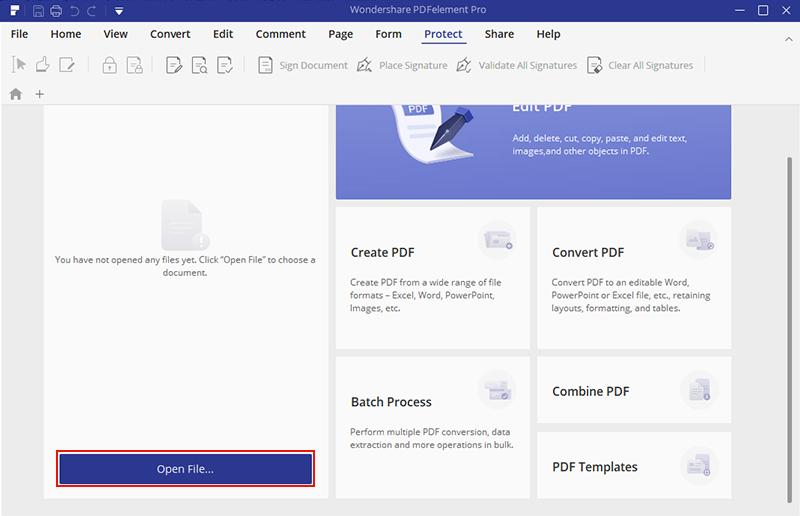
The screenshot below shows PDFelement 7. Menus and licensing options differ between versions.
Test the jobs you need it to do
| Task | Useful acceptance check |
|---|---|
| Edit text in a PDF | Check fonts, line breaks and page layout after saving and reopening a copy. |
| Convert a PDF to an editable document | Inspect tables, headers, columns, footnotes and page count. A completed export is not proof of faithful formatting. |
| Recognize scanned text with OCR | Compare names, amounts and other critical text with the original image, especially on poor scans. |
| Prepare a form or signed document | Confirm that recipients can fill or validate it in their intended application. |
| Remove confidential information | Use the documented redaction workflow and verify the resulting copy; drawing a dark box is not an adequate acceptance test. |
This is our proposed evaluation checklist, not a set of results. Use expendable copies of representative files and keep the originals. A clean one-page document cannot establish how well your scanned invoices or complex reports will convert.
The free trial is not an unrestricted free edition
Wondershare’s trial-limit documentation describes watermarks and restrictions on conversion, OCR and batch operations. Different documentation and builds can show different allowances; check the restrictions presented in your installed version rather than relying on an old universal page count.
Do not test a trial’s save behavior on the only copy of an important document. First export a disposable sample and check for watermarks or other limitations. Confirm that the paid plan removes the specific restriction affecting your workflow before you purchase it.
Understand the license before comparing prices
Wondershare’s plan guidance distinguishes single-platform and cross-platform authorization. Its perpetual-license explanation says the purchased major version remains usable, with minor updates for that version; future major upgrades may cost extra. “Perpetual” should not be read as every future version and every cloud service forever.
Compare the initial charge, renewal price, number of users, operating-system coverage and any separately limited services. Remove optional add-ons you do not need before judging the final cost.
Privacy: desktop work and cloud features are different
A desktop application also offering cloud storage does not establish that every feature keeps files on your computer. Before syncing, sharing or invoking an online or AI feature, check the feature’s upload prompt and applicable data terms. For sensitive work, use only workflows approved by your organization and test with non-confidential material first.
We have not audited Wondershare’s internal access controls, deletion behavior or infrastructure. This assessment therefore makes no blanket claim that documents never leave the device or that a password-protected file is safe under every workflow.
What would justify buying it?
Buy only after the exact edition passes your document checks and its total licensing cost fits the value of the tasks it saves you. For occasional reading or simple annotation, first assess whether your existing PDF viewer is sufficient. For repeated complex conversion or controlled business workflows, compare candidates using the same files and acceptance criteria.
Verdict: PDFelement is worth considering if its editing tools and license suit your workflow. Try your own documents first, paying particular attention to conversion accuracy, formatting and any trial restrictions.
How this was evaluated
Based on Wondershare’s product, trial and licensing documentation. Conversion speed, OCR accuracy, security and signature validation were not independently tested. Vendor illustrations are labeled.





Is it possible to password protect a pdf file with this software, pdfelement for mac/windows version?