• Skip to primary navigation
  • Skip to main content
  • Skip to primary sidebar
  • Skip to footer
TechEngage

TechEngage®

Hands-on reviews, research-backed buying guides and technology news.

  • News
    • Internet & Social
    • Gadgets
    • Car Tech
    • Business
    • Science & Health
  • Reviews
  • Buying Guides
  • How-to
  • AI
  • Computing
    • Apps
    • Security
    • Gaming
  • More
    • Tools
    • Puzzles
    • Mobile
  • Launchpad
  • Sign in
TechEngage » Apps & Software

How 5G Affects Mobile Apps: Speed, Latency and Limits

Avatar for Fana Anwar Fana Anwar Connect with Fana Anwar on LinkedIn Published: Aug 18, 2019 · 2:26 PM ET Updated: Nov 5, 2026 · 3:52 AM ET

ExplainerExplainer based on official documentation and named sources. Not a product comparison.
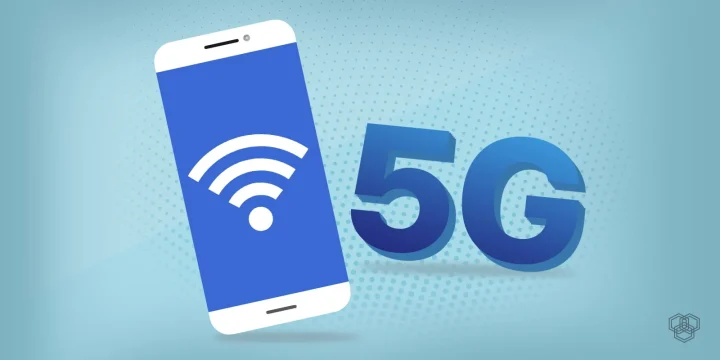
A featured image for 5G post
Shares44FacebookTweetPinLinkedInPrint

5G can improve the network connection a mobile app uses, especially for large downloads and interactive services. It does not automatically make an app’s code faster, improve its graphics or eliminate every delay. The result depends on the phone, coverage, congestion and the service at the other end of the connection.

How can 5G improve on 4G?

The International Telecommunication Union describes 5G as supporting faster data transfer, connections for many devices and communication with minimal delay. Its potential uses include cloud services, augmented and virtual reality, and industrial connected devices. Those capabilities describe what the technology can support; they are not a promise of the same performance on every mobile network.

For a particular app, ask which part of the experience is slow. Downloading a large file is different from drawing an animation, processing a photo on the phone or waiting for a busy server. A faster radio connection addresses only part of that chain.

What changes for mobile apps?

Downloads and streaming

When network bandwidth is the bottleneck, a faster connection can reduce the wait for an app download, a video or a large cloud file. Streaming quality also depends on the service’s settings, compression and available capacity. The app should still let users control data use rather than assuming that a 5G connection means unlimited data.

Graphics are a separate issue. A game rendered on the phone depends on its processor and graphics hardware. A cloud-rendered game depends on the network as well as the remote server. Neither becomes better merely because a 5G icon appears in the status bar.

Lower latency, rather than zero latency

Latency is the delay between an action and its response. 5G can reduce the network portion of that delay, but a request still travels through network equipment and may need processing by a remote service. “Latency-free” is therefore an inaccurate description of a working app.

That distinction matters for augmented and virtual reality, video calls and interactive games. Developers need to measure the complete response time experienced by the user, including server work and rendering, rather than treating a radio-network target as an end-to-end guarantee.

Connected devices

5G can support connected-device applications, but a phone app does not gain access to every nearby sensor or appliance through the network alone. The device needs a supported connection, a service or protocol the app understands, and appropriate permission. Many home accessories also use Wi-Fi or Bluetooth, so compatibility should be checked separately from cellular coverage.

Compatibility and security still need attention

Developers generally need graceful behavior across fast, slow and interrupted connections, rather than a separate app for each mobile-network generation. Useful design choices include resumable downloads, cached information, clear offline states and a lower-data option. A fast connection should improve the experience without making the basic service unusable elsewhere.

The practical security work remains: authenticate users, limit access, protect sensitive data and keep components updated. Faster connectivity does not replace those controls or make an app immune to attack.

For readers choosing a service or phone, check local coverage, the device’s supported network and the plan’s data allowance. The useful question is whether the connection improves the tasks you actually perform, not whether every app is labeled “5G-ready.”

Correction: An earlier version incorrectly described 5G as eliminating latency and implied automatic improvements to app graphics and revenue. Those outcomes do not follow from the network connection alone.
Something incorrect? Report an error in this article. Include a source if you have one; your name and email are optional.

Filed Under: Apps & Software Tagged With: 5G, 5G Smartphone, Apps

Related Stories

  • Sprint Announces First Solid Plans To Unveil 5G Infrastructure At Mwc19

    Sprint announces first solid plans to unveil 5G infrastructure at MWC19

    Tech News & AnalysisFeb 25, 2019

  • Should You Wait To Buy A 5G Phone?

    Should you wait to buy a 5G phone?

    MobileJan 5, 2019

  • At&T Will Put A Fake 5G Logo On Its 4G Lte Phones

    AT&T will put a fake 5G logo on its 4G LTE phones

    Internet & Social MediaDec 23, 2018

Stay on top of technology

Get TechEngage reviews, buying guides and news in your feed.

Follow on Google News
Shares44FacebookTweetPinLinkedInPrint
Avatar for Fana Anwar

Fana Anwar

Writer & Reviewer

Fana Anwar is a contributor at TechEngage who wrote about apps and software, tech news, science and health technology, and business. Her articles focused on explaining new tools and developments for a general audience.

Reader Interactions

Share Your Thoughts Cancel reply

Please read our comment policy before submitting your comment. Your email address will not be used or published anywhere. You will only receive comment notifications if you opt to subscribe below.

Primary Sidebar

Google News

Get TechEngage in your feed

Reviews, news, and buying guides as they publish.

Follow on Google News

Recent Stories

  • United Spotify Seatback Illustration |
    Tech News & AnalysisUnited Adds Personal Spotify Accounts to Starlink Seatback ScreensNov 5, 2026
  • Zinstall Featured |
    Reviews & Buying GuidesZinstall WinWin Review: Move Apps and Files to a New PCNov 3, 2026
  • Coveron Review Light V3 |
    Reviews & Buying GuidesCoveron Review: Is Its Identity Protection Worth It?Oct 31, 2026
  • Nordvpn Review Light V3 |
    Reviews & Buying GuidesNordVPN Review: Features, Privacy and ValueOct 31, 2026
  • Keeper Business Review Light V2 |
    Reviews & Buying GuidesKeeper Business review: sharing, plans and admin toolsOct 31, 2026

More in Apps & Software

  • Russia Government Transition Open Source Linux Featured |
    Russia’s Linux Transition: Policies, Sanctions and LimitsOct 11, 2026
  • Windows Screen Recording Guide |
    How to Screen Record on Windows 11 With AudioOct 10, 2026
  • Chrome Tabs Reloading Techengage |
    How to Stop Chrome Tabs From ReloadingOct 10, 2026
  • 136181 7Effec8402C5Ea64 |
    Microsoft’s October 7 Surface Launch: Hardware and AISep 16, 2026
More Apps & Software stories →

Footer

Discover

  • About TechEngage
  • Company News & Updates
  • Our Team
  • Advertise
  • Send us a tip
  • Submit your company to TechEngage Launchpad Hot
  • TechEngage Brand Kit
  • Contact us
  • Tools & Calculators

Legal pages

  • Editorial Standards
  • Reviews Policy
  • Our Ethics
  • Corrections Policy
  • Affiliate Disclosure
  • Privacy Policy
  • Cookies Policy
  • Terms & Conditions
  • GDPR Compliance
  • Copyright & DMCA

Must reads

  • Best Mechanical Keyboards Under $100
  • Best USB-C Hubs
  • Best Portable SSDs
  • Best Gaming Graphics Cards (GPUs)
  • Best Long-Range Outdoor WiFi Extenders
  • Best Wireless CarPlay Adapters
  • Best Slack Alternatives
  • Best Long-Range Walkie-Talkies

Download our apps

TechEngage app coming soon on the App Store Available onChrome

© 2026 TechEngage®. All Rights Reserved. TechEngage® is a project of TechAbout LLC.

TechEngage® is a registered trademark in the United States under Trademark Number 6823709 and in the United Kingdom under Trademark Number UK00003417167. The publication is identified by ISSN 2690-3776 and OCLC Number 1139335774.

Contact team@techengage.com · WhatsApp +1 307 463 4505

Your analytics choice
Allow Google Analytics to help us understand readership? You can use the site without it and change this choice anytime.

Privacy details