

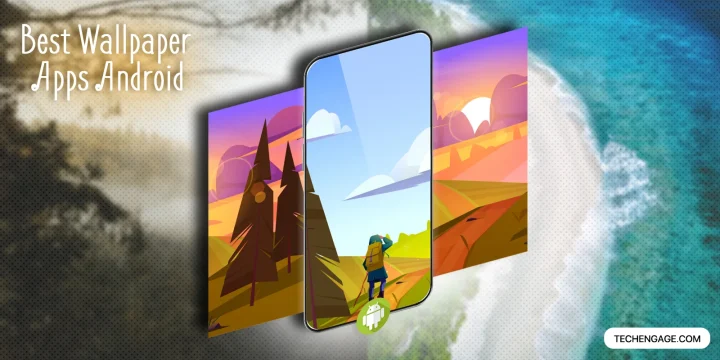
Start with Backdrops for designed backgrounds, Muzei for rotating artwork, or Google Wallpapers for a simple free option. If you prefer photographs, Resplash is the more focused choice; if you want to generate patterns instead of browsing a catalog, try Tapet.
A good wallpaper app should make it easy to find an image, preview the crop and apply it without confusing a free download with a subscription. These recommendations compare those practical differences. They are based on the developers’ current Google Play listings, not a new hands-on battery or privacy test. Availability can differ by device and country.
In this guide
Compare the wallpaper apps
| App | Best fit | Payment model | Main trade-off |
|---|---|---|---|
| Backdrops | Designed abstracts and curated collections | Ads; optional purchases | Some collections and saving features are paid |
| Muzei | Rotating art or your own photos | Free, open source | Wallpaper-source extensions have separate requirements |
| Google Wallpapers | A simple photo background | Free | Older standalone app; not the entire Pixel wallpaper system |
| Walli | Illustrations and creator collections | Ads; optional purchases | Check the upgrade terms before paying |
| Tapet | Locally generated patterns | Optional purchases | Premium features vary by offer |
| Resplash | Unsplash photography | Optional purchases | Depends on an external photo service |
| Zedge | A large catalog plus ringtones | Ads; optional purchases | Mixed free and premium content |
Backdrops
Backdrops puts designed backgrounds and its own collections ahead of an endless general-purpose feed. It also includes community submissions and a featured wallpaper selection. It is a good starting point when you want an abstract image that leaves room for icons.
Before installing: The Play listing identifies advertising and in-app purchases. Pro and premium collections are separate things to inspect before buying; do not assume that one purchase unlocks every future collection. Check whether your chosen image can be applied directly, saved locally, or both.
Official Google Play listing · Listed developer: Backdrops Dev LLC.
Muzei Live Wallpaper
Muzei rotates artwork and can use photos from your own gallery. Its blur and dim controls are useful when a detailed picture competes with widget text. This is the pick for an automatically changing home screen rather than a large shopping-style catalog.
Before installing: Third-party sources are separate extensions and may stop working independently of Muzei. Start with the built-in source or your own photos. Adjust background restrictions only if rotation fails, and only for the source you trust.
Official Google Play listing · Listed developer: Roman Nurik and Ian Lake.
Wallpapers by Google
Google’s standalone Wallpapers app offers photos, collections and a daily wallpaper option. It is a straightforward free choice when it is compatible with your phone. It can also use your own images.
Before installing: The Play listing still shows an older update date. Availability is not proof of frequent development, and this app is not a download of every Pixel-exclusive live wallpaper or the complete Pixel Wallpaper & style interface. Try your phone’s built-in wallpaper picker first.
Official Google Play listing · Listed developer: Google LLC.
Walli
Walli focuses on visual artwork and creator collections. It suits people who want an illustrated background rather than landscape photography. Browse an artist’s collection to find a consistent style for your home and lock screens.
Before installing: The app has ads and in-app purchases. Check the exact premium offer on your device; a download button or a “4K” label does not mean all artwork, resolutions and features are free. We do not quote a subscription price that may differ by country.
Official Google Play listing · Listed developer: Tap AI.
Tapet
Tapet generates patterns on the device using colors and designs instead of downloading each background from a photo catalog. It can change the wallpaper automatically. Choose it if you want control over a restrained color palette without spending time searching.
Before installing: Optional purchases unlock additional capabilities. Local generation is useful, but it does not establish a measured battery advantage over every other app. Nor does random generation guarantee that no other person will ever create a similar pattern.
Official Google Play listing · Listed developer: Tapet.
Resplash
Resplash is an Android browser for Unsplash photography, with photographer profiles, downloads and automatic wallpaper changes. It also advertises a Muzei source. It is a useful option when attribution and discovering a photographer matter more than stickers or ringtones.
Before installing: An available Play listing does not guarantee that every external API feature will work forever. If browsing or sign-in fails, use the official Unsplash website to choose a photo and apply it with your phone’s picker. Follow the image’s licensing terms if you intend to reuse it beyond a personal wallpaper.
Official Google Play listing · Listed developer: Brandon Lam.
Zedge
Zedge combines wallpapers with ringtones and other personalization features. It is the broad-catalog option, particularly if you want to customize sounds as well as the screen. Its listing distinguishes advertising and in-app purchases.
Before installing: Expect free and premium choices within the same app. Review the payment screen, renewal terms and requested permissions before enabling extras. Features for assigning contact ringtones can need permissions that a wallpaper-only workflow does not need.
Official Google Play listing · Listed developer: Zedge.
How to choose a background that works on your screen
- Preview with your actual icons. A spectacular image can make a poor home screen if faces or fine detail sit behind labels. Use a calmer crop for the home screen and the fuller image for the lock screen.
- Choose the right shape before chasing 4K. A landscape image cropped to a tall phone can lose its subject. Extra resolution gives room to crop; it does not make a low-resolution display show additional pixels.
- Check both screens. Home and lock-screen wallpaper controls vary by manufacturer. A launcher can also change scrolling and cropping behavior.
- Compare the real cost. Read whether an offer is a one-time purchase, a recurring subscription or a premium collection. A trial is not a permanent free tier.
Android’s wallpaper-based color themes depend on the operating system and manufacturer. A suitable image can supply colors to the system; installing a particular wallpaper app does not unlock a universal Material You or Material 3 feature set. Pair the background with a compatible Android launcher if you also want different icon layouts.
Fix blurry crops, stalled rotation and unwanted permissions
| Problem | What to try |
|---|---|
| The wallpaper looks soft | Download the original image rather than a thumbnail; inspect the crop before applying. |
| The image moves when switching pages | Check wallpaper scrolling in the launcher; use a wider image or disable scrolling where supported. |
| Automatic changes stop | Confirm the selected source still works, then check battery and background-data settings for that app. |
| The app requests unrelated access | Decline optional permissions and see whether wallpaper setting still works. Review the developer’s privacy policy and Play Data safety disclosure. |
| The app is unavailable for your phone | Use another official listing or your built-in picker; do not treat a random APK mirror as an equivalent replacement. |
Wallcandy remains a listed app, but it is not in this shortlist: its current description mixes an unofficial fan-art catalog with broad rights claims that we cannot independently verify. This is an editorial omission, not a claim that the app has disappeared. All seven recommendations above have an official listing; that alone is not a guarantee of compatibility or a privacy audit.
Frequently asked questions
Which wallpaper app is completely free?
Google Wallpapers and Muzei are useful free starting points. Your phone’s built-in wallpaper picker can also apply your own photos without another subscription.
Will a live wallpaper drain the battery?
The effect depends on animation, refresh frequency, the source app and the phone. We have not measured a universal percentage. Compare your phone’s battery usage over similar days, or use a static image if endurance matters more than rotation.
Do I need a new launcher to change wallpapers?
No. A wallpaper changes the background; a launcher changes the home-screen interface. Most phones let you change the background through their existing launcher or settings.
Are all wallpapers in these apps free to reuse?
No. Downloading an image for your phone is different from republishing it, selling it or using it in advertising. Follow the creator’s license and the service’s terms.


Great Post.
I came across one more. Small App, but it has some really nice wallpapers as well.
Minimal, Emoji wallpapers.
Wallwave is a very good option for wallpapers. They have very large collection of wallpapers, with too many categories. They have stock wallpapers too. And the most good thing is everything is free in that app, no in-app purchase. Must try, i am using since 2018
Wave Live Wallpapers Maker 3D is a great app with over 50 million downloads that many would enjoy trying. It has a creation editor where you can upload your photo and customize it with 3D and animation effects. There’s also an AI that generates wallpapers for you based on a prompt. It would have been great to mention it but you might not have tried it yet.