

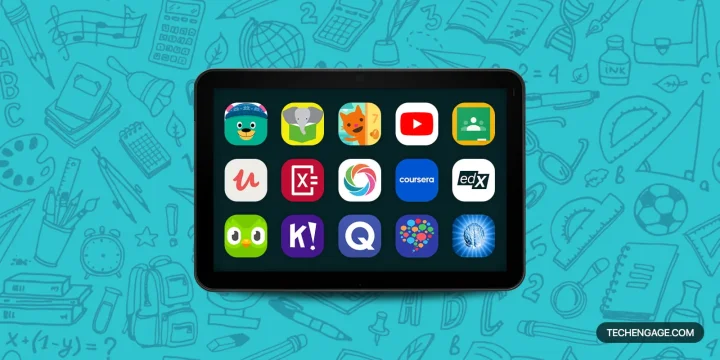
Khan Academy is the best free starting point here for school-subject practice. Choose Duolingo for a daily language habit, Quizlet for flashcard revision, and Coursera or edX for a more structured course. For children, the right choice depends on whether you want reading, creative play, subject explanations or coding.
Muhammad Abdullah personally tried and tested all 19 apps in this guide. The recommendations below explain which learning needs each app suits, what it does well and where another option makes more sense. Free downloads, free course access and paid subscriptions are identified separately.
In this guide
Choose an educational app for your goal
| Your goal | Start with | Why |
|---|---|---|
| Schoolwork and foundational practice | Khan Academy | Free explanations plus exercises |
| Daily language practice | Duolingo | Short lessons with a guided routine |
| A practical software skill | Udemy | Choose a focused, project-based course |
| A career-learning sequence | Coursera | Courses organized into longer paths |
| Academic subject depth | edX | Defined syllabuses and audit options |
| Checking math working | Photomath | Solution steps to compare with your own |
| Flashcard revision | Quizlet | Practice recalling your course material |
| Group quizzes | Kahoot! | A shared activity with a host |
| Multilingual storytime | Let’s Read | Free books and offline reading |
| Creating with code | Tynker | Games and projects for children |
These are recommendations by purpose, not a ranking that puts a preschool game ahead of a university course. App features, subscription terms and device requirements can vary by region. Check the linked store or provider before subscribing, especially if you need school access, offline use or a certificate.
1. Khan Academy: best free starting point for school subjects
Best for: Students filling gaps in math and science, and adults revisiting the basics.
Cost: Free core lessons and practice.
Khan Academy is the strongest starting point here for structured academic practice without a course fee. Videos explain a concept, and exercises let you work through it instead of only watching. Hints and feedback make it useful when a classroom explanation has not clicked. Choose it before a paid course if your goal is to rebuild a foundation in algebra, statistics or science.
Pros
Free lessons, exercises and progress tracking; useful explanations across several school subjects.
Cons
The mobile app does not include every website feature. Programming content, some test preparation and teacher or parent tools require the website. It is not a degree or a personal tutor.
For children ages 2–8, the separate Khan Academy Kids app focuses on early reading, language and math through activities and stories. Its family mobile app is free without ads or subscriptions. Choose the app that matches the child’s learning stage.
2. Udemy: best for a specific practical skill
Best for: Adults who want a focused course on software, coding, design or another defined task.
Cost: Free and paid individual courses; subscription options also exist.
Udemy works best when you know exactly what you want to make or do. A course on editing a video or building a small website can give you a clearer route than searching for unrelated tutorials. Preview the instructor’s teaching, inspect the syllabus and check that the software version matches yours before buying.
Pros
Wide choice of practical topics; course previews help you assess the teaching style; self-paced lessons.
Cons
Course quality and maintenance vary by instructor. A high rating does not guarantee the material is current. Paid completion certificates are not formal accreditation.
Choose a course with an actual project you can complete. Udemy’s certificate rules exclude free and practice-test-only courses. Do not choose it solely to collect a certificate.
3. YouTube: best for seeing a task demonstrated
Best for: Visual learners who need a worked example, demonstration or explanation of a specific problem.
Cost: Many videos are free with ads; optional paid services and content.
YouTube is especially useful when seeing the process matters: following a software menu, watching a science demonstration or comparing two ways to solve a problem. Search for the exact topic and version, then choose a coherent lesson or playlist from a credible teacher. It is less useful when you let recommendations choose the next subject for you.
Pros
Extensive free demonstrations; playback controls let you pause, repeat and slow down difficult steps.
Cons
Accuracy and teaching quality vary. Ads and unrelated recommendations can interrupt study, and a playlist does not necessarily include exercises or feedback.
For children, use age-appropriate supervision rather than an unrestricted feed. Google explains its supervised child accounts. For desktop practice alongside a lesson, see watching videos in picture-in-picture mode.
4. edX: best for academic courses with a defined syllabus
Best for: Self-directed learners who want university-style subject coverage and can commit regular study time.
Cost: Many courses offer a limited free audit; verified access and programs cost extra.
edX is a better fit than a short tutorial when you want to work through a subject in order. Choose by syllabus, prerequisites and workload rather than the institution’s name alone. A short course, a professional certificate and an accredited degree are different offerings with different entry and completion requirements.
Pros
Structured course outlines; academic and professional subjects; a free audit option on many courses.
Cons
Audit access is temporary and excludes graded assignments and certificates. Some courses have no audit option, and enrolling in a short course does not make you a degree student.
Check the audit-track terms before starting. Use the free route to assess the material, then pay only if the graded work or certificate serves a clear goal.
5. Coursera: best for a structured career-learning path
Best for: Adults comparing a sequence of job-related courses, projects and professional certificates.
Cost: Free previews on most courses; full access and certificates usually require payment or approved aid.
Coursera suits someone who needs a sequence rather than a single lesson. Its university and company courses can help organize study around a subject or career skill. Examine the actual assignments, expected prior knowledge and total subscription commitment before choosing a program.
Pros
Organized learning paths; courses from universities and companies; previews help assess a course before committing.
Cons
A certificate is not a job guarantee. Full access is not generally free, and a subscription can keep costing money while you postpone the work.
Coursera’s course-preview model generally provides the first module of most courses, replacing its previous audit experience. Check financial-aid eligibility and the exact enrollment terms rather than assuming “enroll for free” means a complete free course.
6. Sololearn: best for short beginner coding practice
Best for: Beginners who want to practice programming concepts in small sessions.
Cost: Free course content; paid plans add features and remove limits.
Sololearn makes sense when opening a full development environment feels like too much for a short study session. Its lessons introduce programming concepts in manageable pieces. Use that convenience to build consistency, then move the same ideas into a small program of your own.
Pros
Short interactive lessons; several programming subjects; free access to course content.
Cons
Completing guided exercises is not the same as building and debugging an independent project. Practice features and usage limits depend on the plan.
Compare the free and paid plans before subscribing. If you can answer a lesson’s question but cannot explain or change the code, repeat the concept in your own editor before moving on.
7. Photomath: best for understanding a math solution
Best for: Students who have attempted a problem and need help finding the next step.
Cost: Basic solution steps are free; Photomath Plus adds explanations and animations.
Photomath is most useful as a way to investigate a mistake. Scan an equation, confirm that the app read it correctly, and compare its steps with your own working. Then put the phone down and solve a similar problem without assistance. That makes the explanation more valuable than simply copying the final answer.
Pros
Camera input saves typing; step-by-step solutions can reveal where a calculation went wrong.
Cons
Scanned input needs checking; copying answers can conceal gaps in understanding. Some richer explanations require Plus.
Google’s Photomath documentation says scanned images are processed on cloud servers. Keep personal details out of the camera frame, and follow your school’s rules on assistance during assignments and exams.
8. Duolingo: best for building a daily language habit
Best for: Beginners who benefit from short, guided language practice.
Cost: Free courses with ads; optional Super and Max subscriptions.
Duolingo is the easiest language starting point in this list if the main obstacle is getting yourself to practice regularly. Its short exercises give you a clear next task. The routine can be useful, but a streak should support learning rather than become the only thing you measure.
Pros
Accessible free starting point; small lessons fit into a busy day; a guided sequence reduces planning.
Cons
Free use includes interruptions and limits that can vary. Completing app exercises alone is not enough preparation for every real conversation.
Pair lessons with listening and speaking outside the app. HelloTalk below is a different tool for conversation practice, while our translation-app guide covers help with unfamiliar words and phrases.
9. TED: best for exploring a new subject
Best for: Curious learners who want an accessible introduction before choosing a deeper course.
Cost: Free talks and mobile app.
TED is a good discovery tool when you are not yet sure what you want to study. A talk can introduce an idea, a researcher or a question worth investigating. Its strength is sparking interest; it does not provide the step-by-step practice of Khan Academy or a complete course syllabus.
Pros
Broad range of talks; convenient short-form viewing; mobile downloads for offline watching.
Cons
Talks are presentations, not comprehensive lessons. A persuasive speaker is not a substitute for checking the evidence behind an important claim.
TED requires a free account for offline downloads in its mobile app. Save a talk, then follow up with a book, course or exercise on the topic.
10. Lumosity: best for short puzzle-style breaks
Best for: People who enjoy memory, attention and problem-solving games.
Cost: Limited free daily games; broader access with Premium.
Lumosity fits a different need from the subject-learning apps here. Choose it for a short game session with performance feedback, not to learn algebra, a language or a professional skill. Its game scores tell you about play within the app; they should not be treated as an intelligence score or proof of better performance at school.
Pros
Quick sessions; varied game tasks; progress features for people who enjoy tracking play.
Cons
Free access is restricted, and full game access requires payment. It is not a substitute for a course or an assessment of a learning difficulty.
The free account provides three games per day. Try that selection before paying for the larger library.
11. Let’s Read: best for free multilingual storytime
Best for: Families reading together, especially in languages underserved by commercial book apps.
Cost: Free books without ads.
Let’s Read is the most useful choice here when the goal is simply to put more readable stories in front of a child. The Asia Foundation’s library includes books from local authors and illustrators in multiple languages. A parent can read together with the child, talk about the pictures and return to the same story in another available language.
Pros
Free, ad-free storybooks; multilingual reading; downloaded books work offline.
Cons
It is a story library, not a complete phonics course or a system for grading reading progress. Language availability varies by book.
Download a few suitable stories before traveling. For other devices, check the Let’s Read web library; the Android app is linked below.
12. Sago Mini Apartment: best for preschool pretend play
Best for: Preschoolers exploring everyday activities with an adult nearby.
Cost: Apartment is included in the paid Sago Mini World collection; check its trial terms.
Apartment is closer to a digital play space than a lesson plan. Children explore activities on different floors, and an adult can turn that exploration into conversation: what is happening, what might happen next, and how the characters could help one another. Choose it for open-ended play rather than a worksheet-style learning target.
Pros
Exploratory activities; no need to follow a formal lesson sequence; opportunities for shared storytelling.
Cons
It does not teach a complete reading or math curriculum. Access through World involves subscription terms rather than an unlimited free app.
The publisher lists Apartment inside Sago Mini World. Check that collection for current downloads, device compatibility and pricing rather than searching for an old standalone listing.
13. Improve English by Knudge.me: best for vocabulary practice

Best for: English learners who want extra work on vocabulary, spelling and word usage.
Cost: Free download with ads and in-app purchases.
Knudge.me is a useful supplement when you already understand some English but want a stronger vocabulary. Flashcards and word games provide a focused alternative to a broad language course. Choose a level that lets you use the words in real sentences rather than memorize definitions you will never revisit.
Pros
Vocabulary-focused exercises; short games; practice with commonly confused words and expressions.
Cons
Word practice alone does not provide a complete speaking or writing course. Ads and paid features affect the free experience.
After a practice session, write a short paragraph using a few new words. That is a better check of usefulness than recognizing the same answer repeatedly. The Android listing is now titled Improve English-Vocab, Grammar.
14. HelloTalk: best for practicing with language partners
Best for: Adults ready to use a language in conversation, not just complete solo lessons.
Cost: Free download with ads and in-app purchases.
HelloTalk complements a course by connecting you with other language learners and speakers. Text, voice and correction tools make it possible to practice the sentences you have been studying. Set a modest goal, such as a short exchange about a familiar topic, and help your partner with their language too.
Pros
Real communication; voice and text options; built-in tools for corrections and translation.
Cons
Partner availability and feedback vary. Social feeds can distract from practice, and communicating with strangers requires care.
It is not a preschool learning app. Follow the service’s age requirements and safety guidance, keep private details out of chats, and use reporting or blocking when needed. Native speakers are not automatically trained teachers.
15. Quizlet: best for reviewing facts you need to recall
Best for: Students learning terminology, vocabulary or other material that benefits from flashcards.
Cost: Free core study tools; paid plans extend features and usage.
Quizlet works best when you already know what your course expects you to learn. Build a set from your notes, check the answers, and use it to practice recall. It is more useful for terminology and short prompts than for replacing a full explanation of a difficult concept.
Pros
Custom flashcards; reusable study sets; convenient revision on a phone.
Cons
Shared sets can contain errors or miss your syllabus. Premium tools have plan-dependent limits, and memorizing a card does not prove you can apply the idea.
Check the current plan features before paying for Learn, Test or offline access. Prefer your teacher’s set or one you have checked against class materials.
16. Kahoot!: best for group revision
Best for: Teachers, trainers and families reviewing a topic together.
Cost: Free basic access; advanced features and larger sessions depend on paid plans.
Kahoot! is the group option here. A host runs a quiz and participants answer on their own devices, which gives a class a shared activity to discuss. The useful part comes after the answer: ask why an option was correct and explain mistakes before moving on.
Pros
Easy participation in a hosted session; reusable quizzes; useful prompts for discussion.
Cons
Timers and competition do not suit everyone. Question quality matters, and player limits vary by account and plan.
Check your expected group size against the account options before scheduling a session. Use Quizlet instead when one learner needs quiet, individual revision.
17. Rosetta Stone Classic: best for existing subscribers who prefer immersion
Best for: Existing Classic subscribers or eligible school and business users continuing their language study.
Cost: Requires eligible existing access; it is not an unrestricted free course.
Rosetta Stone Classic uses images, audio and repeated language practice rather than relying only on translation. It suits learners who like inferring meaning from context and repeating spoken material. Its pronunciation feedback and downloadable lessons can make it useful for continuing an established routine.
Pros
Structured immersion-style lessons; pronunciation practice; offline lesson downloads.
Cons
The Classic app is restricted to current subscribers and existing enterprise or education users. Learners who want explicit explanations of every grammar rule may prefer a different teaching style.
The stores now label this app Rosetta Stone Classic (2024). New customers are directed to the separate Sapphire experience on Rosetta Stone’s website. Confirm which app your account supports before downloading or purchasing.
18. BrainPOP: best for introducing a school topic with a short explanation

Best for: Families and students who learn well from animated explanations followed by questions.
Cost: Selected free topics; fuller access requires an eligible subscription.
BrainPOP is a useful starting point when a child needs an approachable explanation before working through a topic. Watch a movie together, use the quiz to check understanding, then ask the child to explain the idea without replaying the video. Choose the subject and product level rather than assuming every BrainPOP activity fits every age.
Pros
Animated explanations and quizzes; broad school-subject coverage; selected free topics to try.
Cons
Full access is paid. Mobile access does not automatically include every website or classroom feature, and subscription types differ.
BrainPOP’s mobile guidance describes its iOS apps and Family subscriptions. Check your school’s existing access before buying a second plan. BrainPOP Jr. is a separate option for younger learners.
19. Tynker: best for children who want to create with code
Best for: Children interested in building games, animations and interactive projects.
Cost: Some free activities; fuller courses and access depend on the plan.
Tynker gives coding a visible outcome: a character moves, an animation changes or a small game responds. That makes it a better fit than a general quiz app for a child who wants to make something. Block-based activities introduce sequencing and logic, while the wider platform includes more advanced coding paths.
Pros
Creative projects; visual coding for beginners; a broader path beyond introductory puzzles.
Cons
Paid access is needed for fuller coverage. The main app, Tynker Junior and the website are not interchangeable, and a child may need help when a project stops working.
Use the publisher’s app guide to match the product to the child’s reading ability and experience. Check plan coverage before assuming a mobile download includes the entire web curriculum.
How to choose without paying for the wrong app
Define one outcome. “Practice fractions,” “hold a short conversation” or “build a simple game” is more useful than “get better at learning.” Pick an app that gives you a way to practice that outcome, then judge whether you can do it with less help.
Try the free route first. A free download may only provide sample content. Check what is included, when a trial renews and whether your school or library already supplies access. For written assignments alongside these apps, our Word alternatives guide covers document tools.
Match the app to the learner. A preschool play app, a social language exchange and a university course serve different audiences. For children, check the content, purchases and account settings together. Avoid judging suitability only by an app-store age rating.
Make practice active. Pause a video to solve the next step, explain a flashcard in your own words, or change a coding project without following the example. If you only recognize an answer while it is on screen, spend more time applying it.
Choose feedback over badges. A streak, completion certificate or high game score can motivate you, but it is not the same as understanding. For more software comparisons, browse our buying guides.
Frequently asked questions
Which educational app is best overall?
For free school-subject practice, Khan Academy is the strongest starting point in this guide. There is no single best app for every purpose: Duolingo suits a language habit, Quizlet suits revision, and Tynker suits children creating with code.
Are all 19 educational apps free?
No. Khan Academy’s core learning content and Let’s Read books are free. Many other apps offer limited free access, previews or trials, with paid subscriptions or courses for fuller use. Rosetta Stone Classic requires eligible existing access.
Which app should parents choose for young children?
Choose by activity: Khan Academy Kids for early reading and math, Let’s Read for shared storytime, and Sago Mini Apartment for pretend play. Check the app’s current requirements and explore it with your child before independent use.
Can I get a free certificate from Coursera, edX or Udemy?
Do not assume that free enrollment includes a certificate. edX audit access excludes certificates, and Udemy’s free courses do not normally issue them. Coursera’s general free preview is limited; financial aid and specific offers have their own terms.
Will an educational app replace a teacher or full course?
Usually not. Apps can provide practice, explanations and organization, but many do not offer individualized teaching or a complete curriculum. Use them alongside appropriate instruction and exercises, and judge progress by what you can do independently.




Share Your Thoughts