

The implementation of the QR code technology has been around for several years, and it became popular and widely used in China at first. But through the years, it has also slowly infiltrated other parts of the globe due to its ability to be versatile in different facets of services.
Known to be a go-to tech tool among businesses and marketing agencies that delivers a seamless experience to its end-users, QR codes are mostly seen in product’s packaging, billboards, restaurant menus, contactless registration, outside the window store, and many more that leads to online information.
But before we dive into the onboarding essentials needed in making your QR code marketing successful, let us learn first the basic concept of QR codes.
What is a QR code, and how does it work?
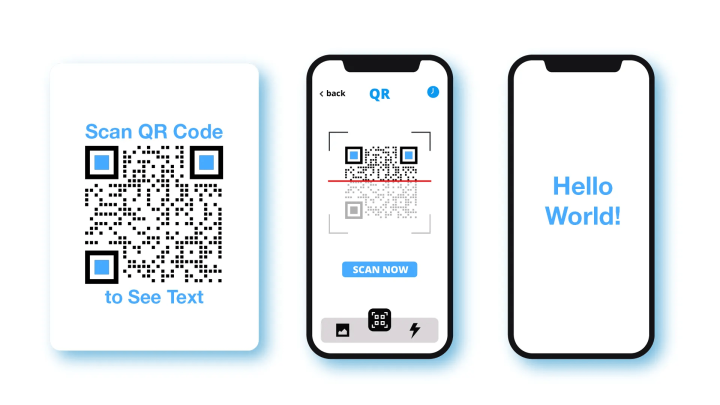
QR codes are 2-dimensional barcodes that encrypt different types of data or multimedia content to present to its target audience and are decoded by scanning the QR code using smartphone devices through the camera, QR code reader applications, or apps that can scan QR codes such as Snap Chat, LinkedIn, Messenger, and many others.
These codes are generated using QR code generator software, where users can generate the type of QR code they need.
QR codes come in many different solutions, such as a URL QR code used to convert the website into a QR or a digital business card QR code to transform the user’s contact details digitally.
Although there are many QR code types or solutions a user can create, these codes can only be generated in either two forms: static or dynamic QR code.
Two modes of QR codes: Static and Dynamic
Static QR codes have fixed information embedded in the QR code that cannot be changed once resolved. Moreover, the data that can be encoded is limited, as it is stored directly in the code’s graphics.
Meanwhile, a QR code solution that is generated in a dynamic model can be edited even when printed or deploy.
Furthermore, the QR code scans can be tracked, revealing the demographics of the scanners.
The dynamic QR code’s information is stored online using the QR code generator, only containing a short URL in the graphics of the code that will lead scanners to online data.
Tracking and editing the QR code’s information using a dynamic QR code
Suppose the user has generated a VCard QR code, which is a dynamic type in nature, and he decides to update his data or have found an error in details. He can change his QR code’s data by going to the “track data” of the QR code generator and do a quick update.
The user does not need to worry about printing his QR codes again. He can update the information even though his business card has been printed along with the QR.
This feature of the dynamic QR code makes them very essential and practical to use in different types of services, as the user can save his money from the printing costs in the long run.
Advertising in print and online dimension with QR codes
One of QR codes’ practical features is its ability to be displayed and scanned in print materials and online displays, allowing two forms of marketing tactic for the user, by interacting with its offline users to online.
For example, if an individual owns a website, he can also place his QR code on his web site’s homepage and still be scanned.
Must-follow guidelines when creating your QR code
1. Do not invert QR code colors
The background of your QR code should be lighter than the foreground color.
2. Observe enough contrast of your QR codes color
Do not mix light colors. QR code scanners will have a hard time distinguishing the codes if all lights colors are used.
3. Make a high-quality image QR code
Maintain the quiet space around the QR code and make the image sharp and clear.
4. Avoid over-customizing QR code
Make your QR code design as creative as you want but don’t over-customize it and don’t change the data pattern extensively as this will not make them recognizable.
Making simple customizations with your QR code like adding a logo blending, setting unique edges, adding frames are enough to make them eye-catchy.
How to correctly implement your QR code and make it a success
1.1 QR code per 1 solution
Your QR code should reflect a specific type of solution. Avoid over-complicating it.
2. Add a call-to-action
A CTA like “Scan Me” or “Scan to download” is necessary to make your target audience aware and scan your QR. Without a CTA, a QR code is like a body without a soul.
3. Size matters
Be mindful of the size; the further you will place your QR from the scanning distance, the larger it needs to be.
4. Strategic placement of your QR code
Place or position your QR code strategically where it can be easily seen.
Conclusion
Anyone can create a QR code, but not everyone is making their implementation a victory.
By following these basic guides in generating a QR code, you can get the most out of your marketing campaign and get the right traction needed to make your QR code tactic a success!





Share Your Thoughts