• Skip to primary navigation
  • Skip to main content
  • Skip to primary sidebar
  • Skip to footer
TechEngage

TechEngage®

Hands-on reviews, research-backed buying guides and technology news.

  • News
  • AI
  • Mobile
  • Apps
  • Security
  • Reviews
  • More
    • Internet & Social
    • Computing
    • Gadgets
    • Gaming
    • Car Tech
    • Business
    • Science & Health
TechEngage » Apps & Software

Chrome OS 69 now in Chromebooks!

Avatar for Amnah Asghar Amnah Asghar Connect with Amnah Asghar on LinkedIn Published: Sep 19, 2018 · 12:00 PM ET

Chrome OS 69
Chrome
FacebookTweetPinLinkedInPrint
Did you notice those round edges around your Chrome window and a much smoother font?
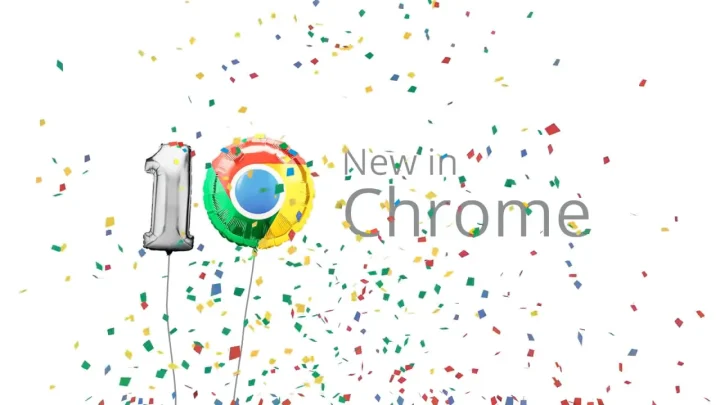
Google Chrome turns 10 this month and here’s what Google did in the 10th Anniversary. It brought a new Chrome update that arrived on desktops and phones sometime last week. If you still have not gotten it, try updating your browser. You are going to love it. Chrome OS 69 has now finally made it to the Google’s most handy educational device; Chromebook. The children using Chromebooks at school will also be able to enjoy this smooth-looking version of Chrome now.
Chrome Os 69
Have a look at this beauty.
Here are a few things that we noticed from our experience:

Chrome is working seamlessly now

Remember those minuscule jitters that you used to experience while opening new tabs? Poof; they are gone. Now if you use the updated version of Chrome you will feel how smoothly you can work on it. The issue was with the way the new tabs appeared. Previously, whenever to used to open a new tab, it felt like the tab is being dragged to open. It was because the tabs were had slanting edges antiparallel to each other. The new version uses a straight line to separate the tabs which make opening a new tab very smooth.

The interface steals the show

What is even better is the new interface. We all love Apple devices primarily because of the appealing interface they all have. Their interface enhances the overall user experience. In the new Chrome, you’ll notice how the new icons look. And take it from us. you are going to love it.

The screen looks much wider

Google has played very smartly here. The URL bar at the top has round edges not only to make it look good but it has an entirely different thought process behind it. The round edges take up less space and decrease the height of the URL bar which leaves more room for the rest of the screen. This added space to the screen is very significant. Certain sites have very large navigation bars and when you view these sites, the URL takes a lot of space. This leaves the rest of the screen with limited space. Now when you use Chrome, you’ll feel the difference no matter how tiny it might be.

Improved Omnibar

The company has also made improvements to its Omnibar. The bar works much more efficiently now displaying the search results within a fraction of a second.

Night Light

Using Chrome on your computers in a broad daylight just got easier. Previously known only to phones and tabs, Night Light has finally arrived in Chrome. This works by analyzing how much brightness you may require to work comfortably without putting too much strain on your eyes. This feature offers an automatic sunrise and sunset schedule which is also customizable.

Microphone button

The Chrome OS 69 now has a brand new microphone button in the status bar that eases the access to voice dictation. According to 9to5Google, Google also added a new text-to-speech settings page for further queries.

What do we think?

Oh, we are loving the new Chrome. Google never fails to surprise us with its innovations that speak directly to the users. Never have we ever seen a company so dedicated to making its users comfortable and happy. To Google who has won our hearts again!

Related reading

  • Best VPNs for Smart TVs
  • WWDC: Apple's most significant announcements at the annual worldwide developers' conference on First Day
  • Donald Trump Succeeded in Launching the Truth Social App in the U.S.
  • 6 Apps to put an end to the usual drudgery of your workdays

Filed Under: Apps & Software

Related Stories

  • Microsoft Confirms October 7 Windows And Surface Event For Local Ai Pcs

    Microsoft Confirms October 7 Windows and Surface Event for Local AI PCs

    Tech News & AnalysisSep 16, 2026

  • Apple Releases Ios 27 And Macos Golden Gate With Siri Ai

    Apple Releases iOS 27 and macOS Golden Gate With Siri AI

    Tech News & AnalysisSep 15, 2026

  • Google Launches Gemini Desktop App For Windows With Alt+Space Shortcut

    Google Launches Gemini Desktop App for Windows With Alt+Space Shortcut

    Tech News & AnalysisSep 11, 2026

Stay on top of technology

Get TechEngage reviews, buying guides and news in your feed.

Follow on Google News
FacebookTweetPinLinkedInPrint
Avatar for Amnah Asghar

Amnah Asghar

Consumer Tech Writer

Amnah Asghar is a Consumer Tech Writer at TechEngage who covers smartphones, consumer gadgets, health technology, gaming, and digital security. Across nearly 150 articles, she focuses on turning product specifications and tech news into practical guidance for everyday readers.

Joined July 2018

Reader Interactions

Share Your Thoughts Cancel reply

Please read our comment policy before submitting your comment. Your email address will not be used or published anywhere. You will only receive comment notifications if you opt to subscribe below.

Primary Sidebar

Follow us on Google News

Recent Stories

  • Microsoft Windows Surface Event Oct 7 2026 |
    Tech News & AnalysisMicrosoft Confirms October 7 Windows and Surface Event for Local AI PCsSep 16, 2026
  • Best Power Banks For Travel 2026 |
    Reviews & Buying GuidesBest Power Banks for Travel: 8 TSA-Friendly Picks for 2026Sep 16, 2026
  • Best Mechanical Keyboards Under 100 Featured |
    Reviews & Buying GuidesBest Mechanical Keyboards Under $100: 8 Picks for 2026Sep 15, 2026
  • Apple Ios 27 Siri Ai Featured |
    Tech News & AnalysisApple Releases iOS 27 and macOS Golden Gate With Siri AISep 15, 2026
  • Featured |
    Reviews & Buying GuidesBest Wireless CarPlay Adapters in 2026: 6 Picks for Wired-CarPlay CarsSep 14, 2026

More in Apps & Software

  • Ost To Pst Og En |
    Apps & SoftwareStellar Converter for OST Review: Online and Desktop Tools, TestedAug 21, 2026
  • Best Free Vpns Jpg |
    Apps & Software4 Best Free VPNs for 2026Sep 7, 2024
  • Top Best Calendar Apps Jpg |
    Apps & Software9 Best Calendar Apps in 2026May 24, 2024
  • Word Image 107413 1 |
    Apps & SoftwareMost Popular Apps Around the World — How Downloads Vary by CountryApr 26, 2024
More Apps & Software stories →

Footer

Discover

  • About TechEngage
  • Company News & Updates
  • Our Team
  • Advertise
  • Send us a tip
  • Startup Submissions
  • TechEngage Brand Kit
  • Contact us
  • Tools

Legal pages

  • Editorial Standards
  • Reviews Policy
  • Our Ethics
  • Corrections Policy
  • Affiliate Disclosure
  • Privacy Policy
  • Cookies Policy
  • Terms & Conditions
  • GDPR Compliance
  • Copyright & DMCA

Must reads

  • Best Mechanical Keyboards Under $100
  • Best USB-C Hubs
  • Best Portable SSDs
  • Best Gaming Graphics Cards (GPUs)
  • Best Long-Range Outdoor WiFi Extenders
  • Best Wireless CarPlay Adapters
  • Best Slack Alternatives
  • Best Long-Range Walkie-Talkies

About TechEngage

TechEngage® is an independent technology publication covering tech news, reviews and buying guides since 2003.

Founded
2003
Publisher
TechAbout LLC
ISSN
2690-3776
Google NewsRSS feed

© 2026 TechEngage®. All Rights Reserved. TechEngage® is a project of TechAbout LLC.

TechEngage® is a registered trademark in the United States under Trademark Number 6823709 and in the United Kingdom under Trademark Number UK00003417167. It is also ISSN protected under ISSN 2690-3776 and has OCLC Number 1139335774.