

In this guide
Our verdict: Keeper Personal is a good paid choice for people who want organized vault records and convenient, time-limited sharing. Its custom fields, import and One-Time Share delivered the clearest benefits in our tests. Choose it for those strengths; compare the total package carefully if free cross-device access or included file storage is the priority.
| Best reasons to choose it | Main trade-offs |
|---|---|
| Flexible records, folders and useful search | Free is limited to ten records on one mobile device |
| One-Time Share worked without a recipient account | File storage and monitoring can add to the price |
| CSV details and a small file transfer stayed intact | Record history opened an upgrade gate in our trial |
A flexible vault that handles more than a basic login
Keeper gives a login room for a username, password, website, notes and custom fields. That makes it practical for accounts that need an extra identifier or a short explanation alongside the credential. A custom text field remained intact after saving and reopening the record, and the main vault view kept the password masked.
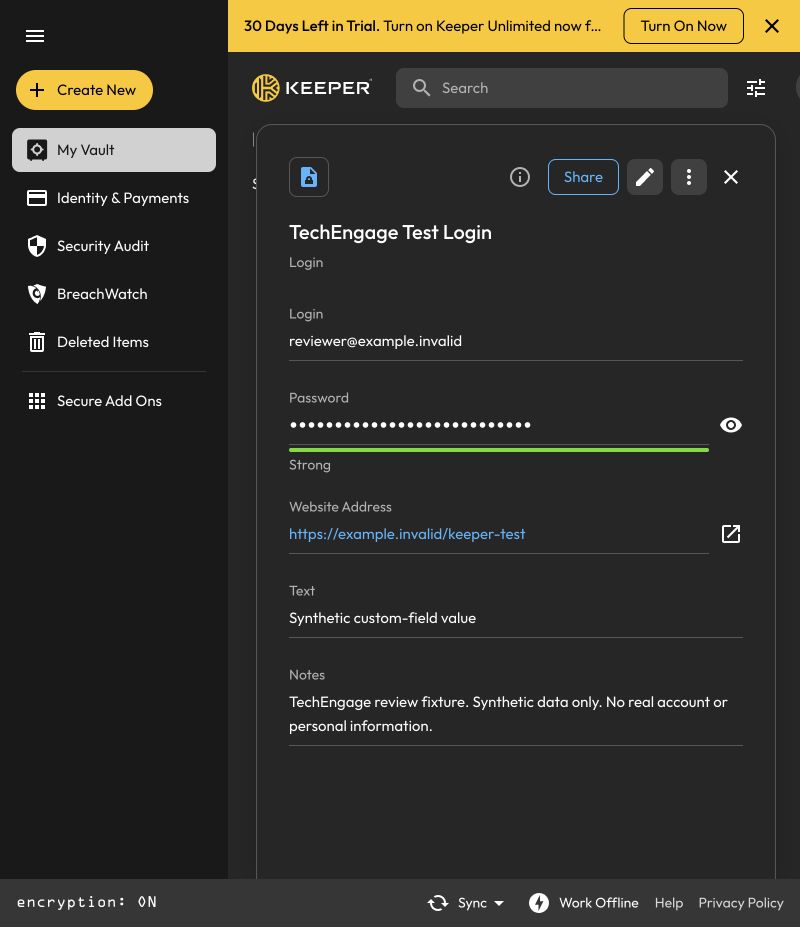
Folders and search were straightforward in our small test collection. Moving a login into a folder kept its contents intact, and global search found it again with the folder identified. That is a useful foundation for a personal vault, although a few records cannot establish how well search performs with a very large library.
CSV import also handled the small sample correctly. Two imported records retained their usernames, websites and notes, including a comma and the accented word “café.” That is encouraging for a carefully prepared migration file. Check a sample before moving an entire password collection, because this test did not cover every competing manager’s export format.
Keeper’s vault documentation describes additional field types. Our custom-field check covered text, so the result should not be extended to every record template.
One-Time Share is the standout feature
One-Time Share is particularly useful when the recipient does not use Keeper. A read-only link opened in a separate browser without requesting a Keeper login, then displayed the shared login, custom field and notes. A countdown made the remaining access time clear.
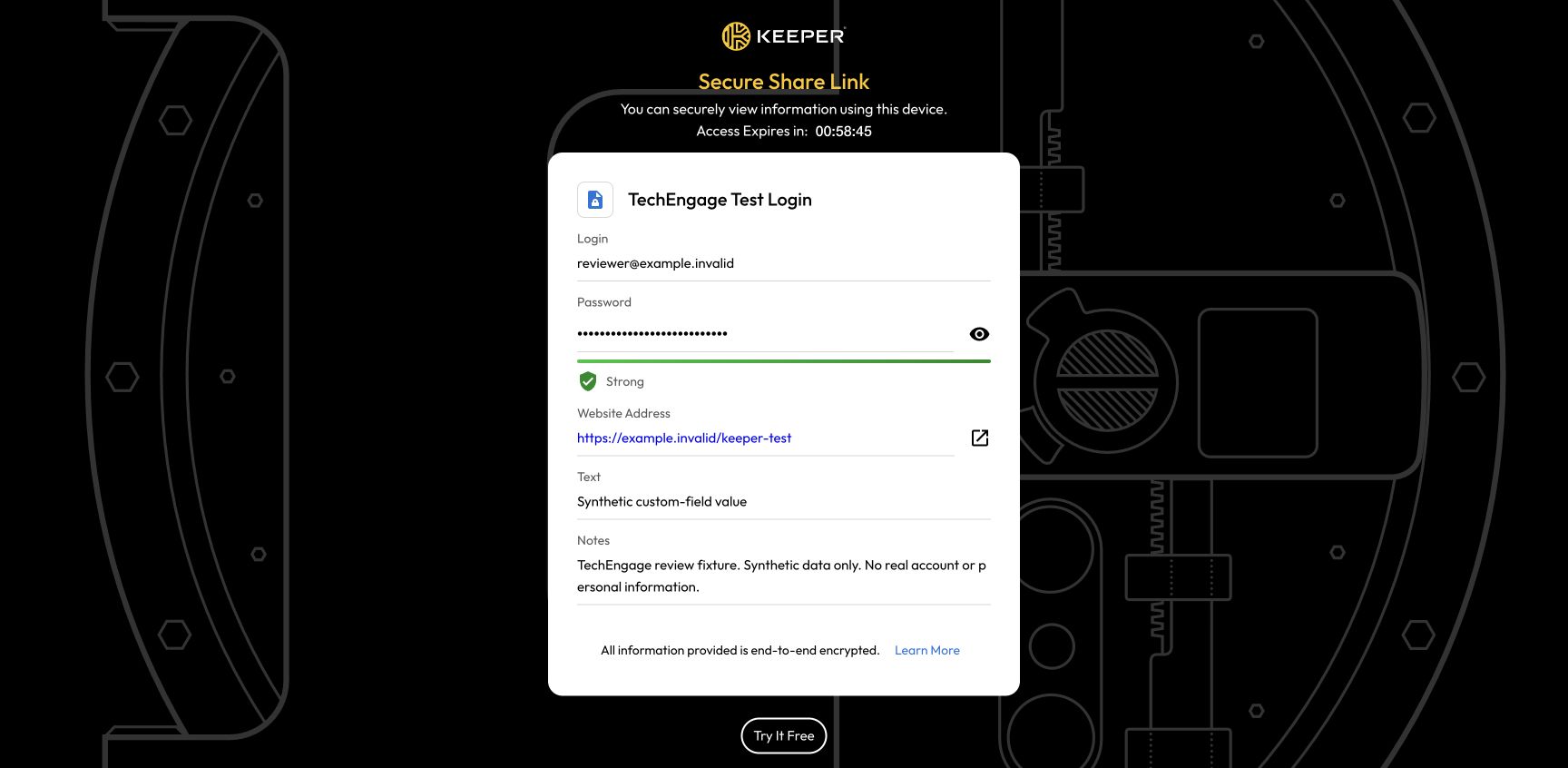
The browser restriction also worked in the two contexts checked. After the first recipient browser opened the link, a second browser could not reveal it. The original browser retained access after a refresh and showed changes made to the source record, including revised notes and an attachment.
The one-hour link expired automatically at its scheduled end. Keeper listed it under Show Expired, and a later recipient attempt returned Link Unavailable. That is a useful combination of convenient access and a clear time limit. Keeper explains the scope in its One-Time Share documentation.
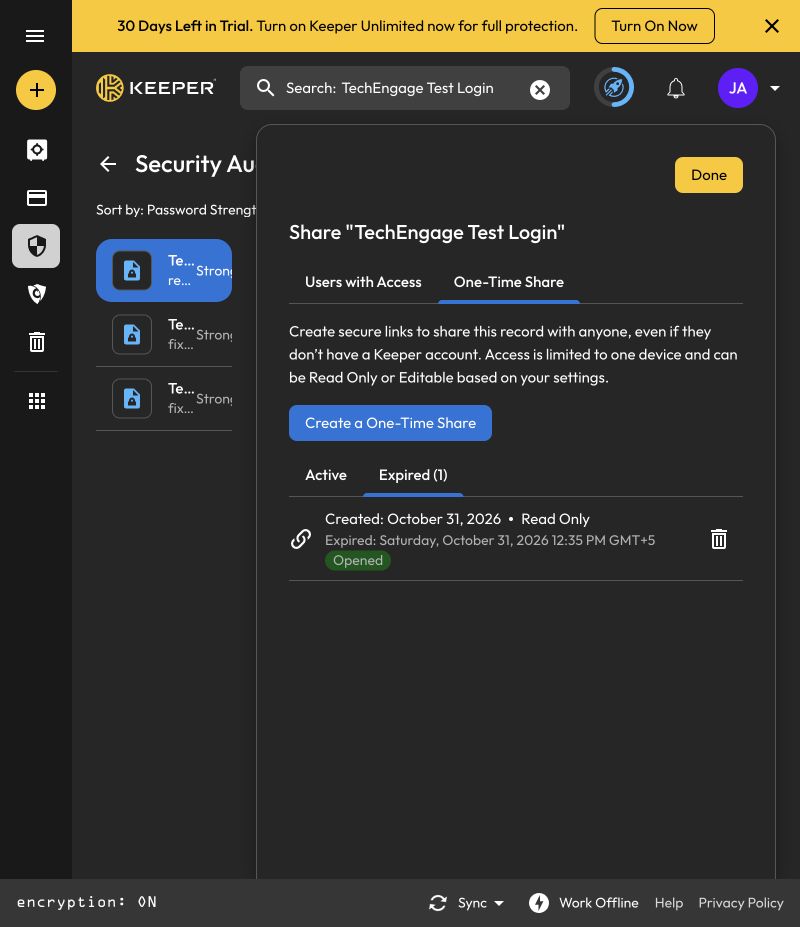
The limitation is the information itself. A recipient can copy or photograph a revealed password, and expiry cannot retrieve that copy. Use temporary sharing for an appropriate purpose, then change the underlying credential when access should genuinely end. Manual revocation was not part of this test.
Attachments worked, but storage and history need attention
A small text attachment uploaded, stayed with its record and downloaded without changing a byte. The original and downloaded 101-byte files produced matching SHA-256 hashes. That is a successful file-transfer check, rather than a large-file or speed benchmark.
The upload dialog showed five free uploads remaining and promoted the Secure File Storage add-on. Anyone planning to keep documents alongside passwords should check the storage allowance separately. Unlimited password storage should not be read as unlimited file storage.
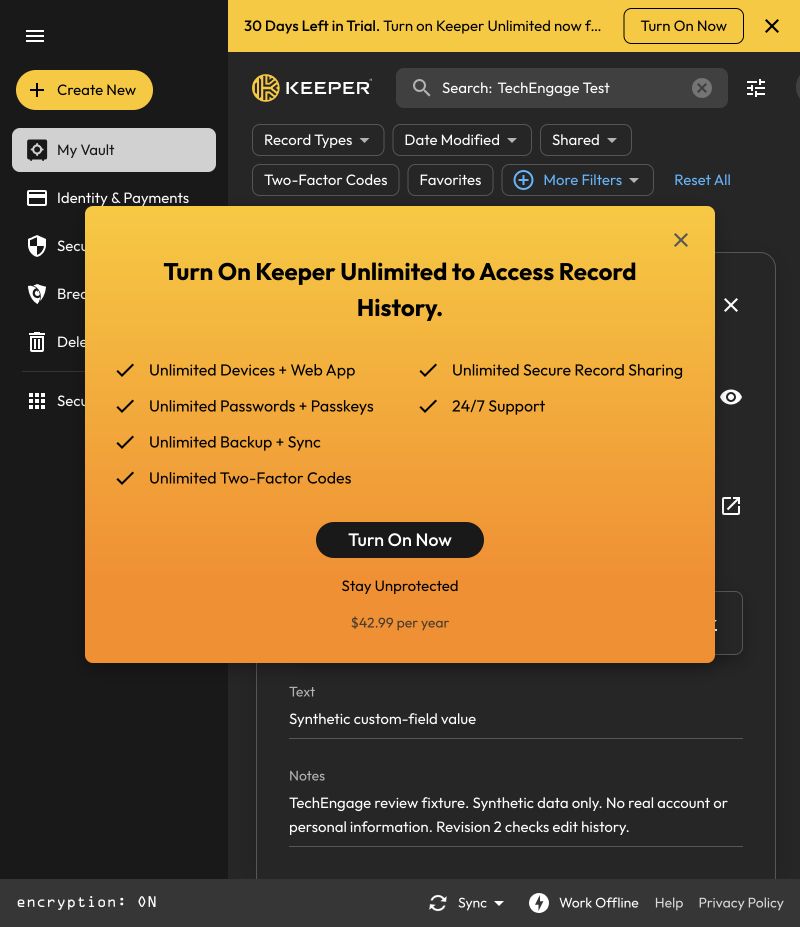
Record history was the more frustrating restriction. Editing the notes and adding the attachment created a second version, with the changed fields identified in Record Information. Opening View Record History then produced a Keeper Unlimited upgrade prompt at $42.99 per year, despite the 30-day trial banner. Earlier-version viewing and restoration therefore remain unverified.
Personal, Free and Family: compare the annual cost
Keeper’s US-dollar pricing displayed $42.99 per year for Personal and $91.99 per year for Family on October 31, 2026. The monthly equivalents are billing comparisons, rather than separate monthly payments at those rates. Check your region, selected add-ons and renewal terms before paying.
| Plan | Displayed annual price | What changes the decision |
|---|---|---|
| Free | $0 | Ten records; one mobile device |
| Personal | $42.99 | One private vault with paid cross-device use |
| Family | $91.99 | Five private vaults and 10 GB of file storage |
For a household, compare the whole bill. Two Personal licenses at those prices total $85.98 per year, making Family $6.01 more before tax. That small difference can be worthwhile if the household needs its additional vaults or included storage. For one person who needs neither, the lower Personal bill is the more relevant comparison.
Dark-web monitoring and expanded storage can increase the cost. The upload allowance shown during a trial is also separate from the storage included in the eventual subscription. Start with the features you will use, rather than treating every optional extra as part of the base password-manager price.
Security, recovery and emergency access
Keeper’s security model documents client-side AES-256-GCM encryption and separate record and folder keys. That is the vendor’s architecture description; our functional checks do not audit its cryptographic implementation. Encryption also cannot retrieve a password that a recipient has copied or protect an already unlocked device from every threat.
Recovery deserves attention before moving important logins. Keeper documents an optional 24-word recovery phrase, with email verification and an MFA step when MFA is enforced. Keep the recovery material somewhere secure outside the vault it unlocks. Losing both the master password and recovery material can leave you without a way back in.
Keeper also documents Emergency Access for consumer accounts, allowing trusted Keeper contacts to request vault access after a configured delay. This is broader than sharing one password. Consider the scope carefully and review trusted contacts when circumstances change.
Keeper or a free alternative?
If the main requirement is free storage across devices, Bitwarden’s Free plan is a stronger fit on published scope: it offers unlimited vault entries and access across devices. Keeper Free’s ten-record, single-mobile-device cap is a substantial difference. This compares the published plans; it does not establish which product has better autofill or stronger security.
Keeper’s paid case is more convincing when its structured records and temporary sharing solve a specific problem for you. A household should compare Family, while anyone buying for employees needs the administration and licensing discussed in our Keeper Business review.
Who should choose Keeper Personal?
Best for: people willing to pay for an organized password vault who also want to share individual items with someone outside the service. Custom fields, folders, import and temporary sharing are the strongest results from these checks.
Keep in mind: the free tier is restrictive, add-ons affect value, and the history gate limited the trial. Autofill and passkey sign-in are central to everyday password-manager use, but were not tested here. Try them on your important websites before committing. You can compare Keeper Personal’s plans and trial with those requirements.
How we tested
TechEngage ran automated browser tests on macOS on October 31, 2026, using synthetic vault records, a two-record CSV and a small text attachment. Sharing was checked in separate browser contexts through the scheduled expiry. Mobile apps, browser-extension autofill, passkey authentication, Family seats, recovery, paid upgrades and long-term reliability were outside the test; a full vault export was not completed.




Share Your Thoughts