

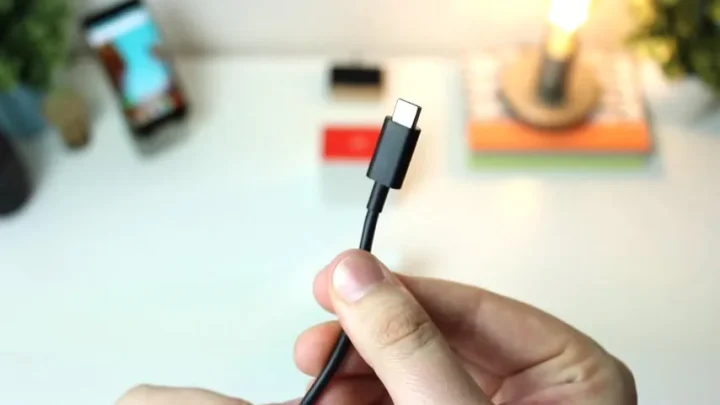
USB-C won. The oval plug is on phones, laptops, buds, and the charger in your bag. That does not mean every cable in the junk drawer does the same job. USB-C is the connector. USB4, USB 3.2, Thunderbolt, and USB Power Delivery are the protocols that may or may not ride on that connector.
If you remember one sentence from the old “Type-C is here” era, replace it with this: buy by the printed speed and wattage, not by the shape.
USB-C, USB4, and Thunderbolt
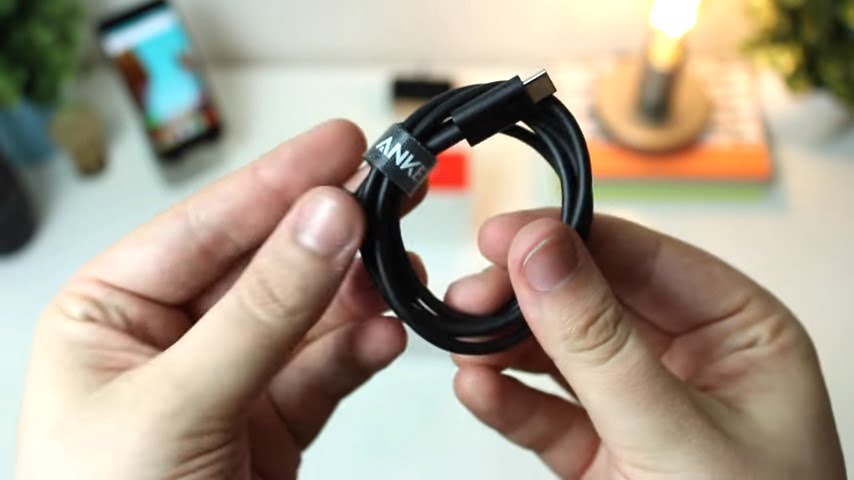
USB-C is a shape, not a speed
The USB Type-C plug is reversible and small. It can carry charge, data, video (DisplayPort Alternate Mode), and — on the right hardware — a full dock. It can also be a charge-only port that will not talk to a flash drive. The metal shape does not tell you which.
A phone can ship USB-C and still be USB 2.0 for data (480 Mbps). A laptop can ship USB-C and mean USB4 or Thunderbolt 4. Same hole, different radio inside. That is why a $6 cable “works” (the phone charges) and still ruins a 4K video offload.
Speeds you will actually see on the box
USB-IF has been pushing clearer labels (USB 5 Gbps, 10 Gbps, 20 Gbps, 40 Gbps, 80 Gbps) because “USB 3.2 Gen 2×2” helped no one at a store shelf. Rough map:
- USB 2.0 (480 Mbps): still common on charge cables and some phones. Fine for a keyboard. Painful for photos.
- USB 5 / 10 / 20 Gbps: everyday external SSDs and hubs. 10 Gbps is the sweet spot for a lot of SATA-speed or modest NVMe enclosures.
- USB4 (40 Gbps, with 80 Gbps on newer certified cables and hosts): USB4 tunnels USB, DisplayPort, and optionally PCIe over one link. Not every USB4 product enables every tunnel.
- Thunderbolt 4 (40 Gbps) / Thunderbolt 5 (up to 80 Gbps, higher in burst modes): certified minimums for docks and displays. Look for the lightning-bolt logo.
The slowest part of the chain wins: host port, cable, dock, drive. A USB4 SSD on a USB 2.0 cable is a USB 2.0 drive that cost too much.
Charging: USB Power Delivery, 100W, and 240W
USB Power Delivery (PD) is how a USB-C charger and a laptop agree on voltage and current. The old “Type-C does 100W” line was the previous ceiling. USB PD Extended Power Range raised the spec ceiling to 240W (48V / 5A) for machines that need it. That is a ceiling, not a promise on a 20W phone brick.
- Phones and tablets: a 20–45W PD charger is usually enough. More watts will not force a phone past its own limit.
- Most ultrabooks: 60–100W PD, with an e-marked cable for the high end of that range.
- Gaming / workstation laptops that advertise 140W or 240W USB-C: you need a charger and a cable marked for that EPR wattage.
- A 240W cable does not turn a 30W charger into a 240W charger.
USB-IF documents PD on usb.org. If a no-name charger has no wattage printed and no PD logo, do not use it as a laptop supply.
Thunderbolt 4 and Thunderbolt 5
Thunderbolt 4 sits on USB-C and requires 40 Gbps, dual 4K (or one 8K) display support, and a useful PCIe budget for docks and NVMe. Thunderbolt 5 steps bandwidth up again for heavier docks and displays. USB4 borrowed Thunderbolt 3’s wiring; the difference you pay for is certification and a feature floor.
Rule of thumb: if the job is “one cable to a dock with two monitors and a fast disk,” prefer a Thunderbolt-marked port and cable. If the job is “charge the phone and copy vacation photos,” USB-C PD plus a 10 Gbps data cable is enough.
How to buy a cable that is not a lie
- Read the printed speed (10 Gbps, 40 Gbps, Thunderbolt) and wattage (60W, 100W, 240W). If neither is printed, assume USB 2.0 charge duty.
- Match length to speed. High-rate passive cables are short. Long “40 Gbps” bargains are where people get burned.
- For laptop charge above 60W, use an e-marked cable from a name you can actually return.
- For video to a monitor, you need a cable and port that support DisplayPort Alt Mode or Thunderbolt — not a charge-only cable.
- Keep one known-good short cable for SSDs. Do not diagnose a “slow drive” with the cable that came free in a charger box.
Phones, laptops, and the one-port world
The EU common-charger rules and Apple’s move to USB-C on iPhone ended the “Lightning forever” argument. Apple’s own cable notes still matter: a USB-C charge cable can be USB 2.0 for data. Fast photo offload and video out need a data-rated cable and, on some phones, the right port generation.
Laptops that ship a single USB-C/Thunderbolt port want a dock more than they want three dongles. Budget the dock as part of the computer — the same way you would budget RAM on a laptop purchase. If you still make installer sticks, USB-C flash drives work; the steps are in our bootable USB guide.
USB-A is not dead on desktops and cheaper laptops. A single USB-C-to-A adapter is fine for a mouse. It will not turn a USB-A 2.0 port into Thunderbolt.
FAQs
Is every USB-C cable the same?
No. The plug is the same shape. The wire may be USB 2.0 only (fine for a phone charge cable), USB 10 Gbps, USB4 40 Gbps, Thunderbolt, or a charge-only cable with no useful data. Read the printed speed and wattage.
Can USB-C charge a laptop?
If the laptop accepts USB Power Delivery and the charger plus cable can negotiate enough watts. Many ultrabooks want 60–100W. Some workstation and gaming laptops need USB PD Extended Power Range up to 240W — and a cable marked for that.
Is Thunderbolt the same as USB4?
They share a connector and a lot of DNA (USB4 is based on Thunderbolt 3). Thunderbolt 4/5 add a certified minimum feature set (bandwidth, displays, PCIe). A USB4 port may omit pieces. If you need a dock with two 4K displays and fast NVMe, Thunderbolt certification is the safer label.
Did iPhone switch to USB-C?
Yes. Recent iPhones use USB-C. That does not mean every USB-C cable is fast enough for high-speed photos or for video out. Apple documents cable differences on its support site; a charge cable can still be USB 2.0 data.
Why is my USB-C drive so slow?
Usually the cable or the port is USB 2.0, or the enclosure is. A USB4 SSD in a USB 2.0 cable is a USB 2.0 SSD. Check the port marking on the computer, then the cable, then the enclosure — the slowest hop wins.



Share Your Thoughts