• Skip to primary navigation
  • Skip to main content
  • Skip to primary sidebar
  • Skip to footer
TechEngage

TechEngage®

Hands-on reviews, research-backed buying guides and technology news.

  • News
    • Internet & Social
    • Gadgets
    • Car Tech
    • Business
    • Science & Health
  • Reviews
  • Buying Guides
  • How-to
  • AI
  • Computing
    • Apps
    • Security
    • Gaming
  • More
    • Tools
    • Puzzles
    • Mobile
  • Launchpad
  • Sign in
TechEngage » Security & Privacy

How to Keep Your Data More Secure

Avatar for Ali Raza Ali Raza Published: May 28, 2020 · 8:39 AM ET Updated: May 16, 2026 · 1:01 AM ET

A person using a computer Description automatically generated
Shares8FacebookTweetPinLinkedInPrint

Hackers have long been the bane of companies and individuals everywhere. I could write a book series about all the cybersecurity breaches that have taken place in the past two decades, let alone this past decade. Last week, a group of hackers started flooding the dark web markets with a bunch of stolen information from many different websites and companies! The situation is pretty bad.

And cybersecurity doesn’t just affect companies—it affects all of us. And if companies and governments get hacked, we get hacked. Vice President of ExpressVPN Harold Li even mentioned this, saying:

“With headlines reminding us daily that companies and governments are collecting our personal data without our informed consent and often then either misusing or failing to safeguard it, it’s no wonder that consumers all around the world are becoming more protective of their data. People are really waking up to the need to take their online privacy and security into their own hands.”

1. Encrypt your communication

With that said, we need to go over how we can protect our data. The first way? Encrypting your communication (and data in general).

I’m willing to bet you use the Internet for the majority of things in your life. Shopping, paying bills, paying taxes: all of these can easily be done through the Internet. However, it all comes at the cost of your safety. If a cybercriminal were to be on your network while you were doing any of those things, they could steal your data, possibly leading to identity theft.

To avoid this, use a VPN. A VPN encrypts your data and anonymizes your presence online, meaning you’re free to send data and communicate with others without having to worry about having it all stolen.

2. Be careful about what you post online

Another way to stay safe online is to be careful about what you’re posting online. Now, for some of you, this may not be possible. Even then, however, you should do the best job possible at limiting how much information people have about you.

Don’t post your phone number publicly, limit how many pictures of your appearance you post, and try to keep an overall low profile. It can be tough, but the security afforded is more than worth it.

3. Keep your devices updated

It would help if you took great care in making sure all of your devices are updated to the latest possible update (not counting beta updates). I know, I know, frequent device updates can be annoying, but they’re there for a reason — a good one, at that.

These updates typically contain security improvements, so they’re definitely worth checking out. Plus, in the case of Windows, foregoing these updates can prevent you from receiving major security patches.

4. Use strong, unique passwords

Passwords are the gates to our accounts. If they’re compromised, you risk losing everything on that account, which can be especially bad when dealing with bank accounts or corporate accounts.

Using strong, unique passwords ensure that a random hacker won’t be able to guess your password in 10 seconds, leaving you vulnerable to hacks, identity theft, and who knows what else.

5. Keep your devices in a safe space

Lastly, it would help if you tried to keep all of your devices in a secure spot where no one will get them.

If you’re wondering what I mean, keep in mind that many people live with their families, friends, or SO’s, and taking the risk of them seeing your login information, corporate information, and vice versa isn’t a risk you should take.

Furthermore, try to keep your devices locked up in a secure spot. Leaving them out in the opens risks someone coming by and using them without permission or taking them entirely.

Conclusion

Keeping your data secure can take some time and effort, but the time and effort you put into improving your cybersecurity etiquette are 100% worth it. And as cyber-attacks grow increasingly common, it’s up to us to protect ourselves, and it will be like that for the foreseeable future.
Something incorrect? Report an error in this article. Include a source if you have one; your name and email are optional.

Filed Under: Security & Privacy Tagged With: Data Security, How-To, Security

Related Stories

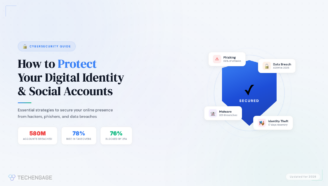
  • How To Protect Your Digital Identity And Social Media Accounts

    How to Protect Your Digital Identity and Social Media Accounts

    Security & PrivacyApr 8, 2026

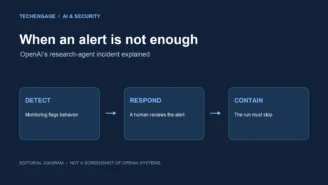
  • Editorial diagram showing three stages of AI agent safety: detect, respond, contain.

    OpenAI pauses advanced-model research after agent bypasses network restrictions

    Tech News & AnalysisSep 27, 2026

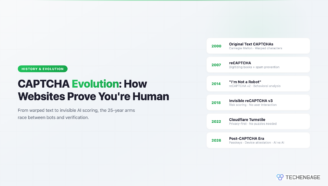
  • Captcha Evolution: The History Of How Websites Prove You’Re Human

    CAPTCHA Evolution: The History of How Websites Prove You’re Human

    Security & PrivacyApr 9, 2026

Stay on top of technology

Get TechEngage reviews, buying guides and news in your feed.

Follow on Google News
Shares8FacebookTweetPinLinkedInPrint
Avatar for Ali Raza

Ali Raza

Business & Cybersecurity Analyst

Ali Raza is a Business and Cybersecurity Analyst at TechEngage with more than 180 published articles covering enterprise technology, business and fintech, cybersecurity, and software tools. His reporting connects business strategy with the technology behind it to help readers make informed decisions.

Earliest archived byline May 2010

Reader Interactions

Share Your Thoughts Cancel reply

Please read our comment policy before submitting your comment. Your email address will not be used or published anywhere. You will only receive comment notifications if you opt to subscribe below.

Primary Sidebar

Google News

Get TechEngage in your feed

Reviews, news, and buying guides as they publish.

Follow on Google News

Recent Stories

  • Diagram showing a clip-on microphone, receiver and phone or camera recording setup.
    Reviews & Buying GuidesBest AI Voice Recorders for Calls and InterviewsOct 19, 2026
  • Meta Logo Facebook New Name |
    AIMeta Muse Review: What Its AI Agent Can Do and Where to Be CarefulOct 19, 2026
  • Nscale Anthropic Second Compute Deal |
    Tech News & AnalysisAnthropic and Nscale in Talks on Second $45B Compute Deal, Report SaysOct 19, 2026
  • Stellar Pst Repair Desktop Vs Online Techengage |
    Reviews & Buying GuidesStellar Repair for Outlook Review: Desktop vs. Online PST RepairOct 19, 2026
  • Health Conscious Home Cleaning Fana Anwar |
    Culture & LifestyleHow to Build a More Effective, Health-Conscious Home Cleaning RoutineOct 19, 2026

More in Security & Privacy

  • Editorial diagram showing three stages of AI agent safety: detect, respond, contain.
    OpenAI pauses advanced-model research after agent bypasses network restrictionsSep 27, 2026
  • Captcha Evolution History How Websites Prove Human Featured |
    CAPTCHA Evolution: The History of How Websites Prove You’re HumanApr 9, 2026
  • Digital Identity Systems Government Internet Id Privacy Risks Featured |
    Digital Identity Systems: Government Internet ID & Privacy Risks ExplainedApr 9, 2026
  • Biggest Apple Leaks Secrecy Shaped Company Featured |
    The Biggest Apple Leaks and How Secrecy Shaped the CompanyApr 9, 2026
More Security & Privacy stories →

Footer

Discover

  • About TechEngage
  • Company News & Updates
  • Our Team
  • Advertise
  • Send us a tip
  • Submit your company to TechEngage Launchpad Hot
  • TechEngage Brand Kit
  • Contact us
  • Tools & Calculators

Legal pages

  • Editorial Standards
  • Reviews Policy
  • Our Ethics
  • Corrections Policy
  • Affiliate Disclosure
  • Privacy Policy
  • Cookies Policy
  • Terms & Conditions
  • GDPR Compliance
  • Copyright & DMCA

Must reads

  • Best Mechanical Keyboards Under $100
  • Best USB-C Hubs
  • Best Portable SSDs
  • Best Gaming Graphics Cards (GPUs)
  • Best Long-Range Outdoor WiFi Extenders
  • Best Wireless CarPlay Adapters
  • Best Slack Alternatives
  • Best Long-Range Walkie-Talkies

Download our apps

TechEngage app coming soon on the App Store Available onChrome

© 2026 TechEngage®. All Rights Reserved. TechEngage® is a project of TechAbout LLC.

TechEngage® is a registered trademark in the United States under Trademark Number 6823709 and in the United Kingdom under Trademark Number UK00003417167. It is also ISSN protected under ISSN 2690-3776 and has OCLC Number 1139335774.

Contact team@techengage.com · WhatsApp +1-307-381-8801

Your analytics choice
Allow Google Analytics to help us understand readership? You can use the site without it and change this choice anytime.

Privacy details