• Skip to primary navigation
  • Skip to main content
  • Skip to primary sidebar
  • Skip to footer
TechEngage

TechEngage®

Technology Reviews, Guides & Analysis

  • Cryptocurrency
  • Science
    • Energy
    • Environment
    • Health
    • Space
  • Apps
  • More
    • Opinion
    • Noteworthy
    • Culture
    • Events
    • Deals
    • Startups
      • Startup Submissions
  • Videos
  • Tools
TechEngage » OS

You can now mirror your desktop and Android phone to your Xbox One

Avatar for Rizwan Anwar Rizwan Anwar March 14, 2019

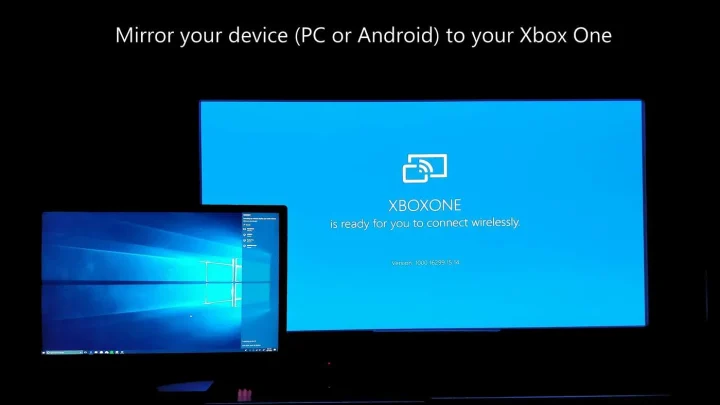
A photo contains Windows 10 laptop with Xbox one mirror option
Share1FacebookTweetPinLinkedInPrintEmail

In 2015, Microsoft briefly introduced a feature that allowed people to cast their Windows 10 PC screen to their Xbox One device. The app disappeared but has now resurfaced, making its first appearance on the Italian Windows store. The app should be available globally in a few hours.


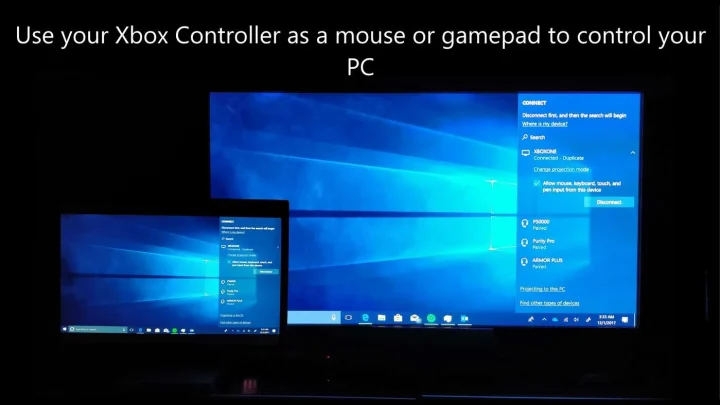
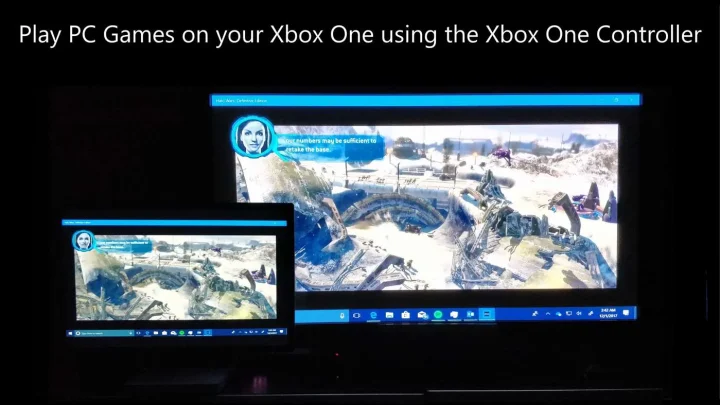
The app allows users to connect their Windows 10 Desktop AND Android devices to an Xbox One. It also allows them to play games on either platform using the Xbox One controller when casting their screen.

Use Controller As Mouse To Control Your Pc
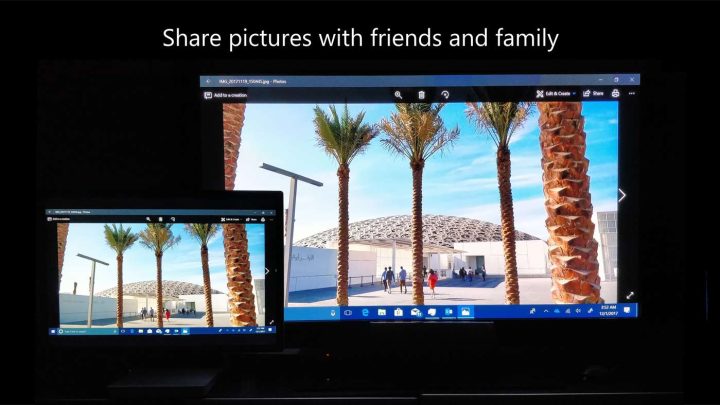
Photos App Opened In Windows 10
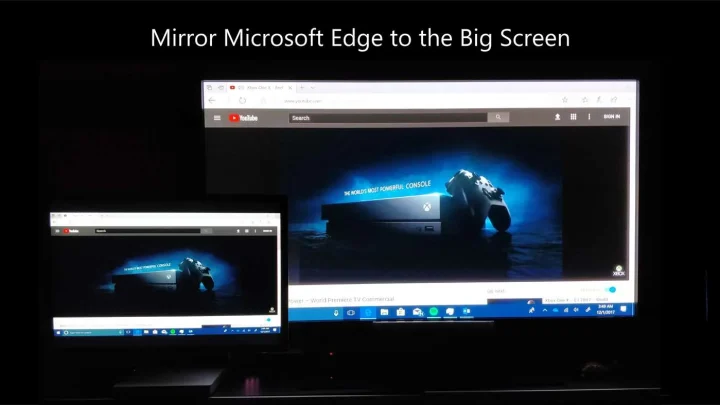
Photo Of Microsoft Edge Running On Windows 10 Mirroring To Big Screen
Play Pc Games On Your Xbox One Using The Xbox One Controller
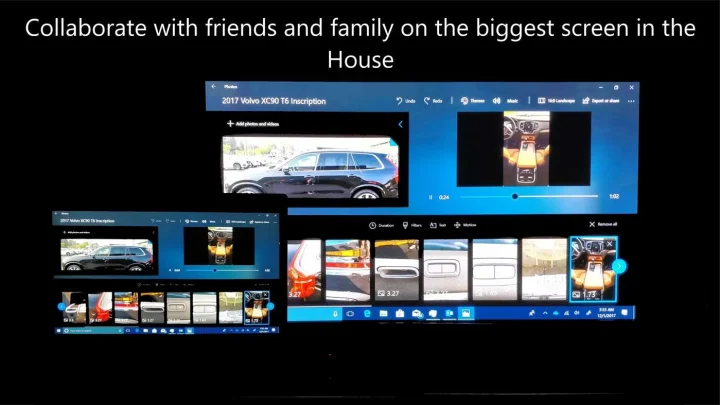
Collaborate With Friends And Family On He Biggest Screen In The House

This should make playing games on mobile and Windows 10 much more enjoyable for those who want to play on a bigger screen.

The app description now states that people can connect using Wi-Fi instead of the previous Peer-to-Peer method in the older version. This helps improve reliability and performance but is only for Windows.

There is also a low-latency mode so users can get the best gaming performance. The Xbox One controller can be used as your mouse and keyboard with the help of the chat pad. It also incorporates native controller integration.

Microsoft also released a similar feature for the insider builds of Windows 10, which allows the Samsung Galaxy S8 and S9 family of devices to mirror their screens on the desktop.

if you can patiently wait for the app to come to your regional store, you are in for a treat if you own an Xbox One. This looks like a great option for people who have various devices and have to switch between screens frequently.

We’re glad to see Microsoft return to this forgotten idea and improve upon it. The Xbox One was a great console with a lot of versatility and functionality. The console is the only one on the market to offer unique features like HDMI-IN to allow saving on HDMI ports if you own multiple consoles in the house.

It looks like Microsoft has a great future ahead for gaming, and we can count on seeing a surprise from the company at the upcoming Electronic Entertainment Expo (E3) where they could unveil the next Xbox.

Filed Under: OS Tagged With: AndroidScreenMirror, Microsoft, Screen-mirroring, Windows 10, Xbox, Xbox One

Related Stories

  • Android Rooting Guide In 2026: Tools, Risks, And Whether It Still Makes Sense

    Android Rooting Guide in 2026: Tools, Risks, and Whether It Still Makes Sense

  • Inside Android P: How Ambitious Can Google Get?

    Inside Android P: How Ambitious can Google get?

  • Is Microsoft Windows Fighting Losing Battles?

    Is Microsoft Windows fighting losing battles?

Share1FacebookTweetPinLinkedInPrintEmail
Avatar for Rizwan Anwar

Rizwan Anwar

Mobile & Gaming Reviewer

Rizwan Anwar is a Mobile and Gaming Reviewer at TechEngage, specializing in smartphone reviews, app roundups, operating system updates, browser comparisons, and gaming coverage. With over 70 published articles, Rizwan delivers hands-on assessments that help readers choose the right device or app for their needs.

Joined February 2019

Reader Interactions

Share Your Thoughts Cancel reply

Please read our comment policy before submitting your comment. Your email address will not be used or published anywhere. You will only receive comment notifications if you opt to subscribe below.

Primary Sidebar

TechEngage-Apple-News TechEngage-Google-News

Recent Stories

  • The Complete History of the Internet: From ARPANET to AI (Visual Timeline)
  • The 10 Best-Selling Cars of All Time [Infographic]
  • Best Gaming Graphics Cards (GPUs): 8 Picks From Budget to Enthusiast
  • Best Long-Range Outdoor WiFi Extenders: 8 Tested Picks for Reliable Coverage
  • Best AM Radios for Long-Distance Reception: 10 Tested Picks

Footer

Discover

  • About TechEngage
  • Newsroom
  • Our Team
  • Advertise
  • Send us a tip
  • Startup Submission Questionnaire
  • Brand Kit
  • Contact us

Legal pages

  • Reviews Guarantee & Methodology
  • Community Guidelines
  • Corrections Policy and Practice
  • Cookies Policy
  • Our Ethics
  • Disclaimer
  • GDPR Compliance
  • Privacy Policy
  • Terms and Conditions

Must reads

  • Best AirPods alternatives on Amazon
  • Best PC monitors for gaming on Amazon
  • Best family board games
  • Best video doorbells without subscription
  • Best handheld video game consoles
  • Best all-season tires for snow
  • Best mobile Wi-Fi hotspots
  • Best treadmills on Amazon

Download our apps

TechEngage app coming soon on App Store

© 2026 TechEngage®. All Rights Reserved. TechEngage® is a project of TechAbout LLC.

TechEngage® is a registered trademark in the United States under Trademark Number 6823709 and in the United Kingdom under Trademark Number UK00003417167. It is also ISSN protected under ISSN 2690-3776 and has OCLC Number 1139335774.