

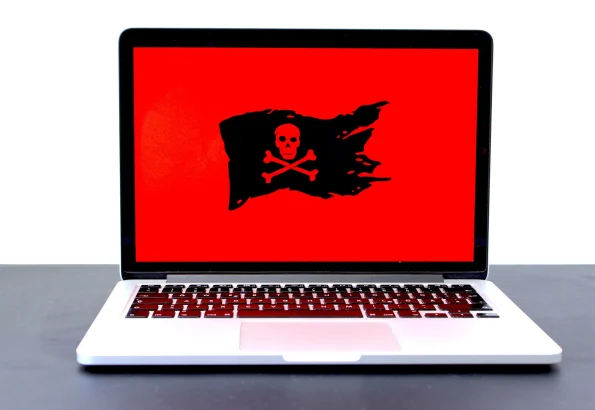
Cybercrime has accelerated over the past few years. Attackers are better organized, regulations keep changing, and companies have had to rethink basic IT priorities. Hackers aim to steal both data and money, target government bodies and massive corporations. However, in recent times, they have moved their focus and are now attacking small businesses and individuals.
Gartner predicted that global spending on the cybersecurity world would reach $170.4 billion by 2022. As 68% of the business leaders realizes that their cybersecurity risks are increasing at a rapid rate, the need to ensure cybersecurity has increased than ever before.
Being a security leader, you know how compelling it can be for most people to remain cyber secure within an office environment where cybersecurity is an integral part of their culture. Sometimes like in the current pandemic situation, people work from home, and it becomes more challenging to ensure that individuals maintain their cybersecurity while they work remotely.
With the following nine cybersecurity tips, we aim to help the employees become more aware of the increasing cyber risks. By following these tips, employees will surely help themselves in reducing the potentials of cyber hacks.
Use of Anti-Virus Protection & Firewall
Anti-virus software for protection has been the prevalent solution against fighting malicious attacks. This software blocks malware along with other malicious viruses from penetrating your device and compromising your valuable data. Use the best antivirus software from most trusted developers and run only one AV tool on your device at a time.
Secondly, using a firewall is also vital while protecting your data against malicious attacks. A firewall helps screen out the hackers, viruses, and other attacks that happen over the internet and decides what traffic is allowed to enter your device. Because of advancements, Mac OS X and Windows come with their default firewalls installed. Your router must also have a firewall built-in to avoid attacks on your network.
Avoid Using Public Wi-Fi
We all know the extent to which public Wi-Fi can be dangerous. It is essential while you’re working for your office. Let’s suppose you have a meeting in about 30 minutes and you decide to have a coffee at a nearby café. You enjoy a cup of coffee while working on your laptop that is connected to a free network. Avoid doing so because hackers are present everywhere, and they are always looking for ways to get access to your information. If you use a public network, your company’s sensitive data may become leaked. Thus, don’t use a public Wi-Fi network without a VPN. Using a trusted VPN, the traffic among your VPN server and device is strongly encrypted. It also means that it is difficult for an attacker to get access to your data. Also, explore how to use a VPN.
Implement Multi- Authentication
Multi-factor authentication is an authentication method that adds an extra layer of security to the standard password method of online identification. Without this authentication method, you can generally enter your username and password. However, in this way, you will be asked to open an additional authentication method like a personal identification code, another pin code, or even fingerprint scanning.
Secure Your Sensitive Personal Identifiable Information
We’ll know that personally identifiable information is any information that can be compromised by a cybercriminal to detect and locate an individual. The information includes address, employment details, name, DOB, phone number, IP address, location details, social security number, digital identity data, or any other physical data.
In this age of social media, one should be extremely cautious regarding the information you include online. It is suggested that you only show as much minimum information about yourself on social media. Do consider reviewing your privacy settings all across your social media accounts, especially Facebook, adding your address, date of birth, or any other PII related information that increases the risk of a security breach that must be avoided. Hackers use such information for their purpose.
Regular Backups
Backing up data regularly is a mostly overlooked step in ensuring online security. However, this step is imperative for an employee because, in case of a hack, at least you can have your valuable data safe. Suppose you’ve become a victim of malware or ransomware, the only way to get your data back is to restore with a recently performed backup. Backup your information either on any physical location or the cloud. Remember that malicious threats and hackers don’t always aim to steal your data; sometimes, their prime goal is to encrypt or to delete it.
Beware of Social Engineering
When hackers don’t find any security vulnerability, they look for some other way to trouble you. One such famous technique is social engineering. Cyber crooks adopt different social engineering techniques like phishing so; they can get your sensitive information. It works more on corporate organizations. Such attacks are attacking more on users’ minds rather than their device; they get access to their information and systems. When the data is publicly available over social media, attackers develop exciting ways to lure users. Fortunately, education and awareness have worked, and people are now aware of the techniques to detect such attacks.
Install Anti-Malware Software
In today’s age, it is quite easy to assume that your employees are well aware of phishing emails, and they won’t make any mistake in detecting them. However, stats and facts contradict this point. The Verizon Data Breach Investigation Report found that 30% of the employees do open phishing emails seven times more from 2015. As phishing attacks include installing malware on the employees’ system when the link is clicked, it is crucial to have anti-malware software installed on all devices and networks.
Use Patch Management in Your Cybersecurity
Patch management is a structured process for handling software and upgrading system patches with the latest code pieces. These patches fix threats and vulnerabilities that might otherwise open your system up to hackers. Do you guys remember the Equifax data breach that compromises nearly 143 million records? It was possible because hackers can detect vulnerability in the open-source server framework. Although a counter patch was available, it wasn’t applied in time. Thus, to prevent any such vulnerabilities from getting exploited, make sure to use patching regularly.
Employees Education
It should be essential that all the employees within an organization accessing the network must be trained regarding the best security policies and practices. As the strategies are always evolving, which makes cybercriminals savvier, it is imperative to have regular updates on the latest protocols. To hold employees responsible, every staff member must sign a document that states that they have been informed about the policies and understand that action might be taken if security policies are not followed appropriately.
Final Thoughts
In this technologically advanced world, cybercriminals are getting advanced by each passing day, and every time comes up with a new sophisticated technique to target the victims. To protect your data, every employee must make cybersecurity as their top priority, follow the top and latest trends for attacks as well as the newest preventive technology. The cybersecurity practices mentioned above go a long way to support you in safeguarding your data. It is a sensible thing for businesses and employees to follow these tips. It is because the cost of losing valuable data is much higher than the value of practicing safety measures.


Share Your Thoughts