• Skip to primary navigation
  • Skip to main content
  • Skip to primary sidebar
  • Skip to footer
TechEngage

TechEngage®

Technology Reviews, Guides & Analysis

  • Cryptocurrency
  • Science
    • Energy
    • Environment
    • Health
    • Space
  • Apps
  • More
    • Opinion
    • Noteworthy
    • Culture
    • Events
    • Deals
    • Startups
      • Startup Submissions
  • Videos
  • Tools
TechEngage » Apps

Latest WhatsApp beta update on Android is deleting media content

Avatar for Rizwan Anwar Rizwan Anwar March 8, 2019

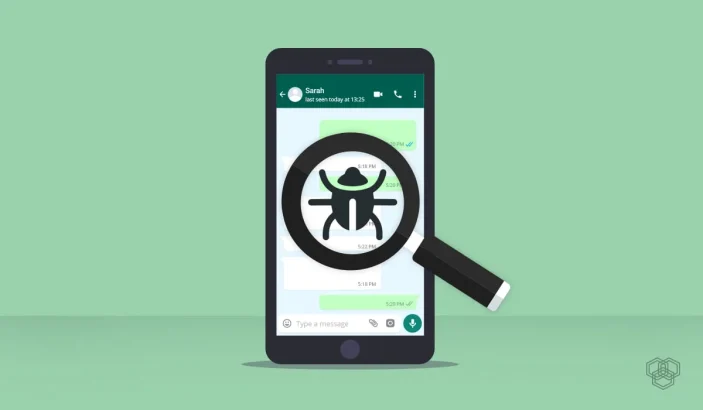
A featured image for WhatsApp Beta bug story showing a phone with a bug
Design by Bisma ilyas | TechEngage
FacebookTweetPinLinkedInPrintEmail

There is currently a serious bug on the Android version of WhatsApp. If you are a beta tester in the Play Store, we highly recommend avoiding updating your WhatsApp. I can confirm that the bug has affected my phone and I have lost all media from chats – that’s months worth of media for some conversations.

A follow-up update restored my media to some extent, but for some lengthy conversations, my earliest media only goes back to October of 2018, even though I have sent that contact a plethora of images, videos, and more since then.

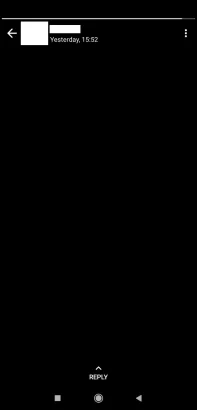
In addition, I am unable to view any status prior to the update. They all show as blank or black screens.
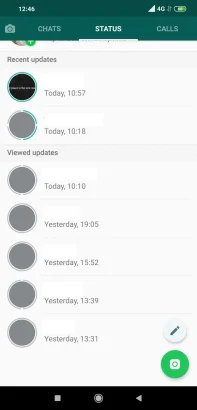
Whatsapp 1 Scaled Jpg |
Whatsapp 2 Scaled Jpg |

Again, if you are currently in the Beta Update program for WhatsApp on Android, we HIGHLY recommend against updating to it on your phone until this is fixed. If you can opt out of the Beta channel too, it would be the best course of action for the moment as well.

For many of my chats, I have lost months worth of media files including videos, pictures, GIFs, and PDF files.

This is what conversations look like after the update:
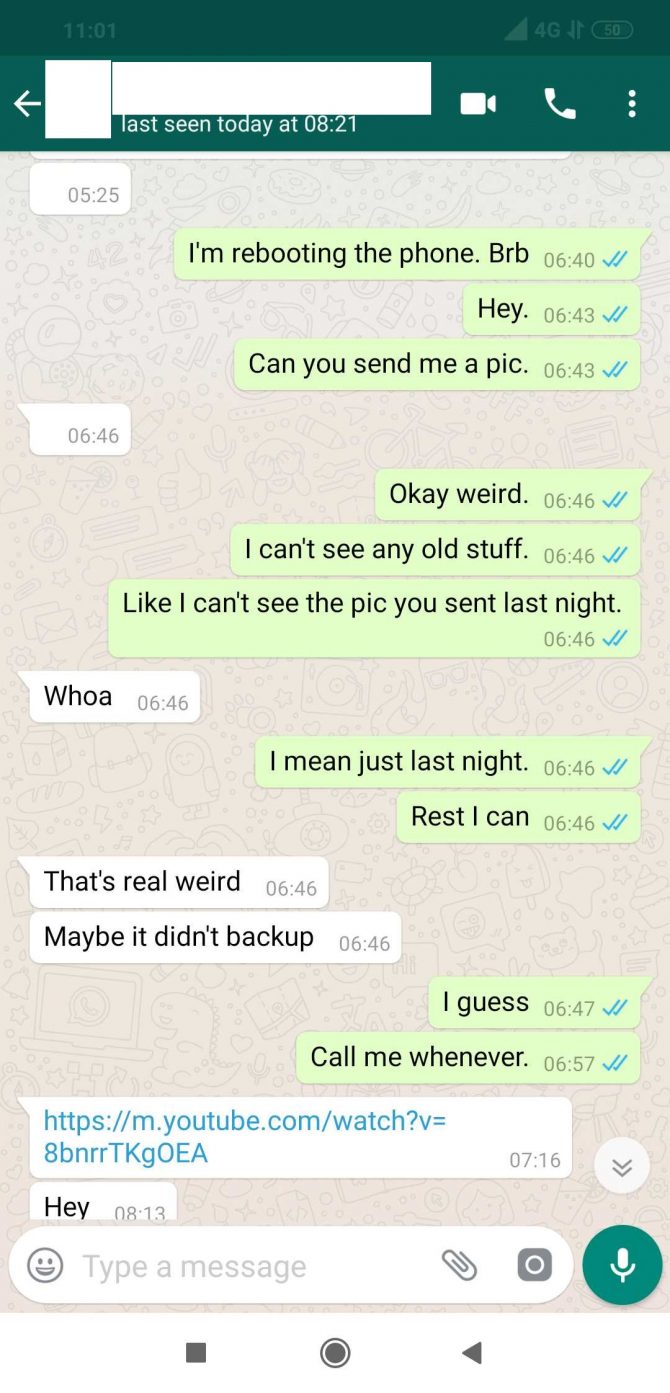
A Screenshot Of Whatsapp Chat Showing Deleted Media After The Beta Update
Screenshots: TechEngage

The blank spaces at 5:25 and 6:46 were images sent to me by a friend. My reply at 6:46 “I can’t see any old stuff” referred to me not being able to see any photos at all. Even after a phone reboot.

The last version of WhatsApp Beta that is available on APK Mirror is for 2.19.65. I believe that versions 2.19.66 and 2.19.67 are the culprits. Version 66 erased my 5:25 message and didn’t let me see any media with the same contact. I was still able to see the image at 6:46 while on 66. The follow-up update (which is 67) deleted the 6:46 image, but allowed me to see October 2018 with the same contact.

There has been one report so far on Reddit (r/Android) to corroborate the update causing this issue.

While this is only for people who are on the Beta program of WhatsApp on the Google Play Store, we still advise caution when updating.

If you have been affected by the bug, let us know in the comments section whether you’re on iOS or Android and if you are part of the Beta program.

We don’t know whether or not WhatsApp is aware of the issue. We have reached out to them for comment and will update the post if we hear back from them.

While it is understandable that bugs are expected when in the Beta channel of an app, this is quite the serious bug which WhatsApp has potentially released to millions of Android devices in the Beta program. We hope that WhatsApp releases an update to fix this promptly.

Filed Under: Apps Tagged With: Android, Bugs, news, WhatsApp, WhatsAppBeta

Related Stories

  • The Synesthesia Mask

    The Synesthesia Mask

  • 5 Amazing Technologies That You Must Know About

    5 Amazing Technologies That You Must Know About

  • A Preview Of The Iphone 7

    A Preview of The iPhone 7

FacebookTweetPinLinkedInPrintEmail
Avatar for Rizwan Anwar

Rizwan Anwar

Mobile & Gaming Reviewer

Rizwan Anwar is a Mobile and Gaming Reviewer at TechEngage, specializing in smartphone reviews, app roundups, operating system updates, browser comparisons, and gaming coverage. With over 70 published articles, Rizwan delivers hands-on assessments that help readers choose the right device or app for their needs.

Joined February 2019

Reader Interactions

Join the Discussion
  1. Avatar for MonyMony says

    March 8, 2019

    Same issue faced

    Reply

Share Your Thoughts Cancel reply

Please read our comment policy before submitting your comment. Your email address will not be used or published anywhere. You will only receive comment notifications if you opt to subscribe below.

Primary Sidebar

TechEngage-Apple-News TechEngage-Google-News

Recent Stories

  • The Complete History of the Internet: From ARPANET to AI (Visual Timeline)
  • The 10 Best-Selling Cars of All Time [Infographic]
  • Best Gaming Graphics Cards (GPUs): 8 Picks From Budget to Enthusiast
  • Best Long-Range Outdoor WiFi Extenders: 8 Tested Picks for Reliable Coverage
  • Best AM Radios for Long-Distance Reception: 10 Tested Picks

Footer

Discover

  • About TechEngage
  • Newsroom
  • Our Team
  • Advertise
  • Send us a tip
  • Startup Submission Questionnaire
  • Brand Kit
  • Contact us

Legal pages

  • Reviews Guarantee & Methodology
  • Community Guidelines
  • Corrections Policy and Practice
  • Cookies Policy
  • Our Ethics
  • Disclaimer
  • GDPR Compliance
  • Privacy Policy
  • Terms and Conditions

Must reads

  • Best AirPods alternatives on Amazon
  • Best PC monitors for gaming on Amazon
  • Best family board games
  • Best video doorbells without subscription
  • Best handheld video game consoles
  • Best all-season tires for snow
  • Best mobile Wi-Fi hotspots
  • Best treadmills on Amazon

Download our apps

TechEngage app coming soon on App Store

© 2026 TechEngage®. All Rights Reserved. TechEngage® is a project of TechAbout LLC.

TechEngage® is a registered trademark in the United States under Trademark Number 6823709 and in the United Kingdom under Trademark Number UK00003417167. It is also ISSN protected under ISSN 2690-3776 and has OCLC Number 1139335774.