

Chrome holds roughly 66% of the global browser market. Nearly 4 billion people use it daily, which makes questioning its dominance feel almost pointless. But two things changed in 2025 that gave millions of users a genuine reason to look elsewhere.
First, Google completed the Manifest V3 transition and killed support for MV2 extensions. That means the original uBlock Origin, the most effective ad blocker ever built, no longer works in Chrome. The replacement, uBlock Origin Lite, catches about 90 to 95 percent of what the original did, but the gap matters. First-party ads, procedural cosmetic filters, and anti-adblock scripts now slip through more often.
Second, AI-powered browsers arrived. OpenAI launched Atlas, The Browser Company killed Arc and replaced it with Dia, and Perplexity released Comet. The browser is no longer just a window to the web. It is becoming an interface for AI agents that can act on pages, summarize content, and automate tasks.
Whether your motivation is privacy, performance, full ad blocking, or AI integration, the alternatives have never been stronger. Here are the browsers worth switching to, organized by what actually matters to different types of users.
In this guide
Quick Comparison Table
| Browser | Engine | Best For | Privacy | MV2 Ad Blockers | Platforms |
|---|---|---|---|---|---|
| Firefox | Gecko | All-around alternative | Strong | Yes (full support) | Win, Mac, Linux, Android, iOS |
| Brave | Chromium | Privacy + speed | Excellent | No (built-in blocker instead) | Win, Mac, Linux, Android, iOS |
| Microsoft Edge | Chromium | Low RAM, Windows users | Moderate | No | Win, Mac, Linux, Android, iOS |
| Vivaldi | Chromium | Customization | Good | No | Win, Mac, Linux, Android, iOS |
| Zen Browser | Gecko (Firefox) | Modern Firefox experience | Excellent | Yes (full support) | Win, Mac, Linux |
| Safari | WebKit | Apple ecosystem | Good | N/A | Mac, iOS |
| Opera | Chromium | Free VPN, lightweight | Moderate | No | Win, Mac, Linux, Android, iOS |
| Tor Browser | Gecko (Firefox) | Anonymity | Maximum | Yes | Win, Mac, Linux, Android |
| LibreWolf | Gecko (Firefox) | Hardened privacy | Excellent | Yes (full support) | Win, Mac, Linux |
| Mullvad Browser | Gecko (Firefox) | Anti-fingerprinting | Excellent | Yes | Win, Mac, Linux |
| Orion | WebKit | Mac privacy users | Excellent | Chrome + Firefox extensions | Mac, Linux (alpha) |
| Floorp | Gecko (Firefox) | Customizable Firefox fork | Good | Yes (full support) | Win, Mac, Linux |
Best All-Around Alternative: Firefox
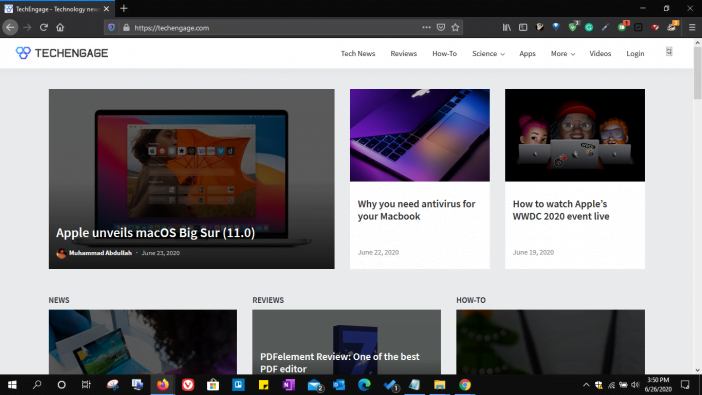
Firefox is the only mainstream browser running on an independent engine. While Brave, Edge, Opera, and Vivaldi all use Google’s Chromium under the hood, Firefox uses Mozilla’s Gecko engine. That distinction matters more now than at any point in the past decade, specifically because of the Manifest V3 situation.
Because Firefox is not Chromium-based, it still supports MV2 extensions in full. The original uBlock Origin works perfectly here, with no compromises on filter lists, procedural cosmetic rules, or anti-adblock workarounds. For anyone whose primary reason for leaving Chrome is ad blocking effectiveness, Firefox is the most direct solution.
Enhanced Tracking Protection blocks third-party cookies, cryptominers, fingerprinting scripts, and social media trackers by default. Mozilla is a nonprofit, which means Firefox is not built around an advertising revenue model. The browser scores about 8% slower than Chrome on Speedometer 3.0 benchmarks (34.8 vs 37.7 on an M3 MacBook Pro), but in daily use the difference is imperceptible for most people.
Firefox holds around 42% of Linux desktop browser usage, making it the default choice on that platform. Cross-device sync works across Windows, Mac, Linux, Android, and iOS. The extension library is smaller than Chrome’s Web Store but covers all essential categories.
Platforms: Windows, macOS, Linux, Android, iOS
Best for Privacy and Speed: Brave
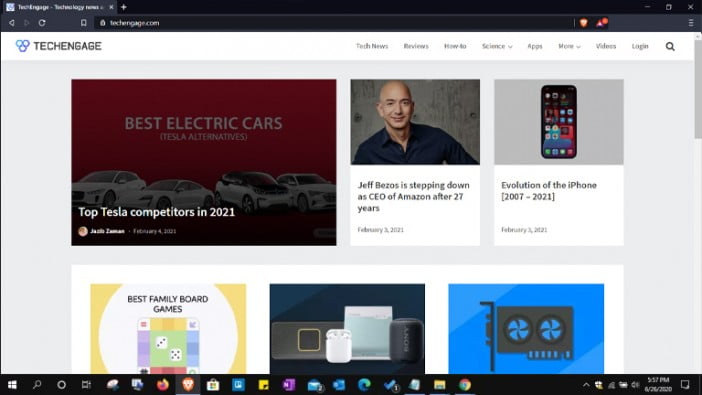
Brave takes the Chromium engine, strips out Google’s tracking infrastructure, and adds aggressive privacy protections directly into the browser’s core code. Shields blocks ads, trackers, cookies, and fingerprinting scripts natively in C++ and Rust rather than through a JavaScript extension. This approach is faster than extension-based ad blocking because the requests get killed before they reach the rendering engine.
On Speedometer 3.0 benchmarks, Brave scores 37.6, virtually tied with Chrome’s 37.7. The privacy features add negligible overhead because they operate at a lower level than Chrome’s extension API. Brave also randomizes fingerprint data, which prevents sites from identifying your browser through canvas, WebGL, and audio context fingerprinting, a technique that works even when cookies are blocked.
The browser includes a built-in Tor mode for anonymous browsing without needing the separate Tor Browser. BAT (Basic Attention Token) rewards let you earn cryptocurrency by viewing optional privacy-respecting ads, though most users ignore this feature entirely.
Brave had a controversy in 2020 when it was caught inserting affiliate codes into cryptocurrency URLs. The company acknowledged the issue and removed the behavior. Since then, independent audits have not flagged similar practices, but it is worth knowing the history.
Because Brave is Chromium-based, it supports the full Chrome Web Store. The trade-off is that MV2 extensions including the original uBlock Origin no longer work here either. Brave compensates with its built-in Shields, which handle ad blocking without relying on the extension API at all.
Platforms: Windows, macOS, Linux, Android, iOS
Best for Windows Users: Microsoft Edge
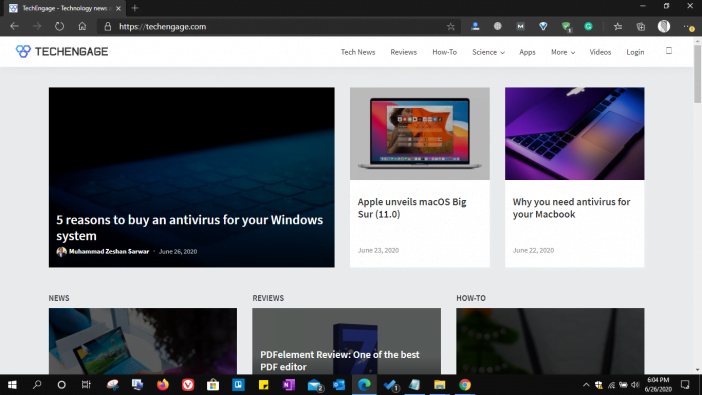
Microsoft rebuilt Edge on Chromium in 2020 and has been aggressively adding features since. The browser now includes Copilot AI integration, Sleeping Tabs that automatically suspend inactive tabs to save memory, vertical tab layout, built-in screenshot tools, Collections for research organization, and a reading mode that strips pages to clean text.
Memory management is where Edge genuinely outperforms Chrome. Sleeping Tabs reduce RAM usage to roughly 790 MB with 10 open tabs compared to Chrome’s typical 3.5 GB under similar conditions. For users running older machines or systems with 8 GB of RAM, this difference changes the experience from choppy to smooth.
Copilot integration provides an AI sidebar that can summarize pages, answer questions about content, and generate text. It works well for research-heavy tasks but cannot be disabled entirely, which annoys users who want a browser without AI features bolted on.
Edge syncs seamlessly with Microsoft 365 and Windows, making it the natural choice for users already in the Microsoft ecosystem. Privacy is moderate. Edge collects telemetry data and includes features like Shopping Assist that track browsing behavior for deal recommendations. Users who prioritize privacy should look elsewhere.
Platforms: Windows, macOS, Linux, Android, iOS
Most Customizable Browser: Vivaldi
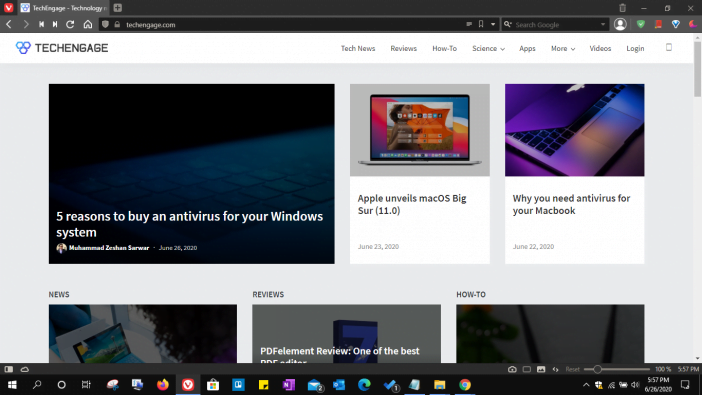
Vivaldi is built for people who think Chrome and Firefox do not have enough settings. Created by the co-founder of the original Opera browser, Vivaldi is Chromium-based but packs more customization options than any competitor. Tab stacking, tab tiling (view multiple pages side by side), web panels, built-in mail client, calendar, RSS reader, and a notes system are all baked into the browser without extensions.
The adaptive interface changes the browser’s color theme to match the dominant color of the website you are viewing. Every keyboard shortcut is remappable, mouse gestures are fully configurable, and Quick Commands provide a command palette similar to VS Code. The learning curve is steep, but power users who invest the time end up with a browser molded precisely to their workflow.
Privacy protection is solid. Vivaldi blocks third-party trackers and does not collect or sell user data. The company generates revenue from default search engine partnerships, not advertising. Because it is Chromium-based, it supports the full Chrome Web Store but cannot run MV2 extensions.
The built-in tools eliminate the need for several standalone apps. A mail client that handles multiple accounts, a calendar with task management, and an RSS reader mean that Vivaldi can serve as a lightweight productivity suite rather than just a browser.
Platforms: Windows, macOS, Linux, Android, iOS
Best New Browser: Zen Browser
Zen Browser started as a side project by a single developer and has quickly gained attention for doing something rare: making Firefox feel modern. Built on the Gecko engine, Zen adds vertical tabs, split-view browsing, workspaces for organizing tab groups, and glance previews that let you peek at a link without fully opening it.
The privacy posture is excellent. Zero data collection by default, and all of Mozilla’s built-in telemetry can be disabled. Because it uses Gecko, Zen supports the original uBlock Origin and all MV2 extensions without compromise. For users who want the privacy and extension benefits of Firefox but prefer a more visually polished interface with vertical tabs, Zen fills that gap perfectly.
There are real limitations. Zen scores 31.6 on Speedometer 3.0, about 16% slower than Chrome. It cannot play DRM-protected content from services like Netflix or Spotify because the Widevine license costs $5,000, which is beyond the budget of a solo developer project. The browser is technically still in beta, though users report it is surprisingly stable for daily use.
Zen is open source and free. If DRM content is not a dealbreaker and you want a Firefox-based browser that feels like it was designed in 2026, this is the one to watch.
Platforms: Windows, macOS, Linux
Best for Apple Users: Safari
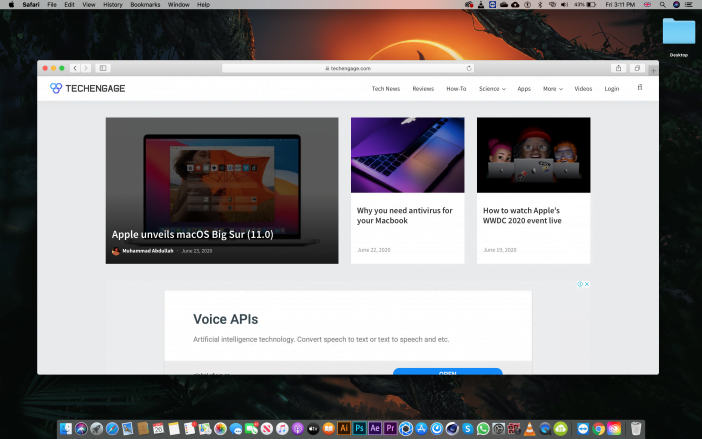
Safari scores 37.6 on Speedometer 3.0, tied with Brave and practically matching Chrome. But the real advantage is energy efficiency. On a MacBook, Safari consistently delivers one to two hours more battery life than any Chromium-based browser because Apple optimizes the WebKit engine specifically for its own hardware.
Intelligent Tracking Prevention uses machine learning to identify and block cross-site trackers. Safari strips referrer data, blocks third-party cookies entirely, and prevents fingerprinting techniques. The privacy report shows exactly how many trackers were blocked across your browsing sessions.
Integration with the Apple ecosystem is seamless. Handoff lets you continue browsing from iPhone to Mac mid-page. iCloud Keychain syncs passwords and passkeys across devices. Apple Pay works natively in Safari. Tab Groups sync across all Apple devices automatically.
The main weakness is extension support. Safari’s extension library is far smaller than Chrome’s Web Store or Firefox’s add-ons. Web compatibility occasionally breaks on sites optimized exclusively for Chromium. And Safari is unavailable on Windows or Linux, which makes it a non-option for anyone outside the Apple ecosystem.
Platforms: macOS, iOS, iPadOS
Best Built-in VPN: Opera

Opera remains the only major browser shipping a free, built-in VPN that requires no account, no subscription, and no third-party installation. Toggle it on in settings and your browsing traffic routes through Opera’s proxy servers. It does not cover traffic outside the browser and technically functions as a proxy rather than a full VPN tunnel, but for basic privacy on public WiFi or bypassing simple geo-restrictions, it works without any extra cost.
The browser uses about 899 MB of RAM with 10 open tabs, making it lighter than Chrome and Edge. Built-in messenger integrations bring WhatsApp, Telegram, Facebook Messenger, and Instagram DMs into the sidebar. Flow lets you send files and links between your phone and desktop browser without email or cloud storage. The Aria AI assistant summarizes pages and answers questions directly in the sidebar.
Opera’s ownership deserves mention. A Chinese consortium acquired the company in 2016, which concerns privacy-focused users given China’s data access laws. Opera’s privacy policy states that data processing occurs in multiple jurisdictions. For casual browsing and light privacy needs, this may not matter. For users whose threat model includes state-level surveillance, Brave or Firefox are better picks.
Platforms: Windows, macOS, Linux, Android, iOS
Best for Anonymity: Tor Browser
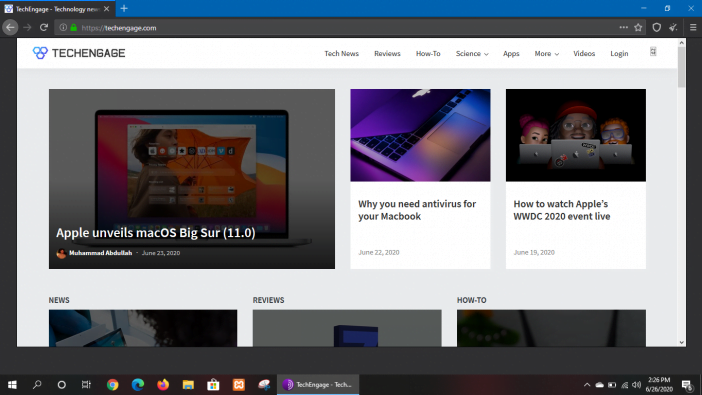
Tor Browser is not competing with Chrome on speed or convenience. It exists for one purpose: making your internet activity untraceable. Traffic passes through three randomly selected relays operated by volunteers worldwide, with each relay stripping one layer of encryption. The exit relay connects to the destination site, but neither the site nor any single relay knows both who you are and what you accessed.
This level of anonymity comes at a cost. Browsing feels noticeably slower because traffic bounces through multiple countries before reaching its destination. Many websites block Tor exit nodes entirely. Streaming services, banking sites, and some e-commerce platforms either refuse connections or serve constant CAPTCHA challenges. JavaScript is disabled by default for security, which breaks functionality on many modern websites.
Tor is the right tool for journalists communicating with sources in hostile regimes, whistleblowers transmitting documents, and anyone whose personal safety depends on untraceable browsing. For everyday use like checking email and watching videos, it is the wrong browser. The trade-off between anonymity and usability is extreme and intentional.
Platforms: Windows, macOS, Linux, Android
Best Hardened Privacy: LibreWolf
LibreWolf takes Firefox and strips out every piece of telemetry, data collection, and Mozilla-specific service that exists in the standard build. No crash reporting, no studies, no Pocket integration, no sponsored content on the new tab page. The result is Firefox as a pure browsing tool with privacy defaults cranked to their strictest settings out of the box.
uBlock Origin comes pre-installed. Tracking protection is set to strict mode. First-party isolation is enabled, which prevents cookies from one site being readable by another. The browser deletes all cookies and site data on close by default. WebGL is disabled to prevent fingerprinting through graphics rendering, which breaks some visually intensive websites but eliminates a common tracking vector.
The downside is maintenance. LibreWolf updates lag behind Firefox by days to weeks because a small volunteer team must review and repackage each Firefox release. Security patches sometimes arrive later than they would through standard Firefox auto-updates. Users comfortable with this trade-off get the most privacy-hardened Firefox variant available.
Platforms: Windows, macOS, Linux
Best Anti-Fingerprinting: Mullvad Browser
Mullvad Browser was developed in collaboration between the Mullvad VPN company and the Tor Project. The goal is specific: make every user’s browser look identical to websites, eliminating fingerprinting as a tracking method. Screen resolution, fonts, language settings, and other fingerprint-able attributes are standardized across all Mullvad Browser users so that individual identification becomes effectively impossible.
Unlike Tor, Mullvad Browser does not route traffic through onion relays. Browsing speed is normal. Pairing it with the Mullvad VPN subscription hides your IP address, but the browser works without the VPN too. Private browsing mode is the default, meaning no history, cookies, or site data persists between sessions.
This browser targets a specific threat model: users who want strong anti-fingerprinting without the speed penalty of Tor and without the maintenance overhead of manually hardening Firefox or LibreWolf. If that describes your use case, nothing else does it better.
Platforms: Windows, macOS, Linux
Best Mac Privacy Browser: Orion by Kagi
Orion is a WebKit-based browser from Kagi, the company behind the paid search engine of the same name. It launched version 1.0 for Mac in November 2025 with a sharp privacy stance: zero telemetry, zero ads, zero data collection of any kind. No tracking pixels, no analytics, no crash reports sent anywhere.
What makes Orion unusual is extension compatibility. Despite running on WebKit (the same engine as Safari), Orion supports both Chrome Web Store extensions and Firefox add-ons. This gives Mac users Safari-level speed and battery efficiency with Chrome-level extension availability, a combination no other browser offers.
A Linux alpha version launched in January 2026 for Orion+ subscribers. No Windows version exists yet. The browser is still maturing, and some extensions have compatibility quirks. For Mac users who want Safari performance without Apple’s data collection or Safari’s limited extension library, Orion fills a gap that previously had no good solution.
Platforms: macOS (stable), Linux (alpha)
Customizable Firefox Fork: Floorp
Floorp is a Japanese open-source project that takes Firefox and adds the visual customization features users have been requesting from Mozilla for years. Vertical tabs, a multi-functional sidebar, workspace organization, and deep custom CSS support give Floorp a level of interface flexibility that standard Firefox lacks.
The March 2026 release (v12.11.0) added Chrome extension support, making Floorp one of the few Firefox-based browsers that can run extensions from both ecosystems. Like all Gecko-based browsers, it retains full MV2 support, so the original uBlock Origin works perfectly here.
Floorp is free and open source. The development roadmap includes an AI integration layer and a custom Floorp OS, though these features are still in planning stages. For users who want Firefox’s privacy and extension support with Vivaldi-level customization, Floorp bridges the gap.
Platforms: Windows, macOS, Linux
Privacy-Focused Chromium Alternative: Epic Browser
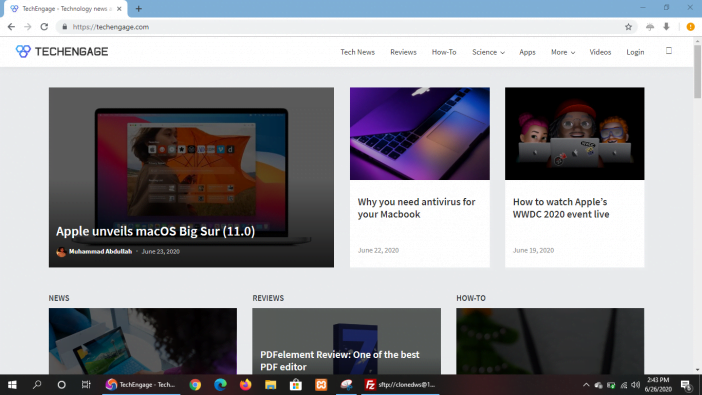
Epic Browser takes Chromium and removes all Google tracking services, then adds an encrypted proxy and always-on private browsing. Every session starts clean with no history, cookies, or cached data carried over. The built-in encrypted proxy hides your IP address and routes DNS requests through an encrypted tunnel.
Tracker blocking, cookie management, ad network blocking, and cryptominer protection work without installing any extensions. The browser deletes all browsing data on close automatically, including data stored by plugins and extensions.
The trade-off is a stripped-down experience. Epic intentionally removes features like spell-check and autofill that could leak data. Extension support is limited to a curated list rather than the full Chrome Web Store. For users who want a Chromium browser that prioritizes privacy over convenience, Epic occupies a specific niche between mainstream Chromium browsers and Tor.
Platforms: Windows, macOS, Android, iOS
AI Browsers: The New Category
A new category of browsers emerged in 2025 that redefines what a browser does. Rather than just rendering web pages, these browsers integrate AI agents that can interact with page content, automate tasks, and replace traditional search entirely.
ChatGPT Atlas (OpenAI)
Released in October 2025 for macOS, Atlas embeds ChatGPT directly into a Chromium-based browser. The AI sidebar answers questions, summarizes pages, and operates in an agent mode that can perform multi-step tasks across websites. A January 2026 update added tab groups and an Auto mode that switches between ChatGPT and traditional Google search depending on the query type. Windows, iOS, and Android versions are coming but not yet available.
Dia (The Browser Company)
Dia replaced Arc, which was discontinued in May 2025 after Atlassian acquired The Browser Company for $610 million. Dia is an AI-first browser with memory and agents, borrowing Arc’s best interface ideas (sidebar navigation, Spaces for context switching) while adding AI capabilities that can remember your preferences and automate repetitive browsing tasks. Public Mac launch happened in October 2025 with Windows signups opening in March 2026. The Pro tier costs $20 per month.
Comet (Perplexity)
Perplexity’s browser replaces Google search entirely with its AI answer engine and can act on web pages by filling forms, summarizing content, and initiating actions. Comet hit number three on the App Store at launch but crashed in March 2026 after security researchers found critical flaws. The concept is ambitious, but the execution is not mature enough for daily use yet.
How to Switch From Chrome Without Losing Anything
Every browser on this list can import Chrome bookmarks, saved passwords, browsing history, and extensions (if the target browser supports them). The process takes under five minutes in all cases.
In Firefox, go to the menu, select Bookmarks, then Manage Bookmarks, and use Import and Backup to pull everything from Chrome. Brave and Edge detect Chrome automatically on first launch and offer a one-click import. Vivaldi provides an import wizard that maps Chrome tab stacks and saved sessions into its own workspace system.
For password managers, export your Chrome passwords as a CSV file from chrome://settings/passwords before switching. Import that file into Firefox, Brave, or your standalone password manager. Delete the CSV file immediately after import because it contains all your passwords in plain text.
Extensions require manual reinstallation on Chromium-based alternatives, though the same Chrome Web Store works. For Firefox and Gecko-based browsers, check the Firefox Add-ons site for equivalent extensions, as most popular Chrome extensions have Firefox counterparts.
Which Browser Should You Pick
The right browser depends entirely on what drove you away from Chrome in the first place.
If ad blocking after Manifest V3 is the issue, switch to Firefox, Zen, LibreWolf, or Floorp. These are the only browsers that still support the original uBlock Origin with full filter list capabilities.
If privacy is the priority, Brave offers the best balance of protection and usability. For maximum privacy, LibreWolf or Mullvad Browser. For anonymity where personal safety is at stake, Tor.
If RAM and performance matter because you are running older hardware, Edge with Sleeping Tabs or Opera provide the most efficient resource management on Chromium.
If you are a Mac user who wants battery life and ecosystem integration, Safari is the default answer. Orion is the alternative for Mac users who want Safari speed with better privacy and broader extension support.
If customization matters more than anything else, Vivaldi on the Chromium side or Floorp on the Gecko side give you more control over the interface than any other options.
If you want to try something genuinely new, Zen Browser and the AI browsers (Atlas, Dia) represent where the category is heading next.
Frequently Asked Questions
What is the best Chrome alternative for privacy?
Brave offers the strongest combination of privacy and everyday usability. It blocks ads and trackers natively, randomizes fingerprint data, and includes a built-in Tor mode. For even stronger privacy at the cost of convenience, LibreWolf and Mullvad Browser provide hardened defaults with zero telemetry.
Why did uBlock Origin stop working in Chrome?
Google completed the Manifest V3 transition in 2025, which replaced the webRequest API that uBlock Origin relied on. The replacement API, Declarative Net Request, limits ad blockers to about 90-95% effectiveness compared to the original. Firefox-based browsers still support the full MV2 extension system and can run the original uBlock Origin without restrictions.
Is Arc browser still available?
Arc was discontinued in May 2025 when The Browser Company pivoted to its AI-first replacement called Dia. Atlassian acquired The Browser Company for $610 million in September 2025. Arc still technically functions but receives no new features or updates. Users should migrate to Dia or another alternative.
What is the fastest browser in 2026?
Chrome, Brave, and Safari are virtually tied on Speedometer 3.0 benchmarks, scoring around 37.6 to 37.7 on an M3 MacBook Pro. Firefox scores about 8% lower at 34.8. In real-world use, the speed differences between modern browsers are negligible for most people.
Which browser uses the least RAM?
Microsoft Edge with Sleeping Tabs enabled uses approximately 790 MB with 10 open tabs, compared to Chrome’s typical 3.5 GB under similar conditions. Opera is the next most efficient at around 899 MB. Safari uses the least memory on Mac hardware but is unavailable on Windows and Linux.
How do I switch from Chrome without losing my bookmarks and passwords?
Every major browser can import Chrome bookmarks, passwords, and history during setup. Export your Chrome passwords as a CSV from chrome://settings/passwords before switching. Chromium-based browsers like Brave and Edge import with one click. Firefox has a dedicated import tool under Bookmarks then Manage Bookmarks. Delete the exported CSV immediately after importing since it contains passwords in plain text.





Hi. Does any browser have the sync feature of Chrome? I wanna sign in with my gmail and have the bookmarks/history/etc on all devices that has logged in with that gmail
Firefox, Opera certainly have that
Hi there, yes, opera has a sync feature. you can choose to use that. just know, opera is known for not being safe, because of the owners history and past. i wouldnt recommend using it. most browsers should have a sync option but if they dont, you can always download your data and transfer it to a new device.
Two questions from a very non-techie person:
1. As an attorney, I hate Google’s lack of privacy but love how easily I can locate information (which is because they illegally copied everything ever published). Which alternative browser is the best at locating information?
2. If I give up using Google as a browser, can I still access my gmail over the internet? Do I have to give up g-mail email addresses?
Many thanks,
Denise
Google search is not necessarily tied to the browser, you can use any browser for searches.
and no, you do not have to give up your email address, but expect to be hassled to install chrome every-time you search google from a different browser.
Either way, using google search will continue to allow them to copy everything published.
Bing.com is a joke.
Goduckgo.com is nice, but never get as many results as google
Go duck go? Or did you mean, duckduckgo ?
Probably worth noting that the Brave browser was found hijacking links and inserting affiliate links multiple times in 2020.
Have you got any links or references to support this claim?
Maybe read the article…?
It would be helpful to know what browsers were tested. I’m sure it wasn’t all of them so is this a ranking of the 8 non-Chrome browsers that were tried or were there others tested that failed to warrant inclusion?
If I’m wondering about Maxthon, Pale Moon, Seamonkey, etc. there’s nothing I can derive from this otherwise. Are they not listed because they didn’t measure up or because they
were overlooked entirely.