• Skip to primary navigation
  • Skip to main content
  • Skip to primary sidebar

TechEngage®

Connecting mankind with technology

  • News
  • Reviews
  • Cryptocurrency
  • How-to
  • Roundups
  • Science
    • Energy
    • Environment
    • Health
    • Space
  • Apps
  • More
    • Opinion
    • Noteworthy
    • Culture
    • Events
    • Deals
    • Startups
      • Startup Submissions
  • Videos
  • Tools

How to send disappearing messages in WhatsApp

Muhammad Abdullah Muhammad Abdullah Follow Muhammad Abdullah on Twitter Updated: May 3, 2022

Send disappearing messages in WhatsApp
Design by Muntaha Hussain / TechEngage
FacebookTweetPinLinkedInPrintEmail

Not so long ago, Snapchat had this unique feature of sending a message that disappears from the chat after viewing once. The app also featured stories that remained available for just 24 hours and disappeared after that. These features are no longer unique to Snapchat; the competition has copied them by now, especially the rival Meta group of apps, including Facebook, WhatsApp, and Instagram.

Also read: How to read deleted WhatsApp messages

The disappearing messages are now a proper feature that can be enabled from within WhatsApp. You can also send disappearing photos and videos in WhatsApp, but this one applies to messages in general. After a period of 7 days, the messages will automatically vanish.

This feature isn’t necessarily helpful if you want to remove the message right after the recipient reads or views it since the media or text message will remain for 7 days. For this, WhatsApp also has View Once feature, which only allows you to send photos and videos that can vanish right after opening once by the recipient. You can read a detailed guide to send disappearing photos and videos on WhatsApp here.

Open WhatsApp chat and click the person’s profile.

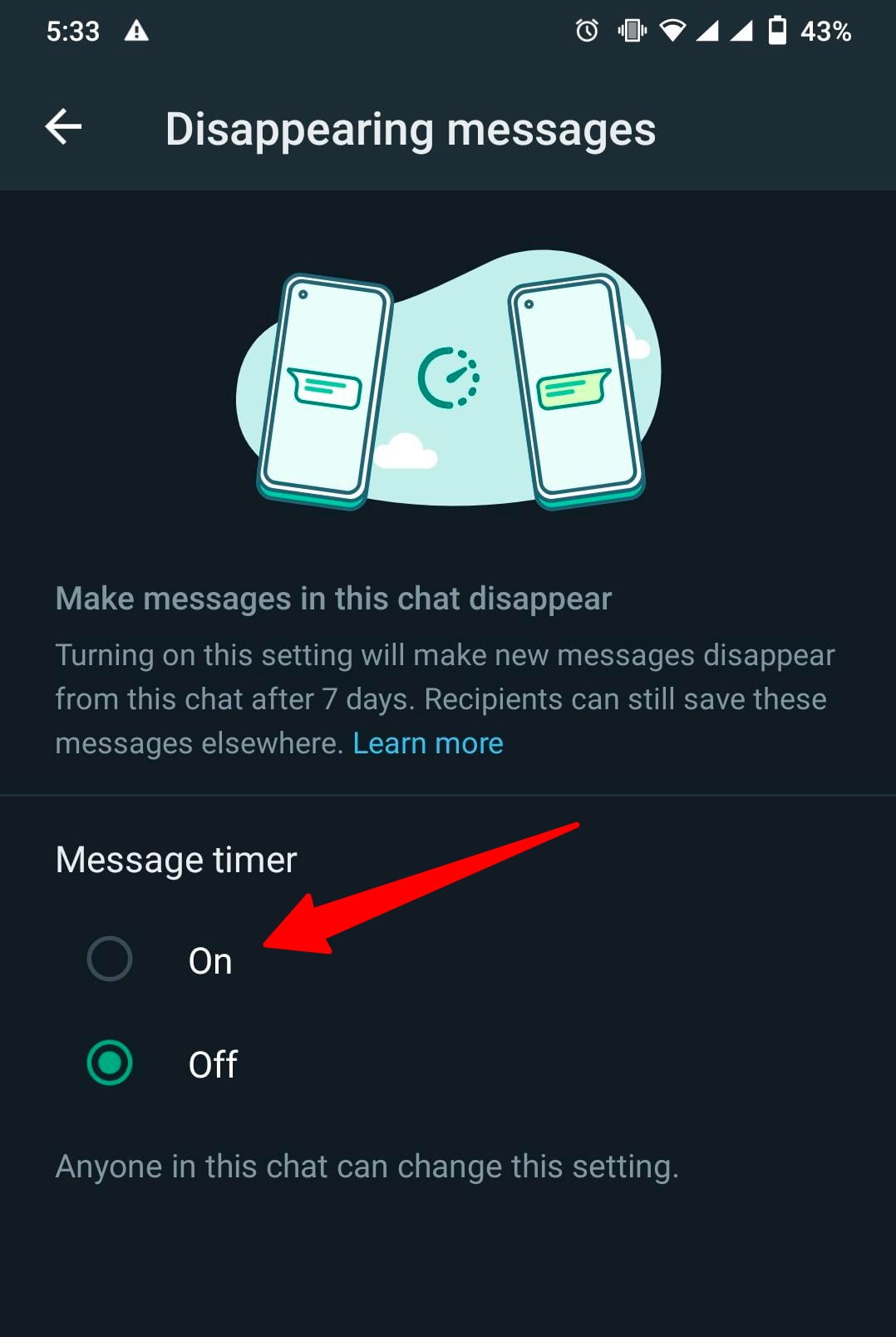
Scroll down and find the option to turn on the Disappearing messages

A pop-up will appear. Click continue
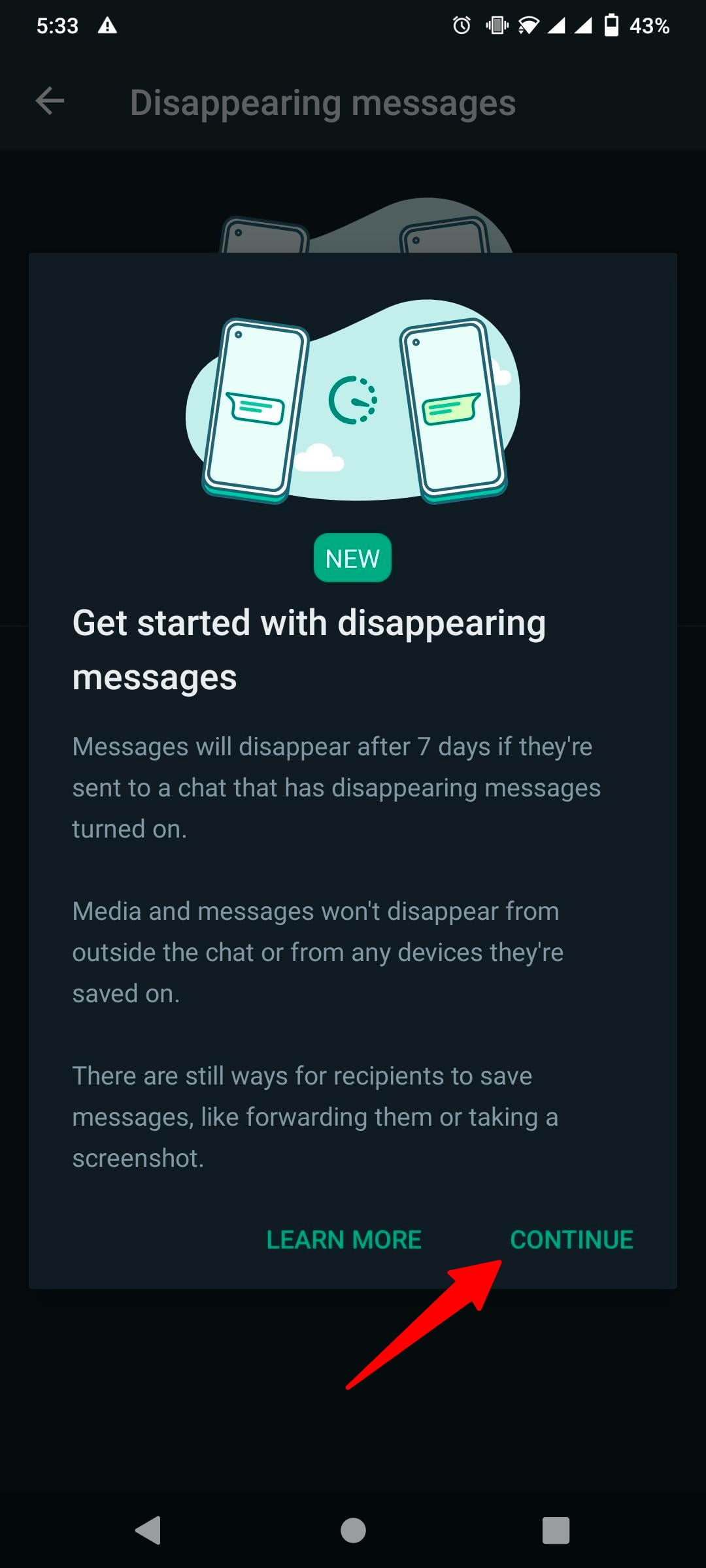
disappearing messages pop up

Turn on Disappearing messages.

turn on disappearing messages

After enabling, you will see a notice within chat like this:

disappearing messages notice within chat

Remember, the photos, videos, text messages will only vanish after a week of sending them. After enabling the feature, the recipient will also receive a pop-up message saying that the sender has enabled this feature and that after seven days, media files, including messages, will be removed. You will also see disappearing messages icon on the profile picture and a message within the chat.


disappearing messages profile icon
This post was originally published on November 2, 2021 and was updated on May 3, 2022.

Filed Under: Apps Tagged With: WhatsApp, WhatsAppGuide

Related Stories

  • How to activate two-factor authentication on your account

    How to activate two-factor authentication on your account

  • How to lock Netflix profiles in 2025

    How to lock Netflix profiles in 2025

  • Important ingredients used to create a successful mobile app

    Important ingredients used to create a successful mobile app

FacebookTweetPinLinkedInPrintEmail

About Muhammad Abdullah

Abdullah is a computer scientist turned tech writer and certified Growth Hacker.

Reader Interactions

Share Your Thoughts Cancel reply

Please read our comment policy before submitting your comment. Your email address will not be used or published anywhere. You will only receive comment notifications if you opt to subscribe below.

Primary Sidebar

Become a contributor

We are accepting contributor applications. All applications will be decided in 3 days after applying. To learn more visit the contributors page.
TextSheet Alternative

6 Top Alternatives to Textsheet for 2025

Muhammad Zeshan Sarwar October 5, 2024

battery draining apps

Top 10 battery draining apps to avoid 2025

Muhammad Abdullah October 5, 2024

Recent Stories

  • 6 Top Alternatives to Textsheet for 2025
  • Top 10 battery draining apps to avoid 2025
  • The Benefits of Having a Small Air Compressor for Flat Tires
  • 4 Best Free VPNs for 2025
  • 9 Best Calendar Apps in 2025

Discover

  • About us
  • Newsroom
  • Staff
  • Advertise
  • Send us a tip
  • Startup Submission Questionnaire
  • Brand Kit
  • Contact us

© 2025 TechEngage®. All Rights Reserved. TechEngage® is a project of TechAbout LLC.

TechEngage® is a registered trademark in the United States under Trademark Number 6823709 and in the United Kingdom under Trademark Number UK00003417167. It is also ISSN protected under ISSN 2690-3776 and has OCLC Number 1139335774.

  • Terms & Conditions
  • Privacy Policy