

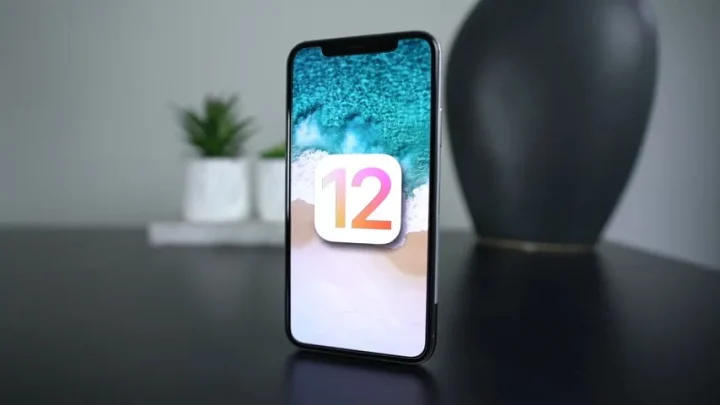
iOS 12 was announced at WWDC in June 2018 and shipped that September, and it is still one of the most fondly remembered releases Apple has ever made — the update that made old iPhones feel new instead of slower. It also turned out to be the end of the road for a specific set of devices, which is why people still search for it years later.
This guide covers what’s actually in iOS 12, which iPhones and iPads are permanently stuck on it, what still works on those devices in 2026, and what to do if you’re holding one.
Which devices are still running iOS 12?
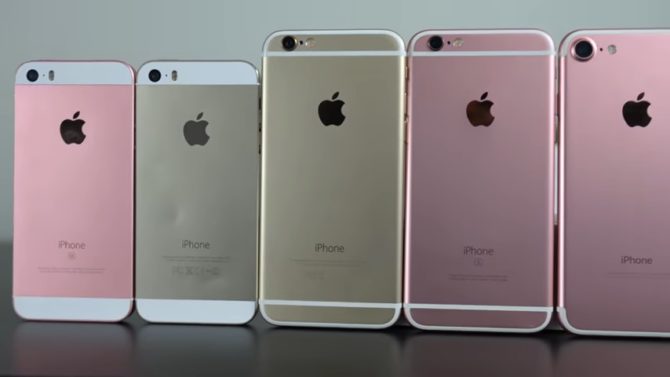
iOS 12 ran on everything from the iPhone 5s upward — the same device list as iOS 11. But when iOS 13 arrived in 2019, Apple drew the line above the A7 and A8 chips. These seven devices could never move past iOS 12 and remain on it today:
- iPhone 5s (2013)
- iPhone 6 and iPhone 6 Plus (2014)
- iPad Air (1st generation)
- iPad mini 2 and iPad mini 3
- iPod touch (6th generation)
If you own anything newer — an iPhone 6s or later, an iPad Air 2 or later — iOS 12 is long behind you and you should be running the newest version your device offers. Check under Settings → General → Software Update.
Remarkably, Apple hasn’t fully abandoned the stuck devices. iOS 12.5.8 shipped in late January 2026 — more than seven years after the original release — to extend a certificate that iMessage, FaceTime and device activation depend on, so those features keep working past January 2027. Before that, the last update was iOS 12.5.7 in January 2023, which patched a WebKit flaw that was already being exploited in the wild.
The best iOS 12 features, and why they mattered
1. Speed on old hardware — the headline feature
iOS 11 had a reputation for bogging down older iPhones. Apple’s answer in iOS 12 was to skip the flashy redesign and spend a full cycle on performance, ramping the CPU up faster under load and shedding overhead across the system.
Apple’s own figures, measured on an iPhone 6 Plus against iOS 11.4, claimed apps launching up to 40% faster, the keyboard appearing up to 50% faster, and the camera opening from the Lock screen up to 70% faster — with apps launching up to twice as fast when the system was already busy. Anyone who lived through it will tell you the improvement was real, and it’s the single biggest reason iOS 12 is remembered so warmly.
2. Screen Time
Apple’s digital wellbeing answer to Android, and one of the few iOS 12 additions that still runs largely unchanged on modern iPhones. Screen Time reports how long you spend in each app and category, how often you pick the phone up, and lets you set daily App Limits, schedule Downtime, and lock the whole thing behind a passcode for a child’s device. Find it in Settings → Screen Time.
3. Siri Shortcuts
The feature that grew into today’s Shortcuts app. iOS 12 let you attach a spoken phrase to an action or a chain of actions — “Heading home” could message someone your ETA, pull up the route and start a playlist; “I lost my keys” could ring a Bluetooth tracker. Apps could donate their own shortcuts to Siri, and the Shortcuts app added a gallery of prebuilt automations for people who didn’t want to build their own.
4. Grouped notifications and Instant Tuning
Notifications finally stacked by app and by thread instead of forming an endless column on the Lock screen. Better still, iOS 12 let you deal with a noisy app from the notification itself: swipe, tap Manage, and send that app’s alerts to Deliver Quietly (Notification Centre only, no banner or sound) or switch them off entirely, without hunting through Settings.
5. Do Not Disturb during Bedtime
A small change with an outsized effect: overnight, the Lock screen dims and hides everything that arrived while you slept, so a 3am glance at the clock doesn’t drag you into your inbox. Notifications are waiting in the morning when you tap to release them.
6. Password AutoFill and SMS code AutoFill
One of the most quietly useful features of the release. iOS 12 could fill saved passwords into third-party apps as well as Safari, suggest strong unique passwords at sign-up, flag reused passwords in Settings, share credentials nearby via AirDrop — and, best of all, autofill two-factor codes straight from an incoming SMS as a QuickType suggestion, killing the copy-paste dance that made 2FA annoying.
7. Memoji, Animoji and camera effects
Memoji let you build a cartoon likeness of yourself that mirrored your expressions, with new Animoji characters alongside it, plus filters, stickers and text effects available live in Messages and FaceTime. The face-tracking pieces required the TrueDepth camera, so they were limited to iPhone X-class hardware — not the older devices iOS 12 was busy rescuing.
8. Group FaceTime
Announced with iOS 12 but held back to the 12.1 release, Group FaceTime supported up to 32 participants, with the tile of whoever was speaking growing automatically. On the oldest supported devices it worked as audio-only.
9. ARKit 2 and the Measure app
ARKit 2 brought shared multiplayer AR sessions, persistent experiences that stayed anchored to a real place, face tracking and 3D object detection, along with the USDZ file format for AR content on the web. Apple shipped its own demo of the idea as Measure, a built-in tape measure that sizes up objects through the camera and snaps automatically to the edges of rectangles.
10. A smarter Photos app
Photos gained a For You tab collecting memories, shared albums and effect suggestions; search picked up better indexing and suggestions; and Sharing Suggestions nudged you to send a batch of photos to the people recognised in them — with a prompt on their end to send theirs back.
11. The rest of the tune-up
- CarPlay finally allowed third-party navigation apps such as Google Maps and Waze.
- Stocks, Voice Memos and iBooks were rebuilt, with Stocks and Voice Memos coming to iPad and iBooks renamed Apple Books.
- News got a redesigned browse tab and an iPad sidebar.
- Safari tightened Intelligent Tracking Prevention against social widgets and browser fingerprinting.
- Emergency SOS could share your location with emergency services in supported regions.
Is an iOS 12 device still usable in 2026?
Usable, yes — for the right jobs. Trustworthy for everything, no. Be clear-eyed about three limits:
Security. Apple ships nothing for iOS 12 on a regular cadence. The gap between 12.5.7 in January 2023 and 12.5.8 in January 2026 tells you everything: patches arrive only when something exceptional forces them. Browser flaws discovered since then are simply open, and every browser on iOS uses the same WebKit engine underneath, so switching to Chrome or Firefox changes nothing.
Apps. Developers dropped these devices years ago. WhatsApp raised its minimum to iOS 15.1 in June 2025, which cut off the iPhone 5s, 6 and 6 Plus permanently. The App Store will often still offer you the “last compatible version” of an app you previously owned, but new installs and updates are increasingly out of reach, and banking apps are usually the first to go.
Batteries. These are ten- and twelve-year-old cells. Expect short runtimes and be cautious about leaving them charging unattended overnight.
Good remaining uses: a dedicated music or podcast player, a kitchen or workshop screen, a kid’s first camera, a white-noise machine, an alarm clock, an offline games device, or a spare hotspot-connected backup phone. Bad uses: banking, primary email, password storage, anything you’d hate to have stolen. If you keep using one, set a strong passcode, turn off automatic Wi-Fi joining, avoid public networks, and make sure it isn’t holding the only copy of your photos.
How to install the last iOS 12 update
- Back the device up first — to iCloud, or to a Mac or PC over cable.
- Put it on Wi-Fi with the charger connected.
- Go to Settings → General → Software Update and install whatever it offers; the final build is iOS 12.5.8.
- If the update won’t appear or fails, connect to a Mac (Finder) or a PC (Apple Devices / iTunes) and update from there — that route also works when there isn’t enough free storage on the device itself.
FAQs
What is the last iOS version for the iPhone 5s, 6 and 6 Plus?
iOS 12.5.8, released in late January 2026. The same build is the final version for the first-generation iPad Air, iPad mini 2, iPad mini 3 and the sixth-generation iPod touch.
Can I update an iPhone 6 to iOS 13 or later?
No. iOS 13 requires an iPhone 6s or newer, and there is no supported way around it. Anything promising otherwise is a scam or will brick the device.
Does WhatsApp still work on iOS 12?
No. WhatsApp moved its minimum requirement to iOS 15.1 in June 2025, which permanently excluded every device that tops out at iOS 12. iMessage and FaceTime do still work — that’s precisely what the iOS 12.5.8 certificate update was for.
Is iOS 12 safe to browse the web on?
Treat it as unsafe for anything sensitive. It receives no routine security patches, and every iOS browser shares the same unpatched WebKit engine. Keep the browsing casual and do your banking and shopping on a supported device.
Which iOS 12 features made it into modern iPhones?
Most of the big ones. Screen Time, grouped notifications, Memoji, Group FaceTime, Measure, password and SMS-code AutoFill and third-party CarPlay navigation are all still here — and Siri Shortcuts grew into the Shortcuts app that underpins Apple’s automation features today.
The verdict, years on
iOS 12 is the release Apple spent on plumbing instead of pixels, and it aged better than almost anything that followed: a stability-and-speed update that gave four-year-old phones a second life, plus a genuinely strong feature set in Screen Time, Shortcuts, notification grouping and password autofill. If you’re still holding one of the seven devices that ended here, get it on 12.5.8, give it a job that doesn’t involve your money, and enjoy the fact that Apple was still quietly patching it in 2026.


Share Your Thoughts