

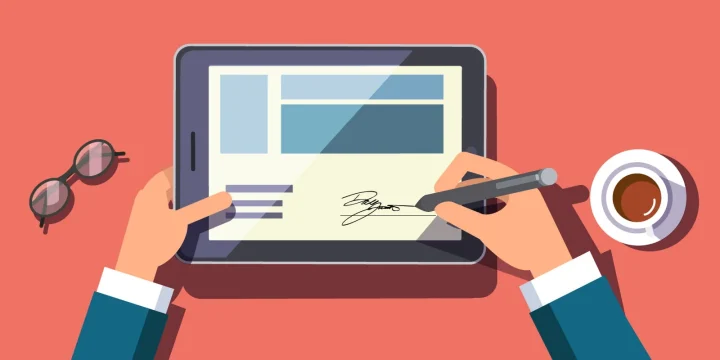
Wet-ink signing is still fine for a one-off form on your desk. It falls apart the moment a contract has to bounce between cities, time zones, or three different people who all travel for work. Print, sign, scan, email, chase, reprint — that loop eats days for no good reason.
Electronic signatures fix the logistics, not the law of contracts. You still need a clear offer, acceptance, and intent. What changes is how fast you can get a durable record, who can prove what happened, and how many people can finish the job without a printer. Tools in this category — DocuSign, Adobe Sign, HelloSign (Dropbox Sign), and plenty of others — all sell variations on the same idea: send a document, collect a signature, keep an audit trail.
Here are the benefits that actually show up in day-to-day work, without the brochure fluff.
Benefits of electronic signatures
Faster turnaround without the courier theater
The biggest win is boring and measurable: cycle time. A traditional packet can sit on a desk, miss a courier pickup, or wait for someone to find a scanner. An e-sign request can land in a phone notification and be done before lunch.
That matters for sales closings, vendor onboarding, HR offer letters, NDAs, and change orders — anything that stalls because two busy people cannot meet in the same room. You are not magically “more productive.” You simply stop paying a latency tax every time a signature is required.
Multi-party envelopes amplify the gap. If four signers have to sign in sequence on paper, each handoff adds a day or more. Online, the next person gets the document the second the previous one finishes.
Lower cost than paper, postage, and reprint loops
Paper looks cheap until you count the whole path: printing, toner, envelopes, overnight shipping, reprinting after a typo, and the staff time spent chasing missing pages. Those line items rarely show up as “signature cost,” but they are.
Most e-signature plans charge per envelope or per seat. For teams that send a steady volume of agreements, that fixed software cost usually undercuts shipping and reprint waste — especially when documents are long or go international. For tiny one-off use, free or low-tier plans exist; the point is you stop buying logistics for ink.
The quieter saving is opportunity cost. A contract that closes same-day instead of next week can matter more than the price of stamps.
Security that paper cannot match: audit trails
A wet signature on a scanned PDF is easy to copy and hard to contextualize. You often cannot prove when it was signed, from where, or whether the PDF was altered afterward.
Serious e-signature platforms keep an audit trail: timestamps, signer email or phone, IP address, authentication steps, and a certificate of completion. Many also apply tamper-evident sealing so a changed page is obvious. That does not make fraud impossible, but it raises the bar well above “paste a PNG of a signature onto page three.”
Access control is part of the same story. You can revoke a pending request, limit who can download the final PDF, and keep signed records in a searchable archive instead of a filing cabinet nobody updates.
Legal recognition (high level, not legal advice)
This is not legal advice, and requirements vary by document type and jurisdiction. At a high level, though, major markets already treat electronic signatures as real signatures for most commercial deals.
In the United States, the federal ESIGN Act (2000) and state UETA statutes (adopted widely; New York has its own ESRA framework) generally say a signature or contract cannot be denied legal effect solely because it is electronic. Parties still need intent to sign, consent to do business electronically where required, a clear association between the signature and the record, and a way to retain the record.
In the European Union, eIDAS sets tiers: basic electronic signatures, advanced electronic signatures, and qualified electronic signatures (QES). A QES gets special treatment as equivalent to a handwritten signature across member states; simpler forms are still recognized but may carry different evidentiary weight. Other countries have their own statutes, often following the same non-discrimination idea.
Some documents still prefer or require wet ink or special formalities — wills, certain family-law instruments, and some real-estate or court filings are common examples depending on local rules. If the stakes are high, ask counsel what signature level your use case needs. The platform brand alone is not a substitute for that check.
Remote and async workflows that survive travel
Distributed teams and hybrid offices made this benefit obvious. Signers can finish on a laptop or phone from an airport lounge. Approvers can review on a tablet between meetings. Nobody has to “swing by the office to sign.”
Routing rules help too: send to legal first, then finance, then the counterparty; or collect countersignatures in parallel when order does not matter. Templates and reusable fields cut the busywork of rebuilding the same NDA fifty times a quarter.
Integrations with CRM, HRIS, or storage (Drive, Dropbox, SharePoint) keep signed PDFs where operations already look for them. The signature stops being a side quest and becomes a step in the same pipeline as the deal or hire.
Built-in reminders beat polite follow-up emails
Unsigned documents usually die of neglect, not disagreement. Automated reminders nudge the holdout without you writing “just checking in” for the third time. Expiration dates force a clean close when a quote should not live forever.
Status dashboards show who opened the envelope, who signed, and who is blocking the rest. That visibility is worth more than speed for managers running many agreements at once.
Accessibility and easier signing for more people
A decent signing experience works on mobile, supports screen readers better than a faxed form, and lets people enlarge text instead of squinting at a dense PDF printout. For customers or employees with limited mobility, signing on a device they already use is often simpler than traveling to wet-ink a page.
Language and localization options in many tools also help cross-border deals: the signer gets clear instructions in a familiar UI while the underlying document stays controlled by the sender.
Less paper waste as a side effect, not a slogan
Skipping print-and-scan runs reduces paper, toner, and courier miles. Call it an environmental bonus if you like — it is real — but treat it as a side effect of a better workflow, not the main reason to switch. The primary case remains speed, cost, and a cleaner record.
Where e-signatures still are not a free pass
Electronic signing does not fix a bad contract. It does not replace identity checks when you need them. Clicking “I agree” on a vague checkbox is weaker evidence than a platform that authenticates the signer and seals the file. And if your industry or local court still demands a wet-ink original, plan for that exception instead of pretending the software overrides statute.
Used well, though, e-signatures remove the dumbest friction from getting work done: waiting on ink. That is the benefit most teams notice first, and the one that compounds every week you keep sending agreements the old way.
FAQs
Are electronic signatures legally valid?
In many jurisdictions, yes for most commercial transactions — but this is not legal advice. In the U.S., ESIGN and UETA (plus New York’s ESRA) generally prevent denying a signature legal effect solely because it is electronic. In the EU, eIDAS recognizes electronic signatures, with qualified electronic signatures (QES) getting the strongest equivalence to handwritten signatures. Some document types still need wet ink or special formalities; check local rules for high-stakes cases.
How do e-signatures save time compared with wet ink?
They remove print, courier, scan, and multi-desk handoffs. A request can reach a signer’s email or phone immediately, and multi-party envelopes can advance to the next person as soon as the previous one finishes — instead of waiting days between physical passes.
What makes an electronic signature more secure than a scanned wet signature?
Reputable platforms attach an audit trail (timestamps, signer identity signals, IP, authentication steps) and often tamper-evident sealing. A PNG pasted onto a PDF usually has none of that context, so disputes are harder to resolve.
Do remote and hybrid teams benefit more from e-signatures?
Usually yes. People can sign from different cities and time zones without meeting in person, and routing rules plus CRM/HR integrations keep the signed PDF in the same systems the team already uses.
Are there cases where you should still use a wet-ink signature?
Yes. Wills, certain family-law documents, and some real-estate or court filings may still require wet ink or specific formalities depending on jurisdiction. When unsure, confirm with counsel before relying on an electronic process.


Countries around the world have been introducing legislation relating to electronic signatures at an ever-increasing rate. The United States passed The Electronic Signatures in Global and National Commerce Act and the European Union established eIDAS (electronic IDentification, Authentication, and trust Services).
The information you’ve shared in this blog is purely remarkable. Thanks for sharing with us.
Thank you Paula