• Skip to primary navigation
  • Skip to main content
  • Skip to primary sidebar
  • Skip to footer
TechEngage

TechEngage®

Hands-on reviews, research-backed buying guides and technology news.

  • News
    • Internet & Social
    • Gadgets
    • Car Tech
    • Business
    • Science & Health
  • Reviews
  • Buying Guides
  • How-to
  • AI
  • Computing
    • Apps
    • Security
    • Gaming
  • More
    • Tools
    • Puzzles
    • Mobile
  • Launchpad
  • Sign in
TechEngage » Mobile

Tips on Protecting your Phone from Damage

Avatar for Fatima Bhutta Fatima Bhutta Connect with Fatima Bhutta on LinkedIn Published: Oct 18, 2018 · 4:57 AM ET Updated: Feb 8, 2021 · 10:49 AM ET

Protecting Phone
Shares6FacebookTweetPinLinkedInPrint
Do you drop your phone frequently and end up cracking the screen? Welcome to the club!
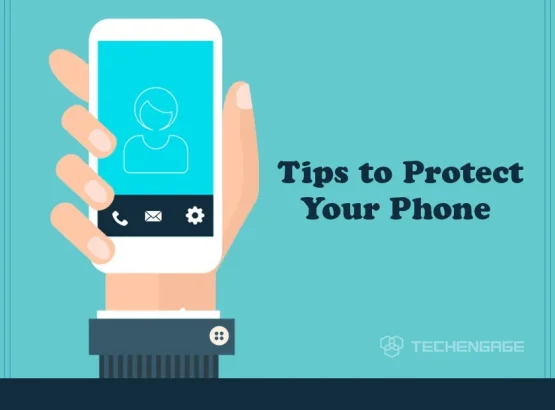
Here are a handful of tips to protect your phone from damage:

Use a screen protector

The most important part of your phone is the screen; once the phone drops, the screen shatters, and the phone won’t function. The best solution to this problem is to use a screen protector. A protector that is made out of thin tempered glass. This helps to prevent it from breaking, keeping it safe.

Use a good quality case

If the corner of your phone has got a scratch or a small crack, then it is time that you buy a phone case. The case has to be protective and of good quality. This will maximize the protection of your device and keep it shielded. This will also enhance the appearance of your phone.

Self-protect

When putting your phone in the pocket, it must be away from metal and other pointy things. Things with sharp edges may cause a scratch ruining your phone. If you wear skinny or tight jeans, try to avoid putting your phone in the back pocket as this may bend it. To prevent this from happening, you should always put your phone in either a separate or front pocket.

Please keep it away from water

When your phone is in contact with water, it becomes wet and dysfunctional. This happens during rain, at the beach, and in wet hands, and the pool. Ensure that your phone does not get in contact with water unless your phone is waterproof. There are times when your phone screen is exposed to foggy weather, and this ruins the phone. The best solution is not to expose your phone screen to mist.

Hold it firmly

The biggest issue is why your phone gets damaged occasionally because of how you hold your phone. This is the main reason your phone drops that often. So, to solve this problem, hold your phone tightly. Never grip your phone loosely as it is very delicate.

Please do not leave it unattended

There are certain times when phones are neglected, and we do not keep them secure.  So, ensure you never leave your phone in a place where it could easily get lost. Also, make sure you never leave your phone in the reach of children or pets.

Carry your phone with care

The most important tip here is always to carry your phone or any other device with care. These phones are fragile and easy to destruct. Sometimes hands or pockets are not always reliable to put them into. If phone cases are not available, then buy pouches or belt clips designed for your phone. So, make sure you carefully carry your phone.

Avoid extreme conditions

If your phone is exposed to hot and cold temperatures, it easily gets damaged. This damages the battery and hurts the device’s internal components, which results in data loss and reduced battery life. You do not want this to happen, right? So the best solution is not to expose the phone in extreme conditions and never leave it unattended. I hope you find these tips helpful and take good care of your smartphone!

Related reading

  • How to make your phone feel like stock Android (without root)
  • Ways to Transfer Photos from iPhone to External Hard Drive
  • How to control your android phone directly from your PC
Something incorrect? Report an error in this article. Include a source if you have one; your name and email are optional.

Filed Under: Mobile Tagged With: How-To

Related Stories

  • 9 Best Designer Cases For Iphone 14 Pro & 14 Pro Max (2026)

    9 Best Designer Cases for iPhone 14 Pro & 14 Pro Max (2026)

    MobileJun 3, 2023

  • How To Turn Off Iphone Crash Detection And What Changes

    How to Turn Off iPhone Crash Detection and What Changes

    MobileJun 1, 2023

  • Iphone 14 Review: Camera, Performance, Battery, And What Still Holds Up

    iPhone 14 Review: Camera, Performance, Battery, and What Still Holds Up

    MobileJun 1, 2023

Stay on top of technology

Get TechEngage reviews, buying guides and news in your feed.

Follow on Google News
Shares6FacebookTweetPinLinkedInPrint
Avatar for Fatima Bhutta

Fatima Bhutta

News & Opinion Writer

Fatima Bhutta is a News and Opinion Writer at TechEngage who covers breaking tech news, business trends, automotive developments, and opinion. She holds a degree in Business and Management from the University of Bolton, which informs the business context she brings to technology stories.

Reader Interactions

Share Your Thoughts Cancel reply

Please read our comment policy before submitting your comment. Your email address will not be used or published anywhere. You will only receive comment notifications if you opt to subscribe below.

Primary Sidebar

Google News

Get TechEngage in your feed

Reviews, news, and buying guides as they publish.

Follow on Google News

Recent Stories

  • Eu Digital Fairness Act Illustration |
    Tech News & AnalysisEU Proposes New Controls for Autoplay and SubscriptionsNov 11, 2026
  • Nordvpn Black Friday 2026 Campaign |
    DealsNordVPN Black Friday 2026 Deal Offers Up to 78% Off and 3 Extra MonthsNov 11, 2026
  • Anthropic Ipo Illustration |
    Tech News & AnalysisAnthropic Starts IPO Roadshow With a Proposed $70 to $78 Share PriceNov 10, 2026
  • Australia Ai Safety Illustration |
    Tech News & AnalysisAustralia Plans AI Safety Regulator and Fast Incident ReportingNov 10, 2026
  • Instagram Teen Accounts Illustration |
    Tech News & AnalysisInstagram Expands AI Age Checks for Teen Accounts WorldwideNov 10, 2026

More in Mobile

  • 136201 D34F78Ed5C3A7E7D |
    iPhone 18 Pro and Pro Max Available Today in 65+ CountriesSep 18, 2026
  • 136191 88Baadf6046749B8 |
    Samsung Starts One UI 9 (Android 17) Rollout on Galaxy S26 SeriesSep 17, 2026
  • TechEngage news graphic: iOS 27 Is Out With Siri AI, with an illustrated laptop and phone showing an AI assistant
    Apple Releases iOS 27 and macOS Golden Gate With Siri AISep 15, 2026
  • Lumia Series Jpg |
    Nokia Lumia History: Key Phones, Microsoft’s Deal and the EndSep 24, 2023
More Mobile stories →

Footer

Discover

  • About TechEngage
  • Company News & Updates
  • Our Team
  • Advertise
  • Send us a tip
  • Submit your company to TechEngage Launchpad Hot
  • TechEngage Brand Kit
  • Contact us
  • Tools & Calculators

Legal pages

  • Editorial Standards
  • Reviews Policy
  • Our Ethics
  • Corrections Policy
  • Affiliate Disclosure
  • Privacy Policy
  • Cookies Policy
  • Terms & Conditions
  • GDPR Compliance
  • Copyright & DMCA

Must reads

  • Best Mechanical Keyboards Under $100
  • Best USB-C Hubs
  • Best Portable SSDs
  • Best Gaming Graphics Cards (GPUs)
  • Best Long-Range Outdoor WiFi Extenders
  • Best Wireless CarPlay Adapters
  • Best Slack Alternatives
  • Best Long-Range Walkie-Talkies

Download our apps

TechEngage app coming soon on the App Store Available onChrome

© 2026 TechEngage®. All Rights Reserved. TechEngage® is a project of TechAbout LLC.

TechEngage® is a registered trademark in the United States under Trademark Number 6823709 and in the United Kingdom under Trademark Number UK00003417167. The publication is identified by ISSN 2690-3776 and OCLC Number 1139335774.

Contact team@techengage.com · WhatsApp +1 307 463 4505

Your analytics choice
Allow Google Analytics to help us understand readership? You can use the site without it and change this choice anytime.

Privacy details