Facebook Messenger has released a long-promised feature – it now lets users unsend messages.
We’ve all felt it – that immediately regret after hitting the “send” button. But now, you can take back some of your bad decisions, at least if you change your mind within 10 minutes.
Whether it was a typo, drunk text, a message written in anger, or simply the innocent mistake of sending something to the wrong recipient, you can now get your message back from individual users as well as groups. But that doesn’t mean they won’t see it (if they’re fast enough), and they’ll still know you were there because you’ll leave behind a notification that your message was deleted. So while you can’t pretend it never happened, you can mitigate some of the damage.
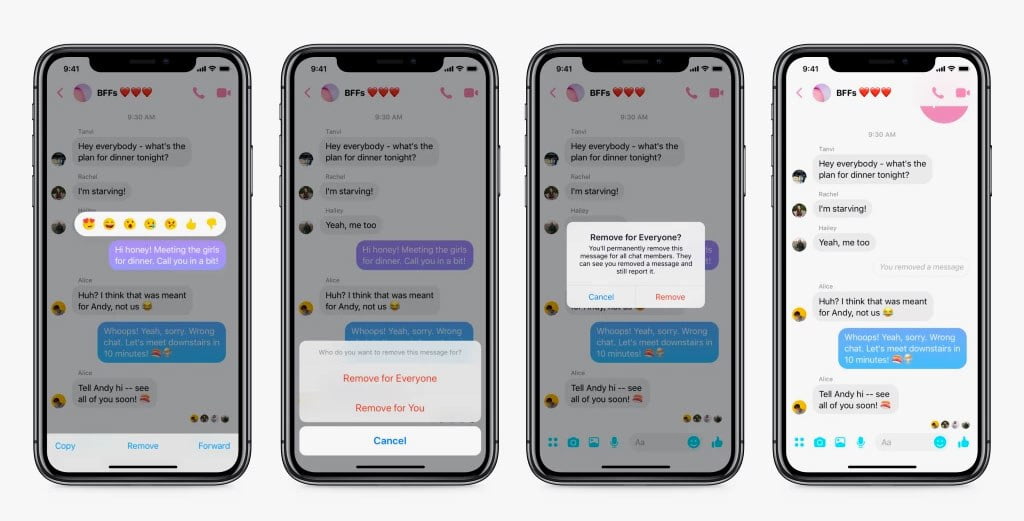
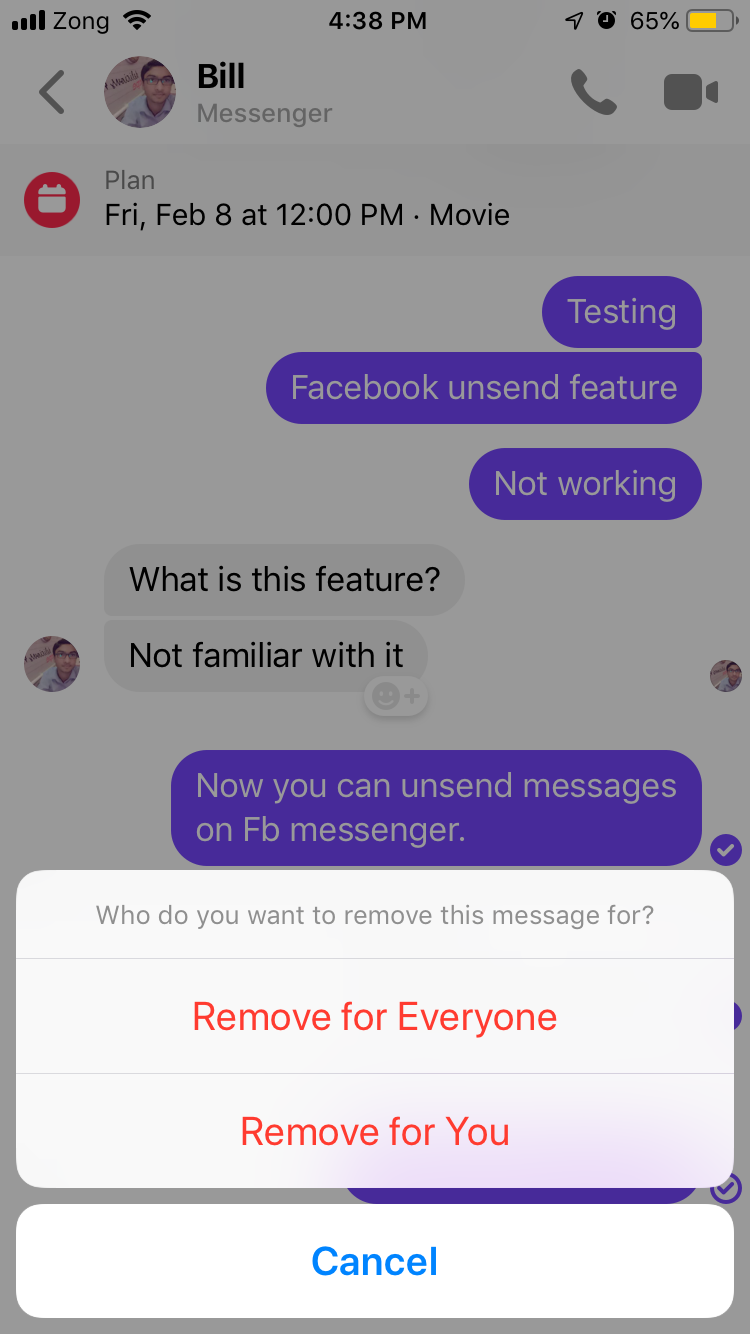
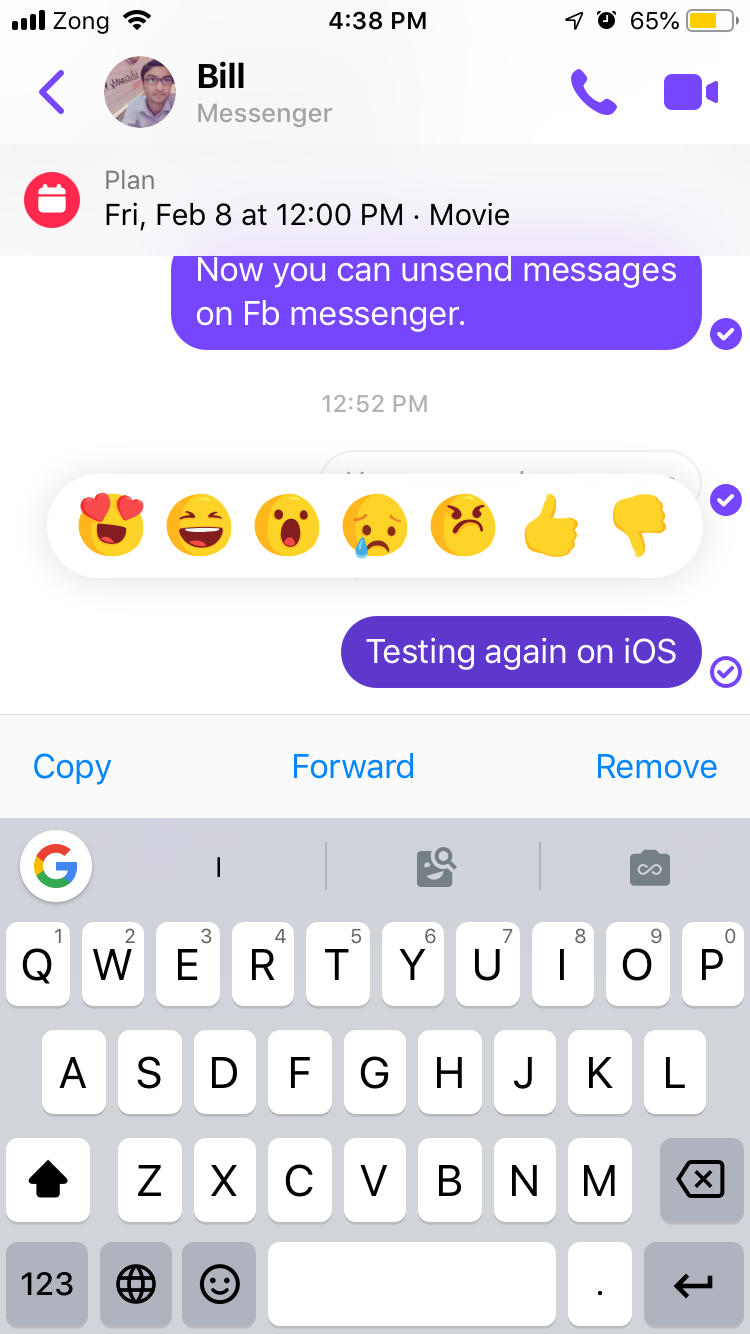
Users who want to take back a message will just need to tap the message in question, then choose “Remove,” and select “Remove for Everyone.” A confirmation cue then pops up to confirm whether or not the user wants to delete the message.
Credit: Facebook
If one is certain that they want to unsend the message then they will tap “Remove” once again. And just like that, the message will vanish into the void. Now you just need to hope it wasn’t screencapped before you deleted it.
If a person wants to simply clean up their message history just to make a chat feel neater, they can select also “Remove for You,” which will delete unneeded messages. This doesn’t affect their visibility for anyone else and this option doesn’t have a time limit.
Credit: abdugeek | TechEngage
Although the option to unsend messages is a pretty simple concept, it took the social media giant 10 months to implement. And it appears that they only implemented the feature once users protested that CEO Mark Zuckerberg could easily unsend any messages he wanted.
After multiple sources claimed that messages they received from Zuckerberg completely vanished from their message feeds, Facebook confirmed his messages had the ability to “expire” after some amount of time, citing increased security concerns after the 2014 Sony Hacks. Facebook then said that they were working on an unsend message feature for everyone and that the platform would limit its CEO’s use of the expiration feature going forward.
This week, Facebook told The Verge that the unsend messages feature would be available starting February 5th on the latest versions of Messenger for mobile. Messenger is available on both iOS and Android devices. They also said the new ability is based on the privileges given to Zuckerberg, but it underwent “some improvements to provide broader functionality to people using Messenger.”
WhatsApp (which is owned by Facebook) already has a “Delete for Me” and “Delete for Everyone” feature, but if a user chooses “Delete for Everyone” it also leaves a trail. This means that a message is still visible noting that “You deleted this message” and the recipient reads “This message was deleted.”
Credit: abdugeek | TechEngageCredit: abdugeek | TechEngage
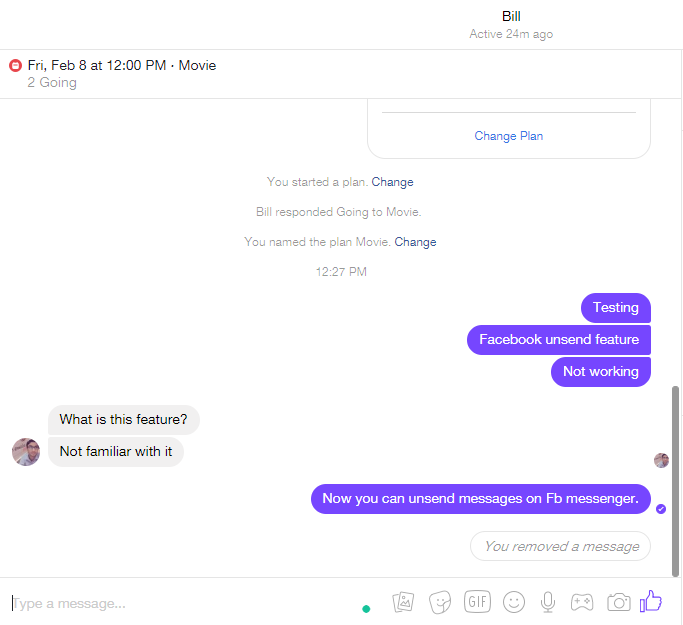
Users will leave a slightly different trail on Messenger. Senders will get a “You removed a message” notice and the recipient(s) will see a note stating “[sender name] removed this message,” so senders may still have some explaining to do. The time the message was removed will also be visible.
Fazeel Ashraf is the Tech and Gaming Editor at TechEngage, covering global tech news, social media, gaming releases, and cybersecurity. An IT graduate of the National University of Sciences and Technology, he has written more than 230 articles across the site's news and features coverage.








Share Your Thoughts