

In this guide
Disclosure: TechEngage is a participant in the Amazon Services LLC Associates Program, an affiliate advertising program designed to provide a means for sites to earn fees by linking to Amazon.com and affiliated sites. We may earn a commission when you buy through links on this page, at no extra cost to you. Our editorial picks are made independently of these partnerships.
Your processor determines how fast your game can think. It handles physics calculations, AI behavior, draw calls to the GPU, and everything happening in the background while you play. Pick the wrong one and you’ll bottleneck an expensive graphics card. Pick the right one and every component in your build performs at its ceiling.
The gaming CPU market shifted dramatically over the past two years. AMD’s 3D V-Cache technology reshaped what’s possible in gaming performance, Intel launched its Arrow Lake architecture on a brand new socket, and DDR5 memory became the default standard. Prices have moved too — some of the strongest gaming chips now cost less than mediocre options. Here is our crafted list.
Quick Comparison: Best Gaming CPUs at a Glance
| CPU | Cores / Threads | Boost Clock | Cache | TDP | Socket | Best For |
|---|---|---|---|---|---|---|
| AMD Ryzen 7 9800X3D | 8 / 16 | 5.2 GHz | 96 MB L3 | 120W | AM5 | Best Overall Gaming |
| AMD Ryzen 9 9950X3D | 16 / 32 | 5.7 GHz | 128 MB L3 | 170W | AM5 | Gaming + Productivity |
| AMD Ryzen 7 9700X | 8 / 16 | 5.5 GHz | 32 MB L3 | 65W | AM5 | Mid-Range Value |
| AMD Ryzen 5 9600X | 6 / 12 | 5.4 GHz | 32 MB L3 | 65W | AM5 | Budget Zen 5 |
| Intel Core Ultra 9 285K | 24 (8P+16E) | 5.7 GHz | 36 MB L3 | 125W | LGA 1851 | Intel Flagship |
| Intel Core Ultra 7 265K | 20 (8P+12E) | 5.4 GHz | 30 MB L3 | 125W | LGA 1851 | Intel Mid-Range |
| Intel Core Ultra 5 245K | 14 (6P+8E) | 5.2 GHz | 24 MB L3 | 125W | LGA 1851 | Budget Intel |
| AMD Ryzen 5 7600X3D | 6 / 12 | 4.7 GHz | 96 MB L3 | 65W | AM5 | Budget 3D V-Cache |
| AMD Ryzen 7 5700X3D | 8 / 16 | 4.1 GHz | 96 MB L3 | 105W | AM4 | Best Legacy Upgrade |
| AMD Ryzen 5 8600G | 6 / 12 | 5.0 GHz | 16 MB L3 | 65W | AM5 | Best APU (No GPU) |
1. AMD Ryzen 7 9800X3D — Best Overall Gaming CPU
| Price & Details | |
|---|---|
| Price | $443.00 |
| Discount | 8% |
| Rating on Amazon | 4.8 out of 5 stars |
| Brand | AMD |
| Check availability on Amazon |
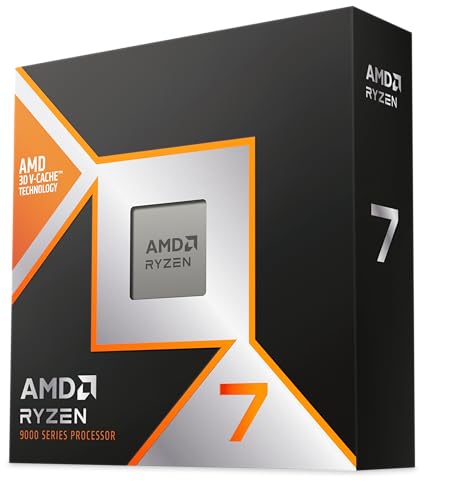
No processor in 2026 matches what the Ryzen 7 9800X3D delivers in pure gaming workloads. Built on AMD’s Zen 5 architecture with second-generation 3D V-Cache technology, this chip packs 96 MB of L3 cache into an 8-core, 16-thread design that crushes frame rates across virtually every title tested.
The secret weapon is that massive cache. Games constantly fetch data from memory, and the 9800X3D’s 96 MB L3 cache keeps far more of that data within arm’s reach of the processor cores. The result? Anywhere from 15 to 37 percent higher gaming FPS compared to non-V-Cache chips at the same clock speed. In CPU-bound titles like Cyberpunk 2077 at 1080p, the 9800X3D pushes past 200 FPS when paired with an RTX 5090.
Second-gen 3D V-Cache places the additional cache beneath the compute die rather than on top of it, solving the thermal constraints that limited clock speeds on first-gen V-Cache parts like the 7800X3D. The 9800X3D boosts up to 5.2 GHz — nearly 700 MHz higher than its predecessor — and runs considerably cooler under load.
At a 120W TDP, this chip doesn’t demand the expensive cooling solutions that 250W Intel flagships require. A quality mid-range tower cooler handles it comfortably. Combined with AM5 socket longevity (AMD committed support through Zen 6 and beyond), the 9800X3D represents the safest investment in gaming performance available today.
Who should buy it: Anyone building a dedicated gaming rig who wants the absolute fastest frames without compromise. Pair it with a high-end GPU and a 1080p or 1440p high-refresh monitor to see the full advantage.
2. AMD Ryzen 9 9950X3D — Best for Gaming and Productivity Combined

| Price & Details | |
|---|---|
| Price | $624.00 |
| Discount | 11% |
| Rating on Amazon | 4.7 out of 5 stars |
| Brand | AMD |
| Check availability on Amazon |
The 9950X3D is what happens when AMD takes its productivity flagship and straps on 128 MB of 3D V-Cache. Sixteen cores, 32 threads, boost clocks reaching 5.7 GHz, and that enormous cache working together make this the first processor that genuinely dominates both gaming and content creation without forcing you to compromise on either.
In gaming benchmarks, the 9950X3D trades blows with the 9800X3D — sometimes winning by a frame or two, sometimes falling behind by the same margin. The real difference shows up when you alt-tab from a game into a 4K video render in DaVinci Resolve, compile code, or stream on Twitch. Those extra eight cores handle multitasking that the 8-core 9800X3D simply cannot match.
At $699, this is a premium chip aimed at content creators and streamers who refuse to sacrifice gaming performance. If your workflow includes video editing, 3D rendering, or running virtual machines alongside gaming sessions, the 9950X3D eliminates the need to choose between a “work” CPU and a “play” CPU. The 170W TDP means you’ll want a 280mm AIO or a beefy dual-tower air cooler.
Who should buy it: Streamers, video editors, and developers who game heavily and want one machine that handles everything. If you only game and browse the web, the 9800X3D delivers nearly identical frame rates for $220 less.
3. AMD Ryzen 7 9700X — Best Mid-Range Value

| Price & Details | |
|---|---|
| Price | $309.99 |
| Discount | 9% |
| Rating on Amazon | 4.8 out of 5 stars |
| Brand | AMD |
| Check availability on Amazon |
Not everyone needs 3D V-Cache. The Ryzen 7 9700X delivers 8 cores and 16 threads on the Zen 5 architecture with boost clocks hitting 5.5 GHz — and it does all of this within a 65W TDP envelope. That power efficiency figure is remarkable for a chip this capable.
At 1440p — where most gamers actually play — the 9700X lands within 5 to 10 percent of the 9800X3D’s frame rates because the GPU becomes the bottleneck rather than the CPU. The difference only widens at 1080p with extremely powerful graphics cards. For gamers running an RTX 4070 Super or RX 7800 XT at 1440p, this processor delivers virtually the same gaming experience as chips costing nearly twice as much.
The 65W TDP means the stock Wraith cooler works adequately for normal usage, though a $30-40 aftermarket tower cooler improves noise and thermal headroom for sustained gaming sessions. The energy savings also translate to lower electricity bills and less heat dumped into your room during summer months — a consideration many builders overlook.
Street pricing has dropped to around $290-300, making this one of the strongest price-to-performance picks on the AM5 platform. It also leaves budget headroom for a better GPU — which has a bigger impact on frame rates than any CPU upgrade above this tier.
Who should buy it: Gamers on a $1,200-1,800 total build budget who want excellent 1440p performance without overspending on the processor. The money saved versus a 9800X3D buys meaningful GPU or monitor upgrades.
4. AMD Ryzen 5 9600X — Budget candidate (price-dependent) Zen 5 Option

| Price & Details | |
|---|---|
| Price | $180.49 |
| Discount | 18% |
| Brand | AMD |
| Check availability on Amazon |
Six cores and 12 threads still handle modern games without breaking a sweat, and the 9600X brings Zen 5’s single-threaded improvements to the sub-$230 price range. Boosting up to 5.4 GHz with a 65W TDP, this chip offers a compelling entry point into the AM5 ecosystem.
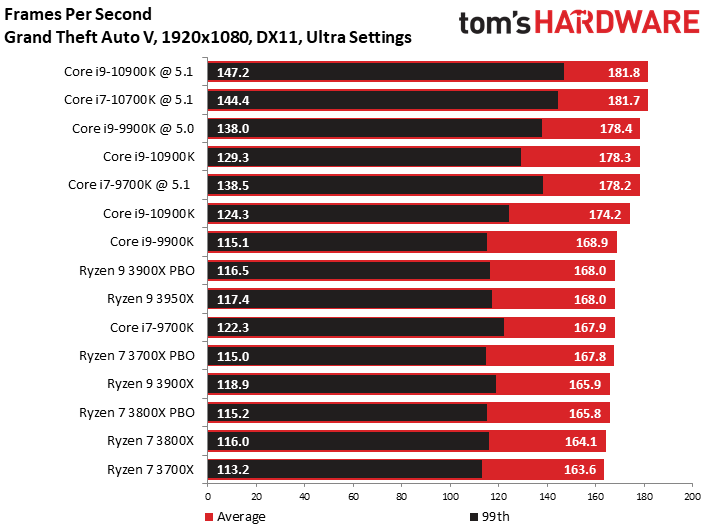
Gaming performance at 1080p sits roughly 20-25 percent behind the 9800X3D and about 10-15 percent behind the 9700X. At 1440p with mid-range GPUs like the RTX 4060 Ti, the gap shrinks to single digits. For competitive esports titles — Valorant, CS2, Fortnite, Apex Legends — the 9600X pushes well above 200 FPS without difficulty.
The real appeal here is the upgrade path. Buy the 9600X now on an affordable B650 motherboard, and when Zen 6 or a future 3D V-Cache chip drops, you swap processors without replacing anything else. That upgrade flexibility has genuine monetary value that Intel’s shorter-lived platforms cannot match.
Who should buy it: First-time PC builders working with tight budgets who want a modern platform with room to grow. Also ideal for secondary gaming PCs or builds where most of the budget should go toward the GPU.
5. Intel Core Ultra 9 285K — Best Intel Flagship

| Price & Details | |
|---|---|
| Price | $509.99 |
| Rating on Amazon | 4.6 out of 5 stars |
| Brand | Intel |
| Check availability on Amazon |
Intel’s Arrow Lake flagship brings 24 cores (8 Performance + 16 Efficient) to the table with boost clocks reaching 5.7 GHz. The hybrid architecture splits workloads intelligently — P-cores handle demanding threads while E-cores manage background tasks, similar to how ARM processors work in smartphones.
In raw multi-threaded productivity — video rendering, code compilation, scientific computing — the 285K competes well against AMD’s non-X3D Ryzen 9 processors. The problem is gaming. Against the Ryzen 7 9800X3D, Intel’s flagship trails by 25 to 37 percent in CPU-limited gaming scenarios. That’s a significant gap when the 285K costs $589 and the 9800X3D costs less.
The 125W base TDP stretches to 250W under sustained multi-threaded loads, demanding a robust cooling solution — at minimum a 280mm AIO or a premium air cooler. Power consumption during gaming sits lower since games rarely utilize all 24 cores, but the peak draw still factors into PSU requirements.
One genuine advantage: Intel’s platform supports DDR5-7200+ out of the box with better memory overclocking support than AM5 currently offers. For enthusiasts who enjoy tuning memory timings, Intel provides more headroom.
Who should buy it: Intel loyalists who need strong multi-threaded performance alongside good (not best) gaming capability. Also relevant for workloads that specifically benefit from Intel’s instruction set extensions or software optimizations.
6. Intel Core Ultra 7 265K — Best Intel Mid-Range

| Price & Details | |
|---|---|
| Price | $338.24 |
| Rating on Amazon | 4.7 out of 5 stars |
| Brand | Intel |
| Check availability on Amazon |
The Core Ultra 7 265K offers 20 cores (8P+12E) with boost clocks up to 5.4 GHz at a street price around $340. In gaming, it performs within 3-5 percent of the more expensive 285K, since games rarely leverage all 24 cores of Intel’s flagship. The four fewer E-cores barely register in gaming frame rates.
Where the 265K makes sense is for gamers who want an Intel platform without paying flagship prices. The LGA 1851 motherboard ecosystem has matured, with B860 boards available under $200 offering solid VRM configurations. Paired with DDR5-6000 memory and a mid-range GPU, the 265K builds into a capable system for around $1,400 total.
The 125W/250W TDP envelope mirrors the 285K, so cooling requirements remain identical. A 240mm AIO handles stock operation comfortably; overclockers should consider 280mm or 360mm solutions.
Who should buy it: Intel platform builders who want near-flagship gaming performance at a meaningful discount. Pair it with a quality gaming keyboard and gaming mouse for the complete setup.
7. Intel Core Ultra 5 245K — Budget candidate (price-dependent) Intel

| Price & Details | |
|---|---|
| Price | $179.99 |
| Rating on Amazon | 4.7 out of 5 stars |
| Brand | Intel |
| Check availability on Amazon |
The entry point into Intel’s Arrow Lake lineup, the Core Ultra 5 245K pairs 6 Performance cores and 8 Efficient cores (14 total) with boost clocks up to 5.2 GHz. At $229-309 depending on sales, this chip competes directly with AMD’s Ryzen 5 9600X for budget gaming supremacy on a modern platform.
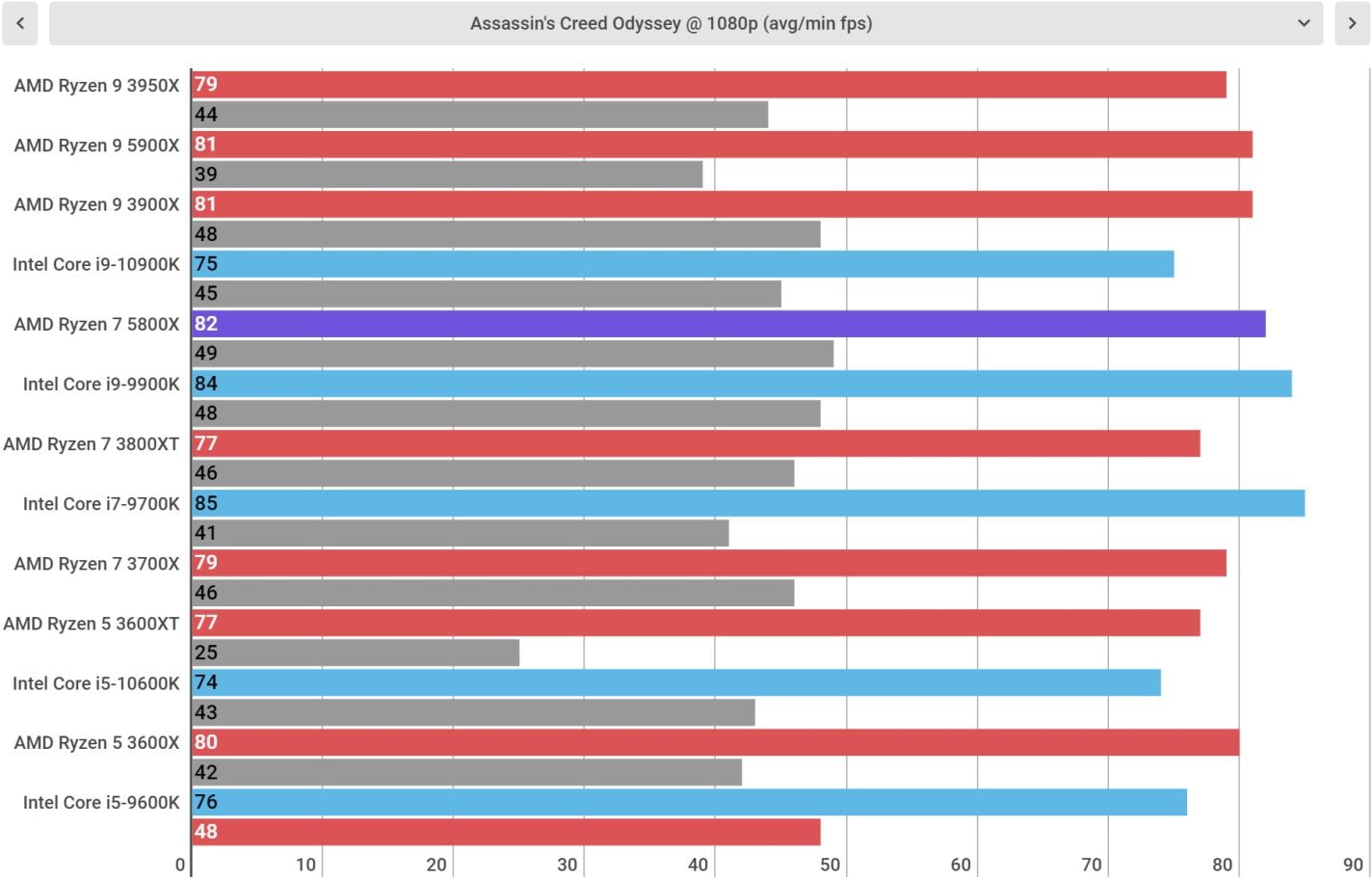
Gaming performance lands in a dead heat with the Ryzen 5 9600X across most titles — some games favor Intel’s architecture, others favor AMD’s. The meaningful difference shows up in productivity: those extra E-cores give the 245K roughly 30-40 percent higher multi-threaded performance for tasks like video encoding and compilation, making it the better pick for anyone who uses their PC for more than just gaming.
The 125W/159W TDP profile runs cooler than Intel’s higher-tier chips, and the reduced power target means more affordable cooling solutions work fine. A $35-50 tower cooler handles this processor without issue.
Who should buy it: Budget builders who want Intel’s latest architecture with respectable gaming performance and stronger productivity than AMD’s Ryzen 5. Also a smart choice for college students building a dual-purpose gaming and schoolwork machine.
8. AMD Ryzen 5 7600X3D — Budget candidate (price-dependent) 3D V-Cache

| Price & Details | |
|---|---|
| Price | $239.00 |
| Rating on Amazon | 4.8 out of 5 stars |
| Brand | AMD |
| Check availability on Amazon |
AMD’s most affordable 3D V-Cache processor on the AM5 platform, the Ryzen 5 7600X3D delivers 6 cores and 12 threads with that same 96 MB of L3 cache that makes the 7800X3D and 9800X3D so dominant in games. Based on the older Zen 4 architecture, it boosts to 4.7 GHz — lower than Zen 5 parts — but the massive cache compensates heavily in gaming workloads.
In benchmarks, the 7600X3D performs within 5 percent of the Ryzen 7 7800X3D in most games — a chip that costs significantly more. The 65W TDP keeps things cool and quiet, and the AM5 platform ensures a direct upgrade path to Zen 5 and Zen 6 processors down the road.
Street pricing hovers around $246, making this the cheapest way to experience the gaming benefits of 3D V-Cache technology on a modern platform. For pure gaming performance per dollar, few processors compete with what this chip delivers.
Who should buy it: Budget gamers who prioritize frame rates above all else and plan to upgrade the CPU later when Zen 6 arrives. The 65W TDP also makes it excellent for compact small form factor builds where thermals are constrained.
9. AMD Ryzen 7 5700X3D — Best Legacy AM4 Upgrade

| Price & Details | |
|---|---|
| Price | $309.99 |
| Rating on Amazon | 4.8 out of 5 stars |
| Brand | AMD |
| Check availability on Amazon |
Still rocking an older AM4 system with a Ryzen 3600, 2700X, or even a first-gen Ryzen chip? The 5700X3D is the single best upgrade you can make without replacing your motherboard and memory. Drop this processor into your existing B450 or X570 board after a BIOS update, and gaming performance jumps dramatically thanks to that 96 MB of 3D V-Cache.
Eight cores, 16 threads, and a 105W TDP make the 5700X3D a meaningful step up from any older AM4 chip. At around $130, this processor costs less than a decent gaming chair — and the performance transformation is night and day if you’re coming from a quad-core or a non-X3D Ryzen 5000 part.
The catch: AM4 is a dead-end platform. No future processors will support this socket, so the 5700X3D is the ceiling for your current build. But if your goal is to extend the life of an existing system by two or three more years without spending $500+ on a new motherboard, memory, and CPU, this is the most cost-effective move in PC gaming right now.
Who should buy it: Anyone with an AM4 motherboard looking to maximize their existing investment before eventually building a new system. This chip buys you years of solid 1080p and 1440p gaming for the price of a couple of new games.
10. AMD Ryzen 5 8600G — Best APU (When You Don’t Have a GPU)

| Price & Details | |
|---|---|
| Price | $186.10 |
| Discount | 19% |
| Rating on Amazon | 4.7 out of 5 stars |
| Brand | AMD |
| Check availability on Amazon |
Not every gamer has budget for a dedicated graphics card on day one. The Ryzen 5 8600G solves that problem with an integrated RDNA 3 GPU (Radeon 760M) powerful enough to handle 1080p gaming at low-to-medium settings in most modern titles. Esports games like Valorant, CS2, and Fortnite run at playable frame rates without any graphics card installed.
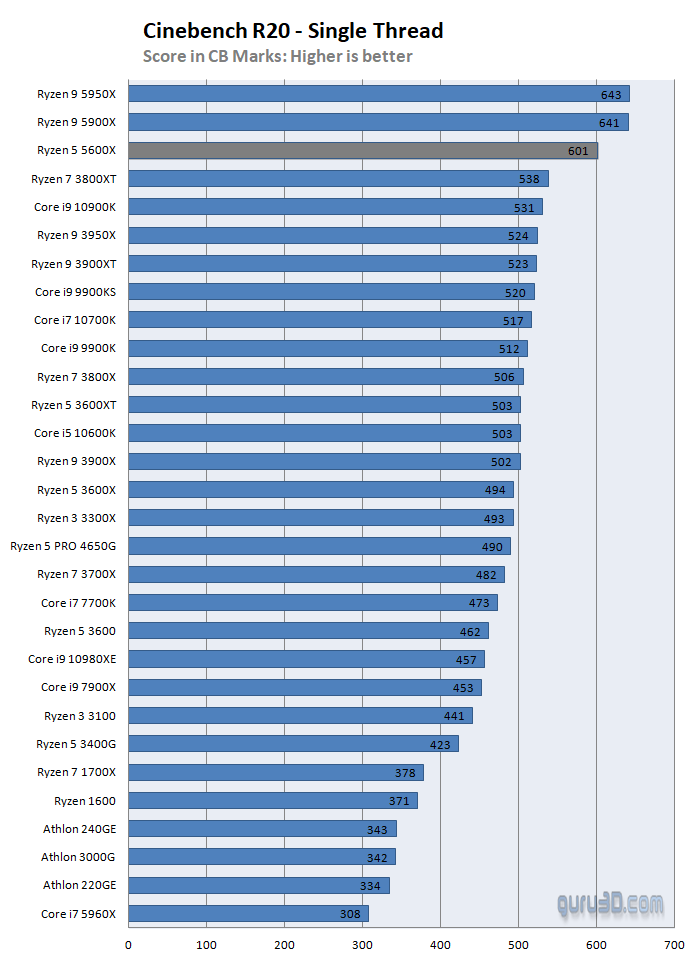
The CPU side offers 6 Zen 4 cores with 12 threads boosting to 5.0 GHz, which handles gaming and everyday tasks perfectly well. The 65W TDP keeps the system cool and simple to build — no massive cooler needed, no beefy power supply required. A $400-500 total build is achievable with this processor.
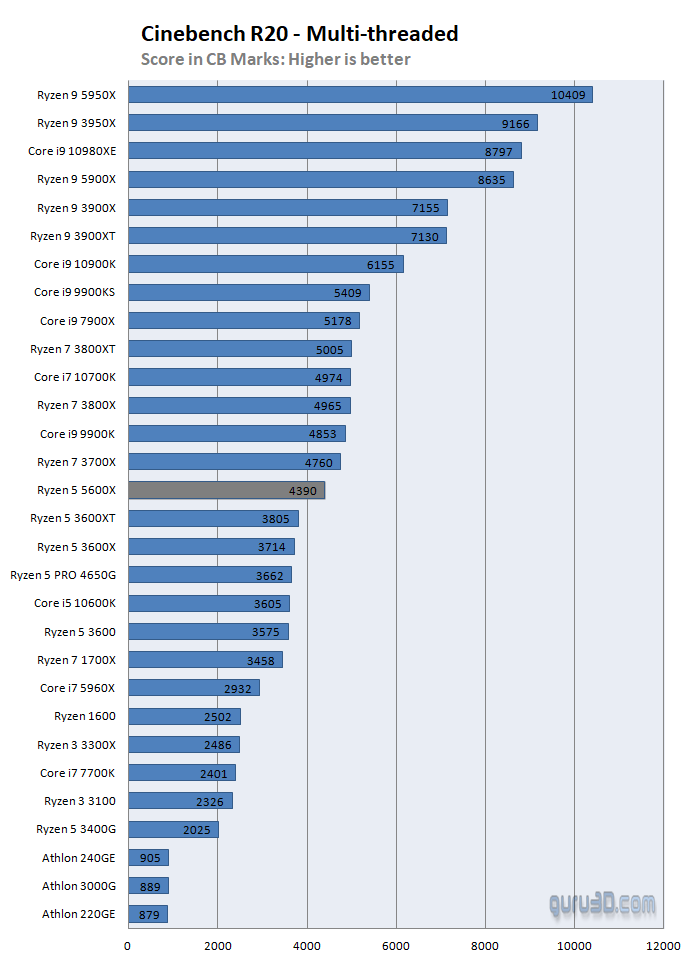
The integrated graphics benefit heavily from fast DDR5 memory since the GPU shares system RAM. Running DDR5-6000 or faster with tight timings squeezes noticeably more performance out of the Radeon 760M compared to basic DDR5-4800. This is one scenario where spending extra on memory has a direct, measurable impact on frame rates.
When your budget eventually allows adding a dedicated GPU, the 8600G’s CPU portion keeps up with mid-range graphics cards without bottlenecking. The AM5 platform also means you can upgrade both the CPU and GPU independently over time.
Who should buy it: Budget builders who need to game now but can’t afford a separate GPU yet. Students, first-time builders, or anyone constructing a compact HTPC that doubles as a casual gaming machine.
What Is 3D V-Cache and Why Does It Matter for Gaming?
3D V-Cache is AMD’s proprietary technology that vertically stacks additional L3 cache memory on top of (or, in second-gen designs, beneath) the processor’s compute die. Traditional Ryzen chips carry 32 MB of L3 cache; V-Cache versions get 96 MB or 128 MB — a threefold to fourfold increase.
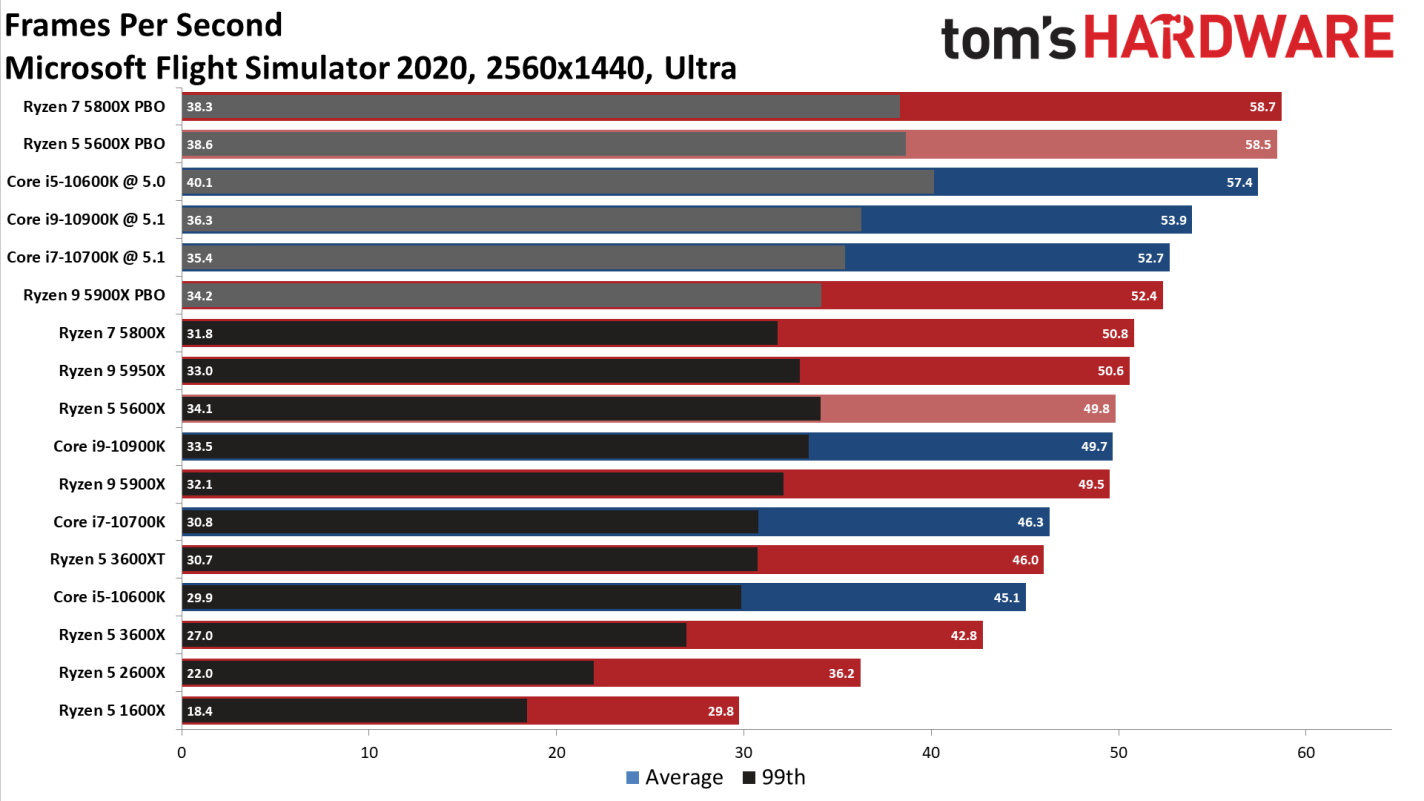
Why does extra cache help games specifically? Games generate unpredictable memory access patterns as they simulate physics, load textures, process AI routines, and render geometry. When the data a game needs already lives in the processor’s cache, the CPU accesses it in nanoseconds rather than the tens of nanoseconds required to fetch from DDR5 system memory. Those nanosecond savings compound across millions of operations per second, resulting in 15-37 percent higher frame rates in CPU-limited scenarios.
The performance advantage shrinks at higher resolutions (4K) because the GPU becomes the bottleneck, not the CPU. At 1080p with a powerful GPU — where the CPU is the limiting factor — the difference between a V-Cache chip and a standard one is dramatic. At 1440p, the gap narrows but remains meaningful. At 4K, it largely disappears.
Platform Comparison: AM5 vs. LGA 1851 vs. AM4
Choosing a CPU also means choosing a platform — and the platform determines your upgrade path, memory options, and total system cost. Here’s how the three current options stack up.
| Feature | AM5 (AMD) | LGA 1851 (Intel) | AM4 (Legacy AMD) |
|---|---|---|---|
| Memory | DDR5 only | DDR5 only | DDR4 only |
| PCIe Generation | PCIe 5.0 | PCIe 5.0 | PCIe 4.0 |
| Budget Motherboard | B650 (~$130-170) | B860 (~$150-200) | B450 (~$60-90 used) |
| DDR5 RAM (32GB) | ~$70-90 | ~$70-90 | N/A (DDR4 ~$40) |
| Upgrade Path | Zen 6, possibly Zen 7 | Arrow Lake only | None (dead-end) |
| CPU Range | Ryzen 7000/9000 | Core Ultra 200S | Ryzen 1000-5000 |
| Total Platform Cost | ~$400-560 | ~$450-600 | ~$230-300 |
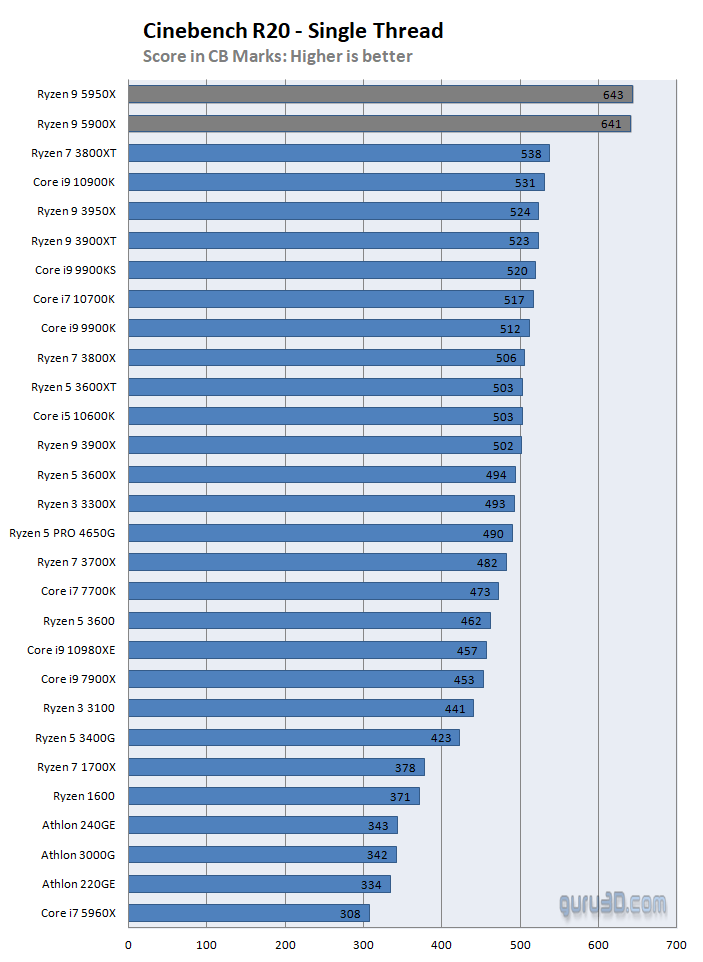
AM5 offers the strongest long-term value. AMD committed to supporting the AM5 socket through Zen 6 and potentially Zen 7, meaning a motherboard purchased today will accept processors released years from now. LGA 1851 appears to be approaching end-of-life according to industry roadmaps, with Intel’s next-generation Panther Lake potentially using a different socket. AM4 is the cheapest entry point but accepts no future processors — it’s purely for maximizing existing hardware.
How to Choose the Right Gaming CPU for Your Build
Your ideal processor depends on three factors: the resolution you play at, the GPU you’re pairing it with, and your total build budget.
By Resolution
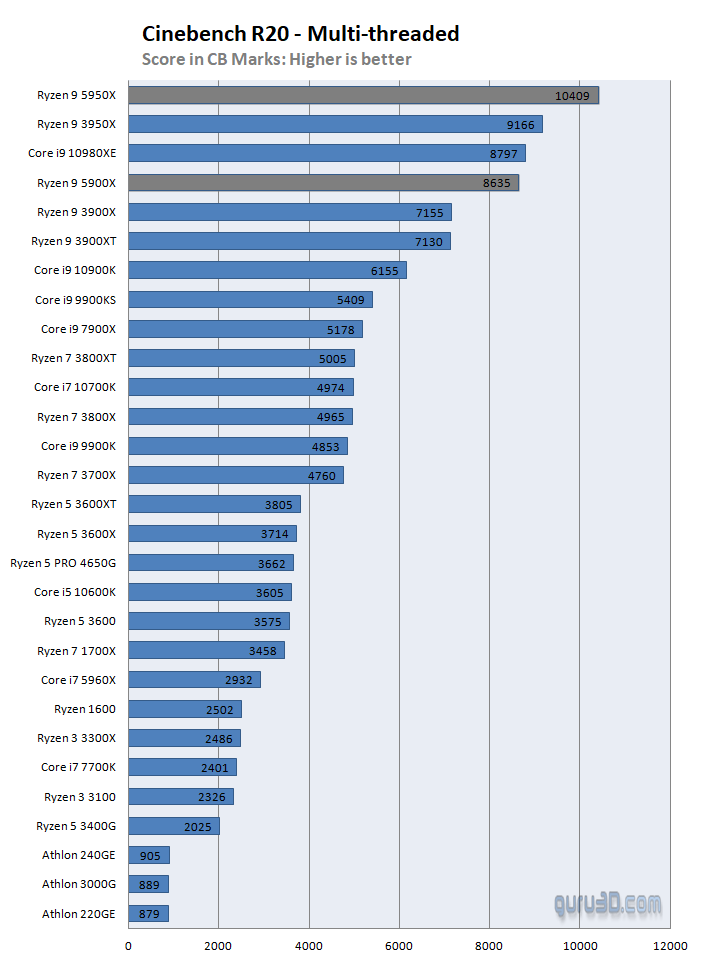
- 1080p competitive (high refresh rate): Get the 9800X3D or 7600X3D. At this resolution, CPU choice directly impacts frame rates, and V-Cache dominates.
- 1440p (the sweet spot for most gamers): The 9700X or 9600X delivers 90-95% of the gaming experience that costs twice as much. GPU selection matters far more here.
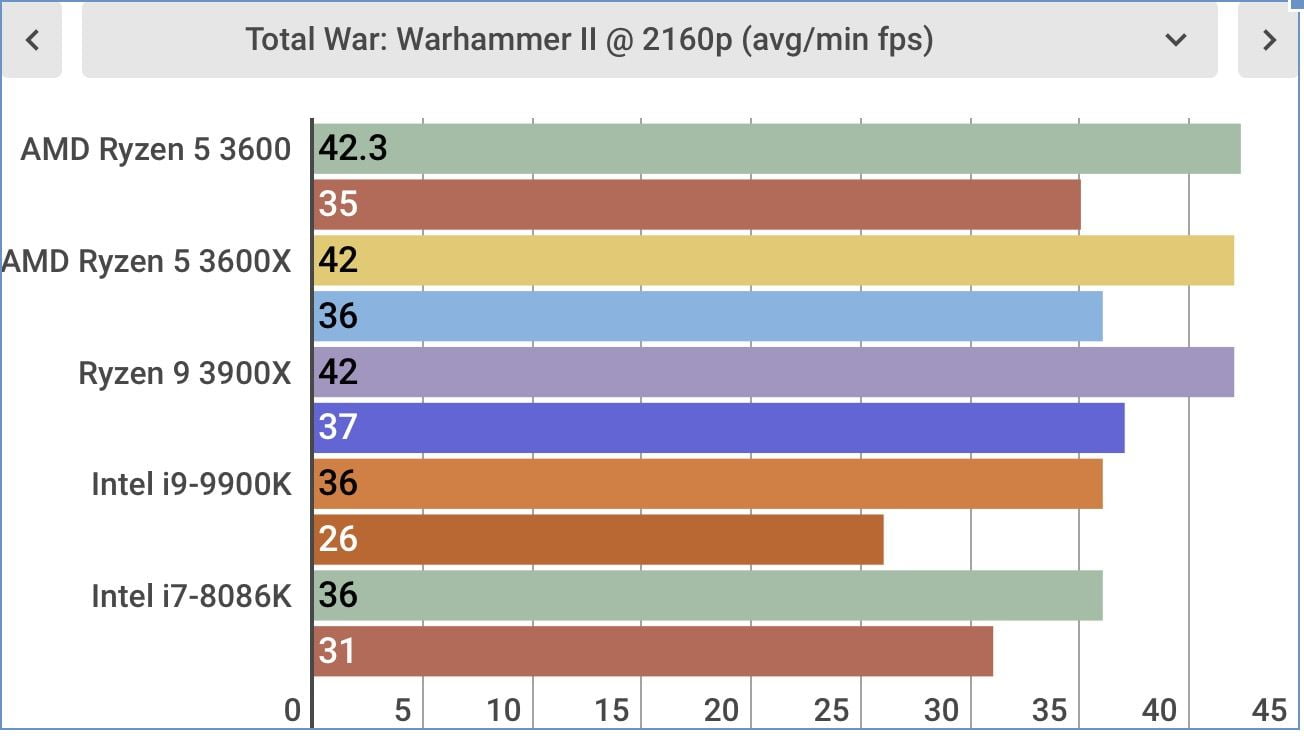
- 4K gaming: Almost any modern 6+ core processor works. The GPU is the bottleneck at 4K, making CPU differences minimal. Save money here and spend on a better graphics card.
By Total Build Budget
- Under $600: Ryzen 5 8600G (no GPU needed) or Ryzen 7 5700X3D on used AM4 hardware
- $800-1,200: Ryzen 5 9600X or Intel Core Ultra 5 245K with a mid-range GPU
- $1,200-1,800: Ryzen 7 9700X with a high-end GPU — the sweet spot for price-to-performance
- $2,000+: Ryzen 7 9800X3D or 9950X3D with a flagship GPU
Cooling Requirements by Processor Tier
Don’t overlook the cooler — it’s a hidden cost that varies significantly between these processors.
| TDP Range | Processors | Recommended Cooling | Approximate Cost |
|---|---|---|---|
| 65W | 9600X, 9700X, 7600X3D, 8600G | Stock cooler or budget tower | $0-40 |
| 105W | 5700X3D | Mid-range tower cooler | $30-50 |
| 120W | 9800X3D | Quality tower or 240mm AIO | $40-80 |
| 125-170W | 9950X3D, 285K, 265K, 245K | 240-280mm AIO or dual-tower | $60-120 |
Budget builders often forget that a $40 cooler for a 65W chip saves money compared to a $100 AIO required for a 250W Intel processor. That $60 difference buys a meaningful GPU upgrade or covers a portion of your next gaming laptop fund.
When You Should NOT Upgrade Your CPU
Honest advice that most buying guides skip: not everyone needs a new processor. Hold off on upgrading if:
- You already own a Ryzen 7 7800X3D or 5800X3D. The jump to a 9800X3D provides 10-15 percent more frames at 1080p. At 1440p, you might gain 5 percent. Unless you’re chasing competitive esports rankings, that upgrade won’t feel transformative.
- Your GPU is the bottleneck. Run a monitoring tool like MSI Afterburner during gameplay. If your GPU sits at 95-100 percent utilization while your CPU hovers at 40-60 percent, a new processor won’t increase your frame rate. Upgrade the graphics card first.
- You game primarily at 4K. At 4K resolution, even a three-year-old 6-core processor delivers nearly identical frame rates to the latest flagship CPUs because the GPU does almost all the heavy lifting.
- You’d need a new motherboard, RAM, and cooler. A CPU upgrade that also requires a $150 motherboard, $80 DDR5 kit, and $60 cooler turns a $300 processor into a $590 platform swap. Make sure the total investment justifies the performance gain.
What’s Coming Next in Gaming CPUs
AMD confirmed that Zen 6 processors will arrive later in 2026, built on TSMC’s 2nm process with rumored support for up to 12 cores per CCD (24 cores maximum for consumer parts). Expect meaningful IPC improvements and potentially a new generation of 3D V-Cache alongside the launch. Intel’s Panther Lake, built on the Intel 18A process with backside power delivery, is also expected in late 2026 or early 2027.
For most gamers, the current Zen 5 and Arrow Lake lineup offers more than enough performance to last several years. Waiting for next-gen makes sense only if your current system is still adequate. If you’re running anything older than a Ryzen 5000 or Intel 12th gen, upgrading now delivers immediate, tangible improvements to your gaming experience.





Share Your Thoughts