
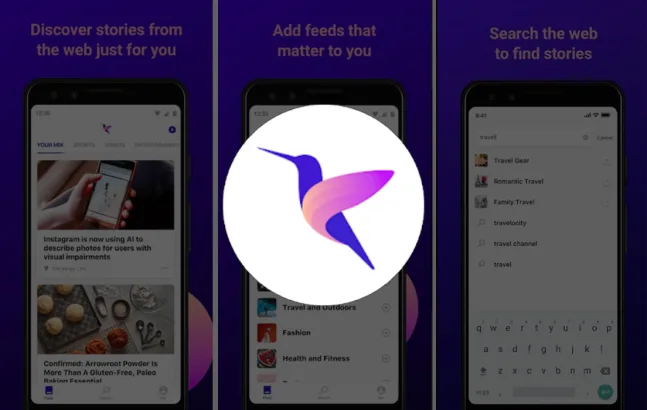
Microsoft has almost released an AI-based news application named as Hummingbird on the stores. The app is currently available in the United States only for now.
The application is assumed to be the second news aggregation application from Microsoft. It is available in around 28 languages. The app allows you to pick the sites of your choice and the news type that you like. This helps in creating a News Feed of your choice. You can also mute a news feed or dislike a kind so that the application covers your choice based on the AI that it uses. The application’s AI learns the pattern of your choice with time to cater to your preferences.
There are lots of applications that already provide this News Mix for their users on demand. You can count the Google News app’s “My Feed” section in them. However, this AI feature with Hummingbird is new as compared to the previous Microsoft’s news app.
The application works with an in-app browser, so every news opens up in a different format. The application’s overall look is a bit clumsy and scattered, not appropriate for perfectionists or people who wish to see everything in order.
How Hummingbird Works
You can log into the app using external accounts such as Microsoft account or LinkedIn account. Once you Login to the application, the application acquires your preferences so that you can create the feed of your choice for your future. Also, the app allows you to create sections that can contain news of your choice. The application gives you the liberty to choose from options such as Science, Technology, Entertainment, Politics, Tech and Sports, Food, Dining, Fashion and many more. Once you have made a selection of your preferences, the news feed will be populated accordingly.
The View
You click on the story you want to see, and the application takes you the site very stories have been published. Though the news opens up in the site’s browser with a different layout, the top bar contains the logo of hummingbird along with its social features which include dislike, block, save and share. You can dislike a feed or source to stop having stories from them on your feed.
Create your own Feed
If you feel like adding more topics to your feed, you can do this by hitting the add icon on the top right edge of the screen. You can search the topics of your choice using the search icon given in the top banner of the application. Upon getting the search results, you can tap on the source or the news. As soon as it opens up, you can click on the ‘+’ icon to make it a part of your feed or preferences. The search works on tags and keywords so that you have the maximum probability of finding the topic of choice or the relevant news too.
Search, Save, and Review in History
If you feel like you read something important and want to look at it once more, you can simply track the news or the source in the history of the application, or you can simply create your save list. The profile tab of the application gives users the flexibility to customize their news search. You can also submit your feedback through your profile.
Save Data
Just in case you think that keeping the application active with feeds loading all the time, you would have a serious data consumption, then you can simply go to the setting of your application and toggle the “Show videos in feed” option to avoid data loss.
Download Now
https://play.google.com/store/apps/details?id=com.microsoft.feed
This App is only available in the US for now, but if you are curious and want your hands on it, then you can download it from APK Mirror.




Share Your Thoughts