

With everything at our fingertips quite literally, we get tired of always having to type, be it a message, dialing a number, operating an app, or setting an appointment. Virtual assistant apps have taken the world by storm, offering a delightful alternative to conventional typing.
These virtual assistants can search your queries on search engines, take notes, set calendar dates, remind you of your tasks, and share the latest news, weather, and updates. From working individuals to grandparents and kids, always asking Siri, Google Assistant, and Alexa random questions, things seem a little more manageable now.
So, sit back and relax because we’ve compiled some of the Best Virtual Assistants that you can use to get things done!
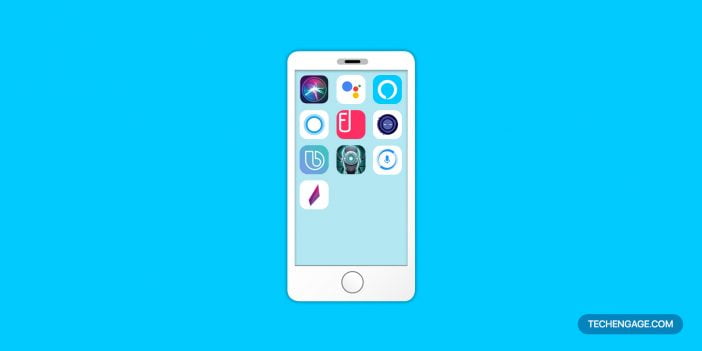
The 10 best digital assistants of 2026
1. Google Assistant
When it comes to Android, the king of Virtual Assistants is one of our personal favorites, Google Assistant. Just as Siri is to Apple, Google Assistant is powered by voice commands on Android. Most of the Android phones come with a shortcut that can take the user directly to the virtual assistant.
Google Assistant types messages, emails, dial contacts, play songs, search queries, read notifications, open apps, to name a few basic functions. The Assistant supports the text commands as well. You can turn the Assistant on and then decide whether you want to continue with the voice command or type instead. Additionally, you can also control your smart home devices using the assistant.
Availability: Android devices (including wear OS devices), iPhone (with restrictions)
2. Amazon Alexa
Amazon’s take on Virtual Assistant, Alexa, is one of the users’ favorite. The phrase ‘Alexa…play [insert a song]’ has been very popular this year. The virtual assistant initially ran on Amazon devices. The company has now extended its support to iOS and Android devices as well. The assistant can do a range of things other than playing music.
You can take notes, make To-Do lists, set up alarms, can keep you informed about the weather and news, and more. The virtual assistant comes with this exciting feature of waking up with a word of your choice (not every device offers this feature, though).
Availability: Amazon devices, Android devices, iOS, Mac, Windows
3. Cortana

Introduced by none other than the tech giant Microsoft, Cortana is another great option for a virtual assistant. The ambitious virtual assistant has been around for quite a while and has picked up numerous features along the way. This virtual assistant helps keep you organized by handling your calendar.
Cortana will take notes, set up reminders and alarms, including many other features you would find in virtual assistants. The best part about this virtual assistant is that it learns and can adapt a number of features. It is also compatible with a number of apps (you can ask your assistant to startup apps). You can ask your queries, and Cortana will search for it on Bing. One thing that you may want to know is that the app has been discontinued from Android, iOS platforms. Cortana is no longer available anywhere but on Microsoft Store.
Availability: Android (Discontinued), iOS (Discontinued), Microsoft Store
4. Siri
Siri, synonymous to every other virtual assistant, is still one of the Best Virtual Assistants one could ask for. Run-on all common Apple devices, Siri laid the foundation of virtual assistants. The veteran app has gotten updated numerous times, improving and adding more to what it can already do. Siri can type texts for you, search your queries on search engines, dial a contact, warn about the weather, and read headlines from the selected newspapers (many newspapers have audio reports now, such as The Washington Post). This smart virtual assistant can also act as an interpreter helping you understand different foreign languages.
Availability: iOS devices
5. Fyle

Fyle, another AI-powered Virtual Assistant app, makes dreadful expense management achievable. Designed as a management app, this virtual assistant has a lot of tricks up its sleeve. It offers integrations with Google G Suite and Microsoft Office 365. Fyle can do real-time data extraction, track corporate cards and policies, and manage CRM workflows as well. The virtual assistant is widely being used by businesses to manage their expense sheets and more. Unlike most virtual assistants out there, Fyle can prove to be an effective addition to your workflow.
Availability: Android, iOS
6. Extreme

Yet another intriguing yet simple virtual assistant for Android, Extreme is a personal voice/virtual assistant expert in a number of simple functions. This virtual assistant is very easy to get hooked to; it offers a series of straightforward features and is highly responsive. Extreme would dial contacts, send messages, write emails, and search your queries using the search engine. If you are looking for an alternative to Google Assistant, then Extreme seems like a good choice. The assistant can find locations and show you the best possible route along with the weather and traffic updates. The app learns and comes up with great comebacks once it gets to know you (you’d love it if you appreciate a good sense of humor).
7. Bixby
Samsung’s assistant, Bixby, is a multilingual virtual assistant. Initially launched for Samsung devices, the virtual assistant has expanded its support to a couple of other devices as well. The virtual assistant has been improved a good deal since its launch. It has a good response time responding to commands much more efficiently. The virtual assistant works on all of the Samsung devices (refrigerator, TV, etc.). Like many other virtual assistants, Bixby tries to learn as much about you as possible. It will take notes of your preferences and show you things accordingly. Open apps, make calls, set up tasks on the calendar, and much more through it.
Availability: Samsung devices
8. DataBot
A unique take on virtual assistants, DataBot is your go-to assistant to keep yourself well-informed about everything. This virtual assistant gained popularity in the Android community and then expanded its support to other devices as well. The best part about the app is its ability to create presentations from scratch; all you have to do is give voice commands, it will find images and texts and prepare slides for you (how cool is that?). This virtual assistant is available in multiple languages. Further, you can send texts and emails using DataBot.
Availability: Android, iOS, Windows 10
9. Hound
Another smart virtual assistant, Hound, is ideal for iOS and Android users alike. The virtual assistant can play interactive games with you. The assistant can send messages, make calls, write emails, and find answers to your questions on the search engine as well. The virtual assistant is well known for its speedy and detail-oriented results. Hound learns and improves its functions with time as well. The virtual assistant is very intuitive and picks up things quickly. The best part about the app is that you do not have to talk like you would normally talk to a virtual assistant; you can talk naturally and get things done without breaking a sweat.
Availability: Android devices, iOS devices
10. Robin – AI Voice Assistant
Robin is a powerful AI voice assistant available for Android users that makes it easy to control your device with your voice. The app offers a range of useful features, including hands-free messaging, navigation, and music control. With Robin, you can send text messages, make phone calls, and even post to social media platforms without ever touching your phone. The app also offers real-time traffic updates and turn-by-turn directions, making it a great tool for commuters and travelers. What’s more, Robin is highly customizable, allowing users to create their own commands and personalize their experience. Whether you’re looking to streamline your daily tasks or stay safe on the road, Robin can help you do it all with ease.
With these virtual assistants making life all the easier for us, we would love to see what these companies have in store for us in the near future. With AI progressing fast, these virtual assistants may likely be replaced by much better and more mature apps sooner or later. Till then, these were our top 10 picks for the best virtual assistant apps.
F.A.Qs: Best virtual assistant apps 2026
Q: What are virtual assistants?
A: Virtual assistants are software applications or platforms that use artificial intelligence (AI) to perform tasks and provide assistance to users. These virtual assistants are designed to mimic human interaction and provide personalized responses to user queries.
Q: What are the top 10 Best Virtual Assistants in 2026?
A: As of now, it’s not yet possible to determine the top 10 Best Virtual Assistants for 2026. It will depend on several factors such as the capabilities of each virtual assistant, the user’s needs, and the devices that are compatible with each assistant.
Q: What are some common features of virtual assistants?
A: Some common features of virtual assistants include setting reminders, making phone calls, sending messages, scheduling appointments, providing weather updates, playing music, and answering general knowledge questions.
Q: How do I choose the best virtual assistant for me?
A: Choosing the best virtual assistant will depend on your specific needs and preferences. Consider what tasks you want the virtual assistant to perform, what devices you will use it on, and which virtual assistant has the features that align with your needs.
Q: What devices are compatible with virtual assistants?
A: Most virtual assistants are compatible with smartphones, tablets, and computers. Some virtual assistants are also compatible with smart home devices such as smart speakers, TVs, and home automation systems.
Q: Are virtual assistants secure?
A: Virtual assistants are designed with security in mind, but as with any technology, there is always some level of risk. Virtual assistants may collect personal data, so it’s important to understand the privacy policies of each virtual assistant and take precautions to secure your personal information.
Q: Can virtual assistants learn from my interactions with them?
A: Yes, virtual assistants use machine learning algorithms to improve their responses and provide more personalized assistance to users. Virtual assistants can learn from your interactions, such as your preferences, search history, and past queries.
Q: Can virtual assistants perform tasks automatically?
A: Yes, virtual assistants can perform tasks automatically based on preset conditions or triggers. For example, you can set a virtual assistant to turn on the lights when you arrive home, or play your favorite music when you wake up in the morning.
Q: Are virtual assistants able to communicate with other virtual assistants?
A: Some virtual assistants are able to communicate with each other. For example, Google Assistant can communicate with Amazon’s Alexa, allowing users to control their devices using either assistant. However, compatibility between different virtual assistants may vary.
Q: Can virtual assistants speak multiple languages?
A: Yes, most virtual assistants are designed to speak multiple languages. The number of languages supported will depend on the virtual assistant and the region it is available in.
Related reading: If you are building a remote workflow, also review our work-from-home apps.





I cant believe google assistant is on that list it’s the worst most obsolete app out and wasnt ever thought of being made o to a quality app all it really was was a gimmick that google used to launch its home line of devices not really to assist you in any way that’s why you news q degree in coding to get it to do anything its soul porpoise was to gain entry to your home and listen to every word said Alden. that the reason why google partnered with speaktoit wich became api ai and now dialogflo and depreciated the best assisstant app on the market just more shaded Google and in no way should be considered as one of the best